Why you choose Coolmuster Android Assistant as your personal helper?
By Jaspal Singh
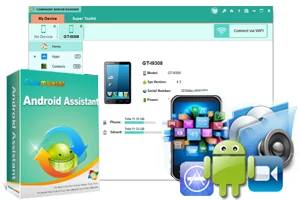
Erroneously deleted an important item or lost all your content from a factory reset? If so, the time has come for you to adopt a "backing up" habit for all your data as stored on your Android device to secure areas. Therefore, considering that people are storing valuable information and data in their phones today, it is important to have a way to backup everything in the case that the phone is damaged, stolen or even lost.
So if you own an Android device and need to backup every file and information onto a PC, Coolmuster Android Assistant is exactly the item for you. It is an one-stop managing Android software that is designed to safeguard all your contacts, media files, apps, SMS among other personal items in your PC. It facilitates all functions you may need for proper Android device management.
 The reasons that would inspire any Android user to go for this software are numerous and uncountable. Nonetheless, for starters, mobile devices are not strangers to running out of memory a condition that mandates for the user deleting excess items in order to free up space. However, with Coolmuster Android Assistant, you can safely store your data on a PC that remains safeguarded even when you delete it on your device.
Moreover, besides just freeing up storage space, mobile devices have continually become personal "confidants" where individuals store a lot of personal information and not just contacts and SMS. Currently, mobile devices play host to important personal notes, special calendar and meeting dates, banking apps and even voice recordings. As such, loss, damage, or even theft may result in the tremendous loss, a factor that can be averted by installing this software.
The reasons that would inspire any Android user to go for this software are numerous and uncountable. Nonetheless, for starters, mobile devices are not strangers to running out of memory a condition that mandates for the user deleting excess items in order to free up space. However, with Coolmuster Android Assistant, you can safely store your data on a PC that remains safeguarded even when you delete it on your device.
Moreover, besides just freeing up storage space, mobile devices have continually become personal "confidants" where individuals store a lot of personal information and not just contacts and SMS. Currently, mobile devices play host to important personal notes, special calendar and meeting dates, banking apps and even voice recordings. As such, loss, damage, or even theft may result in the tremendous loss, a factor that can be averted by installing this software.
 Numerous functions that Android gadgets allow have continually resulted in individuals getting reluctant from moving away from their devices. Most individuals save almost entirely everything on their portable devices and walk around not wary of the looming danger of losing the information. To be on the safe end, it is important to backup all your information in a PC.
With Coolmuster Android Assistant, you can export all your data and content inclusive of videos, photos and music from your Android device to your PC in the process allowing you to save on space.
To do this, you need to link your device to this program either through a USB cable or via WiFi.
Can’t Miss: How to Backup Android Contacts to PC/Mac
Numerous functions that Android gadgets allow have continually resulted in individuals getting reluctant from moving away from their devices. Most individuals save almost entirely everything on their portable devices and walk around not wary of the looming danger of losing the information. To be on the safe end, it is important to backup all your information in a PC.
With Coolmuster Android Assistant, you can export all your data and content inclusive of videos, photos and music from your Android device to your PC in the process allowing you to save on space.
To do this, you need to link your device to this program either through a USB cable or via WiFi.
Can’t Miss: How to Backup Android Contacts to PC/Mac
Why you choose Coolmuster Android Assistant as your personal helper?
The reasons that would inspire any Android user to go for this software are numerous and uncountable. Nonetheless, for starters, mobile devices are not strangers to running out of memory a condition that mandates for the user deleting excess items in order to free up space. However, with Coolmuster Android Assistant, you can safely store your data on a PC that remains safeguarded even when you delete it on your device.
Moreover, besides just freeing up storage space, mobile devices have continually become personal "confidants" where individuals store a lot of personal information and not just contacts and SMS. Currently, mobile devices play host to important personal notes, special calendar and meeting dates, banking apps and even voice recordings. As such, loss, damage, or even theft may result in the tremendous loss, a factor that can be averted by installing this software.
How to perform Coolmuster Android Assistant?
To examine this software, I installed it on a typical Windows 10 system and plugged a smartphone to the PC. On fiddling the USB access, it will mandate for you to enable the Debugging mode (although Coolmuster gives you a step-by-step guideline of accomplishing that) and this program will provide you with an outline of your device and what each category in your phone holds. Interestingly, this program takes a significant amount of time to completely read everything on your device. This is not surprising however since modern phones are currently characterized by large storage spaces stretching to even 64GB as such it is not an action expected to happen instantaneously.- Backing up Android with 1 simple Click
Numerous functions that Android gadgets allow have continually resulted in individuals getting reluctant from moving away from their devices. Most individuals save almost entirely everything on their portable devices and walk around not wary of the looming danger of losing the information. To be on the safe end, it is important to backup all your information in a PC.
With Coolmuster Android Assistant, you can export all your data and content inclusive of videos, photos and music from your Android device to your PC in the process allowing you to save on space.
To do this, you need to link your device to this program either through a USB cable or via WiFi.
Can’t Miss: How to Backup Android Contacts to PC/Mac
- Perfect SMS and Contacts Assistant
- A remarkable addition to Media and App enthusiast collections
- 1-Click Restore capacity
- Link your Android device to your PC and subsequently run the program that you’ve installed.
- Select "Super Toolkit" as is in the top menu.
- Click on the "Restore" option and choose the particular file you need to be restored on your device.