16 Genuinely Useful Websites Worth Bookmarking in 2026
The internet is bloated with link-bait "best website" lists that haven't been touched in a decade, half their entries dead or pivoted into something unrecognizable. This is a deliberately small, hand-checked list: 16 sites that were live, free or genuinely freemium, and solving a real problem when we verified them in mid-2026. Each one earns its place by doing a single thing better than the alternatives, whether that's computing a hard answer, stripping a background, tracking an Amazon price, or telling you how to get between two towns on the other side of the world. We skipped anything that now hides its core feature behind a hard paywall, and we noted where a "free" tier has meaningful limits so there are no surprises. The categories span productivity and file tools, learning, AI, design and media, shopping and finance, travel and maps, security, and reference. Bookmark the ones that fit your life; ignore the rest. No fluff, no affiliate padding, just tools that pull their weight.
The Most Useful Websites at a Glance
- Wolfram Alpha — Free + Pro ~$5/mo / Computation & reference
- Khan Academy — Free (Khanmigo $4/mo) / Learning
- Coursera — Audit free / Learning & certificates
- Perplexity — Free + Pro / AI answer engine
- Google NotebookLM — Free + premium / AI research assistant
- DeepL — Free (char limits) / Translation
- Canva — Free + Pro / Design
- Photopea — Free (ad-supported) / Photo & graphics editor
- remove.bg — Free preview + credits / Image tool
- iLovePDF — Free (with limits) / File conversion
- Unsplash — Free / Stock photography
- Pexels — Free / Stock photos & video
- camelcamelcamel — Free / Shopping & price tracking
- Have I Been Pwned — Free / Security
- Wayback Machine (Internet Archive) — Free / Reference & archive
- Rome2Rio — Free / Travel & maps
Genuinely Useful Websites to Bookmark in 2026
Wolfram Alpha
Free + Pro ~$5/mo / Computation & reference
A computational answer engine, not a search box. Type a math problem, a chemistry formula, a nutrition comparison, a date calculation or a statistics query and it returns a structured, computed answer rather than a list of links. The Basic tier is free and handles most one-off questions; Pro adds step-by-step solutions, which is the upgrade students actually pay for. Still one of the most genuinely original tools on the web in 2026.
Khan Academy
Free (Khanmigo $4/mo) / Learning
A nonprofit library of video lessons, practice exercises and personalized learning dashboards covering math, science, economics, history and test prep. The core content remains 100% free with no ads. Its AI tutor Khanmigo is free for teachers in 180+ countries (in pilot) via a Microsoft partnership, and costs learners about $4/month (currently US-only). For self-study, especially K-12 math and foundational science, nothing else combines this breadth and quality at zero cost.
Coursera
Audit free / Learning & certificates
University and industry courses from the likes of Stanford, Google and IBM. In 2026 the old full-course audit has narrowed to a free preview of roughly the first module of most courses, with graded work and certificates behind a subscription. Financial aid still covers most of the fee for eligible learners. Best treated as a way to learn from world-class instructors for free, paying only when you need the credential.
Perplexity
Free + Pro / AI answer engine
An AI search engine that answers questions in plain language and attaches numbered citations to real sources, so you can verify rather than trust blindly. The free tier covers effectively unlimited basic searches with a daily cap on deeper Pro searches. Useful for quick research, fact-checking and getting oriented on an unfamiliar topic, since the inline source links make it far easier to audit than a chatbot that just asserts answers.
Google NotebookLM
Free + premium / AI research assistant
Upload your own documents, PDFs, slides or links and NotebookLM becomes a grounded assistant that answers only from those sources, with citations back to the exact passage. Its standout Audio Overview turns your material into a podcast-style discussion between two AI hosts, now in 80+ languages with an interactive mode (cinematic video overviews require the paid Google AI Ultra tier). Ideal for studying dense material, summarizing reports, or turning a pile of research into something you can listen to.
DeepL
Free (char limits) / Translation
A translator that consistently beats the big-name alternatives on nuance, especially for European languages, where it won the overwhelming majority of blind linguist tests in 2026. The free web tool needs no account and handles a few thousand characters per request plus a small monthly allowance of document translations. Accuracy tapers off for low-resource languages and highly technical text, but for everyday European-language work it is the one to reach for.
Canva
Free + Pro / Design
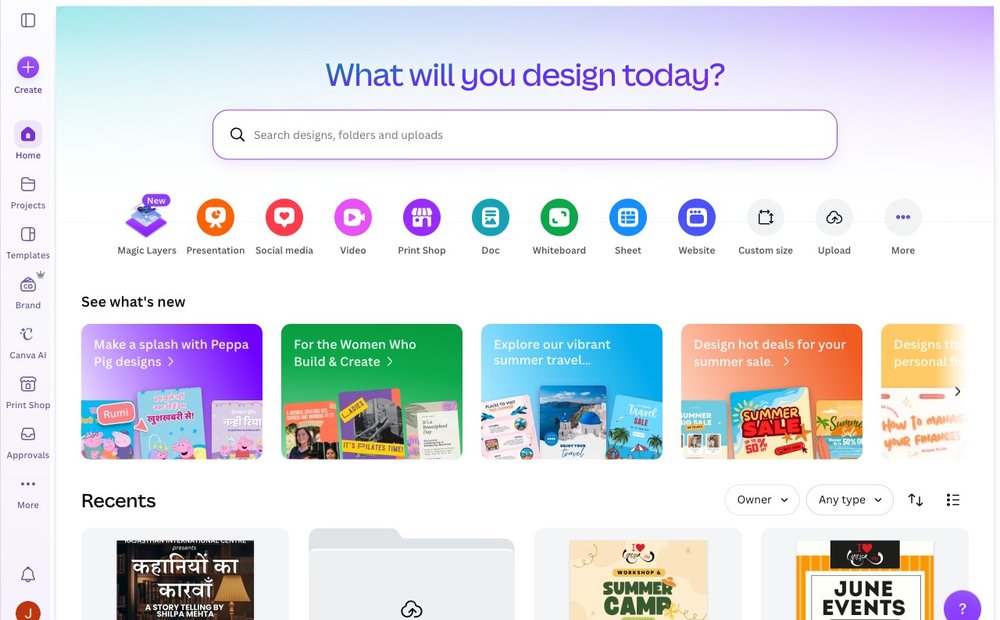
Drag-and-drop design for people who are not designers. The free plan includes over 1.6 million templates, roughly 5 million stock assets, 5GB of storage and AI helpers like background removal and text-to-image, enough to produce social posts, presentations, flyers and resumes without touching Photoshop. Pro unlocks Magic Resize and the full asset library, but most casual users never hit the ceiling of the free tier. The browser app needs no install.
Photopea
Free (ad-supported) / Photo & graphics editor
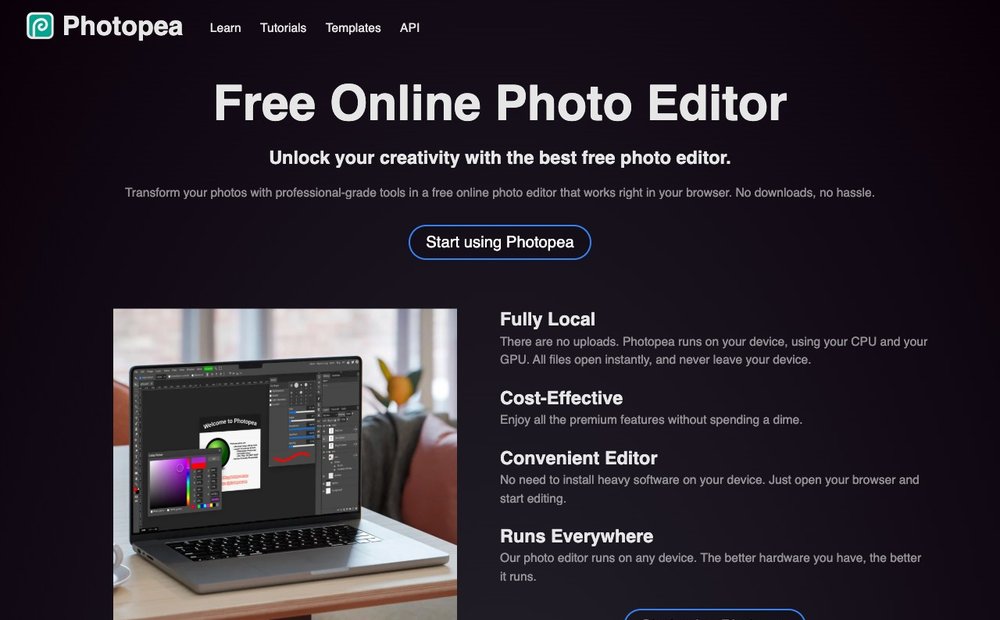
A full Photoshop-style editor that runs entirely in your browser with no signup. It opens and saves PSD files with strong fidelity, plus XCF, Sketch, XD and standard image formats, and supports layers, masks and both raster and vector tools. Processing happens locally, so your files never leave your device. For occasional heavy photo editing, or opening a PSD someone sent you, it replaces a paid Adobe subscription outright. An optional ~$5/month tier removes ads.
remove.bg
Free preview + credits / Image tool
Paste an image and it strips the background automatically in about five seconds, with surprisingly clean edges around hair and complex shapes. The free web tool gives you a preview and full-resolution downloads at a smaller size or via limited credits; bulk and HD output are paid. It integrates with Figma, Photoshop and Zapier for people who do this often. For one-off cutouts, product shots or profile photos, it is the fastest option around.
iLovePDF
Free (with limits) / File conversion
A one-stop kit for everyday PDF chores: merge, split, compress, rotate and reorder pages, convert to and from Word, Excel, PowerPoint and images, plus annotation and e-signing. The free web tier handles most tasks without an account, with caps on file size and how many jobs you run in a window. There are also desktop and mobile apps. When a PDF needs fixing and you don't want to install bloated software, this gets it done in the browser.
Unsplash
Free / Stock photography
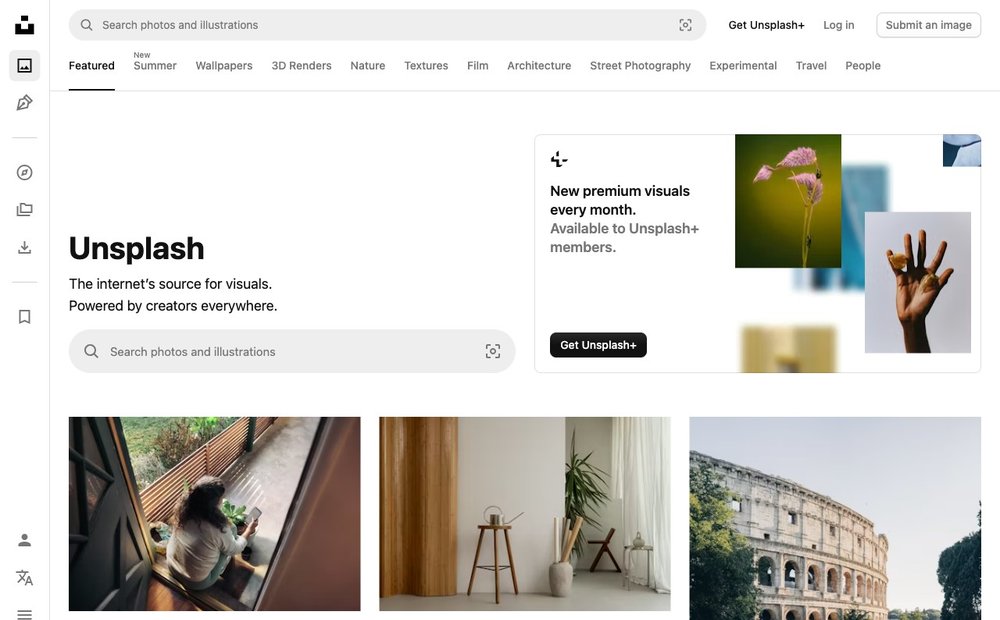
A large library of high-resolution photographs you can download and use free, including commercially, with no attribution required under the Unsplash License. Quality skews artistic and editorial rather than generic stock, which makes it a favorite for blogs, slide decks and websites. You can't resell the raw images or use them to build a competing service, and API integrations do require crediting the photographer, but for normal use it is genuinely free with no traps.
Pexels
Free / Stock photos & video
A close companion to Unsplash that adds a deep catalog of free stock video alongside photos, all under a permissive license allowing personal and commercial use without attribution. It's the go-to when you need short 4K clips for a reel, background footage or b-roll without paying per-asset stock fees. The usual sensible limits apply: don't resell unaltered files or pass them off as your own stock. Between Pexels and Unsplash, most free-media needs are covered.
camelcamelcamel
Free / Shopping & price tracking
A free Amazon price tracker that charts the full price history of millions of products so you can see whether today's deal is actually a deal or a fake markdown. Set a target price and it emails you when the product drops below it. The companion Camelizer browser extension overlays the history chart directly on Amazon pages across the US, UK, Germany and several other marketplaces. Indispensable before any non-trivial Amazon purchase or during sale events like Prime Day.
Have I Been Pwned
Free / Security
Enter your email address and it tells you which known data breaches it has appeared in, drawing on a database of well over a dozen billion compromised records. Free, fast and run by respected security researcher Troy Hunt. You can subscribe to be alerted automatically when your address turns up in a future breach. The separate Pwned Passwords check uses k-anonymity so your password is never sent in full. A two-minute habit that should be part of everyone's digital hygiene.
Wayback Machine (Internet Archive)
Free / Reference & archive
The Internet Archive's time machine for the web, holding over a trillion archived page snapshots. Paste any URL to see how a page looked on a past date, recover a deleted article, or cite a source that has since vanished. The wider Archive.org also hosts free books, audio, software and video. It weathered a major 2024 breach and faces growing publisher blocks in 2026, but remains operational and irreplaceable for anyone who needs to find what the web used to say.
Rome2Rio
Free / Travel & maps
Type any two places on Earth and it instantly shows every realistic way to get between them, by plane, train, bus, ferry, car, bike share or on foot, with estimated times, distances and prices side by side. Covering 240+ countries, it's the fastest way to sanity-check a route before committing, especially for multi-leg or unfamiliar journeys. A trip planner lets you chain stops into a saved itinerary, and you can book many legs through its partners directly from the results.
Picking the Right Tool for the Job
There is a free website for almost any task in 2026 — the trick is remembering they exist when you need them. Bookmark a small toolkit instead of hoarding hundreds of links: an AI research helper (NotebookLM, Perplexity), a design tool (Canva, Photopea), a file/image utility (Remove.bg, a PDF tool), a learning hub (Khan Academy), a fact engine (Wolfram Alpha, Wikipedia) and a safety check (Have I Been Pwned). Each entry below has been verified as live and still free or freemium in 2026.
Sources and Further Reading
- Wolfram Alpha
- Khan Academy
- Perplexity AI
- Google NotebookLM
- Have I Been Pwned
- Wayback Machine
- OpenStreetMap
- Google Scholar
Frequently Asked Questions
Are all of these websites really free?
Every site listed has a genuinely usable free tier we verified in 2026. Some, like Khan Academy, Wikipedia, OpenStreetMap and Have I Been Pwned, are free outright. Others are freemium: Perplexity, Canva, Wolfram Alpha, iLovePDF and remove.bg gate advanced features or higher limits behind a subscription, but their core function works without paying. We flagged meaningful limits in each blurb.
Which of these are best for replacing paid software?
Photopea replaces a Photoshop subscription for most photo and PSD work, running free in your browser. iLovePDF handles PDF merging, splitting and conversion that people often buy Acrobat for. Canva covers most light graphic design, and DeepL rivals paid translation services. For these tasks, the free tiers genuinely eliminate the need to pay for desktop software in many everyday situations.
Is the Wayback Machine still reliable in 2026?
Yes, it remains operational and holds over a trillion archived pages, though with caveats. After a major 2024 security breach it returned to full service, and in 2026 a growing number of news publishers have blocked its crawler over AI-scraping concerns, so some recent articles from those outlets may not be captured. For older pages and most of the web, it stays the definitive archive.
Are the free stock photos on Unsplash and Pexels safe for commercial use?
Generally yes. Both grant licenses allowing personal and commercial use without attribution. The main restrictions are that you cannot resell unaltered images as your own stock, prints or products, and you cannot use them to build a competing image service. Note that Unsplash's API terms do require crediting the photographer when images are displayed through an integration, unlike normal downloads.
How were these sites verified as current for 2026?
Each entry was checked against 2026 sources to confirm it is live, still free or freemium, and has not pivoted away from its core feature. We noted recent changes such as Coursera narrowing its free audit to a module preview and publisher blocks affecting the Wayback Machine. Sites that now paywall their main function or had gone dead were excluded from the list entirely.
The web changes fast: free tiers shrink, sites pivot, and a few go dark. We verified each site as live and still free or freemium in 2026, but features and pricing can change — check the site itself before relying on it for anything important.