Altium Designer Review 2025: Features, Pricing & Best Alternatives
What is Altium Designer?
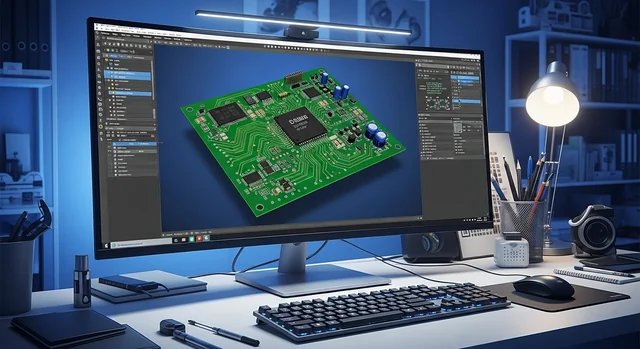
Altium Designer is a professional-grade PCB design software that provides a unified design environment integrating schematic capture, PCB layout, and design verification into one platform. Originally released as Protel in the late 1980s in Australia, it was rebranded as Altium Designer in 2001 and has since grown into a market leader used by engineers in aerospace, automotive, consumer electronics, and high-reliability industries. The software offers powerful simulation tools including signal integrity analysis, thermal analysis, and electromagnetic simulation, plus real-time 3D visualization of your PCB designs.Key Features of Altium Designer 2025
Unified Design Environment
- Single data model - PCB stays in sync with schematics throughout the design process
- Real-time synchronization - Changes at PCB level automatically reflect in schematics
- Integrated verification - Design rule checking built into the workflow
- 3D visualization - View and edit PCB designs in full 3D without external applications
Advanced Routing Capabilities
- Intelligent routing - Interactive router suggests optimal paths automatically
- Auto-shrinking traces - Reduces trace width to fit through tight spaces
- Topological auto-routing - Automated routing engine for complex designs
- Differential pair routing - Maintain signal integrity for high-speed designs
Collaboration Tools
- Altium 365 - Cloud platform for team collaboration and version control
- Real-time commenting - Add comments directly to designs for team review
- MCAD CoDesigner - Synchronize with Autodesk Inventor and Siemens NX
- Git integration - Native version control support
What's New in Altium Designer 2024-2025
The latest versions (25 and 26) have introduced several significant improvements:QR and Data Matrix Code Support
Generate and place QR codes and Data Matrix codes directly in your PCB design. This makes it easier to add scannable data for tracking, identification, and manufacturing automation.Wire Bonding Support
Design hybrid boards using chip-on-board (CoB) technology. This enables seamless integration of dies directly onto PCBs with bond wires connecting to other components—essential for advanced packaging applications.Constraint Manager Improvements
- Automatic refresh to import schematic directives during ECO process
- Class filtering for managing large numbers of design classes
- Streamlined export/import for constraints and constraint sets
Multi-board Design Enhancements
- Interactive commenting and task management in multi-board assemblies
- Support for external peripherals not part of regular child PCB assemblies
- Better connector management between boards
MCAD CoDesigner Updates
- Transfer Advanced Rigid-Flex (RF2) designs to Siemens NX
- Synchronize multi-board assemblies with Autodesk Inventor
- Improved 3D model exchange
DXF Import Improvements
Support for importing DXF files version R12 and later into manufacturing documents, including spline support for complex geometries.Altium Designer Pricing (2025)
Altium Designer uses a perpetual or subscription-based licensing model:| License Type | Price | Includes |
|---|---|---|
| Perpetual License | ~$11,970 | One-time purchase, updates extra |
| Term-based (Monthly) | $355/month | Full access, includes updates |
| Student License | Free | Annual license for students |
Note: Pricing may vary by region and reseller. Contact Altium directly for current quotes.
PCB Design Software Comparison 2025
How does Altium Designer stack up against the competition? Here's a comprehensive comparison:| Software | Price | Best For | Learning Curve | Key Strength |
|---|---|---|---|---|
| Altium Designer | $7,000-$12,000 | Professional engineers, enterprises | Moderate-Steep | Unified design environment |
| KiCad | Free (Open Source) | Hobbyists, startups, budget-conscious | Moderate | No cost, active community |
| Autodesk Eagle | Free/Paid tiers | Hobbyists, small businesses | Easy-Moderate | Fusion 360 integration |
| OrCAD | Paid (varies) | Engineers needing simulation | Steep | Advanced SPICE simulation |
| EasyEDA | Free (Cloud-based) | Students, hobbyists | Easy | Browser-based, JLCPCB integration |
| DipTrace | $75-$895 | Small-to-mid companies | Easy | Intuitive interface, affordable |
Who Should Use Altium Designer?
Altium Designer is ideal for:- Professional PCB designers working on complex, multi-layer boards
- Engineering teams that need collaboration features
- Companies requiring MCAD integration (Inventor, NX, SolidWorks)
- High-reliability industries (aerospace, automotive, medical)
- Organizations with budget for professional tools
- You're a hobbyist or student with limited budget (try KiCad or EasyEDA)
- You only design simple 2-layer boards occasionally
- You need extensive SPICE simulation (consider OrCAD)
Pros and Cons
| Pros | Cons |
|---|---|
| Unified design environment | High cost ($7K-$12K) |
| Excellent 3D visualization | Steep learning curve for beginners |
| Real-time design synchronization | Resource-intensive (needs good PC) |
| Strong MCAD integration | Annual subscription for updates |
| Active development and updates | Overkill for simple projects |
| Altium 365 cloud collaboration | License management complexity |
| Excellent documentation and support | Some features require add-ons |
Frequently Asked Questions
Is Altium Designer worth the cost?
For professional engineers and companies designing complex PCBs, yes. The unified environment, collaboration tools, and time savings justify the investment. However, hobbyists and students should consider free alternatives like KiCad.
Can I try Altium Designer before buying?
Yes, Altium offers a free trial. Students can also get free annual licenses through the Altium Education program.
What are the system requirements for Altium Designer?
Altium Designer requires Windows 10/11 (64-bit), Intel Core i7 or equivalent, 16GB RAM minimum (32GB recommended), SSD storage, and a dedicated graphics card for 3D features. It does not run natively on macOS or Linux.
Is KiCad a good free alternative to Altium?
KiCad is an excellent free, open-source alternative. While it lacks some advanced features like real-time 3D MCAD integration, it's capable of professional-quality designs and has a strong community. Many engineers use KiCad for personal projects while using Altium professionally.
Does Altium Designer support high-speed design?
Yes, Altium Designer excels at high-speed design with features like differential pair routing, length matching, impedance control, and signal integrity analysis tools.
Can Altium Designer import designs from other software?
Yes, Altium supports importing from Eagle, OrCAD, PADS, KiCad, and other formats. The import quality varies depending on design complexity.
What is Altium 365?
Altium 365 is a cloud platform that enables team collaboration, version control, design sharing, and manufacturing integration. It's included with Altium Designer subscriptions and allows real-time commenting and project management.
How long does it take to learn Altium Designer?
Basic proficiency takes 2-4 weeks for users with PCB design experience. Mastering advanced features like constraint management and multi-board design takes several months. Altium offers extensive tutorials and documentation.