How to Automate Repetitive Customer Support Tasks with AI
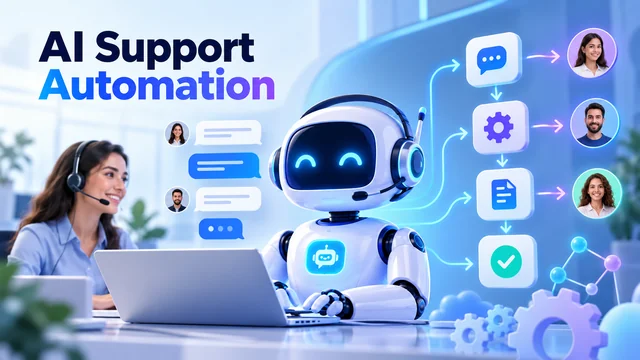
Customer support teams spend a lot of time on the same conversations, like the ones on refunds, payments, order status, cancellations, account details, and product information. While these issues may have varying degrees of difficulty, repetitive questions take up a lot of customer service teams' time.
Moreover, when the number of queries increases, support agents must perform more and more of the boring and time-consuming activities: taking notes, making entries in CRM, tagging conversations, routing tickets, and following up on emails. However, these non-customer-facing tasks can limit the capacity of your support team. This is where AI-powered customer support automation can make a difference by taking over repetitive tasks so that your agents can focus on difficult conversations that require human skills.
What Can AI Automate in Customer Support?
Many support-related activities lend themselves to automation as they are repetitive and follow a pattern, even though they require some judgment.
The most common examples are:
- Q&As: Frequently Asked Questions.
- Conversation summarization.
- Intent detection.
- Categorization.
- CRM updates.
- Follow-up messages.
- Sentiment analysis.
- Escalation detection.
We recommend that you start with automating the tasks that are performed most frequently and are easily predictable.
1. Automate Frequently Asked Questions Handling
FAQs are probably the easiest to start with since you can find them during conversations with customers. For example, customers most often ask about the status of their order, refund, or payment. They also want to know how to cancel or return a product or get account details or general information about the product.
However, with the implementation of AI for customer service, these conversations no longer have to be fully agent-assisted as long as the answers are accurate and up-to-date.
Additionally, you can ensure that the information provided to customers is consistent with the latest company information, product news, and promotions.
On the other hand, you don't want to provide incorrect information if the AI isn't confident enough in its response. Thus, we recommend that you use AI to power your FAQs but give the conversation to an agent if the question is too complex.
2. Automate Conversation Summarization
After each conversation, support agents are required to summarize it to update the CRM or ticketing system about the discussion's progress. While an individual conversation might only take a few minutes to summarize, this adds up when an agent has hundreds of conversations a day.
However, AI can automatically generate a summary of the conversation, providing the next agent with the necessary information about the conversation history without the customer having to repeat everything from the beginning.
ConvoZen's AI platform is capable of analyzing conversations and extracting important intent, outcome, sentiment, and key phrases for conversation summarization, ticket categorization, and other use cases.
3. Automate CRM Updates And Ticket Routing
Updating the CRM or ticketing system about the current conversation can take a lot of time and effort from the support agent. After the conversation, the agent might need to update the ticket, make notes about the conversation, tag it, and route it to the next person handling the ticket.
With modern customer support automation tools, ticket categorization and routing can be automated based on the conversation content. Additionally, you can integrate your ticketing system with your CRM and allow AI to update the CRM with relevant conversation details and the next steps.
ConvoZen's CRM automation is capable of conversation summarization, tagging, ticket routing, and more to reduce manual work.
4. Use AI to Understand Customer Intent
Customers will sometimes use wording that doesn't match what your system expects, thus "fooling" your intents. For example, the customer may say, "I have been waiting for my money for a week," instead of something like, "I want a refund."
With conversational AI, you can use the context of the conversation to detect intent and use it to power your ticket categorization or next steps in the conversation.
5. Automate Escalations
While it's good to allow customers to handle their problems themselves, some conversations should be escalated to a level 2 or 3 agent or to a supervisor.
This is especially true for customers who have had repeated conversations or who have voiced a strong complaint or concern. Fortunately, AI can power escalation detection and identification so that the appropriate agent can handle the conversation.
ConvoZen's automated escalation management can help you identify escalated conversations.
6. Use AI to Assist Agents During Conversations
While the previous conversation examples are use cases for background AI, you may want to look at how AI can assist agents during conversations.
An AI copilot can provide information, context about the customer, suggestions, and more to help the agent have a better conversation with the customer. In other words, AI can help the agent do their job better without taking over the conversation.
ConvoZen's Live Agent Assist provides real-time prompts, pre-approved answers, and sentiment analysis while keeping the human agent in control during the conversation.
7. Connect AI With Other Tools
When a customer comes to different channels (or even the same channel several times), these conversations need to be connected in your support system as well. Unfortunately, many customer support systems are not interconnected, which means that agents must spend time updating one tool after another or switching between them during conversations.
However, AI-powered support automation tools can help connect these dots so that information about a customer's conversation is available in every system where it should be. This reduces the need for agents to update separate tools. In other words, AI not only automates repetitive and time-consuming agent tasks but also ensures that the tools used are updated and in sync.
What You Should Automate in Customer Support
You don't want to automate your entire support operation at once. Start with the most repetitive tasks that follow certain rules: FAQs, conversation summarization, ticket categorization, CRM updates, escalations, and similar operations. Then carefully track your KPIs, including average response time, resolution time, customer satisfaction, first contact resolution, and agent productivity, after the implementation. While it's important to reduce the number of repetitive tasks being handled by your support agents, we believe that customer service automation should be used to improve existing support operations.
How ConvoZen Can Help Automate Customer Support
ConvoZen focuses on combining conversational AI, workflow automation, and conversation intelligence to help companies handle repetitive and time-consuming customer service tasks. Conversations can be analyzed to help organizations implement intelligent conversation
summarization, intent detection, CRM automation, escalation management, and more, while still leaving complex customer conversations to human support agents.
If you're exploring ways to put these capabilities to work in your own support team, book a ConvoZen AI demo to see how it could fit into your existing workflows.