Best LaTeX Editors
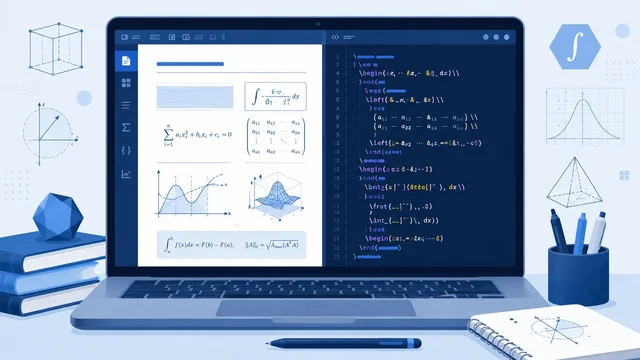
LaTeX is the gold standard for producing beautiful, professional documents — academic papers, theses, books and anything heavy with maths or references. But to write LaTeX comfortably you need a good editor. Here are the best LaTeX editors, from zero-setup online tools to powerful desktop apps, and how to pick the right one.
Best LaTeX Editors at a Glance
| Editor | Best For | Platform |
|---|---|---|
| Overleaf | Online & collaboration | Web |
| TeXstudio | Feature-rich desktop | Win, Mac, Linux |
| TeXmaker | Beginners | Win, Mac, Linux |
| VS Code + LaTeX Workshop | Developers | Win, Mac, Linux |
| LyX | Near-WYSIWYG writing | Win, Mac, Linux |
| TeXShop | Mac users | Mac |
1. Overleaf — Best Online LaTeX Editor
Overleaf is by far the most popular LaTeX editor today, and for good reason. It runs entirely in your browser with nothing to install, compiles as you type, and offers real-time collaboration like Google Docs — ideal for co-authored papers. It includes thousands of journal and thesis templates, and a generous free tier (paid plans add collaborators and history). For most people, Overleaf is the easiest way to use LaTeX.
2. TeXstudio — Best Feature-Rich Desktop Editor
TeXstudio is a free, open-source desktop editor packed with features: an integrated PDF viewer, syntax highlighting, auto-completion, a structure view, spell-check and assistants for tables and formulas. It's the go-to for users who want a powerful local LaTeX environment.
3. TeXmaker — Best for Beginners
TeXmaker is a clean, free, cross-platform editor that bundles everything a newcomer needs — editor, PDF viewer and common LaTeX commands — in one approachable interface. It's a great starting point before moving to more advanced tools.
4. VS Code + LaTeX Workshop — Best for Developers
If you already use Visual Studio Code, the free LaTeX Workshop extension turns it into a superb LaTeX editor with live preview, auto-build, syntax highlighting and Git integration. It's perfect for developers who want LaTeX in the same editor they code in.
5. LyX — Best for Near-WYSIWYG Writing
LyX takes a different approach: instead of editing raw LaTeX code, you write in a "what you see is what you mean" interface that produces LaTeX output behind the scenes. It's excellent for long documents where you want to focus on content and structure rather than markup.
6. TeXShop & Kile — Best Platform-Specific Editors
TeXShop is a free, popular editor for Mac that comes with the MacTeX distribution and integrates beautifully with macOS. Kile is a strong KDE-based editor for Linux users who want a native, full-featured environment.
How to Choose a LaTeX Editor
Pick based on how you work. Want zero setup and collaboration? Overleaf is the clear winner. Prefer a powerful offline editor? TeXstudio leads, with TeXmaker being gentler for beginners. Already a coder? VS Code + LaTeX Workshop fits right in. Want to focus on writing, not markup? Try LyX. On a Mac or Linux, TeXShop and Kile feel native. All are free, so try Overleaf first and a desktop editor if you need offline power.
Frequently Asked Questions
What is the best LaTeX editor?
Overleaf is the best for most people — it's online, needs no installation, and supports real-time collaboration. For offline use, TeXstudio is the most feature-rich, while TeXmaker is the friendliest for beginners.
Is there a free LaTeX editor?
Yes — nearly all the best LaTeX editors are free. Overleaf has a free tier, and TeXstudio, TeXmaker, LyX, TeXShop, Kile and the VS Code LaTeX Workshop extension are all completely free and open-source.
Do I need to install LaTeX to use these editors?
Online editors like Overleaf require no installation at all. Desktop editors (TeXstudio, TeXmaker, etc.) need a LaTeX distribution installed too — such as TeX Live, MiKTeX or MacTeX — which provides the engine that compiles your documents.
Is Overleaf better than a desktop editor?
For collaboration and convenience, yes — Overleaf needs no setup and lets multiple authors edit together. Desktop editors like TeXstudio are better if you want to work offline, handle very large projects, or prefer a faster local workflow.
Final Thoughts
The right LaTeX editor makes producing polished documents far easier. Start with Overleaf for its zero-setup, collaborative convenience, and add a desktop editor like TeXstudio or VS Code with LaTeX Workshop if you need offline power. They're all free, so you can find your perfect fit without spending anything.