The Best Mobile Video Editing Apps for Android and iOS in 2026
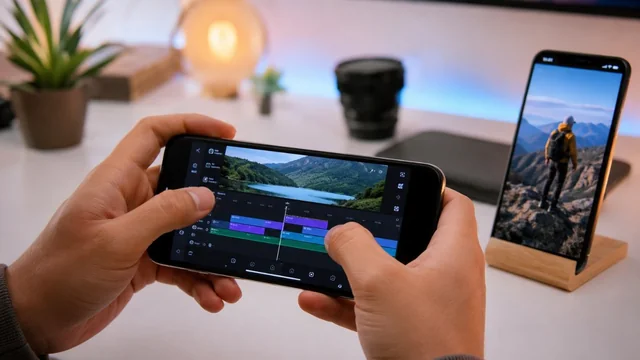
Editing video on your phone or tablet has caught up with the desktop, and 2026 is the year the gap basically vanished. Adobe brought a free Premiere app to iPhone, Blackmagic put DaVinci Resolve on iPad, and AI-powered one-tap editors like CapCut now do in seconds what used to take an afternoon. This guide ranks 12 of the best mobile video editors for Android and iOS, spanning quick social clips, faceless AI videos, and full multi-track professional work.
Key takeaways:
- CapCut remains the most popular all-around social editor in 2026, with AI Auto-Edit and trending templates, though it carries ByteDance-ownership uncertainty in the US.
- Adobe Premiere on iPhone is the biggest 2026 newcomer, offering free, watermark-free multi-track editing and Firefly AI after Premiere Rush was discontinued.
- VN Video Editor and YouTube Create are the best fully free, watermark-free options for creators who don't want to pay or see ads.
- For professional work, LumaFusion and DaVinci Resolve for iPad bring true desktop-class editing and color grading to mobile.
- AI features like auto-edit, background removal, captions, and text-to-video are now standard, but the best ones are often gated behind subscriptions or credits.
The Best Mobile Video Editing Apps at a Glance
- CapCut — iOS & Android · freemium · best for fast social/short-form video
- InShot — iOS & Android · freemium · best for quick Instagram/TikTok edits
- VN Video Editor — iOS & Android (also Mac) · free, no watermark · best for free pro-style editing
- Adobe Premiere (on iPhone) — iOS only (Android in development) · free · best for pro-quality editing with no watermark
- LumaFusion — iOS, iPadOS, Android & Chromebook · paid (~$29.99) · best for prosumer/pro mobile editing
- DaVinci Resolve for iPad — iPadOS only (M1+) · free (Studio IAP ~$94.99) · best for pro color grading on a tablet
- KineMaster — iOS & Android · freemium (watermark on free) · best for layered multi-track editing
- VivaCut — iOS & Android · freemium · best for keyframe animation and chroma key
- Filmora (mobile) — iOS & Android · freemium · best for AI-assisted templated editing
- GoPro Quik — iOS & Android · freemium (~$9.99/yr) · best for action-cam and auto-edits
- YouTube Create — iOS & Android · completely free, ad-free · best for YouTube Shorts and long-form
- Canva — iOS & Android · freemium · best for branded/marketing social video
The Picks, Reviewed
1. CapCut
iOS & Android · freemium · best for fast social/short-form video
CapCut is the default editor for TikTok, Reels, and Shorts creators thanks to its enormous library of trending templates, auto-captions in 130+ languages, and effects that match whatever is going viral that week. Its 2026 standout is AI Auto-Edit: upload raw footage, type a short description, and CapCut picks the best clips, adds transitions and music, and delivers a finished video. The free tier is generous, with most core tools unlocked and no forced watermark. Pro unlocks premium effects, AI avatars, and text-to-speech voices. If you need footage rather than edits, the CapCut AI video generator turns a script or reference image into a clip, powered by Seedance 2.5, that you can then finish in the editor.
2. InShot
iOS & Android · freemium · best for quick Instagram/TikTok edits
InShot is the go-to for fast, no-fuss edits when you just want to trim, add music, captions, and post. Its interface is simple enough for total beginners but capable enough for daily social content, with strong control over aspect ratios and frame-perfect trimming. In 2026 it added AI Effects presets, auto-captions, smart subject tracking, and one-tap background removal. The free version is fully usable but adds an InShot watermark and ads; a Pro subscription removes both and unlocks the full effects pack.
3. VN Video Editor
iOS & Android (also Mac) · free, no watermark · best for free pro-style editing
VN is the standout free editor that doesn't punish you with watermarks or ads, making it a favorite for creators who want real control without paying. It offers multi-layer timelines, keyframe animation, cinematic filters, 4K export, and a Premiere-style speed-curve tool, all at no cost. Its 2026 additions include AI background removal and multi-language subtitle generation. An optional VN Pro tier and AI credits exist, but the core experience stays free, which is rare at this feature level.
4. Adobe Premiere (on iPhone)
iOS only (Android in development) · free · best for pro-quality editing with no watermark
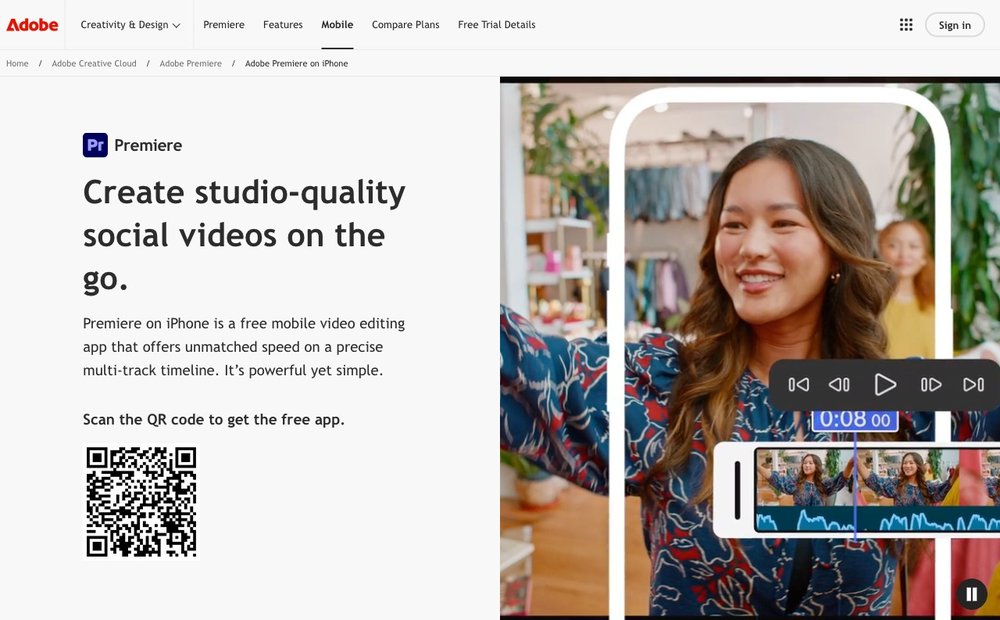
Adobe replaced the discontinued Premiere Rush with a brand-new, free Premiere app for iPhone that punches far above its price tag. It offers genuine multi-track timeline editing, unlimited 4K exports with no watermark, auto-captions, AI speech enhancement, and 2,000+ royalty-free music tracks built in. Its headline 2026 feature is Firefly-powered generative AI for creating assets right inside the editor (generative AI uses credits). Projects round-trip to the Premiere desktop app, and an Android version is in development.
Visit Adobe Premiere (on iPhone) »
5. LumaFusion
iOS, iPadOS, Android & Chromebook · paid (~$29.99) · best for prosumer/pro mobile editing
LumaFusion is the closest thing to a desktop non-linear editor on a touchscreen, beloved by pros who edit on iPad and iPhone. Its touch-optimized multi-track timeline, advanced color correction, and FCPXML export make it a serious production tool, not just a social editor. The 2026 standout is Multicam Studio, which auto-syncs up to six camera sources, plus a third-party plugin architecture. It's a one-time $29.99 purchase, though some enhanced features like multicam and speed ramping require an add-on or Creator Pass subscription.
6. DaVinci Resolve for iPad
iPadOS only (M1+) · free (Studio IAP ~$94.99) · best for pro color grading on a tablet
Blackmagic's DaVinci Resolve brings genuine Hollywood-grade editing and color grading to the iPad, and the core app is free. It combines a cut/edit page, Fairlight audio, and the industry's most respected color tools in one touch interface, plus a new Photo page in version 21 for managing stills. Its AI standout is Magic Mask, which tracks people and objects from a single stroke, and Smart Reframe for auto-creating vertical or square versions. A one-time Studio upgrade unlocks the full AI toolset; it needs an M1 iPad or newer.
Visit DaVinci Resolve for iPad »
7. KineMaster
iOS & Android · freemium (watermark on free) · best for layered multi-track editing
KineMaster has long been a powerhouse for layer-based mobile editing, offering multi-track video, audio, and text with chroma key, blending modes, and up-to-4K export. It strikes a middle ground between simple social apps and full pro tools, with a deep asset store of effects, music, and fonts. Its 2026 updates add AI auto-captions and background removal. The catch with the free tier is a persistent watermark; a premium subscription removes the watermark and ads and unlocks the full asset library.
8. VivaCut
iOS & Android · freemium · best for keyframe animation and chroma key
VivaCut, from the makers of VivaVideo, targets creators who want desktop-style techniques like keyframe animation, masking, chroma key, and picture-in-picture on mobile. Its multi-track timeline and hundreds of transitions make it a strong pick for stylized edits and visual effects rather than quick social posts. New for 2026 is a GPT-4o-powered image generator that creates assets from a text prompt, plus AI auto-captions and smart enhancement. The free tier adds a watermark; a VIP subscription or a one-time lifetime purchase removes it.
9. Filmora (mobile)
iOS & Android · freemium · best for AI-assisted templated editing
Wondershare's Filmora mobile app mirrors much of its popular desktop editor, with one-tap templates, stickers, transitions, and cross-platform project sync. It's a comfortable middle option for creators who want polished results without a steep learning curve. Its 2026 AI suite is the draw: AI text-to-video generation, auto-captions, cutout tools, and AI voice effects. The free version watermarks exports; annual plans remove the watermark and unlock premium assets and AI features.
10. GoPro Quik
iOS & Android · freemium (~$9.99/yr) · best for action-cam and auto-edits
Quik is GoPro's mobile editor and works with any phone footage, not just GoPro cameras, automatically turning clips into beat-synced highlight reels. It's the easiest way to get a polished edit with minimal effort, and recent updates made all single-media editing tools free plus added an Auto SloMo speed mode. GoPro now bundles it with the more manual Splice editor (iOS only) in a combined creative suite. A low-cost Quik subscription (around $9.99/year for non-GoPro users) adds unlimited cloud backup and premium tools.
11. YouTube Create
iOS & Android · completely free, ad-free · best for YouTube Shorts and long-form
YouTube Create is Google's free, ad-free editor built specifically for publishing straight to your YouTube channel, and in 2026 it finally arrived on iPhone after being Android-exclusive. It bundles clip editing, 40+ transitions, filters, stickers, automatic captioning, audio noise reduction, and a library of copyright-free music with beat-matching. Its 2026 standout is a Veo-powered Generate Video feature for creating AI clips. It recognizes short vertical clips as Shorts automatically, making it the most frictionless path for YouTube-first creators. Faceless channels that need narration can pair it with an AI voice generator such as CapCut's text-to-speech tool, which turns a script into a voiceover in more than 200 AI voices and, according to CapCut, can be used commercially, including in YouTube videos.
12. Canva
iOS & Android · freemium · best for branded/marketing social video
Canva's mobile app pairs an enormous template and stock library with drag-and-drop video editing, making it ideal for marketers, small businesses, and creators who think in design terms. It's especially good for branded clips, captions, and on-brand social posts where polish matters more than frame-level control. Its 2026 AI standouts include Magic Video, which auto-stitches your clips into a social-ready edit from a prompt, plus Image-to-Video and an AI voice generator. The free tier covers a lot, while Pro unlocks the Veo-powered AI clip generator and premium assets.
How to Choose the Right Mobile Video Editor
Start with what you're actually making. If you live on TikTok, Reels, and Shorts, a social-first editor like CapCut, InShot, or YouTube Create will get you from raw clip to posted video fastest, with trending templates and one-tap captions doing most of the work. If you're producing client work, short films, or anything that needs real color grading and multi-track precision, step up to LumaFusion, DaVinci Resolve for iPad, or Adobe Premiere on iPhone.
Watch the watermark and the export quality. Several apps (KineMaster, VivaCut, Filmora, InShot) stamp free exports with a logo, while VN, YouTube Create, and Adobe Premiere on iPhone let you export clean for free. Confirm the app exports at 1080p or 4K without recompressing your footage to mush, since some free tiers quietly cap resolution or bitrate.
Factor in AI features and subscription cost. AI auto-edit, background removal, auto-captions, and text-to-video are now table stakes, but the best ones are often gated behind a subscription or consumable credits, so check whether the AI you want is free or metered. Monthly subscriptions add up fast, so a one-time purchase (LumaFusion, VivaCut lifetime) or a genuinely free app can be the better long-term deal.
Finally, match the app to your hardware. Pro tools like DaVinci Resolve for iPad require recent chips (M1 or newer), and heavy multi-track editors can stutter on older phones. If you're on an aging Android device or budget phone, lightweight editors like InShot, VN, or CapCut will run far more smoothly than feature-maxed apps built for flagship hardware.
Sources & Further Reading
- TechRadar's roundup of the best mobile video editing apps
- Adobe's announcement of free Premiere on iPhone
- Adobe's official Premiere Rush end-of-life notice
Frequently Asked Questions
What is the best free mobile video editing app in 2026?
For clean, watermark-free editing at no cost, VN Video Editor and the new Adobe Premiere app for iPhone are the standouts, both offering multi-track editing and 4K export for free. CapCut is the most popular free option for social video thanks to its templates and AI auto-edit, though some premium effects are paywalled. YouTube Create is also completely free and ad-free if you publish to YouTube.
Is CapCut still available and safe to use in 2026?
Yes. As of mid-2026 CapCut is available in US app stores and worldwide. It was briefly pulled in the US in January 2025 alongside TikTok and returned within days, and is now covered by the same US safeguards as TikTok through the TikTok USDS joint venture formed in early 2026. CapCut is owned by ByteDance, and the underlying legal framework remains in place, so its long-term US status is not fully guaranteed.
What replaced Adobe Premiere Rush?
Adobe discontinued Premiere Rush, with the app no longer downloadable after September 30, 2025 and support ending September 30, 2026. It was replaced by a brand-new, free Premiere app for iPhone that offers multi-track editing, unlimited 4K exports with no watermark, and Firefly AI. An Android version of Premiere is in development but has no confirmed release date.
Which mobile app is best for professional video editing?
For desktop-class power on the go, LumaFusion (iOS, iPadOS, Android, Chromebook) and DaVinci Resolve for iPad are the top choices. LumaFusion offers a touch-optimized multi-track timeline, multicam, and FCPXML export, while DaVinci Resolve brings genuine Hollywood-grade color grading and is free to start. Adobe Premiere on iPhone is also a strong free pro option if you're on Apple.
Do free video editing apps put a watermark on your videos?
Many do, but not all. KineMaster, VivaCut, Filmora, and InShot add a watermark or ads on their free tiers, which you remove with a subscription. However, VN Video Editor, YouTube Create, and Adobe Premiere on iPhone all let you export without a watermark for free, making them the best picks if a clean export matters to you.
Information is based on public sources and vendor pages current as of June 2026. Prices, plans and features change frequently — verify on the official site before purchasing. SaveDelete may earn a small commission on purchases made through some links on this page, at no extra cost to you.