4 Key Factors to Consider While Selecting Remote Desktop Software
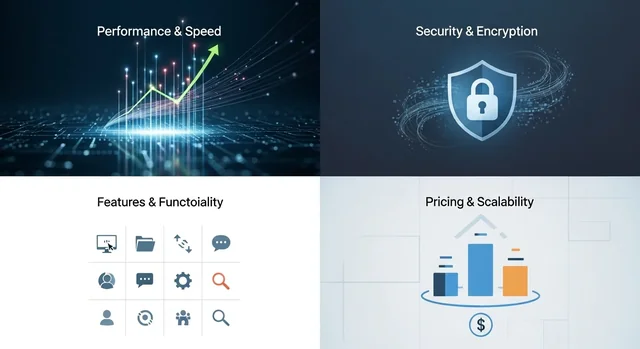
In today's interconnected world, remote desktop software is no longer a luxury but a necessity for businesses of all sizes. It enables seamless access to computers from anywhere, boosting productivity, facilitating collaboration, and providing efficient IT support. However, with a plethora of options available in 2025, choosing the right remote desktop solution can be overwhelming. This comprehensive guide will walk you through the key factors to consider, providing insights and comparisons to help you make an informed decision.
Complete 2025 Guide to Selecting the Right Remote Desktop Software
This guide provides a deep dive into selecting the best remote desktop software for your needs in 2025. We'll cover essential security features, compliance requirements, performance considerations, pricing, cross-platform compatibility, and more. Whether you're a small business owner, an IT professional, or an individual user, this guide will equip you with the knowledge you need to choose the perfect remote desktop solution.
Executive Summary
The remote desktop software market is thriving in 2025, with vendors constantly innovating to provide secure, reliable, and feature-rich solutions. Key considerations for selecting the right software include security (AES-256 encryption, TLS 1.3, multi-factor authentication), compliance (HIPAA, GDPR, SOC 2), performance (low latency, high frame rates), pricing, cross-platform support, and features specific to your use case (e.g., file transfer, remote printing, session recording). This guide compares leading solutions like TeamViewer, AnyDesk, Splashtop, and Chrome Remote Desktop to help you find the best fit.
For more details, check out our guide on Top 7 Best Video Player for Windows PC.
Quick Comparison Table
Here's a quick overview of some of the top remote desktop software options available in 2025:
| Software | Pricing (Starting) | Security Features | Cross-Platform Support | Key Features | Best For |
|---|---|---|---|---|---|
| TeamViewer | $24.90/month | AES-256 encryption, Two-Factor Authentication, GDPR Compliance | Windows, macOS, Linux, iOS, Android | File transfer, remote printing, session recording, wake-on-LAN | Large enterprises, IT support teams |
| AnyDesk | $9.90/month | TLS 1.3, AES-256 encryption, Two-Factor Authentication | Windows, macOS, Linux, iOS, Android, Raspberry Pi | Low latency, high frame rates, customizable interface, on-premise option | Creative professionals, gamers, performance-sensitive applications |
| Splashtop | $5/month | AES-256 encryption, Two-Factor Authentication | Windows, macOS, Linux, iOS, Android | Remote printing, file transfer, multi-monitor support, session recording | Small businesses, individuals, remote workers |
| Chrome Remote Desktop | Free | Google's security infrastructure, TLS encryption | Windows, macOS, Linux, ChromeOS | Simple setup, easy to use, cross-platform access via Chrome browser | Basic remote access, personal use |
Key Factors to Consider When Choosing Remote Desktop Software
1. Security Features: Protecting Your Data and Systems
Security is paramount when selecting remote desktop software. In 2025, the industry standard is AES-256 encryption, which ensures that all data transmitted during a remote session is securely encrypted. Look for software that also supports TLS 1.3 for secure communication channels. Two-Factor Authentication (2FA) is another crucial security feature, adding an extra layer of protection by requiring users to verify their identity through a second device. Furthermore, consider solutions offering features like screen blanking on the remote computer and automatic session locking upon disconnection.
2. Compliance Requirements: Meeting Industry Standards
If your organization handles sensitive data, compliance with industry regulations is essential. HIPAA compliance is critical for healthcare providers and related organizations, ensuring the privacy and security of patient data. GDPR compliance is necessary for companies operating in the European Union, protecting the personal data of EU citizens. SOC 2 compliance demonstrates that a service provider has implemented controls to protect the security, availability, processing integrity, confidentiality, and privacy of customer data. Ensure that your chosen remote desktop software provider meets these relevant compliance standards.
Related: Best Construction Estimating Software: Your Complete Guide to Accurate Project Bidding in 2025.
3. Performance and Latency: Ensuring a Smooth User Experience
Performance is a critical factor in remote desktop software, especially for tasks requiring responsiveness and precision. Low latency is crucial for minimizing delays between user actions and the remote computer's response. High frame rates ensure a smooth and fluid visual experience, particularly important for graphic-intensive applications. Consider solutions that offer optimized performance for different network conditions and support hardware acceleration to improve performance. AnyDesk is generally considered to have best-in-class latency.
4. Pricing and Licensing: Finding the Best Value
Remote desktop software pricing models vary widely. Some providers offer subscription-based plans, while others offer perpetual licenses. Consider your budget and usage requirements when evaluating pricing options. TeamViewer offers a range of subscription plans for businesses of all sizes, with features like multi-user support and advanced reporting. AnyDesk provides flexible licensing options, including on-premise solutions for organizations with strict security requirements. Splashtop offers competitive pricing for individuals and small businesses, with plans tailored to specific use cases. Chrome Remote Desktop is a free option for basic remote access.
5. Cross-Platform Support: Accessing Devices from Anywhere
Cross-platform support is essential for accessing remote computers from a variety of devices. Ensure that your chosen software supports the operating systems you use, including Windows, macOS, Linux, iOS, and Android. This allows you to connect to remote computers from your laptop, tablet, or smartphone, providing flexibility and convenience.
See also: Master Your Keyboard Skills: The Top 10 Best Typing Software to Boost Your Speed and Accuracy.
6. Enterprise vs. Personal Use: Choosing the Right Features
Remote desktop software caters to both enterprise and personal use cases. Enterprise solutions typically offer advanced features like multi-user support, centralized management, and integration with other business applications. Personal use solutions are often simpler and more affordable, focusing on basic remote access and control. Consider your specific needs and choose a solution that offers the features and functionality you require.
7. Conditional Access Controls: Enhancing Security and Control
Conditional access controls allow you to define specific conditions under which users can access remote computers. This can include factors like location, device type, and time of day. By implementing conditional access controls, you can enhance security and prevent unauthorized access to sensitive data. Look for software that offers granular control over user access and permissions.
Detailed Analysis of Remote Desktop Software Options
TeamViewer
TeamViewer is a comprehensive remote desktop solution that offers a wide range of features for businesses of all sizes. It provides secure remote access, file transfer, remote printing, and session recording. TeamViewer's strengths lie in its robust feature set, multi-user support, and integration with other business applications. However, its pricing can be relatively high compared to other options.
Related: The best project management software list created by experts.
AnyDesk
AnyDesk is known for its exceptional performance and low latency, making it ideal for tasks requiring responsiveness and precision. It offers a customizable interface, on-premise deployment options, and advanced security features. AnyDesk's strengths lie in its speed, flexibility, and security. It's a great option for creative professionals, gamers, and organizations with strict security requirements.
Splashtop
Splashtop provides a cost-effective remote desktop solution for individuals and small businesses. It offers features like remote printing, file transfer, and multi-monitor support. Splashtop's strengths lie in its affordability, ease of use, and reliable performance. It's a good choice for remote workers, small business owners, and individuals who need basic remote access capabilities.
Chrome Remote Desktop
Chrome Remote Desktop is a free and simple remote desktop solution that allows you to access computers from anywhere using the Chrome browser. It's easy to set up and use, making it a good option for basic remote access needs. However, it lacks the advanced features and security options of paid solutions.
You might also be interested in Best ISO Mounter: Free Software for Windows 10 PC.
Head-to-Head Comparisons
TeamViewer vs. AnyDesk
- Performance: AnyDesk generally offers lower latency and better performance than TeamViewer.
- Features: TeamViewer offers a broader range of features, including multi-user support and advanced reporting.
- Pricing: AnyDesk can be more affordable, especially for smaller teams.
- Security: Both offer strong security, but AnyDesk’s focus on TLS 1.3 gives it a slight edge.
Splashtop vs. Chrome Remote Desktop
- Features: Splashtop offers more features than Chrome Remote Desktop, including file transfer and remote printing.
- Pricing: Splashtop is a paid solution, while Chrome Remote Desktop is free.
- Ease of Use: Chrome Remote Desktop is simpler to set up and use.
- Security: Splashtop offers more robust security features.
Winner by Category
- Best Overall: TeamViewer (for comprehensive features and enterprise-grade capabilities)
- Best Performance: AnyDesk (for low latency and responsiveness)
- Best Value: Splashtop (for affordable pricing and essential features)
- Best Free Option: Chrome Remote Desktop (for basic remote access)
- Best Security: AnyDesk (for strong encryption and security protocols)
Which to Choose Recommendations
- For Large Enterprises: TeamViewer
- For Small Businesses: Splashtop
- For Creative Professionals: AnyDesk
- For Basic Remote Access: Chrome Remote Desktop
- For Security-Conscious Organizations: AnyDesk
FAQ Section
- What is the most secure remote desktop software in 2025? AnyDesk, with its focus on TLS 1.3 and AES-256 encryption, is considered one of the most secure options.
- Is Chrome Remote Desktop safe to use? Chrome Remote Desktop is generally safe for basic remote access, as it leverages Google's security infrastructure.
- What are the key security features to look for in remote desktop software? AES-256 encryption, TLS 1.3, Two-Factor Authentication, and conditional access controls are essential security features.
- How can I improve the performance of my remote desktop connection? Ensure a stable internet connection, close unnecessary applications on both the local and remote computers, and consider using software optimized for low latency.
- Does remote desktop software comply with GDPR? Many remote desktop software providers offer GDPR-compliant solutions. Check with the provider to ensure compliance.
- What is the difference between TeamViewer and AnyDesk? TeamViewer offers a broader range of features, while AnyDesk focuses on performance and low latency.
- Can I use remote desktop software on my mobile device? Yes, most remote desktop software providers offer mobile apps for iOS and Android devices.
- What is the best remote desktop software for gaming? AnyDesk is often preferred for gaming due to its low latency and high frame rates.
- What is the average cost of remote desktop software in 2025? The cost varies depending on the features and licensing model, but expect to pay between $5 and $50 per month per user.
- Are there any free alternatives to paid remote desktop software? Chrome Remote Desktop is a free alternative for basic remote access needs.
Final Verdict
Choosing the right remote desktop software in 2025 requires careful consideration of your specific needs and priorities. By evaluating factors like security, compliance, performance, pricing, and cross-platform support, you can select a solution that meets your requirements and enhances your productivity. While TeamViewer offers a comprehensive feature set, AnyDesk stands out for its exceptional performance and security. Splashtop provides a cost-effective option for small businesses, and Chrome Remote Desktop offers a free solution for basic remote access. Ultimately, the best choice depends on your individual circumstances and budget.