Turn any image
into editable text.
CaptureToComprehend is a private, on-device OCR scanner. Snap a photo — or pick one from your library — and get accurate, selectable text in seconds. Nothing ever leaves your phone.
Everything you need to capture text.
Powerful text recognition
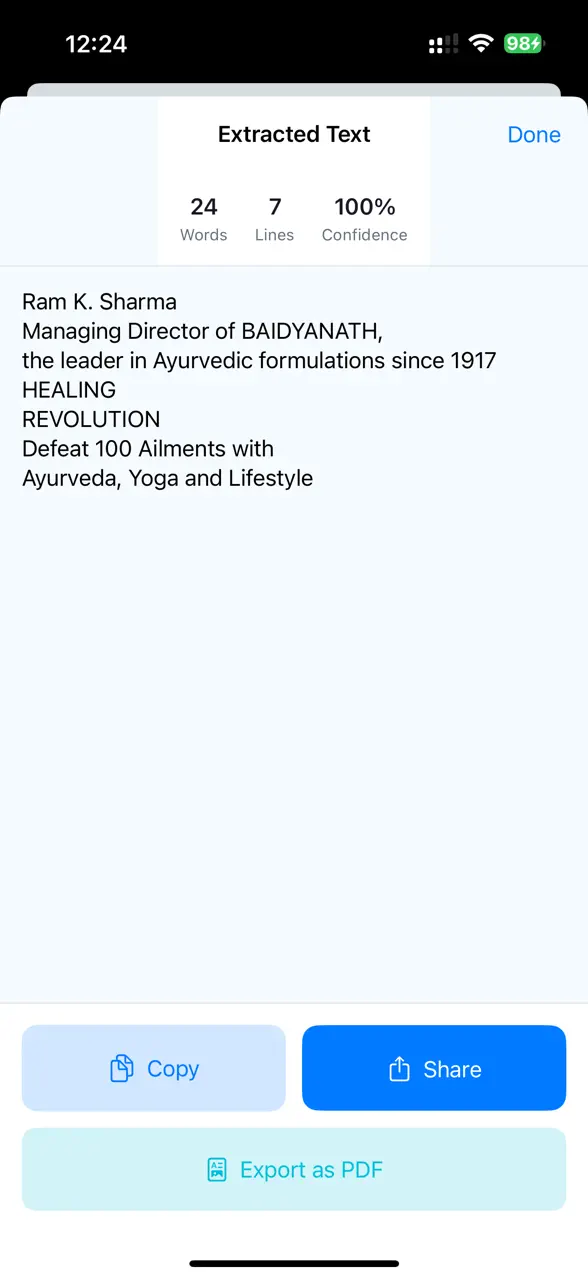
Pull clean, selectable text from documents, books, receipts, signs and more — with high accuracy powered by Apple's on-device Vision framework, and support for multiple languages.
Live text detection
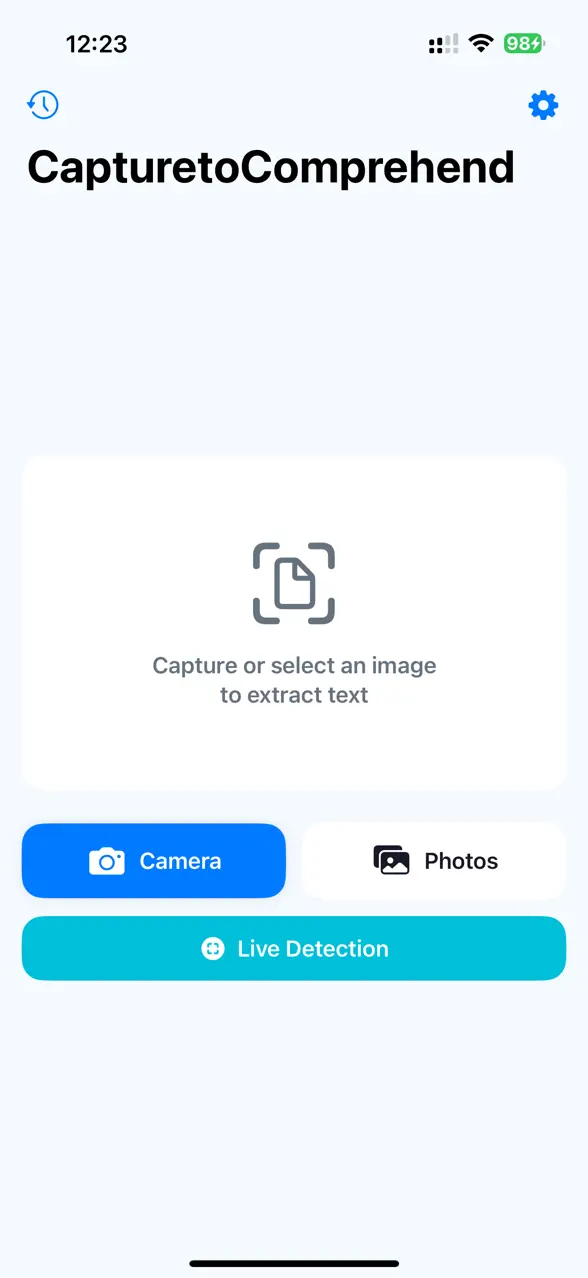
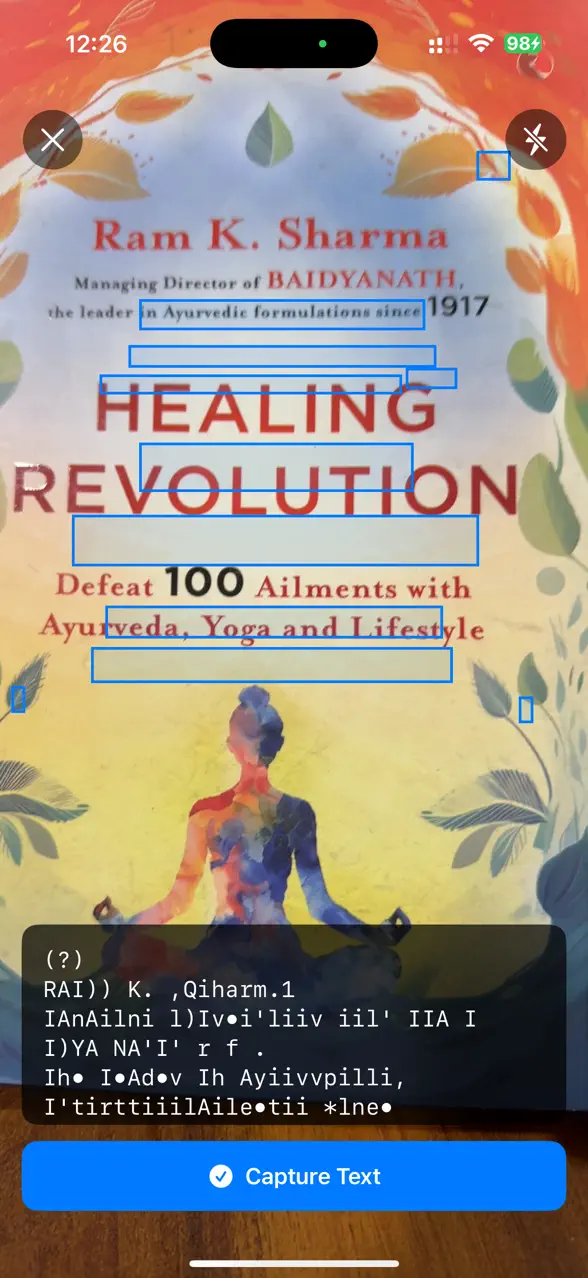
Point your camera at any text and watch it appear in real time — no shutter needed.
Camera or library
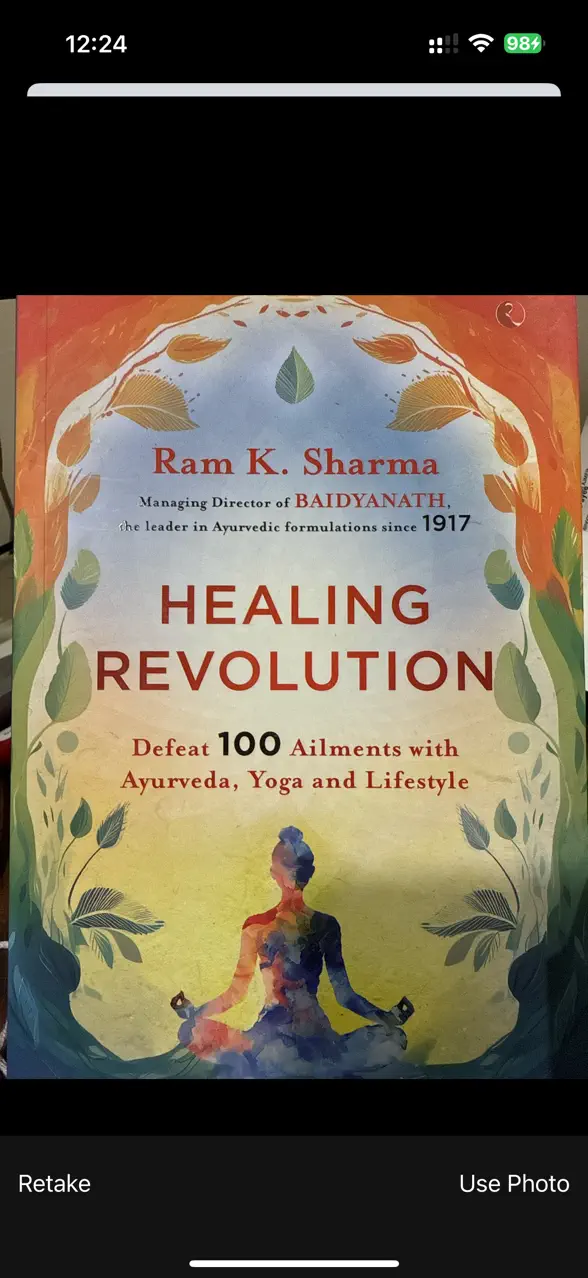
Snap a fresh photo, or pick any existing image from your photo library to scan.
Copy & share instantly
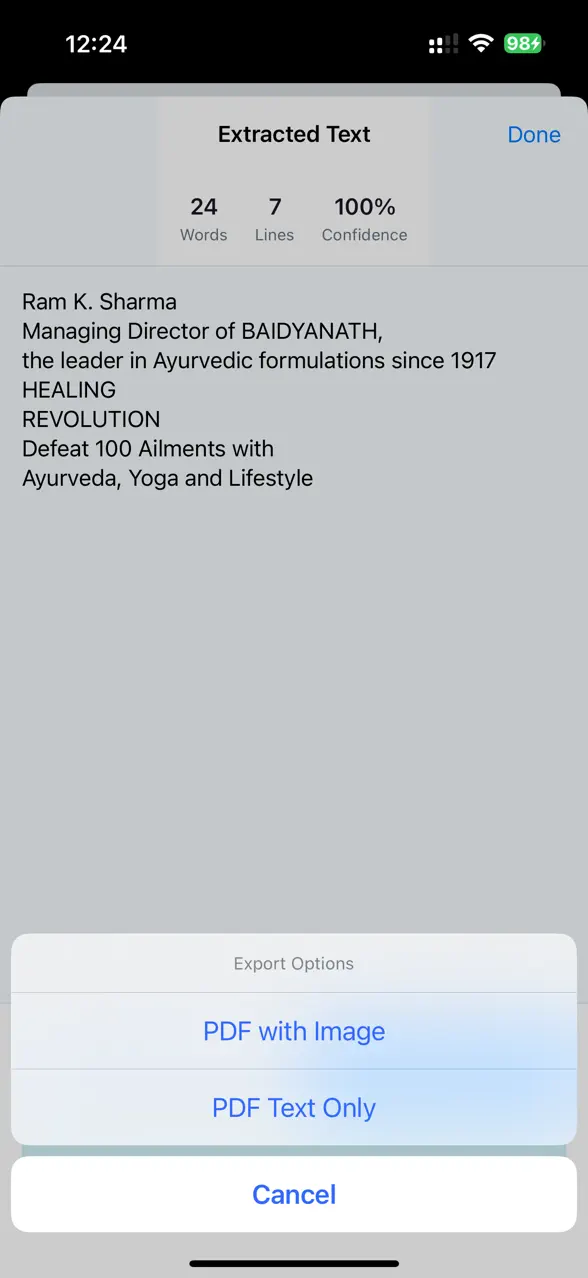
Copy extracted text to the clipboard with one tap, or share it straight to any app.
Export as PDF
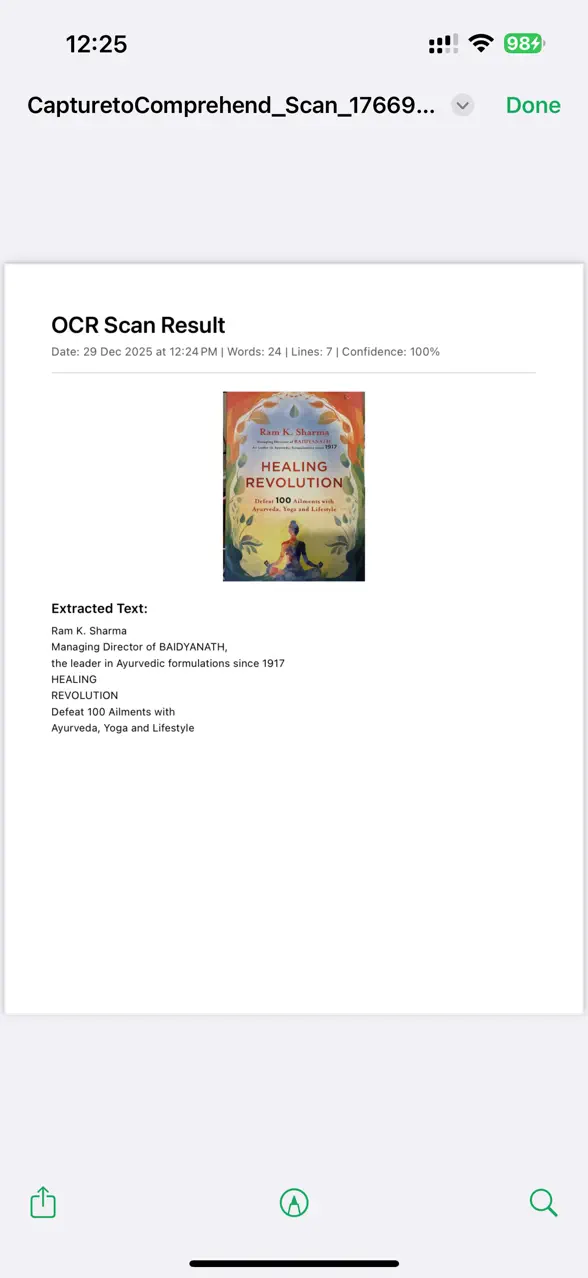
Turn your scans into shareable PDF documents, and keep a history for easy access later.
Private by design
100% on-device processing — your images never leave your phone. No internet needed, no data collection, no tracking.
A look inside the app.
Your text stays yours.
CaptureToComprehend runs entirely on your iPhone. It works with no internet connection, collects no data, and never uploads your images or scans anywhere.
Questions, answered.
Does it need an internet connection?
No. All text recognition happens on your device using Apple's Vision framework, so CaptureToComprehend works fully offline — even in airplane mode.
Are my images or scans uploaded anywhere?
Never. Your images are processed locally and stay on your phone. There are no servers receiving your data, no account, and no tracking.
What can I capture text from?
Documents, books, receipts, signs, labels, screenshots — almost anything with printed or clearly written text. You can capture from the camera live, snap a photo, or pick an image from your library.
Can I export or reuse the text?
Yes. Copy it to the clipboard with one tap, share it to any app, or export your scans as PDF documents. Your scan history is kept on-device for quick access.
Does it support multiple languages?
Yes. Recognition uses Apple's Vision framework, which supports text detection across multiple languages.
Read any image, instantly.
CaptureToComprehend turns pictures into editable text — privately, on your device. Free on the App Store for iPhone.