IRCTC Registration - Signup Tutorial to Create New Account in 2026
The Indian Railway Catering and Tourism Corporation (IRCTC) continues to be India's premier online railway booking platform in 2026, serving millions of passengers who prefer the convenience of digital ticket booking over traditional counter purchases. With enhanced security features, streamlined processes, and improved user experience, creating an IRCTC account has become more straightforward than ever before.
Whether you're a frequent traveler or booking your first train ticket online, having an IRCTC account is essential for accessing India's extensive railway network digitally. This comprehensive guide will walk you through the complete registration process, highlighting the latest updates and features available in 2026.
What’s New in IRCTC for 2026
IRCTC has rolled out several significant updates in 2026 that make the platform faster, more secure, and more convenient than ever:
- UPI Autopay for Tatkal Booking: Users can now link UPI autopay for instant Tatkal ticket payments, eliminating payment gateway delays during the critical booking window.
- Aadhaar-Linked Verification: Optional Aadhaar linking during registration enables faster identity verification, higher monthly booking limits (up to 12 tickets), and seamless refund processing.
- DigiYatra Integration: Registered users can link their IRCTC account with DigiYatra for contactless entry at select major railway stations using facial recognition.
- Revamped Mobile App: The IRCTC Rail Connect app now features a completely redesigned UI, biometric login (fingerprint and Face ID), and offline ticket access for confirmed bookings.
- Multi-Language Voice Search: Book tickets using voice commands in Hindi, English, Tamil, Telugu, Bengali, and 6 other Indian languages.
- Enhanced Refund Policy: Automatic instant refunds to UPI for cancelled tickets, replacing the earlier 5-7 day processing time for bank transfers.
Why Register for IRCTC in 2026?
The benefits of having an IRCTC account extend far beyond simple ticket booking. In 2026, registered users enjoy access to premium features including priority booking during high-demand periods, exclusive discounts on select routes, and integration with digital payment platforms for seamless transactions. The platform now supports multiple languages and offers enhanced mobile responsiveness for users across diverse demographics.
Related: A Simple Guide to Linking Your PAN with Aadhaar — another essential Indian digital service registration.
Additionally, IRCTC has introduced loyalty programs and reward points systems that benefit regular travelers. These features, combined with real-time train tracking and automated refund processing, make registration a valuable investment for anyone planning to travel by train in India.
IRCTC Registration Requirements for 2026
Before beginning the registration process, ensure you have the following information readily available:
- Valid Email Address: Must be active and accessible for OTP verification
- Mobile Number: Indian mobile number for SMS verification (international numbers accepted for NRI users)
- Personal Information: Full name as per government ID, date of birth, and nationality
- Address Details: Complete residential address including state, city, and pincode
- Payment Method: For NRI users who need to pay the registration fee
Step-by-Step IRCTC Registration Process
Step 1: Visit the Official IRCTC Website
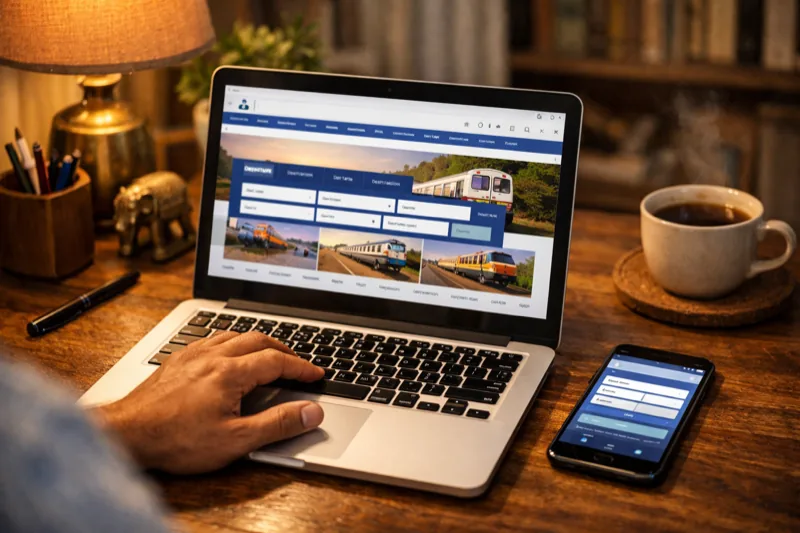
Navigate to irctc.co.in using your preferred web browser. Always verify you're on the authentic IRCTC website by checking the URL and looking for the secure connection indicator (padlock icon). Avoid clicking on suspicious links or advertisements that might redirect to fraudulent websites. Once on the homepage, locate and click the "Register" button, typically positioned in the top-right corner of the page.
Step 2: Enter Account Information
On the registration form, you'll need to create your account credentials:
- Username: Choose a unique username between 3-35 characters. Remember that usernames are case-sensitive and must contain only alphanumeric characters (letters and numbers). Avoid using special characters or spaces. Select something memorable as you'll use this for all future logins.
- Password: Create a strong password combining uppercase letters, lowercase letters, numbers, and special characters. The password should be at least 8 characters long for optimal security.
- Confirm Password: Re-enter your password to ensure accuracy
Step 3: Fill Personal Information
Provide accurate personal details as they will be used for ticket booking and verification:
- Full Name: Enter your complete name as it appears on government-issued identification
- Date of Birth: Select your birth date using the calendar picker
- Nationality: Choose your nationality from the dropdown menu
- Occupation: Select your profession from the available options
- Gender: Specify your gender
- Email Address: Provide a valid email address for account verification and communication
- Mobile Number: Enter your active mobile number for SMS notifications and OTP verification
Step 4: Add Address Details
Complete your address information accurately:
- Country: Select India or your country of residence
- State: Choose your state from the dropdown list
- City: Enter your city name
- Pincode: Provide your area's postal code
- Address: Enter your complete residential address
Step 5: Review and Register
Before submitting your registration, carefully review all entered information for accuracy. Pay special attention to your email address and mobile number, as these will be used for verification. Check the terms and conditions checkbox, then click the "Register" button. A confirmation popup will appear asking you to verify your details one final time.
Step 6: OTP Verification
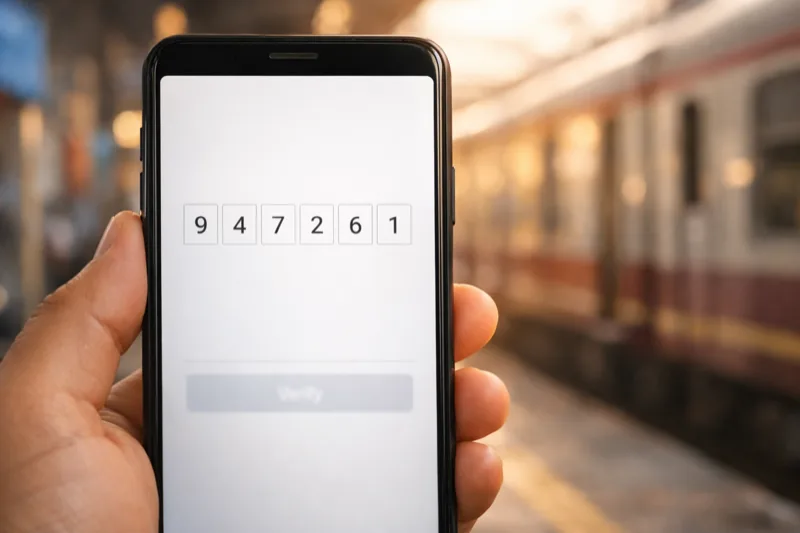
IRCTC will send One-Time Passwords (OTPs) to both your registered email address and mobile number. Check your email inbox and SMS messages for these verification codes. Enter both OTPs in the respective fields on the verification page within the specified time limit (usually 10 minutes). If you don't receive the OTPs, use the "Resend" option after waiting for the cooldown period.
Step 7: Login with New Credentials
Once verification is complete, you'll receive a confirmation message indicating successful registration. You can now log in to your IRCTC account using your chosen username and password. Upon first login, you may be prompted to set up security questions for additional account protection.
Watch this step-by-step IRCTC registration tutorial:
Mobile App Registration Option
For users who prefer mobile applications, IRCTC offers the official "IRCTC Rail Connect" app available on both Google Play Store for Android devices and Apple App Store for iOS devices. The mobile registration process follows similar steps but is optimized for touchscreen interfaces and offers additional features like biometric login options where supported.
If you’re planning long train journeys, check out our Best Headphones 2026: Top 10 Picks Tested & Compared for the perfect travel companion.
The mobile app provides the same registration functionality with the added convenience of automatic form filling for returning users and integrated camera features for document uploads if required in the future.
How to Link Aadhaar with Your IRCTC Account
Linking Aadhaar to your IRCTC account in 2026 unlocks higher booking limits, faster refunds, and DigiYatra compatibility. Here’s how to do it:
- Log in to your IRCTC account at irctc.co.in
- Navigate to My Profile > Aadhaar KYC from the account menu
- Enter your 12-digit Aadhaar number and click “Send OTP”
- Enter the OTP sent to your Aadhaar-linked mobile number (this must be the number registered with UIDAI, not necessarily your IRCTC number)
- Upon successful verification, your account will display “Aadhaar Verified” status
Benefits of Aadhaar linking:
- Monthly booking limit increases from 6 to 12 tickets
- Instant refunds via UPI for cancelled tickets
- Eligible for DigiYatra contactless entry at supported stations
- Priority access during Tatkal booking window
- Simplified identity verification — no need to carry physical ID for e-tickets
Registration Fees and Charges
| User Type | Registration Fee | Additional Charges | Payment Methods |
|---|---|---|---|
| Indian Citizens | Free | None | N/A |
| NRI (Non-Resident Indians) | ₹100 + GST | GST as applicable | Credit Card, Debit Card, Net Banking |
| International Users | ₹100 + GST | Currency conversion charges may apply | International Credit/Debit Cards |
Important Tips for Successful Registration
Security Best Practices
Choose Strong Security Questions: Select security questions with answers that are memorable to you but difficult for others to guess. Avoid using easily discoverable information like your pet's name or favorite color that might be found on social media.
Password Security: Create a unique password specifically for your IRCTC account. Avoid reusing passwords from other accounts, and consider using a password manager to generate and store complex passwords securely.
Accuracy and Verification
Double-Check All Details: Carefully review every piece of information before submitting your registration. Incorrect details can lead to booking complications and may require contacting customer support to resolve.
Website Authenticity: Always ensure you're on the genuine IRCTC website by checking the URL (irctc.co.in) and looking for security indicators. Be cautious of phishing websites that may look similar but have slightly different URLs.
Communication Preferences
Email Accessibility: Use an email address that you check regularly, as IRCTC sends important updates, booking confirmations, and promotional offers via email.
See also: How to Change Your Gmail Address — useful if you need a fresh email for your IRCTC account.
Mobile Number Verification: Ensure your mobile number is active and capable of receiving SMS messages, as this is crucial for OTP verification and booking notifications.
Tatkal Booking Tips for 2026
Tatkal tickets are the most in-demand feature on IRCTC, opening at 10:00 AM for AC classes and 11:00 AM for non-AC classes. Here are proven tips to improve your chances:
- Pre-fill passenger details: Add all frequent passengers to your “Master List” in My Profile before the booking window opens. This saves critical seconds during checkout.
- Use UPI Autopay: Link UPI autopay in your payment settings. It’s faster than net banking or card payments and eliminates the payment gateway redirect.
- Log in 5 minutes early: Open the booking page by 9:55 AM, fill in the journey details, and keep refreshing until the “Book Now” button activates at 10:00 AM sharp.
- Use the IRCTC Rail Connect app: The mobile app often processes Tatkal bookings faster than the website due to lower server load.
- Avoid peak dates: Tatkal availability is lowest on Fridays, Sundays, and around festivals. Mid-week travel has better success rates.
- Enable fast booking mode: In the 2026 app update, enable “Fast Booking” in Settings — it pre-loads the payment page for quicker checkout.
Troubleshooting Common Registration Issues
Username Already Exists
If your desired username is already taken, try variations by adding numbers or abbreviations. Remember that usernames are case-sensitive, so "UserName" and "username" are different. However, stick to alphanumeric characters only.
OTP Not Received
If you don't receive OTP messages, check your spam/junk email folder and ensure your mobile has good network coverage. Wait for the specified time before requesting a new OTP, as too many requests can temporarily block the service.
Technical Errors
During peak hours or high-traffic periods, the IRCTC website may experience slowdowns. If you encounter technical errors, wait a few minutes and try again. Clear your browser cache and cookies if problems persist.
Post-Registration Setup
After successful registration, consider setting up additional security features available in your account settings. Enable email notifications for login attempts, set up backup contact information, and familiarize yourself with the booking interface.
Take time to explore the various features available in your IRCTC account, including the ability to save frequent travel routes, manage passenger information for quick booking, and access your booking history.
For more on digital payments, read AI in Payments: Why Agentic Systems Are Rewriting Fintech’s Future — the technology powering IRCTC’s UPI integration.
Frequently Asked Questions (FAQ)
1. Is IRCTC registration free for all users in 2026?
IRCTC registration is completely free for Indian citizens. However, NRI (Non-Resident Indian) users and international users are required to pay a registration fee of ₹100 plus applicable GST. This fee helps maintain the platform and provides additional services for overseas users.
2. Can I change my username after registration?
No, usernames cannot be changed once your IRCTC account is created. Choose your username carefully during registration as it will be permanent. If you need a different username, you would have to create a new account with a different email address.
3. How long does the registration process take?
The complete IRCTC registration process typically takes 5-10 minutes, including OTP verification. However, during peak hours or if there are technical issues, it might take longer. Ensure you have all required information ready before starting to expedite the process.
4. What should I do if I forget my password immediately after registration?
If you forget your password, use the "Forgot Password" link on the login page. You'll need to provide your username and registered email address. IRCTC will send password reset instructions to your email. Follow the link in the email to create a new password.
5. Can I use the same email address for multiple IRCTC accounts?
No, each email address can only be associated with one IRCTC account. If you try to register with an email address that's already in use, the system will display an error message. Use a different email address if you need to create another account.
6. Is it safe to register on IRCTC using public Wi-Fi?
While IRCTC uses secure connections (HTTPS), it's recommended to avoid registering or logging in using public Wi-Fi networks. Public networks can be vulnerable to security threats. Use your mobile data or a trusted private network for account registration and sensitive transactions.
7. Can I register for IRCTC if I don't have an Indian mobile number?
International users and NRIs can register using international mobile numbers, but they must pay the registration fee of ₹100 plus GST. The system accepts mobile numbers from most countries, but ensure your number can receive SMS messages for OTP verification.
8. What happens if I enter incorrect information during registration?
If you enter incorrect information, you may face issues when booking tickets, especially if the name doesn't match your ID proof. Minor corrections can sometimes be made through customer support, but major changes might require creating a new account. Always double-check your information before submitting.
9. How many tickets can I book with a new IRCTC account?
New IRCTC accounts can book up to 6 tickets per month initially. Aadhaar-verified accounts get an increased limit of up to 12 tickets per month. This limit may be further adjusted based on your booking history and verification status. The monthly limit resets on the 1st of each month.
Learn more about India’s Digital Currency-Based Ration System — another example of India’s digital transformation in public services.
10. Can I delete my IRCTC account if I no longer need it?
IRCTC accounts cannot be deleted by users directly. However, inactive accounts may be automatically deactivated after extended periods of non-use. If you have specific concerns about your account, contact IRCTC customer support for assistance with account-related queries.