3 Ways to Get Twitter RSS feed for any User and Hashtag
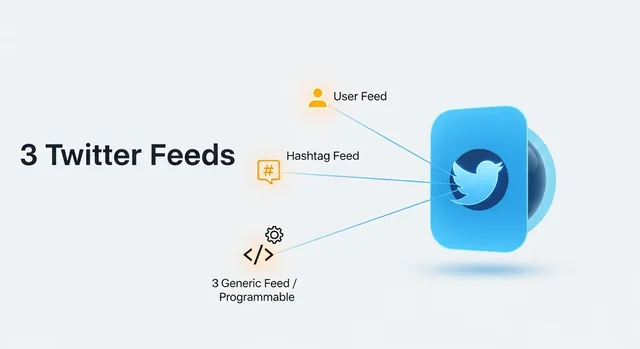
Since Elon Musk's acquisition and rebrand of Twitter to X in 2023, the social media landscape has changed dramatically. One of the most significant casualties has been the complete removal of native RSS feed support, leaving millions of users scrambling for alternatives to track their favorite accounts and hashtags through RSS readers.
The good news? Several reliable third-party solutions have emerged to fill this gap, each offering unique features and capabilities. In this comprehensive guide, we'll explore the best working methods to get X (Twitter) RSS feeds in 2025, complete with step-by-step instructions and detailed comparisons.
Why X (Twitter) Removed RSS Support
X's decision to eliminate RSS feeds stems from several factors related to their new business model and API restrictions:
Learn more in our article about The Magic Scent: A Complete Guide to Their Diffusers, Oils, and Scent Marketing Solutions.
- API monetization: X now charges for API access, making free RSS feeds financially unsustainable
- Rate limiting: Strict API limits prevent unlimited feed generation
- Data control: X wants users to engage directly on their platform rather than consuming content elsewhere
- Revenue protection: RSS feeds bypass advertisements and promoted content
These changes have forced developers to create innovative workarounds, though none can replicate the full functionality of native RSS feeds, including engagement metrics like comments, likes, and retweets.
Method 1: RSS.app - The Premium Solution (Recommended)
RSS.app stands out as the most reliable and feature-rich option for generating X RSS feeds in 2025. This service offers multiple output formats and excellent reliability, making it our top recommendation.
Key Features:
- Multiple output formats: XML, JSON, and CSV
- Support for user timelines, hashtags, and search queries
- Real-time updates (premium plans)
- Custom filtering options
- High uptime and reliability
Step-by-Step Guide for RSS.app:
- Visit RSS.app and create a free account
- Click "Create Feed" and select "Social Media" from the options
- Choose X (Twitter) as your source platform
- Enter the details:
- For user feeds: Enter the username (without @)
- For hashtag feeds: Enter the hashtag (without #)
- For search feeds: Enter your search query
- Configure settings: Set update frequency and filtering options
- Generate feed: Click "Create" to generate your RSS URL
- Copy the RSS URL and add it to your preferred RSS reader
Pricing (2025):
- Free Plan: 5 feeds, 24-hour update intervals
- Pro Plan: $9/month - 50 feeds, hourly updates
- Business Plan: $29/month - Unlimited feeds, real-time updates
Method 2: TwitRSS.me - Simple and Free
TwitRSS.me offers a straightforward, no-frills approach to X RSS feeds. While it lacks advanced features, its simplicity makes it perfect for basic needs.
Key Features:
- Completely free service
- Simple, intuitive interface
- No registration required
- Basic filtering options
- Supports user timelines and hashtags
Step-by-Step Guide for TwitRSS.me:
- Navigate to TwitRSS.me in your web browser
- Enter the X username in the search field (without the @ symbol)
- Click "Generate RSS" to create the feed
- Copy the generated RSS URL from the results page
- Add the URL to your RSS reader application
- Test the feed to ensure it's working correctly
Note: TwitRSS.me updates feeds every 2-4 hours and may experience occasional downtime due to X's API restrictions.
Method 3: RSS-Bridge - Self-Hosted Solution
RSS-Bridge is an open-source project that allows you to generate RSS feeds from various social media platforms, including X. This method requires technical knowledge but offers complete control over your feeds.
Key Features:
- Open-source and completely free
- Self-hosted for maximum privacy
- Supports multiple platforms beyond X
- Customizable update intervals
- No rate limiting from third parties
Step-by-Step Guide for RSS-Bridge:
- Download RSS-Bridge from the official GitHub repository
- Install on your web server (requires PHP 7.4+ and web hosting)
- Configure the X bridge in the bridges directory
- Access your RSS-Bridge instance through your web browser
- Select the Twitter/X bridge from the available options
- Enter the username or hashtag you want to track
- Generate the RSS feed and copy the URL
- Add to your RSS reader and configure update intervals
Alternative Mobile Solutions
Fritter - Privacy-Focused Android App
Fritter is an open-source Android application that provides a Twitter-like experience without requiring an account. While not technically an RSS solution, it offers similar functionality for mobile users.
See also: What is a Lobotomy Piercing? The Viral TikTok Trend Explained.
Features:
- No account required
- Privacy-focused design
- Follow users and hashtags
- Export functionality
- Regular updates despite API restrictions
Bird.makeup - Mastodon Bridge
Bird.makeup creates Mastodon accounts that mirror X accounts, effectively providing an RSS-like experience through the Mastodon ecosystem.
How it works:
- Visit bird.makeup
- Search for the X account you want to follow
- Follow the generated Mastodon account
- Use Mastodon's RSS capabilities to get feeds
Squawker - Fritter Fork
Squawker is a maintained fork of Fritter that continues development and adds new features for accessing X content without official API access.
Comparison Table: X RSS Feed Methods
| Method | Cost | Ease of Use | Reliability | Update Frequency | Technical Skill Required | Features |
|---|---|---|---|---|---|---|
| RSS.app | Free/Paid | Very Easy | Excellent | Real-time (paid) | None | Multiple formats, filtering |
| TwitRSS.me | Free | Very Easy | Good | 2-4 hours | None | Basic functionality |
| RSS-Bridge | Free | Difficult | Excellent | Customizable | High | Full control, privacy |
| Fritter | Free | Easy | Good | Real-time | Low | Mobile-only, privacy-focused |
| Bird.makeup | Free | Moderate | Good | Varies | Low | Mastodon integration |
Understanding Current Limitations
It's crucial to understand what these alternative methods cannot provide due to X's API restrictions:
Missing Features:
- Engagement metrics: Like counts, retweet numbers, and reply counts
- Real-time updates: Most services have delays ranging from minutes to hours
- Complete content: Some tweets may be missed due to rate limiting
- Media handling: Images and videos may not display correctly in all RSS readers
- Thread continuity: Tweet threads may appear fragmented
Rate Limiting Issues:
X's aggressive rate limiting means that popular accounts or hashtags may experience:
Related: 7 Social Media Accounts Every Student Must Have.
- Temporary feed interruptions
- Delayed updates during high-traffic periods
- Missing tweets during API quota exhaustion
- Reduced feed quality for trending topics
Best Practices for X RSS Feeds
Optimize Your Feed Selection:
- Prioritize accounts: Focus on your most important follows
- Use specific hashtags: Broad hashtags may hit rate limits quickly
- Monitor feed health: Regularly check that your feeds are updating
- Have backups: Use multiple methods for critical accounts
RSS Reader Recommendations:
- Feedly: Excellent X integration and mobile apps
- Inoreader: Advanced filtering and search capabilities
- NewsBlur: Social features and good mobile experience
- FreshRSS: Self-hosted option for privacy-conscious users
Troubleshooting Common Issues
Feed Not Updating:
- Check if the X account is still active
- Verify the RSS URL is correctly formatted
- Try regenerating the feed
- Contact the service provider if issues persist
Missing Tweets:
- Understand that rate limiting may cause gaps
- Consider using multiple services for important accounts
- Check if tweets were deleted by the original author
- Verify your filtering settings aren't too restrictive
Future Outlook
The landscape for X RSS feeds remains challenging in 2025. As X continues to tighten API access and increase costs, third-party solutions face ongoing sustainability challenges. Users should expect:
- Continued service disruptions as providers struggle with API costs
- Increased premium pricing for reliable services
- More self-hosted solutions as users seek alternatives
- Migration to alternative platforms with better RSS support
Frequently Asked Questions
1. Why did X (Twitter) remove RSS feeds?
X removed RSS feeds as part of their API monetization strategy and to force users to engage directly on their platform. This decision helps them maintain control over content distribution and protect advertising revenue.
2. Are these third-party RSS solutions legal to use?
Yes, these solutions are legal as they access publicly available information. However, they may violate X's Terms of Service, so use them at your own discretion.
3. Which method is most reliable for getting X RSS feeds?
RSS.app offers the highest reliability and best features, though it requires a paid subscription for optimal performance. For free options, TwitRSS.me provides good basic functionality.
Related: Instagram’s “Your Algorithm” Update Reshapes Reels Personalization.
4. Can I get RSS feeds for private X accounts?
No, these methods only work with public X accounts and tweets. Private accounts cannot be accessed through third-party RSS services.
5. How often do these RSS feeds update?
Update frequency varies by service: RSS.app offers real-time updates on paid plans, TwitRSS.me updates every 2-4 hours, and RSS-Bridge can be customized based on your hosting setup.
6. Will these RSS feeds include retweets and replies?
Most services include retweets but may not include replies or mentions. Check each service's documentation for specific feature availability.
7. Can I track multiple hashtags in a single RSS feed?
Some services like RSS.app support multiple hashtags in one feed, while others require separate feeds for each hashtag. Check the specific service's capabilities.
8. What happens if a service stops working?
Third-party services may experience downtime due to API changes or rate limiting. It's recommended to use multiple services for critical accounts and have backup options ready.
9. Are there any costs associated with these methods?
Several free options exist (TwitRSS.me, RSS-Bridge, Fritter), but premium services like RSS.app offer better reliability and features for paid plans starting around $9/month.
Related: Instagram’s Teen Growth Strategy Raises New Safety Questions.
10. Can I use these RSS feeds commercially?
Commercial use depends on both the RSS service provider's terms and X's Terms of Service. Most providers allow commercial use, but you should verify the specific terms for your use case.