QR Code Generator Text
The Correct Size for QR Code Generator Text: Best Practices
The QR Code Dimensions are an important factor to consider when creating scannable QR Codes that look professional and function properly for your print and digital media. It's important to choose the appropriate size; it doesn't just affect how well the QR code looks; it impacts the ability to successfully scan, how the consumer interacts with the QR code, and ultimately how well the QR code performs in creating awareness for a specific business. Knowing the correct information will allow you to create QR Codes with confidence so that you don't waste time creating codes that result in scanning errors.
Understanding ideal and minimum QR Code Sizes
Most QR Code Size Guides start with the minimum size that will work with the QR Code. For most purposes, 2 cm x 2 cm (0.8 in x 0.8 in) is the smallest recommended size for printing under optimal conditions (good lighting, the proper amount of contrast). However, 2 cm x 2 cm is only good for simple types of data, such as a URL made using a QR Code Generator Text.
For more complicated types of data, such as those produced by way of a custom qr code generator, wifi qr code generator, or Location QR code Generator, the pattern of the simple QR Code will be much denser than that of the simple URL, and the size must be larger to accommodate this. The minimum standard for printed items is 3 cm x 4 cm square, allowing you to scan accurately, regardless of which device you use.
Guide to QR Code Sizes in Printing and Distance for Scanning
A rule of thumb for QR Code Sizes is to use a 10:1 ratio; for example, if you want to scan your QR Code from 10 centimeters away, it should be at least 1 centimeter wide.
Here are some examples of standard QR Code Sizes:
Business Cards - 2 to 3 centimeters
Flyers / Brochures - 3 to 4 centimeters
Posters - 5 to 10 centimeters
Billboard Signs - 20 centimeters plus
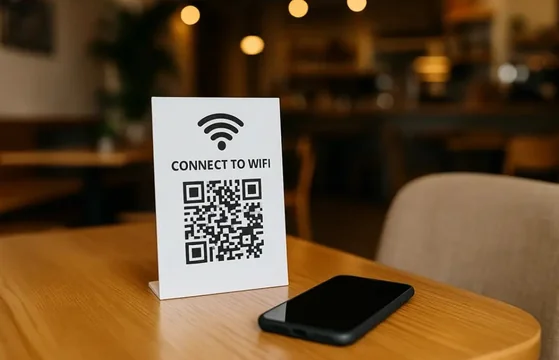
Also, when creating QR Codes with custom logos or brand colours, increasing your QR Code size will also aid in maintaining scannability. This is particularly true with Wi-Fi QR Codes created by a café or office/hotel, where fast scanning is essential.
The QR Code Size Guidelines for Digital Platforms differ from QR Codes that are printed on paper. It is advisable to create QR Codes for Digital Platforms, such as Websites, Presentations, and Mobile Applications, at no less than 150 pixels x 150 pixels, but ideally 300 pixels x 300 pixels would be best for creating QR Codes. The additional information contained within the QR Codes created through a Location QR Code Generator requires larger display sizes to ensure that users do not have difficulty using the QR Codes.
QR Code images should not be compressed or placed too close to any other objects. Quiet Zone is the white space around the QR Code that serves to protect the QR Code from misalignment and is important to all size QR Codes.
A complete guide to sizing QR Codes should factor in error correction and contrast as well. The greater the amount of contrast (dark QR Code on a much lighter background), the smaller the size of the QR Code; conversely, when there is less contrast, a physically larger QR Code will be needed. Longer messages? Use an error correction setting that is higher than normal and increase the QR Code's dimensions.
Custom QR Code Generator Text are regularly used to create designs containing logos or other designs, including gradients. Testing all Custom or Commercial QR Codes for quality and function before use is strongly encouraged. There is also a need to test QR Codes created using Wifi QR Code Generator or Location QR Code Generator prior to placing in public locations.
The QR Code Size Guide also looks at CR versus CO, as well as the error correction features. With CR being higher than CO, you can have a small-size QR Code, but with CO being lower; if you’re generating QR Codes from multiple text entries, you will need to create a larger QR Code size to accommodate a greater error-correcting code.
When you're using a Custom QR Code Generator to create your own qr code that contains images or logos, it is very important to always check your qr code with a scanner prior to distribution! The same goes for qr codes that are generated from a wifi qr code generator and those generated from the Location Generator of a qr code that is put up in public areas.
Final Thoughts on How to Choose the Best Size for Your QR Code:
By following a trustworthy QR Code size guideline, you can create QR codes that will scan without delay; look professional and function properly on a variety of devices and in various settings. Properly sized QR codes can be used for small prints and poster size displays, and the combination of the correct QR code size and contrast and spacing produces the best possible results. Testing your codes will ensure consistent results; therefore, it is important to apply the QR Code Size Guide during all stages of your code’s development from creation to final placement. The success of your codes stems from choosing the correct QR code size.