Desktop PC vs Laptop 2026: Which Should You Buy? Complete Guide
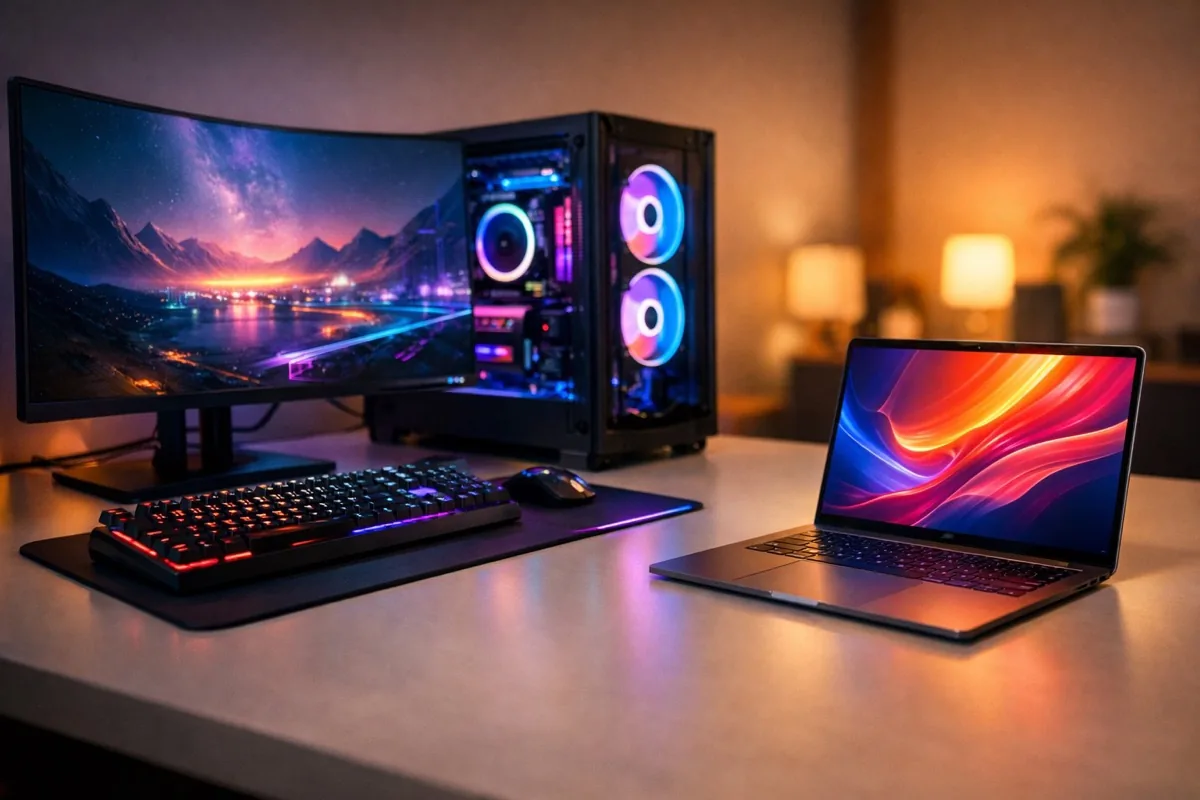
The desktop vs. laptop debate has never been more nuanced than it is in 2026. With NVIDIA's RTX 5000 series widening the performance gap at the high end, Apple's M5 chips redefining what a laptop can do, and a global memory crisis driving prices up 40-70%, the calculus for choosing between a desktop and a laptop has fundamentally shifted. Meanwhile, 62.8 million PCs shipped in Q1 2026 — but analysts project the sharpest full-year decline in over a decade.
Whether you're a gamer chasing 4K frame rates, a content creator rendering video, a developer compiling code, or a student stretching a tight budget, this guide breaks down exactly what you need to know to make the right choice in 2026.
Quick Answer: Desktop or Laptop?
Choose a desktop if you prioritize raw performance, upgradeability, value per dollar, and don't need portability. A $1,200 desktop consistently outperforms a $1,800 laptop.
Choose a laptop if you need portability, work from multiple locations, or want an all-in-one solution. Modern laptops with Apple M5 or AMD Ryzen AI 9000 chips deliver impressive performance for most tasks.
Consider a mini PC if you want near-desktop performance in a compact form factor, especially for office work or media consumption.
Performance Comparison: Desktop vs. Laptop in 2026
CPU: Desktop Still Leads, But the Gap Depends on the Chip
In 2026, the CPU landscape has shifted significantly:
Intel has moved to the Core Ultra 200 series (Arrow Lake) on the new LGA 1851 socket with DDR5 memory. Arrow Lake Refresh ("Core Ultra 200 Plus") is rolling out through 2026, with Nova Lake expected later in the year. The old LGA 1700 platform (12th-14th gen) is officially end-of-life.
AMD now leads in gaming performance with the Ryzen 9000 series (Zen 5). The Ryzen 7 9800X3D remains the undisputed gaming king, with the 9850X3D and 9950X3D2 X3D-Refresh models offering even more performance for content creators who also game. Desktop Ryzen chips deliver 30-50% more multi-threaded performance than their laptop equivalents at the same wattage tier.
Apple's M5 generation, launched March 2026, has changed the Mac equation entirely. The M5 Pro and M5 Max deliver 2.5x multi-threaded performance versus M1 Pro/Max, 30% faster CPU and up to 50% better GPU versus M4. For creative professionals locked into the Apple ecosystem, the M5 MacBook Pro is now genuinely competitive with mid-range desktop workstations — while running on battery.
| CPU | Platform | Cores/Threads | TDP | Best For |
|---|---|---|---|---|
| AMD Ryzen 7 9800X3D | Desktop | 8/16 | 120W | Gaming king |
| AMD Ryzen 9 9950X3D2 | Desktop | 16/32 | 170W | Gaming + creation |
| Intel Core Ultra 9 285K | Desktop | 24/24 | 125W | Productivity |
| Apple M5 Max | Laptop | 16/16 | ~50W | Creative pro |
| AMD Ryzen AI 9 HX 375 | Laptop | 12/24 | 28-54W | AI + portable work |
| Intel Core Ultra 9 288V | Laptop | 8/8 | 17-30W | Ultrabook efficiency |
GPU: The Gap Has Widened at the Top
The NVIDIA RTX 5000 series (Blackwell architecture, GDDR7 memory) has landed — and the desktop-vs-laptop GPU gap has never been larger at the high end:
- RTX 5090 Desktop: 575W TDP, full CUDA core count — the undisputed performance champion
- RTX 5090 Laptop: 150-175W TDP, 107% fewer CUDA cores — roughly 50-55% slower than the desktop version, performing comparable to a desktop RTX 4070 Ti Super
- RTX 5070 Desktop ($549): The sweet spot for 1440p gaming at excellent value
On the AMD side, RDNA 4 has arrived with the RX 9070 series. At native 1440p, the RX 9070 is 13% faster than the RTX 5070 and 3.5-4.5% cheaper — AMD's most competitive GPU challenge in years.
Budget parity exists at the bottom: Mobile RTX 5060 and 5050 chips match or exceed their desktop counterparts in many games. The performance gap is primarily a high-end problem — if you're gaming at 1080p on medium settings, a laptop GPU will serve you nearly as well as a desktop one.
| GPU | Type | TDP | Approx. Price | 4K Gaming? |
|---|---|---|---|---|
| RTX 5090 | Desktop | 575W | $1,999 | Ultra, 100+ FPS |
| RTX 5090 | Laptop | 150-175W | $2,500+ system | Medium-High, 60 FPS |
| RTX 5070 | Desktop | 250W | $549 | High, 60+ FPS |
| RX 9070 | Desktop | 200W | $525 | High, 60+ FPS |
| RTX 5060 | Laptop | 85-115W | $1,100+ system | No, excellent 1080p |
RAM & Storage: The 2026 Memory Crisis
Here's what has changed the value equation in 2026: DRAM and NAND prices have surged 40-70% from early 2025 through 2026, driven by AI datacenter demand consuming global memory production capacity. This memory shortage has made both desktops and laptops significantly more expensive.
- 32GB DDR5 RAM is now the mainstream standard for both desktops and laptops (up from 16GB in 2024)
- Desktop DDR5-6000 kits that cost $80 in early 2025 now run $130-150
- NVMe SSDs (Gen 4 and Gen 5) have similarly increased, though capacities continue to grow
- PCIe 6.0 SSDs are emerging with 28 GB/s speeds — desktop-only for now
Desktop advantage: You can install 4+ sticks of RAM, add multiple NVMe drives, and upgrade incrementally as prices stabilize. Laptop limitation: Most modern laptops solder RAM to the motherboard — what you buy is what you keep for the laptop's entire life.
Thermal Management: Physics Still Wins
Desktop PCs use tower coolers (120-280mm) or AIO liquid coolers that can dissipate 250W+ of heat quietly. Gaming desktops running an RTX 5090 (575W GPU) plus a Ryzen 9 9950X (170W CPU) need serious cooling — and have the physical space for it.
Laptop cooling has improved significantly — vapor chamber designs, liquid metal thermal compounds, and smarter fan curves. But physics is physics: cramming a 150W GPU and 55W CPU into a 2cm-thick chassis means thermal throttling under sustained loads, louder fans, and shorter component lifespans. A laptop RTX 5090 drops to desktop RTX 4070 Ti Super performance levels precisely because of thermal and power constraints.
The Mini PC Alternative
Mini PCs deserve serious consideration in 2026, especially for non-gaming use cases:
- Mac Mini M4 ($599): Exceptional single-threaded and efficiency performance, outstanding for content creation, development, and everyday use. The M4 Pro variant handles professional video editing
- Intel NUC successors: Various manufacturers offer compact systems with Core Ultra 200 chips
- AMD mini PCs: Ryzen 9000 series compact builds offer near-desktop performance with dramatically lower power draw
A Mac Mini M4 Pro with 24GB RAM and a quality monitor outperforms most $1,500 laptops at creative workflows — while costing about the same and lasting significantly longer.
Pricing and Value Analysis: The 2026 Reality
The 2026 memory crisis has inflated prices across the board. Here's what to expect at each tier:
| Budget Tier | Desktop Build | Laptop Equivalent | Performance Gap |
|---|---|---|---|
| Entry ($500-800) | Ryzen 5 9600X, 16GB DDR5, integrated graphics | Ryzen 7 8840U, 16GB, integrated | Desktop ~20% faster |
| Mid ($900-1,500) | Ryzen 7 9700X, RTX 5060, 32GB | i7 + RTX 5060 Mobile, 16-32GB | Desktop ~30% faster |
| High ($1,500-2,500) | Ryzen 9 9800X3D, RTX 5070, 32GB | i9 + RTX 5070 Mobile, 32GB | Desktop ~40% faster |
| Enthusiast ($2,500+) | Ryzen 9 9950X, RTX 5090, 64GB | i9 + RTX 5090 Mobile, 64GB | Desktop 50%+ faster |
The bottom line on value: At every price point, a desktop delivers 20-50% more performance than a comparably-priced laptop. The gap widens as you move up in budget. A $1,200 gaming desktop matches or beats a $1,800 gaming laptop. But the laptop includes a screen, keyboard, trackpad, speakers, battery, and webcam — factor those costs into a fair desktop comparison.
Real-World Use Cases: Which Is Right for You?
Gaming
Desktop wins decisively for serious gaming. The RTX 5090 desktop is 50-55% faster than the laptop version, and desktop GPUs retain 40-50% of their value after 3 years versus laptops losing 60-70% in just 2 years. You can also upgrade a desktop GPU without replacing the entire system.
But consider a laptop if: you game casually at 1080p-1440p (where the gap is much smaller), attend LAN parties, or need the same machine for school/work and gaming. The best gaming laptops in 2026 deliver genuine 1440p performance with mobile RTX 5070 chips.
Content Creation (Video, Photo, 3D)
Desktop wins for heavy workloads. A 4K video render that takes 6 minutes on a desktop takes 12 minutes on a comparable laptop. More RAM slots, faster storage options, and sustained performance without throttling make desktops the professional choice.
Exception: Apple M5 MacBook Pro. For Final Cut Pro, Logic Pro, and many Adobe workflows, the M5 Max rivals mid-range desktop workstations while running silently on battery. If you're in the Apple ecosystem and need portability, it's a compelling proposition.
Programming & Development
Either works well. Most development tasks don't tax modern hardware. The key differentiator is workflow preference:
- Desktop: Multiple large monitors (critical for many developers), more RAM for running VMs and containers, quieter operation during long sessions
- Laptop: Portability to coffee shops, meetings, and co-working spaces. SSH into powerful remote machines when you need heavy compute
- Best of both: A laptop with a docking station at your desk, connecting to external monitors, keyboard, and mouse. You get portability and ergonomics
Students
Laptop is the clear winner for most students. You need your computer in class, the library, study groups, and your dorm. The MacBook Neo at $599 and AMD-powered Windows laptops under $800 handle every academic workload comfortably.
Exception: Computer science, engineering, or architecture students who need serious computing power should consider a desktop at home plus a budget laptop for classes. The dual-machine approach often costs the same as a single powerful laptop.
Remote & Hybrid Work
In 2026, 52% of remote-capable workers operate in hybrid arrangements, with 27% of paid full-time workdays in the US worked from home. In the tech sector, 48% are fully remote and 44% hybrid — only 8% are fully on-site.
- Fully remote: A desktop gives you the best ergonomic setup, performance, and value. Add a quality monitor, ergonomic keyboard, and good headphones
- Hybrid (2-3 days in office): A laptop is practically mandatory. Get one with good battery life and a USB-C dock for your home setup
- Hot-desking / fully mobile: Laptop, no question. Prioritize weight, battery life, and build quality over raw performance
Key Buying Factors in 2026
Upgradeability & Longevity
Desktops last 5-8 years with component upgrades (new GPU, more RAM, faster SSD). A desktop built in 2022 can drop in a new RTX 5070 and feel brand new. Laptops last 3-5 years before becoming effectively obsolete — and most components can't be upgraded.
Desktop GPU depreciation: retains 40-50% value after 3 years. Laptop depreciation: loses 60-70% value in 2 years. This matters if you plan to upgrade regularly.
Power Consumption & Running Costs
A gaming desktop under load draws 400-750W; a gaming laptop peaks at 200-300W. Over a year of daily use (4 hours/day), a desktop costs roughly $180-300 in electricity versus $50-80 for a laptop. Factor this into your total cost of ownership.
Displays
Desktop monitors offer better value, more choices, and superior specs: 4K 144Hz OLED monitors start under $800, ultrawide options provide immersive productivity, and you can run multiple displays easily. Desktop GPUs drive high-resolution, high-refresh panels without compromise.
Laptop displays have improved dramatically — OLED panels, 120Hz+ refresh rates, and DCI-P3 color accuracy are common on $1,200+ laptops. But you're locked to one screen size, and pushing the laptop's own high-res display taxes the GPU.
Repairability & Right to Repair
Right-to-repair legislation continues expanding in 2026:
- Colorado's HB24-1121 took effect January 1, 2026 — covers phones, computers, and TVs
- NYC's Right to Repair law became enforceable in 2026
- The EU Right to Repair Directive (2024/1799) has a full implementation deadline of July 31, 2026
Desktops remain inherently more repairable — standardized components, socketed CPUs, replaceable GPUs. On the laptop side, Framework Laptop continues leading with modular, user-upgradeable designs. Lenovo's new "Space Frame" modular laptop competes in this space, and Apple's MacBook Neo has been called the most repairable MacBook in 14 years.
AI PCs & NPUs: The 2026 Landscape
Every major chipmaker now ships processors with dedicated AI hardware (Neural Processing Units), exceeding Microsoft's 40 TOPS minimum for Copilot+ PCs:
| Platform | NPU TOPS | Key Chip | Notes |
|---|---|---|---|
| AMD XDNA 2 | 60 TOPS | Ryzen AI 400 (Gorgon Point) | Highest NPU performance |
| Intel Lunar Lake | 48 TOPS | Core Ultra 200V | Best ultrabook efficiency |
| Qualcomm | 45 TOPS | Snapdragon X Elite | ARM-based, best battery |
| Apple | ~38 TOPS | M5 Neural Engine | Tightly integrated with macOS |
In practice, NPU benefits in 2026 remain modest for most users — Windows Recall, real-time translation, AI-assisted photo editing, and on-device AI assistants. The real value will emerge as developers build more applications that leverage local AI processing. Both desktop and laptop chips include NPUs, so this isn't a differentiator between form factors.
2026 Market Trends & What They Mean for You
- PC shipments are declining: After 62.8M units shipped in Q1 2026 (4% growth), IDC projects an 11.3% full-year decline — the sharpest in over a decade. This is driven by the memory crisis inflating prices and consumers extending replacement cycles
- Laptops outsell desktops 4:1: In Q4 2024, 53.7M notebooks shipped versus 13.7M desktops. The shift to portable computing continues, driven by hybrid work norms
- Gaming desktops hold 73.4% of the gaming PC market, but gaming laptops (26.6%) are growing faster at 15.4% CAGR through 2033
- Component prices are elevated: Plan to spend 15-25% more than you would have in early 2025 for equivalent specs. Both CPU supply and memory availability are constrained
Complete Buying Guide: Making Your Decision
Choose a Desktop If:
- You primarily use your PC at one location (home office, dorm desk)
- Gaming performance matters — especially at 1440p or 4K
- You want to upgrade components over 5-8 years instead of replacing the whole machine
- Content creation is a primary use (video editing, 3D rendering, music production)
- Budget matters — you want maximum performance per dollar
- You already have or plan to buy a separate monitor, keyboard, and mouse
Choose a Laptop If:
- You need your computer in multiple locations (work, school, travel, coffee shops)
- You work in a hybrid or remote role requiring office portability
- You prefer an all-in-one device with built-in screen, keyboard, speakers, and webcam
- Your workload doesn't demand sustained high performance (most office work, web development, casual gaming)
- You're a student — portability almost always trumps performance in academic settings
Choose a Mini PC If:
- Desk space is limited but you don't need portability
- Your workload is productivity, development, or media consumption (not AAA gaming)
- You want desktop-class display options with a compact, quiet, low-power system
- The Mac Mini M4 ($599) covers your needs — it handles more than you might expect
Common Buying Mistakes to Avoid
- Overspending on a laptop you'll use as a desktop — if it stays on your desk 90% of the time, a desktop + cheap secondary laptop costs less and performs better
- Ignoring total cost of ownership — desktops need a monitor, peripherals, and use more electricity. Factor everything in
- Buying for future-proofing instead of current needs — the RTX 5090 is incredible, but if you game at 1080p, the RTX 5060 is plenty
- Assuming laptop specs equal desktop specs — an "RTX 5070" in a laptop is NOT the same chip as the desktop RTX 5070. Always check actual benchmarks
- Skipping the SSD — in 2026, any system without an NVMe SSD as the boot drive is immediately handicapped. This is non-negotiable
- Overlooking the memory crisis — RAM and storage prices are elevated. Buy what you need now, but don't overpay for capacity you won't use for years
The Final Verdict
In 2026, the desktop-vs-laptop decision is more about lifestyle than technology. Both form factors are remarkably capable. The desktop still delivers meaningfully more performance per dollar — that gap has actually widened at the high end with the RTX 5000 series. But laptops have become good enough for the vast majority of workloads, and the best laptops in 2026 can handle everything from 1440p gaming to 4K video editing.
If performance is king: Desktop. The 30-50% performance advantage, upgradeability, and better thermal management make it the clear winner for gamers and creators.
If flexibility is king: Laptop. The ability to work anywhere, combined with modern performance that's "good enough" for most tasks, makes laptops the right choice for most people in 2026.
The smartest move for power users: A desktop for heavy lifting at home, paired with a budget laptop or tablet for portability. The combined cost often matches a single premium laptop — and you get the best of both worlds.