Best Android Emulators to Run Android Apps on PC
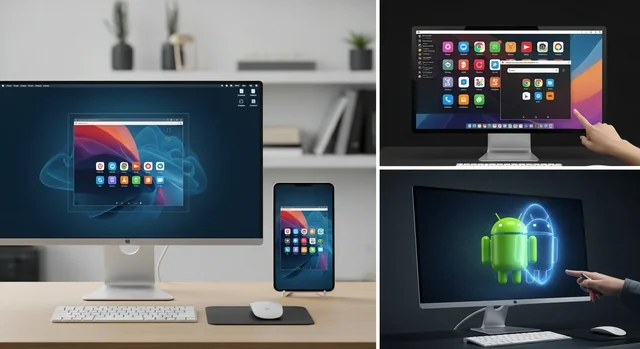
Android emulation has evolved dramatically in 2025, offering users powerful ways to run Android apps and games on their PCs and Macs. Whether you're a mobile developer testing applications, a gamer seeking better performance, or a productivity enthusiast wanting to use mobile apps on a larger screen, today's Android emulators provide sophisticated solutions that rival native Android devices.
Modern Android emulators now support Android 13, leverage advanced virtualization technologies like Hyper-V and WSL2, and offer specialized features for different use cases. This comprehensive guide examines the best Android emulators available in 2025, helping you choose the perfect solution for your specific needs.
System Requirements for Android Emulators in 2025
Before diving into specific emulators, it's crucial to understand the hardware requirements for optimal performance:
Learn more in our article about 25 Best Game Apps for iPad Available For Free Download.
Minimum System Requirements
- CPU: Intel Core i3 or AMD equivalent (4 cores recommended)
- RAM: 8GB (16GB recommended for gaming)
- Storage: 20GB free space (SSD preferred)
- Graphics: DirectX 11 compatible GPU
- Virtualization: Intel VT-x or AMD-V enabled in BIOS
Recommended System Requirements
- CPU: Intel Core i5/i7 or AMD Ryzen 5/7 (6+ cores)
- RAM: 16GB or higher
- Storage: NVMe SSD with 50GB+ free space
- Graphics: Dedicated GPU with 4GB+ VRAM
- OS: Windows 10/11 64-bit or macOS 10.15+
Top Android Emulators for 2025
1. BlueStacks 5.22 - The Gaming Champion
BlueStacks remains the gold standard for Android emulation, with version 5.22 bringing native Android 13 support and significant performance improvements. The latest iteration focuses heavily on gaming optimization while maintaining excellent general app compatibility.
Key Features:
- Android 13 support with latest security patches
- Hyper-V compatibility for Windows 11
- Advanced keymapping and macro support
- Multi-instance manager for running multiple games
- Built-in screen recorder and streaming tools
- Native M1/M2 Mac support with optimized performance
Performance Highlights:
- Up to 50% faster app launch times compared to previous versions
- Reduced RAM usage by 30% through memory optimization
- Enhanced graphics rendering for high-end mobile games
Best For: Mobile gaming, content creation, casual app usage
Pricing: Free with ads, Premium subscription $2/month
2. LDPlayer 9 - The Versatile Performer
LDPlayer 9 has emerged as a serious competitor in 2025, offering exceptional compatibility with modern Windows features and robust performance across various Android versions.
Standout Features:
- Full Hyper-V and WSL2 compatibility
- Support for Android 5.1, 7.1, 9, and 12
- Advanced virtualization engine
- Customizable control schemes
- Built-in file manager and APK installer
- GPS simulation and location spoofing
Technical Advantages:
- Seamless integration with Windows virtualization
- Superior stability on enterprise systems
- Excellent performance scaling on high-end hardware
Best For: Power users, enterprise environments, multi-version testing
Pricing: Completely free with optional donations
3. NoxPlayer - The Multi-Version Master
NoxPlayer's latest version introduces Multi-Drive technology, allowing users to run up to 5 different Android versions simultaneously, making it invaluable for developers and testers.
Revolutionary Features:
- Multi-Drive support (Android 4.4, 5.1, 7.1, 9, 12)
- Advanced macro recording and scripting
- Comprehensive gamepad support
- Real-time performance monitoring
- Cloud synchronization for settings and data
- Enhanced security with sandbox isolation
Developer-Friendly Tools:
- ADB debugging support
- Root access options
- Custom ROM installation capability
Best For: App development, compatibility testing, advanced gaming
Pricing: Free with premium features available
4. MuMu Player (NetEase) - The Gaming Specialist
Developed by NetEase, MuMu Player focuses specifically on mobile gaming performance, offering optimizations tailored for popular game titles and competitive gaming scenarios.
Gaming-Focused Features:
- Game-specific optimization profiles
- Ultra-low latency input handling
- Advanced graphics rendering options
- Competitive gaming mode with performance prioritization
- Integrated voice chat and streaming tools
- Automatic game updates and patch management
Best For: Competitive mobile gaming, esports, streaming
Pricing: Free with optional premium features
See also: Master Your Keyboard Skills: The Top 10 Best Typing Software to Boost Your Speed and Accuracy.
5. Android Studio Official Emulator - The Developer's Choice
Google's official Android emulator within Android Studio has received significant updates in 2025, making it more accessible to non-developers while maintaining its technical superiority.
Professional Features:
- Official Google support and updates
- Complete Android SDK integration
- Hardware acceleration support
- Comprehensive device simulation
- Advanced debugging and profiling tools
- Latest Android versions immediately available
Best For: Professional app development, testing, educational purposes
Pricing: Free as part of Android Studio
6. Windows Subsystem for Android (WSA) - The Native Solution
Microsoft's Windows Subsystem for Android has matured significantly in 2025, offering native Android app integration directly within Windows 11.
Native Integration Features:
- Direct Windows 11 integration
- Amazon Appstore compatibility
- Sideloading support for APK files
- Native Windows notifications
- Seamless file system access
- Optimized for productivity applications
Best For: Windows 11 users, productivity apps, native integration
Pricing: Free with Windows 11
Gaming vs. Productivity: Choosing the Right Emulator
For Gaming Enthusiasts
If your primary goal is mobile gaming on PC, prioritize emulators with:
Learn more in our article about TopStore 2025: Download Tweaked iOS Apps & Games Without Jailbreak.
- Advanced graphics optimization
- Low-latency input handling
- Customizable control schemes
- Multi-instance support for farming games
- Built-in streaming and recording tools
Top Recommendations: BlueStacks 5.22, MuMu Player, NoxPlayer
For Productivity and Development
For app development, testing, or productivity use cases, focus on:
- Multiple Android version support
- Developer debugging tools
- Stable performance and reliability
- Official Google support
- Integration with development environments
Top Recommendations: Android Studio Emulator, LDPlayer 9, Windows Subsystem for Android
Mac Users: Android Emulation Options
Mac users have fewer but increasingly powerful options in 2025:
BlueStacks for Mac (M1/M2 Optimized)
BlueStacks has significantly improved Mac support, with native Apple Silicon optimization providing excellent performance on M1 and M2 Macs. Features include:
- Native ARM64 architecture support
- Optimized for macOS Monterey and Ventura
- Reduced battery consumption
- Seamless integration with macOS features
Android Studio Emulator for Mac
Google's official emulator works excellently on Mac systems, offering:
- Universal binary support for Intel and Apple Silicon
- Hardware acceleration through Hypervisor.framework
- Complete development tool integration
Performance Comparison Table
| Emulator | Android Version | RAM Usage | Gaming Performance | Development Tools | Mac Support | Price |
|---|---|---|---|---|---|---|
| BlueStacks 5.22 | Android 13 | 2-4GB | Excellent | Basic | Yes (M1/M2) | Free/Premium |
| LDPlayer 9 | Android 5.1-12 | 1.5-3GB | Very Good | Good | No | Free |
| NoxPlayer | Android 4.4-12 | 2-4GB | Very Good | Excellent | Limited | Free |
| MuMu Player | Android 12 | 2-3GB | Excellent | Basic | No | Free |
| Android Studio | All Versions | 3-6GB | Good | Excellent | Yes | Free |
| WSA | Android 12L | 1-2GB | Fair | Basic | No | Free |
Installation and Setup Best Practices
Pre-Installation Checklist
- Enable virtualization (VT-x/AMD-V) in BIOS settings
- Disable Hyper-V if using non-compatible emulators
- Update graphics drivers to latest versions
- Ensure sufficient storage space and RAM
- Close unnecessary background applications
Optimization Tips
- Allocate 4-8GB RAM to emulator depending on usage
- Use SSD storage for emulator installation
- Enable hardware acceleration when available
- Adjust graphics settings based on your GPU capabilities
- Regular cleanup of cache and temporary files
Security and Privacy Considerations
When using Android emulators, consider these security aspects:
You might also be interested in 15 Best VLC Media Player Keyboard Shortcuts.
Data Protection
- Use reputable emulators from official sources
- Avoid emulators bundled with suspicious software
- Enable emulator sandbox features when available
- Regularly update emulator software
Privacy Settings
- Review location and camera permissions
- Disable unnecessary data collection features
- Use VPN if accessing geo-restricted content
- Separate work and personal emulator instances
Troubleshooting Common Issues
Performance Problems
- Slow performance: Increase allocated RAM and enable hardware acceleration
- Graphics issues: Update GPU drivers and adjust rendering settings
- App crashes: Try different Android versions or increase system resources
Compatibility Issues
- Apps won't install: Check Android version compatibility and enable unknown sources
- Google Play issues: Install Google Play Services or use alternative app stores
- Hardware conflicts: Disable conflicting virtualization software
Future of Android Emulation
The Android emulation landscape continues evolving with several exciting trends:
- Cloud-based emulation: Browser-based Android environments
- AI optimization: Machine learning for performance tuning
- Native integration: Deeper OS-level Android app support
- ARM64 support: Better compatibility with modern Android apps
- 5G simulation: Testing apps with next-generation network conditions
Frequently Asked Questions (FAQ)
1. Which Android emulator is best for gaming in 2025?
BlueStacks 5.22 and MuMu Player are the top choices for gaming, offering excellent performance, advanced control mapping, and gaming-specific optimizations. BlueStacks has the edge for overall compatibility, while MuMu Player excels in competitive gaming scenarios.
2. Can I run multiple Android emulators simultaneously?
Yes, most modern emulators support multi-instance functionality. However, this requires significant system resources. We recommend at least 16GB RAM and a powerful CPU for running multiple instances effectively.
3. Are Android emulators safe to use?
Reputable emulators from official sources are generally safe. Always download from official websites, keep software updated, and avoid emulators bundled with suspicious software. Enable security features like sandboxing when available.
4. Do I need to enable virtualization for Android emulators?
Yes, enabling Intel VT-x or AMD-V in your BIOS settings is essential for optimal emulator performance. Most modern emulators require hardware virtualization for proper functionality.
5. Can I use Google Play Store on all Android emulators?
Most consumer-focused emulators (BlueStacks, LDPlayer, NoxPlayer) include Google Play Store access. Developer-focused emulators like Android Studio may require manual Google Play Services installation.
6. What's the difference between Hyper-V compatible and non-compatible emulators?
Hyper-V compatible emulators (like LDPlayer 9) can run alongside Windows' built-in virtualization features, while others require Hyper-V to be disabled. This is crucial for users running other virtualization software or WSL2.
7. Which emulator works best on Mac with Apple Silicon?
BlueStacks for Mac offers the best Apple Silicon support with native M1/M2 optimization. Android Studio Emulator also works well on Mac systems with universal binary support.
8. Can I develop and test apps using gaming-focused emulators?
While possible, it's not recommended. Gaming emulators often modify Android behavior for performance. Use Android Studio Emulator or NoxPlayer for serious app development and testing.
9. How much storage space do Android emulators typically require?
Plan for 10-20GB for the emulator installation and 10-30GB additional for Android system files, apps, and data. SSD storage is highly recommended for better performance.
10. Are there any legal concerns with using Android emulators?
Android emulators themselves are legal. However, ensure you comply with app licensing terms, avoid piracy, and respect regional restrictions. Some apps may have terms prohibiting emulator usage.
Related: The Ultimate Guide to the Best Android Emulators in 2025: Gaming and Apps Without Limits.
Choosing the right Android emulator in 2025 depends on your specific needs, system specifications, and intended use cases. Whether you're gaming, developing apps, or simply wanting to use mobile apps on a larger screen, there's an emulator solution that fits your requirements. Consider the features, performance characteristics, and compatibility requirements outlined in this guide to make the best choice for your situation.