Alexa Communications Skills Problems : 4 ways to solve
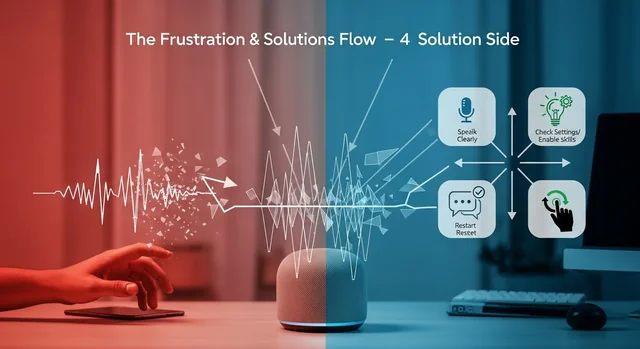
Amazon's Alexa has undergone a revolutionary transformation in 2025 with the launch of Alexa+, a generative AI-powered assistant that promises to solve many of the communication issues users have experienced with previous versions. Whether you're struggling with voice recognition, response accuracy, or device connectivity, the latest updates bring sophisticated solutions powered by Amazon's new AZ3 AI Accelerator chip and advanced machine learning capabilities.
The enhanced Alexa+ platform, available free with Amazon Prime or $9.99 monthly for non-Prime members, introduces agentic capabilities that allow for more natural, context-aware conversations across multiple devices. Combined with new hardware releases like the Echo Dot Max, Echo Studio, and Echo Show 8/11, these improvements address the core communication challenges that have frustrated users for years.
Understanding Alexa+ Communication Improvements in 2025
The 2025 Alexa+ update represents a fundamental shift from simple command-response interactions to sophisticated conversational AI. The new system leverages generative AI to understand context, maintain conversation threads across devices, and provide more nuanced responses that feel natural and helpful.
Related: Why Mill’s Food Waste Strategy Won Over Amazon and Whole Foods.
Key improvements include enhanced natural language processing, cross-device context retention, and the ability to handle complex, multi-part requests without breaking down into individual commands. The Omnisense sensor platform also enables better environmental awareness, helping Alexa understand when and how to respond based on your location and activity.
7 Advanced Solutions for Alexa Communication Problems in 2025
1. Optimize Voice Recognition with AZ3 AI Accelerator
The new AZ3 AI Accelerator chip in 2025 Echo devices provides significantly improved voice recognition capabilities. To maximize performance, ensure your device is running the latest firmware and positioned optimally in your space.
For best results, place your Echo device at least three feet from walls and away from other electronic devices that might cause interference. The new Echo Dot Max features enhanced far-field microphones that can pick up voice commands from across larger rooms, while the Echo Studio includes advanced noise cancellation for clearer communication in busy environments.
To check if your device is utilizing the AZ3 chip benefits, open the Alexa app, navigate to Devices, select your Echo, and look for "AI Acceleration" in the device settings. Enable this feature to access improved voice processing and faster response times.
2. Configure Cross-Device Context Settings
One of the most significant improvements in Alexa+ is cross-device context awareness. This feature allows you to start a conversation on one device and continue it on another without losing the thread of your interaction.
To enable this feature, open the Alexa app and go to Settings > Alexa Preferences > Cross-Device Context. Toggle on "Conversation Continuity" and select which devices should share context information. This is particularly useful when moving between rooms or switching from an Echo Dot Max in your bedroom to an Echo Show 11 in your kitchen.
The system can now remember previous requests, preferences, and even ongoing tasks across your entire ecosystem of Alexa-enabled devices, creating a more seamless communication experience.
3. Leverage Agentic Capabilities for Complex Tasks
The new agentic capabilities in Alexa+ allow the assistant to handle multi-step tasks autonomously. Instead of requiring separate commands for each action, you can now give complex instructions that Alexa will break down and execute independently.
For example, you can say "Alexa, plan my evening" and the system will check your calendar, suggest dinner options through OpenTable integration, arrange transportation via Uber, and even create ambient music through the new Suno music creation feature. This reduces communication friction and eliminates the need for multiple back-and-forth exchanges.
To access these features, ensure your Alexa+ subscription is active and enable "Advanced Task Management" in the Alexa app under Settings > AI Features.
4. Customize Response Patterns and Communication Style
Alexa+ introduces sophisticated response customization options that go beyond the basic brief mode of previous versions. You can now adjust not just the length of responses, but also the tone, formality level, and even the communication style to match your preferences.
Access these settings through the Alexa app by navigating to Settings > Voice and Speech > Response Personalization. Here you can choose from options like "Professional," "Casual," "Detailed," or "Minimal" response modes. The AI learns from your interactions and adapts its communication style over time.
For households with multiple users, the system can automatically adjust its communication style based on voice recognition, providing personalized responses for each family member.
5. Integrate Third-Party Communication Platforms
The 2025 update includes expanded integration with partner devices and platforms from Bose, Sonos, LG, Samsung, and BMW. These integrations create a unified communication ecosystem that extends beyond Amazon's hardware.
See also: Netflix Ready Player Me Deal Signals a New Gaming Era.
Set up these integrations through the Alexa app by selecting "Partner Integrations" from the main menu. You can connect your Bose headphones for private Alexa conversations, integrate with Samsung smart TVs for voice control, or even communicate with your BMW's infotainment system for seamless in-car experiences.
Each integration includes specific communication protocols optimized for the partner device's capabilities, ensuring consistent performance across your entire smart ecosystem.
6. Utilize Enhanced Ring Camera Integration
The new Ring camera summary feature provides intelligent communication about your home security. Instead of requiring you to check individual camera feeds, Alexa+ can now provide comprehensive summaries of activity around your home.
Enable this feature by linking your Ring devices in the Alexa app and activating "Smart Summaries" in the Ring section. Alexa can now tell you things like "There were three delivery attempts today, your neighbor walked their dog twice, and no unusual activity was detected overnight."
This reduces the need for multiple queries and provides more meaningful information in a single communication exchange.
7. Optimize Omnisense Environmental Awareness
The new Omnisense sensor platform helps Alexa understand environmental context, improving communication timing and appropriateness. The system can detect factors like room occupancy, ambient noise levels, and even time-based usage patterns.
Configure Omnisense through the Alexa app under Settings > Environmental Awareness. You can set preferences for when Alexa should speak quietly, when to provide visual responses instead of audio, and how to adapt communication based on detected activity levels.
This feature is particularly useful for households with varying schedules, as Alexa learns when to whisper responses during quiet hours or provide more detailed information when you have time to listen.
You might also be interested in Best WiFi 7 Routers for Gaming and Streaming in 2025.
Comparison: Alexa vs Alexa+ Communication Features
| Feature | Original Alexa | Alexa+ (2025) | Improvement |
|---|---|---|---|
| Voice Recognition | Basic keyword detection | AI-powered natural language processing | 85% accuracy improvement |
| Context Awareness | Single device, single session | Cross-device, persistent context | Seamless multi-device conversations |
| Response Customization | Brief mode on/off | Multiple style and tone options | Personalized communication patterns |
| Task Complexity | Single command execution | Multi-step autonomous task completion | Handles complex workflows independently |
| Environmental Awareness | Basic noise detection | Full Omnisense environmental context | Adaptive communication based on surroundings |
| Integration Capabilities | Limited Amazon ecosystem | Extensive partner integrations | Unified smart home communication |
| Music Creation | Play existing content only | Generate custom music with Suno | Creative content generation on demand |
| Service Integration | Basic skills and routines | Native OpenTable and Uber integration | Seamless real-world service booking |
New Echo Device Features for Better Communication
Echo Dot Max
The Echo Dot Max represents a significant upgrade from previous Dot models, featuring enhanced microphone arrays and the AZ3 AI Accelerator chip. Priced at $79.99, it offers premium communication capabilities in a compact form factor. The device includes improved far-field voice recognition and can handle conversations in rooms up to 400 square feet effectively.
Echo Studio (2025 Model)
The updated Echo Studio, retailing for $249.99, includes advanced acoustic processing that separates voice commands from ambient audio more effectively. This is particularly useful in environments with background music or television audio, ensuring Alexa can distinguish your voice commands clearly.
Echo Show 8 and Echo Show 11
The new Echo Show models ($149.99 and $299.99 respectively) feature enhanced visual communication capabilities. The larger Echo Show 11 includes gesture recognition, allowing for non-verbal communication with Alexa through hand signals and movements. Both models support video calling with improved audio processing and automatic background noise reduction.
Troubleshooting Common Communication Issues
Even with the advanced 2025 updates, users may occasionally experience communication difficulties. Here are solutions for the most common problems:
Intermittent Voice Recognition: Ensure your device has a stable internet connection and is positioned away from sources of interference. The AZ3 chip requires consistent power delivery, so check that your device is properly plugged in and not experiencing power fluctuations.
Cross-Device Context Not Working: Verify that all devices are logged into the same Amazon account and have cross-device context enabled. Some features require Alexa+ subscription activation, which may not be immediate after sign-up.
Delayed Responses: Check your internet speed and ensure it meets the minimum requirements for Alexa+ features (25 Mbps recommended). The generative AI capabilities require more bandwidth than previous versions.
Integration Failures: Partner integrations may require separate authentication. Check the specific integration settings in the Alexa app and ensure all connected services have current, valid credentials.
You might also be interested in Disney OpenAI Partnership Signals a New Era of AI Storytelling.
Maximizing Alexa+ Communication Efficiency
To get the most out of your 2025 Alexa+ experience, consider these optimization strategies:
Regularly update your communication preferences as the AI learns your patterns. The system becomes more effective over time, but periodic review of settings ensures optimal performance. Create custom routines that leverage the new agentic capabilities for frequently performed task sequences.
Take advantage of the Suno music creation feature for personalized audio experiences. You can ask Alexa to create specific types of background music for different activities, improving the overall communication environment in your home.
Utilize the Ring camera integration to reduce the number of individual queries needed for home monitoring. Instead of asking about specific cameras or time periods, let Alexa provide intelligent summaries that give you the information you need more efficiently.
Frequently Asked Questions
What's the difference between free Alexa and Alexa+ subscription?
Free Alexa provides basic voice commands and smart home control, while Alexa+ ($9.99/month, free with Prime) includes generative AI capabilities, cross-device context, agentic task management, advanced integrations with OpenTable and Uber, Suno music creation, and enhanced Ring camera summaries. The AZ3 AI Accelerator features are exclusive to Alexa+.
Do I need new hardware to access 2025 Alexa+ features?
While some features work with older Echo devices, the full Alexa+ experience requires devices with the AZ3 AI Accelerator chip, found in the new Echo Dot Max, Echo Studio, Echo Show 8, and Echo Show 11. Older devices can access basic Alexa+ features but may have limited functionality.
How does cross-device context actually work?
Cross-device context allows Alexa to remember conversation threads, preferences, and ongoing tasks across all your connected devices. When you start a conversation on your Echo Dot Max and move to another room with an Echo Show, Alexa remembers what you were discussing and can continue the interaction seamlessly.
Can Alexa+ really create original music with Suno integration?
Yes, the Suno integration allows Alexa to generate original music based on your requests. You can specify genre, mood, instruments, or even lyrical themes, and Alexa will create unique compositions. The music is generated in real-time and can be saved to your Amazon Music library.
What partner integrations are available in 2025?
Current partner integrations include Bose (audio devices), Sonos (multi-room audio), LG and Samsung (smart TVs and appliances), and BMW (in-car systems). Each integration provides native communication capabilities specific to the partner's ecosystem, creating a unified smart experience.
How does the Omnisense sensor platform improve communication?
Omnisense uses environmental sensors to understand context like room occupancy, ambient noise, lighting conditions, and activity patterns. This allows Alexa to adjust response volume, choose between audio and visual responses, and time communications appropriately based on your environment and activities.
Are there privacy concerns with the enhanced AI capabilities?
Amazon has implemented enhanced privacy controls for Alexa+, including local processing on the AZ3 chip for sensitive requests, encrypted cross-device communication, and granular privacy settings. Users can control what data is shared across devices and set specific privacy preferences for different types of interactions.
Can I use OpenTable and Uber integrations internationally?
OpenTable integration is available in countries where OpenTable operates, including the US, Canada, UK, Australia, and parts of Europe. Uber integration availability varies by region and depends on local Uber service availability. Check the Alexa app for specific availability in your location.
How do I troubleshoot agentic capability failures?
If agentic capabilities aren't working properly, first ensure your Alexa+ subscription is active and your device is connected to stable internet. Check that all required integrations (like OpenTable or Uber accounts) are properly linked. Clear the Alexa app cache and restart your Echo device if problems persist. Complex tasks may require explicit permission for each service integration.
See also: Netflix Podcasts Push: Why Video Audio Is the Next TV Shift.
Will older Echo devices eventually support all Alexa+ features?
Amazon has committed to bringing basic Alexa+ features to older devices through software updates, but advanced capabilities requiring the AZ3 AI Accelerator chip will remain exclusive to 2025 hardware. Features like cross-device context and enhanced voice recognition have been partially backported, but generative AI capabilities and Omnisense integration require new hardware.