The Ultimate VPN Guide 2026: A Beginner's Manual to Online Privacy
The Ultimate VPN Guide 2026: A Beginner's Manual to Online Privacy
As we enter 2026, digital privacy has become more critical than ever. With quantum computing threats looming, AI-powered surveillance expanding, and cyber attacks reaching unprecedented sophistication, protecting your online presence requires more than just basic security measures. A Virtual Private Network (VPN) remains your first line of defense against digital threats, but the landscape has evolved dramatically. This comprehensive guide will equip you with everything you need to navigate the modern VPN ecosystem and make informed decisions about your online security.
What is a VPN and Why You Need One in 2026
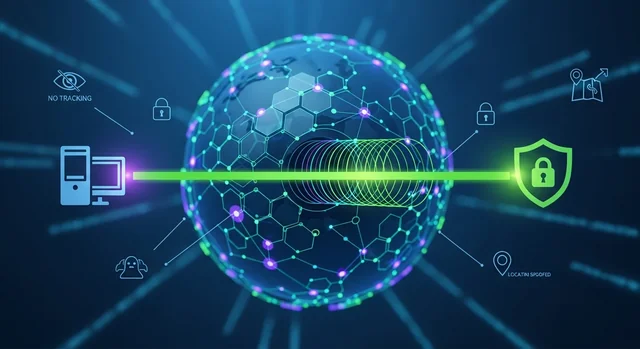
A Virtual Private Network (VPN) creates an encrypted tunnel between your device and the internet, routing your traffic through secure servers to protect your data and identity. In 2026, VPNs have evolved beyond simple privacy tools to become comprehensive security platforms that protect against quantum threats, AI-based tracking, and sophisticated surveillance systems.
The Modern Threat Landscape
Today's digital threats include:
Related: 5 Best VPNs for Streaming 2026: Unblock Netflix, Hulu & Disney+ in 4K.
- Quantum Computing Attacks: Early quantum computers can now break traditional encryption methods
- AI-Powered Tracking: Machine learning algorithms can identify users across multiple platforms
- Government Surveillance: Enhanced monitoring capabilities in many countries
- Corporate Data Mining: Sophisticated profiling techniques used by tech giants
- Cybercriminal Networks: Advanced persistent threats targeting personal data
How VPNs Work: The Technical Foundation
Understanding how VPNs operate helps you make better choices about providers and configurations. Here's the step-by-step process:
- Connection Initiation: Your device establishes a connection with a VPN server
- Authentication: The server verifies your credentials using secure protocols
- Tunnel Creation: An encrypted tunnel is established between your device and the server
- Data Encryption: All your internet traffic is encrypted before transmission
- IP Address Masking: Your real IP address is replaced with the server's IP
- Traffic Routing: Encrypted data travels through the secure tunnel to the VPN server
- Internet Access: The server forwards your requests to websites and services
- Response Delivery: Web responses travel back through the encrypted tunnel to your device
Understanding VPN Encryption Protocols in 2026
The encryption protocols used by VPNs have evolved significantly to address quantum computing threats and improve performance.
Current Generation Protocols
WireGuard: The gold standard for 2026, offering exceptional speed and security with a streamlined codebase. Most premium providers now use WireGuard as their primary protocol.
OpenVPN 3.0: The updated version of the classic protocol, now with enhanced security features and better performance optimization.
IKEv2/IPSec: Excellent for mobile devices due to its ability to quickly reconnect when switching networks.
Post-Quantum Encryption (PQE): The Future is Here
Post-Quantum Encryption represents the most significant advancement in VPN security for 2026. As quantum computers become capable of breaking traditional encryption methods, PQE provides protection against both classical and quantum attacks.
Key PQE Features:
- Quantum-Resistant Algorithms: Uses mathematical problems that even quantum computers cannot solve efficiently
- Hybrid Approach: Combines traditional encryption with quantum-resistant methods
- Forward Compatibility: Designed to remain secure as quantum computing advances
- NIST Standards: Based on algorithms approved by the National Institute of Standards and Technology
Leading PQE Implementations:
- CRYSTALS-Kyber: Used for key encapsulation
- CRYSTALS-Dilithium: Employed for digital signatures
- FALCON: Alternative signature algorithm for specific use cases
Benefits of Using a VPN in 2026
Privacy Protection
VPNs shield your online activities from ISPs, advertisers, and surveillance systems. With AI-powered tracking becoming more sophisticated, VPNs provide essential privacy by masking your digital fingerprint.
Security Enhancement
Modern VPNs offer comprehensive security features including malware protection, ad blocking, and threat detection. Post-quantum encryption ensures your data remains secure against future quantum attacks.
Geographic Freedom
Access content from anywhere in the world by connecting to servers in different countries. This is particularly valuable as geo-restrictions become more prevalent.
Public Wi-Fi Protection
VPNs encrypt all your traffic, making public Wi-Fi networks safe to use. This protection is crucial as public networks become increasingly targeted by cybercriminals.
Censorship Circumvention
Bypass internet censorship and access blocked websites in restrictive countries. Advanced VPNs now include obfuscation technologies to evade sophisticated detection systems.
Potential Risks and Limitations
Performance Impact
While modern VPNs are much faster than previous generations, encryption and routing through remote servers can still reduce connection speeds by 10-30%.
Trust Requirements
Using a VPN requires trusting your provider with your internet traffic. Choose providers with proven no-logs policies and independent security audits.
For more details, check out our guide on Privacy Policy for Capture to Comprehend.
Legal Considerations
VPN legality varies by country. Some nations restrict or ban VPN usage, while others require providers to maintain logs or comply with surveillance requests.
False Security Sense
VPNs don't provide complete anonymity. Browser fingerprinting, account logins, and other tracking methods can still identify users.
How to Choose the Right VPN Provider
Essential Criteria for 2026
Security Features:
- Post-quantum encryption support
- Kill switch functionality
- DNS leak protection
- Multi-hop connections
- Regular security audits
Privacy Policies:
- Verified no-logs policy
- Jurisdiction in privacy-friendly countries
- Transparent ownership structure
- Clear data handling practices
Performance Metrics:
- Server network size and distribution
- Connection speeds and reliability
- Simultaneous device support
- Bandwidth limitations
Additional Features:
- Streaming service compatibility
- Tor network integration
- Split tunneling capabilities
- Ad and malware blocking
Top VPN Providers Comparison 2026
| Provider | Monthly Price | PQE Support | Server Count | Streaming | No-Logs Verified |
|---|---|---|---|---|---|
| ExpressVPN | $12.95 | Yes | 3000+ | Excellent | Yes |
| NordVPN | $11.95 | Yes | 5500+ | Very Good | Yes |
| Surfshark | $12.95 | Partial | 3200+ | Good | Yes |
| ProtonVPN | $9.99 | Yes | 2900+ | Good | Yes |
| CyberGhost | $12.99 | No | 9000+ | Very Good | Partial |
Step-by-Step VPN Setup Guide
Step 1: Choose Your Provider
Research providers based on your specific needs. Consider factors like server locations, streaming requirements, and security features. Take advantage of free trials or money-back guarantees.
Step 2: Create Your Account
Sign up using a secure email address. Consider using a privacy-focused email service for maximum anonymity. Choose a strong, unique password or use a password manager.
You might also be interested in California Data Deletion Tool Gives Residents New Privacy Power.
Step 3: Download and Install
Download the official app from your provider's website or authorized app stores. Avoid third-party download sites to prevent malware infections.
Step 4: Configure Settings
Optimize your VPN settings:
- Enable the kill switch
- Turn on DNS leak protection
- Select WireGuard or OpenVPN protocol
- Configure auto-connect on untrusted networks
- Enable post-quantum encryption if available
Step 5: Test Your Connection
Verify your VPN is working properly by checking your IP address, running DNS leak tests, and testing connection speeds on multiple servers.
Best Practices for VPN Usage
Server Selection Strategy
Choose servers based on your specific needs:
- Speed: Select nearby servers for optimal performance
- Privacy: Use servers in privacy-friendly jurisdictions
- Streaming: Connect to servers in content-available regions
- Security: Utilize multi-hop connections for sensitive activities
Regular Security Maintenance
- Keep VPN software updated
- Regularly change server locations
- Monitor for DNS leaks
- Review and update privacy settings
- Use different servers for different activities
Complementary Security Measures
Enhance your VPN protection with additional security tools:
- Use Tor browser for maximum anonymity
- Enable two-factor authentication
- Utilize secure DNS services
- Employ browser privacy extensions
- Practice good digital hygiene
Common Mistakes to Avoid
Choosing Free VPN Services
Free VPNs often compromise your privacy by logging data, injecting ads, or selling user information. The old adage "if you're not paying for the product, you are the product" applies strongly to VPN services.
Ignoring Kill Switch Settings
Failing to enable kill switch protection can expose your real IP address if the VPN connection drops unexpectedly. Always verify this feature is active.
Using Outdated Protocols
Avoid legacy protocols like PPTP or L2TP without IPSec. These older protocols have known security vulnerabilities and should not be used in 2026.
Neglecting DNS Configuration
DNS leaks can reveal your browsing activity even when using a VPN. Ensure your VPN provider offers secure DNS servers and leak protection.
For more details, check out our guide on Is Romanceast Legit and Safe to Use? A Full Security Breakdown.
Assuming Complete Anonymity
VPNs provide privacy protection but not complete anonymity. Browser fingerprinting, account logins, and behavioral analysis can still identify users.
Ignoring Local Laws
Research VPN legality in your country and destination locations. Some nations prohibit VPN usage or require special licenses.
Frequently Asked Questions
What is post-quantum encryption and do I need it?
Post-quantum encryption protects against attacks from quantum computers, which can break traditional encryption methods. While current quantum computers aren't yet powerful enough to threaten most encryption, PQE provides future-proof protection. If your VPN provider offers PQE, it's worth enabling for long-term security.
Can I use a VPN for streaming in 2026?
Yes, many VPN providers successfully work with streaming services like Netflix, Hulu, and Amazon Prime. However, streaming platforms continuously update their VPN detection systems, so compatibility can vary. Choose providers known for reliable streaming support.
How much does a good VPN cost?
Premium VPN services typically cost $8-15 per month, with significant discounts for annual subscriptions. Expect to pay $60-120 per year for a quality service with post-quantum encryption and robust security features.
Is it legal to use a VPN?
VPNs are legal in most countries, including the United States, Canada, and European Union. However, some nations like China, Russia, and UAE restrict or ban VPN usage. Always research local laws before using a VPN.
Will a VPN slow down my internet connection?
Modern VPNs typically reduce connection speeds by 10-30% due to encryption overhead and routing through remote servers. WireGuard protocol offers the best performance, while server proximity significantly affects speed.
Can I use one VPN account on multiple devices?
Most VPN providers allow 5-10 simultaneous connections per account. Some services like Surfshark offer unlimited device connections. Check your provider's policy for specific limits.
Do VPNs work on all devices?
Quality VPN providers offer apps for Windows, macOS, iOS, Android, and Linux. Many also support router installation, smart TVs, and gaming consoles. Browser extensions are available for Chrome, Firefox, and Edge.
What's the difference between VPN protocols?
WireGuard offers the best balance of speed and security for 2026. OpenVPN provides excellent security with broad compatibility. IKEv2 works well for mobile devices. Avoid older protocols like PPTP due to security vulnerabilities.
Should I leave my VPN on all the time?
For maximum privacy and security, yes. Modern VPNs are designed for always-on usage with minimal impact on device performance. Configure auto-connect features to ensure consistent protection.
How do I know if my VPN is working properly?
Test your VPN by checking your IP address, running DNS leak tests, and verifying your location appears as the VPN server's location. Many providers include built-in testing tools in their applications.
Conclusion: Securing Your Digital Future
As we navigate the complex digital landscape of 2026, VPNs remain an essential tool for protecting online privacy and security. The introduction of post-quantum encryption, improved protocols like WireGuard, and enhanced security features make modern VPNs more powerful than ever.
Choosing the right VPN requires careful consideration of your specific needs, budget, and security requirements. Prioritize providers with verified no-logs policies, post-quantum encryption support, and strong reputations for privacy protection. Remember that while VPNs provide significant security benefits, they're just one component of a comprehensive digital security strategy.
Related: Chrono Dash Privacy Policy.
The investment in a quality VPN service pays dividends in privacy protection, security enhancement, and peace of mind. As quantum computing advances and surveillance techniques become more sophisticated, the importance of robust VPN protection will only continue to grow. Take control of your digital privacy today and secure your online future with the right VPN solution.