6 Ways To Increase Conversions For Your Business
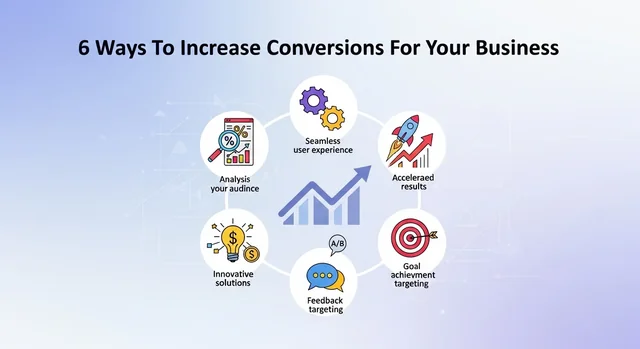
In today's competitive digital landscape, simply having a website isn't enough. You need to convert visitors into customers. That's where Conversion Rate Optimization (CRO) comes in. This comprehensive 2025 guide will provide you with actionable strategies and data-driven techniques to significantly boost your conversion rates and drive revenue growth.
Why is Conversion Rate Optimization (CRO) Crucial in 2025?
Conversion rate optimization is the systematic process of increasing the percentage of website visitors who take a desired action – whether that's making a purchase, filling out a form, subscribing to a newsletter, or any other goal relevant to your business. In 2025, CRO is more important than ever due to:
- Increased Competition: The online marketplace is saturated. Standing out and capturing attention requires a laser focus on user experience and conversion.
- Rising Acquisition Costs: Paid advertising is becoming more expensive. Optimizing your existing traffic is a cost-effective way to maximize your return on investment (ROI).
- Mobile-First World: Over 66% of online purchases are now made on mobile devices. A seamless mobile experience is critical for conversions.
- Data-Driven Decision Making: CRO allows you to make informed decisions based on data, rather than relying on guesswork.
Understanding Conversion Benchmarks in 2025
Before diving into specific strategies, it's important to understand industry benchmarks. While conversion rates vary significantly depending on the industry, target audience, and product/service, the average conversion rate for e-commerce websites typically hovers around 2-3%. However, even a small lift can have a significant impact. A 1% increase in conversion rate can translate to a 10-20% increase in revenue.
You might also be interested in AI Video Tools Reshape Business Marketing Strategies.
Step-by-Step Guide to Data-Driven CRO in 2025
Step 1: Data Collection and Analysis with GA4 and Hotjar
The foundation of any successful CRO strategy is data. You need to understand how users are interacting with your website. Two essential tools for this are Google Analytics 4 (GA4) and Hotjar.
Google Analytics 4 (GA4):
- Implementation: Ensure GA4 is properly installed on your website. The transition from Universal Analytics is complete, making GA4 the standard.
- Key Metrics: Track metrics like bounce rate, session duration, pages per session, conversion rate, and goal completions. Pay close attention to event tracking to understand specific user actions.
- Analysis: Identify pages with high bounce rates or low conversion rates. These are prime candidates for optimization. Use GA4's exploration features to segment your audience and identify patterns in behavior.
Hotjar:
- Heatmaps: Visualize where users are clicking, scrolling, and moving their mouse on your website. This provides valuable insights into user behavior.
- Session Recordings: Watch recordings of real user sessions to see how they navigate your website and identify any pain points or areas of confusion.
- Feedback Polls and Surveys: Gather direct feedback from users about their experience on your website. Ask questions like "What's preventing you from completing your purchase?" or "Is there anything confusing about this page?".
Step 2: Mobile-First Design Optimization
With over 66% of purchases happening on mobile devices, a mobile-first approach is non-negotiable.
- Responsive Design: Ensure your website is fully responsive and adapts seamlessly to different screen sizes. Use a responsive testing tool to check your website on various devices.
- Mobile Page Speed: Optimize your website for mobile page speed. Use Google's PageSpeed Insights to identify and fix any performance issues. Consider using Accelerated Mobile Pages (AMP) for faster loading times.
- Simplified Navigation: Simplify your mobile navigation to make it easy for users to find what they're looking for. Use a hamburger menu and clear, concise labels.
- Touch-Friendly Elements: Ensure all buttons and links are large enough and spaced appropriately for easy tapping on touchscreens.
- Mobile-Specific Content: Tailor your content to mobile users. Use shorter paragraphs, larger fonts, and more visuals.
Step 3: Personalization Strategies
Personalization is key to creating a relevant and engaging experience for your users. Here are some personalization strategies to consider:
- Dynamic Content: Display different content based on user demographics, location, browsing history, or purchase history. For example, show different product recommendations to users who have previously purchased similar items.
- Personalized Emails: Use personalized email marketing to nurture leads and encourage conversions. Segment your email list and send targeted messages based on user behavior. Abandoned cart emails are a great example (see below).
- On-Site Personalization: Personalize the on-site experience by displaying targeted messages, offers, or product recommendations based on user behavior. Use tools like Optimizely or Dynamic Yield to implement on-site personalization.
- Location-Based Personalization: Offer location-specific content or promotions based on the user's location.
Step 4: Leveraging Social Proof and Trust Signals
Building trust is essential for increasing conversions. Here are some ways to leverage social proof and trust signals:
- Customer Reviews and Testimonials: Display customer reviews and testimonials prominently on your website. Use a reputable review platform like Trustpilot or Google Reviews.
- Case Studies: Showcase case studies that highlight the success of your products or services.
- Trust Badges and Certifications: Display trust badges and certifications from reputable organizations to show that your website is secure and trustworthy. Examples include SSL certificates, McAfee Secure, and BBB accreditation.
- Social Media Proof: Embed social media feeds or display social sharing counts to show that your brand is popular and engaging.
- Guarantees and Warranties: Offer guarantees and warranties to reduce risk and build confidence.
Step 5: A/B Testing Methodology
A/B testing (also known as split testing) is a crucial part of CRO. It involves testing two versions of a webpage, element, or process to see which one performs better.
See also: 6 ways to adapt QR Codes in your business.
- Define a Hypothesis: Start with a clear hypothesis about what you want to test and why you think it will improve conversions. For example, "Changing the button color from blue to green will increase click-through rates."
- Create Variations: Create two versions of the element you want to test (A and B). Make sure to only change one element at a time to isolate the impact of that change.
- Run the Test: Use an A/B testing tool like Google Optimize, Optimizely, or VWO to run the test. Make sure to run the test for a sufficient amount of time to gather statistically significant data.
- Analyze the Results: Analyze the results of the test to see which version performed better. Pay attention to statistical significance to ensure that the results are reliable.
- Implement the Winner: Implement the winning variation on your website.
- Iterate: Continuously test and optimize your website based on the results of your A/B tests.
Step 6: Product Page Optimization (E-commerce Focus)
Your product pages are critical for driving conversions. Here's how to optimize them:
- High-Quality Product Images: Use high-quality product images that showcase your products from multiple angles. Consider using 360-degree images or videos.
- Compelling Product Descriptions: Write compelling product descriptions that highlight the benefits of your products and address customer pain points.
- Clear Call-to-Actions: Use clear and concise call-to-actions (CTAs) that encourage users to add the product to their cart or make a purchase. Examples include "Add to Cart," "Buy Now," and "Shop Now."
- Product Reviews: Display customer reviews and ratings prominently on your product pages.
- Upselling and Cross-selling: Suggest related products or upsells to increase the average order value.
- Shipping Information: Clearly display shipping costs and delivery times.
Step 7: Above-the-Fold Optimization
The "above-the-fold" area is the portion of your website that is visible without scrolling. It's crucial to make a strong first impression and capture the user's attention.
- Compelling Headline: Use a compelling headline that clearly communicates the value proposition of your product or service.
- High-Quality Visuals: Use high-quality images or videos that are relevant to your product or service.
- Clear Call-to-Action: Include a clear call-to-action that encourages users to take the next step.
- Minimize Distractions: Minimize distractions in the above-the-fold area to keep users focused on the key message.
Step 8: Abandoned Cart Recovery
Abandoned cart recovery is a highly effective way to recover lost sales. On average, about 70% of online shopping carts are abandoned. An effective abandoned cart email sequence can recover a significant percentage of these lost sales.
- Automated Email Sequence: Set up an automated email sequence that is triggered when a user abandons their cart.
- Personalized Messaging: Personalize the email messaging to remind users of the items they left in their cart and offer incentives to complete their purchase.
- Incentives: Offer incentives such as free shipping, a discount, or a bonus item to encourage users to complete their purchase. A common strategy is a tiered discount – e.g., 10% off in the first email, 15% off in the second.
- Clear Call-to-Action: Include a clear call-to-action that directs users back to their cart.
- Timing: Send the first email within one hour of abandonment, the second email 24 hours later, and the third email 72 hours later.
Expected Open Rate: A well-crafted abandoned cart email sequence can achieve an open rate of 45% or higher.
See also: AI Energy Strategy: Why xAI’s New Solar Farm Signals a Bigger Shift in Data Center Power.
Step 9: Page Speed Optimization
Page speed is a critical factor in user experience and conversion rates. Slow loading times can lead to frustration and abandonment.
- Image Optimization: Optimize your images for the web by compressing them and using the correct file format. Tools like TinyPNG and ImageOptim can help.
- Code Minification: Minify your HTML, CSS, and JavaScript code to reduce file sizes.
- Browser Caching: Enable browser caching to allow browsers to store static assets locally.
- Content Delivery Network (CDN): Use a CDN to distribute your website's content across multiple servers, reducing latency and improving loading times. Cloudflare is a popular and effective CDN.
- Reduce HTTP Requests: Reduce the number of HTTP requests by combining files and using CSS sprites.
- Choose a Fast Hosting Provider: Choose a hosting provider that offers fast servers and reliable performance.
Common Mistakes to Avoid in CRO
- Ignoring Data: Making decisions based on gut feeling rather than data.
- Testing Too Many Elements at Once: Changing multiple elements at once makes it difficult to isolate the impact of each change.
- Stopping Tests Too Early: Ending tests before gathering statistically significant data.
- Ignoring Mobile Users: Failing to optimize the mobile experience.
- Not Tracking Results: Failing to track the results of your CRO efforts.
- Lack of a Clear Strategy: Implementing changes without a well-defined CRO strategy.
FAQ - Conversion Rate Optimization in 2025
- What is a good conversion rate in 2025?
While it varies by industry, a good conversion rate generally falls between 2-5%. Aim to consistently improve your current rate.
- How long should I run an A/B test?
Run your A/B tests until you reach statistical significance and have a sufficient sample size. This typically takes at least one to two weeks, or longer depending on your traffic volume.
- What are the best CRO tools in 2025?
Top CRO tools include Google Analytics 4 (GA4), Hotjar, Google Optimize, Optimizely, VWO, and Crazy Egg.
- How can I improve my mobile conversion rate?
Focus on responsive design, mobile page speed, simplified navigation, touch-friendly elements, and mobile-specific content.
- What is the role of personalization in CRO?
Personalization helps create a more relevant and engaging experience for users, which can significantly increase conversion rates.
- What are some examples of trust signals?
Examples of trust signals include customer reviews, testimonials, case studies, trust badges, and guarantees.
- How important is page speed for conversions?
Page speed is extremely important. Slow loading times can frustrate users and lead to high bounce rates and low conversion rates.
- What is an abandoned cart email sequence?
An automated email sequence that is triggered when a user abandons their cart. The sequence reminds users of the items they left in their cart and offers incentives to complete their purchase.
- How can I use GA4 for CRO?
GA4 helps identify pages with high bounce rates, low conversion rates, and other areas for improvement. Use its exploration features to segment your audience and uncover behavioral patterns.
- Are pop-ups still effective in 2025?
Yes, but use them strategically. Ensure they are relevant, non-intrusive, and offer genuine value to the user (e.g., a discount code, free shipping, or valuable content).
Related: Hyvä Theme + Great Content: The Secret to Higher Conversions in Magento 2.
Conclusion
Conversion Rate Optimization is an ongoing process that requires continuous testing, analysis, and optimization. By implementing the strategies outlined in this guide, you can significantly improve your conversion rates, drive revenue growth, and achieve your business goals in 2025. Remember to stay data-driven, focus on user experience, and adapt to the ever-changing digital landscape.