
VendorVault
Remember every vendor you meet.
Walk an exhibition, meet thirty vendors, and still find the one with the indigo block-print cushions a month later. Snap their visiting card, jot down what you liked, and search by product, brand or note whenever you need them.
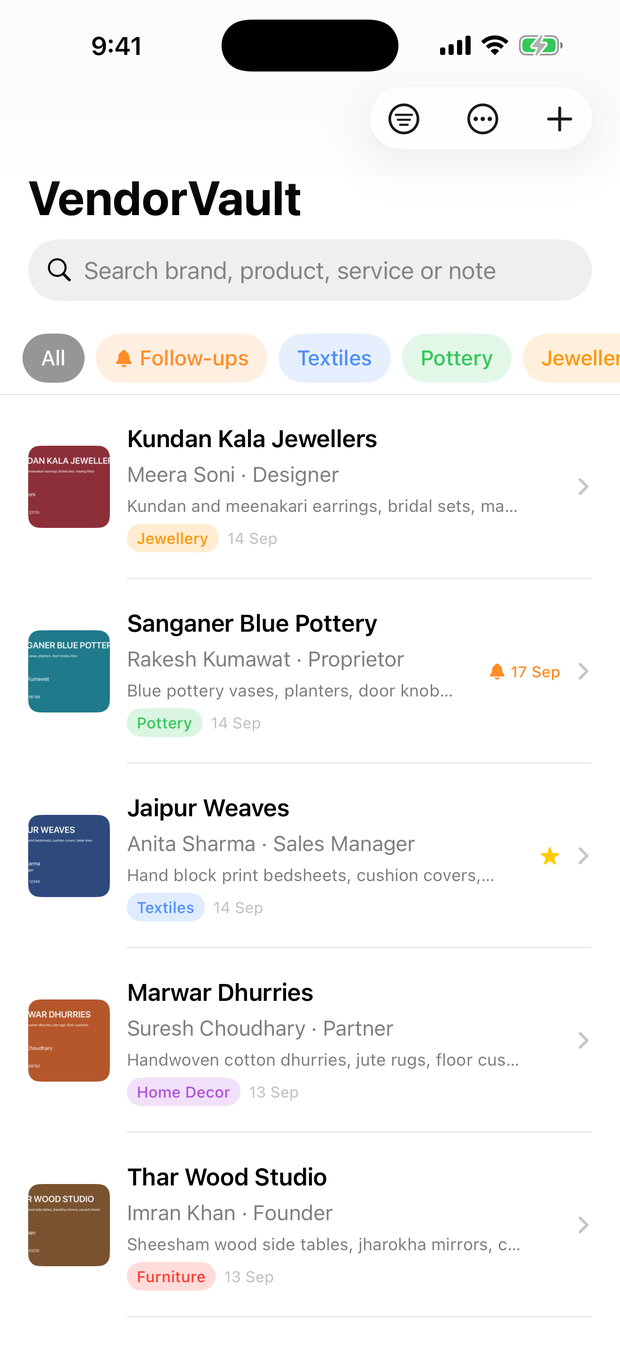
How it works
- Scan the card. Hold it up to your camera. VendorVault straightens it and fills in the name, brand, phone, email, website, Instagram and address for you to check.
- Add what you liked. A category, their products, the booth number, a photo of the stall — whatever will jog your memory later.
- Find them when it matters. Months later, search “block-print cushions” or “brass lamps” and the right vendor comes up, ready to call, WhatsApp or email.
Snap the card, skip the typing
The scanner finds the card's edges and straightens it, then reads the name, brand, job title, phone, email, website, Instagram handle and address right on your iPhone. You check every field before anything is saved.
Both sides of the card
Scan the front and back in one go. Brand on one side, contact details on the other — VendorVault puts them together into a single entry.
Note what you liked
Add a category, the products or services they offer, what caught your eye, their booth number, and photos of the stall taken straight from your camera.
Event mode for busy days
Set the exhibition once and every card you scan that day is tagged with it. Save one vendor and go straight on to scanning the next.
Find them months later
Search across brands, products, services and your own notes, and filter by category or event. Scan a vendor you already have, and VendorVault offers to update them instead of making a copy.
Get in touch in one tap
Call, WhatsApp, email or open their Instagram from the vendor's page, or add them to your iPhone Contacts with everything already filled in.
Never forget to follow up
Set a reminder to call back about that order, and see every pending follow-up in one place, soonest first.
Share your shortlist
Export any list as a spreadsheet that opens in Excel, Google Sheets or Numbers — handy for sharing with family, a designer or your team.
Private by design
No account, no ads, no tracking. Card photos, notes and vendor details are stored only on your iPhone, and cards are read on the device itself.
Made for people who meet a lot of vendors
- Buyers and shop owners sourcing at trade fairs and craft exhibitions.
- Interior designers and architects building a list of suppliers they trust.
- Wedding and event planners keeping decorators, caterers and venues straight.
- Anyone who comes home from an expo with a pocketful of cards and no memory of who sold what.
Questions
Is VendorVault free?
Yes. There are no ads, no subscription and no in-app purchases.
Do I need an account?
No. There’s nothing to sign up for and nothing to log in to.
Where are my vendors stored?
Only on your iPhone. Cards are read on the device, and nothing you save is sent to us or anyone else.
Does it work without internet?
Yes. Scanning, saving and searching all work offline, which is handy in exhibition halls with poor signal.
Can I get my list out?
Yes. Export any list as a CSV file that opens in Excel, Google Sheets or Numbers.
Which iPhones does it work on?
Any iPhone running iOS 18 or later.
Remember every vendor you meet.
Free · iPhone · iOS 18 or later