SipUp
Drink water on schedule.

How much should you actually drink?
Answer four quick questions — sex, age, activity, climate — and SipUp works out a daily target from published health guidance, then shows its working, including the fifth of your water that comes from food. Most apps just say eight glasses. That number has no scientific origin.
Reminders that respect you
Pick your interval — every 30 minutes to every few hours — only during your waking hours. Hit your goal and reminders go quiet until tomorrow.
One tap, anywhere
Log from the app, a reminder notification, your Apple Watch, a Home or Lock Screen widget, Siri, or Control Centre — most of them without opening the app at all.
A bottle isn’t a glass
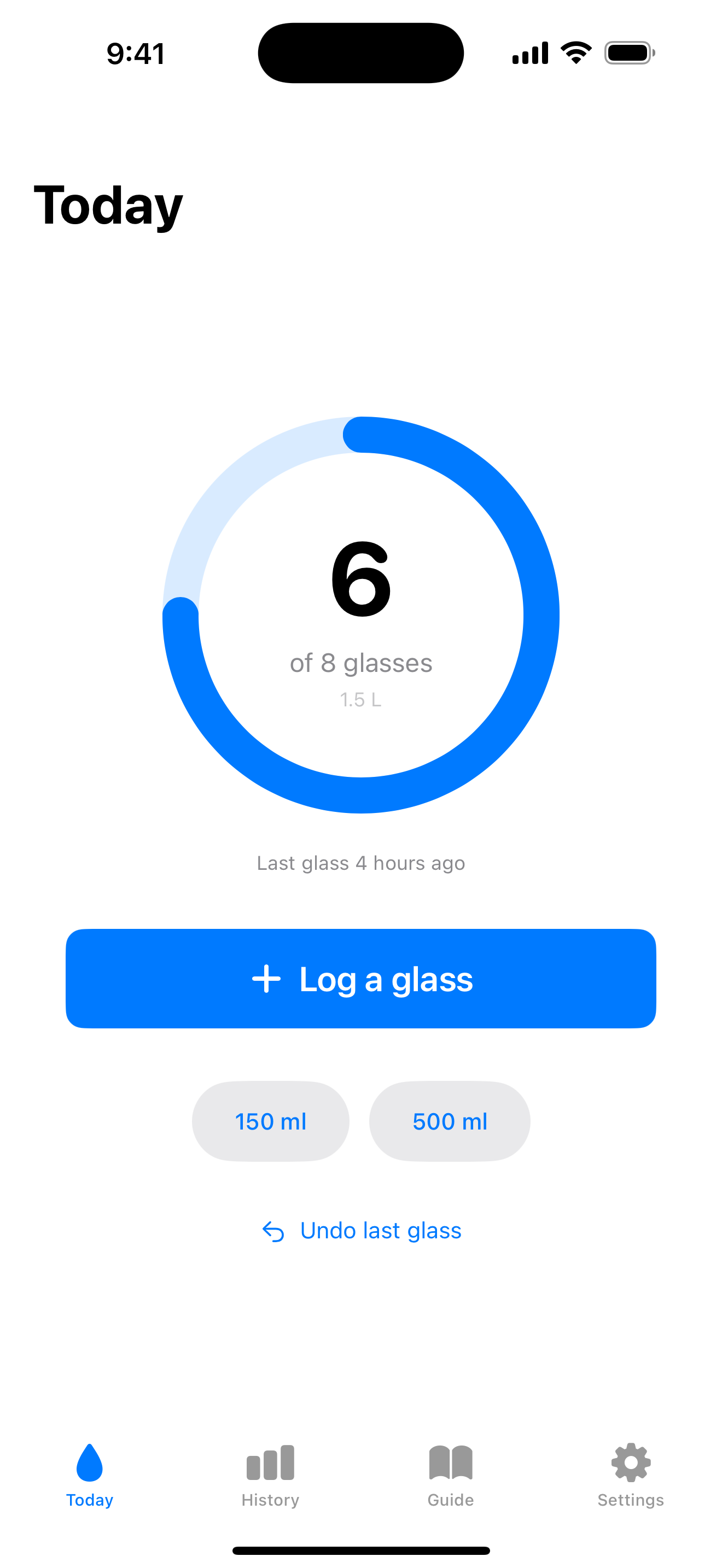
Keep one-tap logging for your usual size, and tap 150 ml or 500 ml right underneath for the ones it doesn’t cover. Choose your own shortcuts in Settings.
Fix a mistake
Undo the last glass instantly. For anything older, tap a day in History to see each glass on its own — swipe to delete one, or tap to change its amount.
Streaks worth keeping
A daily ring, goal-met checkmarks, and a streak flame that makes hydration a habit. Past a week, SipUp shows you what the evidence actually supports — consistency is the part that counts.
Readable at any size
Larger Text, Dark Interface and Reduced Motion are supported throughout — including the numbers the app exists to show.
Private by design
No account. No tracking. Your data stays on your device. Ads in the free version are non-personalised — SipUp never asks to track you across apps — and a one-time SipUp Pro purchase removes them forever.