Microsoft Security Essential - Free Virus Remover Tool from Microsoft Team
By Editor

Microsoft Security Essentials provides real-time protection for your home PC that guards against viruses, spyware, and other malicious software.
Microsoft Security Essentials is a free* download from Microsoft that is simple to install, easy to use, and always kept up to date so you can be assured your PC is protected by the latest technology. It’s easy to tell if your PC is secure — when you're green, you're good. It’s that simple.
Microsoft Security Essentials runs quietly and efficiently in the background so that you are free to use your Windows-based PC the way you want—without interruptions or long computer wait times. via Microsoft
I know you are already using security software, but I think Microsoft Security Essentials might be a good option for your personal computer or laptop. Because firstly this is from Microsoft team and most of all free for all those who are using Genuine Windows OS.
Microsoft Security Essentials is available for Windows XP 32-bit (8.61MB), Windows Vista/7 32-bit (4.28MB), and Windows Vista/7 64-bit (4.71MB). Microsoft warns that MSE should not be installed with any other security software. It builds upon Windows Defender by offering both real-time protection and on-demand scanning for all types of malware.
System Requirements
Operating System: Genuine Windows XP (Service Pack 2 or Service Pack 3); Windows Vista (Gold, Service Pack 1, or Service Pack 2); Windows 7
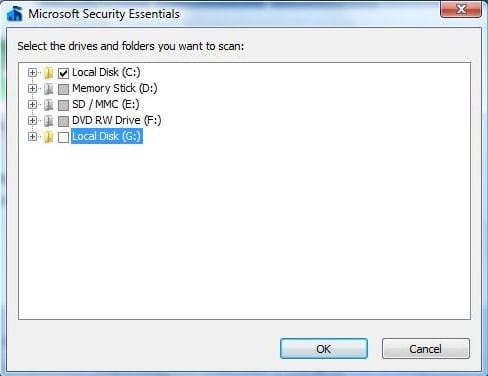 This is how hone windows looks like when a threat is detected.
 Verdict
Microsoft Security Essentials is easy to use and the best thing is it doesn't take too much of your computer's memory. But I am impressed with MSE more because as you see that it detected and removed a Trojan which my earlier Software Remover Tool was unable to detect.
Also it's totally free, no registrations, trial versions, or license renewals required. Automatic updates work really fine and all the functions are activated with a single-click. Based on all above facts, I would recommend you to give this product a shot because it's from the Microsoft Team and also awarded best malware removal from AV-Comparatives.
Verdict
Microsoft Security Essentials is easy to use and the best thing is it doesn't take too much of your computer's memory. But I am impressed with MSE more because as you see that it detected and removed a Trojan which my earlier Software Remover Tool was unable to detect.
Also it's totally free, no registrations, trial versions, or license renewals required. Automatic updates work really fine and all the functions are activated with a single-click. Based on all above facts, I would recommend you to give this product a shot because it's from the Microsoft Team and also awarded best malware removal from AV-Comparatives.
- For Windows XP, a PC with a CPU clock speed of 500 MHz or higher, and 256 MB RAM or higher.
- For Windows Vista and Windows 7, a PC with a CPU clock speed of 1.0 GHz or higher, and 1 GB RAM or higher.
- VGA display of 800 × 600 or higher.
- 140 MB of available hard disk space.
- An Internet connection is required for installation and to download the latest virus and spyware definitions for Microsoft Security Essentials.
- Internet Browser:
- Windows Internet Explorer 6.0 or later.
- Mozilla Firefox 2.0 or later.


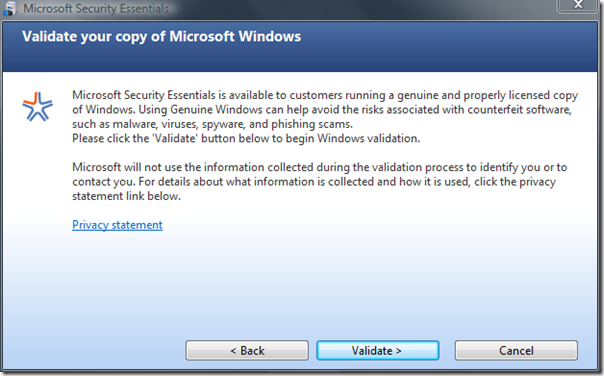


This is how hone windows looks like when a threat is detected.


Verdict
Microsoft Security Essentials is easy to use and the best thing is it doesn't take too much of your computer's memory. But I am impressed with MSE more because as you see that it detected and removed a Trojan which my earlier Software Remover Tool was unable to detect.
Also it's totally free, no registrations, trial versions, or license renewals required. Automatic updates work really fine and all the functions are activated with a single-click. Based on all above facts, I would recommend you to give this product a shot because it's from the Microsoft Team and also awarded best malware removal from AV-Comparatives.