Adobe Premiere Pro 2025 Review: AI-Powered Video Editing at Its Best
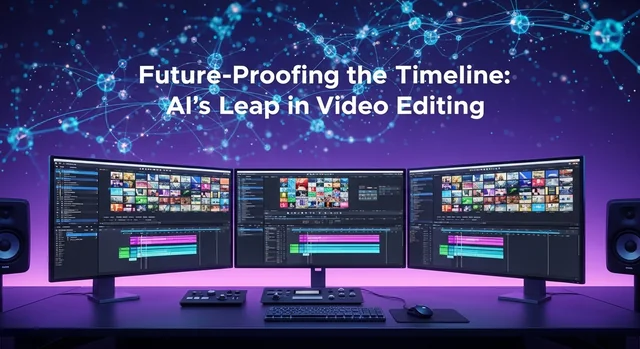
Adobe Premiere Pro remains the industry-standard video editing software in 2025, now supercharged with revolutionary AI features powered by Adobe Firefly. With the latest 25.6 release, Premiere Pro has transformed into an intelligent editing powerhouse that combines professional-grade tools with cutting-edge artificial intelligence to streamline workflows like never before.
This comprehensive review covers everything you need to know about Adobe Premiere Pro in 2025, including the groundbreaking new AI features, performance improvements, pricing options, and how it compares to competitors like DaVinci Resolve and Final Cut Pro.
What's New in Adobe Premiere Pro 2025
Adobe has made significant investments in AI and machine learning, positioning Premiere Pro at the forefront of intelligent video editing. Here are the major updates:
Generative Extend (Firefly-Powered)
One of the most impressive additions to Premiere Pro 2025 is Generative Extend, powered by Adobe Firefly. This AI feature allows editors to seamlessly extend video clips by generating additional 4K frames when:
- You need extra footage to cover transitions
- A clip was cut too soon or started too late
- You want to hold on an emotional reaction for an extra beat
- Missing ambient sounds or room tone needs to be added
The generated content works in the background while you continue editing, and clips are automatically marked with Content Credentials so viewers know where AI was used—maintaining transparency in your productions.
Media Intelligence & AI-Powered Search
The new Media Intelligence feature revolutionizes how editors find footage. Using AI-powered analysis, Premiere Pro can now:
- Automatically recognize objects, locations, and camera angles in your clips
- Enable natural language searches like "close-ups of hands working in a kitchen"
- Search through thousands of shots in seconds
- Work entirely offline—analysis happens locally on your system
- Keep your content private (never used for AI model training)
Auto Caption Translation
Premiere Pro now offers automatic caption translation in over 27 languages. This feature allows creators to:
- Generate multilingual captions in seconds
- Display multiple caption tracks simultaneously
- Reach global audiences without manual translation work
- Maintain accessibility standards across different markets
Censor Transcript (Version 25.6)
The latest November 2025 update introduced Censor Transcript, which lets you:
- Bleep, mute, or add sound effects to flagged words
- Handle every instance across your whole project automatically
- Add custom sound effects for censoring
- Flag specific words or phrases for consistent treatment
Enhanced Effects & Transitions
Premiere Pro 2025 includes 90+ modern, real-time effects and transitions:
- Cinematic effects designed for professional editors
- Glowing highlights, dynamic glitches, and light sweeps
- Motion effects for static graphics (glide, grow, sweep animations)
- All effects are GPU-accelerated for smooth performance
- Fully customizable parameters
Improved Color Management
The new automatic color management system transforms log and raw camera files directly to SDR or HDR without requiring LUTs. It works automatically for most camera formats as soon as you import footage.
Adobe Stock Integration
Adobe Stock is now integrated directly inside Premiere Pro, giving access to:
- Over 52 million video clips
- 92,000+ free clips
- Video templates, images, music, and sound effects
- Seamless browsing without leaving the editor
System Requirements & Performance
Minimum Requirements
- Processor: Intel 6th Gen or AMD Ryzen 1000 series (Intel 11th Gen or Apple M1 recommended)
- RAM: 8GB minimum (16GB+ recommended for HD, 32GB+ for 4K)
- GPU: 2GB VRAM (4GB+ recommended)
- Storage: 8GB for installation, SSD recommended for media
- Display: 1920x1080 resolution
Performance Improvements in 2025
- Up to 4x faster H.264 performance on Apple Silicon
- Canon Cinema RAW Light acceleration on Apple Silicon
- NVIDIA GPU-powered decode acceleration (Windows)
- Faster audio processing and peak file generation
- Smoother timeline performance with large projects
- New N-RAW support for Nikon cameras
- Improved MKV (H.264/AAC) compatibility
Adobe Premiere Pro Pricing (2025)
Adobe Premiere Pro is available through subscription plans only. Here are the current pricing options:
Individual Plans
- Annual (Monthly Billing): $22.99/month
- Annual (Prepaid): $239.88/year ($19.99/month effective)
- Monthly: $34.49/month (no commitment)
Creative Cloud All Apps
- Annual (Monthly Billing): $59.99/month
- Annual (Prepaid): $659.88/year
- Includes Premiere Pro, After Effects, Photoshop, and all Adobe apps
Student & Teacher Plans
- Creative Cloud All Apps: $19.99/month (57% discount)
- Requires valid educational credentials
Business/Teams Plans
- Premiere Pro Teams: $37.99/month per license
- Creative Cloud All Apps Teams: $89.99/month per license
- Includes admin dashboard and enhanced support
Note: Adobe offers a 7-day free trial for Premiere Pro.
Premiere Pro vs Competitors: Comparison Table
Here's how Adobe Premiere Pro stacks up against the leading video editing alternatives in 2025:
| Feature | Adobe Premiere Pro | DaVinci Resolve | Final Cut Pro |
|---|---|---|---|
| Platform | Windows, macOS | Windows, macOS, Linux | macOS only |
| Pricing Model | Subscription ($22.99+/mo) | Free / $295 one-time | $299.99 one-time |
| AI Features | Generative Extend, Media Intelligence, Auto-translate | Magic Mask, Voice Isolation, Audio Denoise | Magnetic Timeline, Object Tracker |
| Color Grading | Excellent (Lumetri) | Industry-leading | Good |
| Audio Tools | Good (Essential Sound) | Excellent (Fairlight) | Good |
| VFX Capabilities | Requires After Effects | Built-in (Fusion) | Motion integration |
| Learning Curve | Moderate | Steep | Easy |
| Best For | Professional workflows, Creative Cloud users | Colorists, budget-conscious pros | Mac users, fast editing |
| Cloud Integration | Excellent (Creative Cloud) | Blackmagic Cloud | iCloud |
| Third-Party Plugins | Extensive library | Growing library | Good selection |
| Collaboration Tools | Team Projects, Frame.io | Multi-user DB | Limited |
| Performance (M-series Mac) | Good | Excellent | Excellent (Native) |
Which Editor Should You Choose?
- Choose Premiere Pro if you need seamless Adobe ecosystem integration, work on collaborative projects, or require the latest AI editing features
- Choose DaVinci Resolve if color grading is your priority, you want a free professional option, or you need an all-in-one editing/VFX/audio solution
- Choose Final Cut Pro if you're exclusively on Mac, prefer a one-time purchase, or want the fastest native Apple Silicon performance
Key Features Overview
Professional Editing Tools
- Multi-camera editing support
- Advanced trimming and ripple editing
- Nested sequences and adjustment layers
- Proxy workflow for 4K/8K editing
- Auto-reframe for social media exports
Audio Capabilities
- Essential Sound panel for quick audio fixes
- Auto Ducking for background music
- Speech enhancement and noise reduction
- Multi-track mixing
- Integration with Adobe Audition
Export & Delivery
- Direct export to YouTube, Vimeo, and social platforms
- Media Encoder integration for batch exports
- Hardware-accelerated encoding
- HDR and Dolby Vision support
- Frame.io integration for review workflows
Pros and Cons
Pros
- Industry-standard software with extensive professional adoption
- Revolutionary AI features (Generative Extend, Media Intelligence)
- Seamless integration with After Effects, Photoshop, and Creative Cloud
- Excellent collaboration tools including Frame.io
- Extensive third-party plugin ecosystem
- Regular updates with new features included in subscription
- Cross-platform compatibility (Windows and macOS)
- Comprehensive format support including latest camera codecs
Cons
- Subscription-only pricing (no perpetual license option)
- Can be resource-intensive on older hardware
- After Effects required for advanced VFX
- Learning curve for beginners
- Occasional stability issues with large projects
- Cost adds up over years compared to one-time purchases
Frequently Asked Questions (FAQ)
Is Adobe Premiere Pro worth the subscription cost?
For professional video editors and content creators who need industry-standard tools, seamless Creative Cloud integration, and the latest AI features, Premiere Pro's subscription is generally worth the investment. However, hobbyists or those on tight budgets might consider DaVinci Resolve's free version as an alternative.
Can I use Adobe Premiere Pro for free?
Adobe offers a 7-day free trial of Premiere Pro. After that, a subscription is required. There is no permanent free version of Premiere Pro.
Is Premiere Pro better than DaVinci Resolve?
Both are excellent professional tools with different strengths. Premiere Pro excels in workflow integration and AI features, while DaVinci Resolve offers superior color grading and a free version. The "better" choice depends on your specific needs and budget.
What's the difference between Premiere Pro and Premiere Elements?
Premiere Pro is the professional subscription-based software with advanced features. Premiere Elements is a simplified, one-time purchase consumer version designed for beginners with guided edits and basic tools.
Can Premiere Pro run on my computer?
Premiere Pro requires Windows 10 (64-bit) version 22H2 or later, or macOS 12.6 or later. You'll need at least 8GB RAM (16GB+ recommended) and a compatible GPU with 2GB VRAM.
Does Premiere Pro support 4K and 8K video?
Yes, Premiere Pro fully supports 4K and 8K video editing, including RAW formats from most professional cameras. Proxy workflows are available for smoother editing on less powerful systems.
What are Firefly credits in Premiere Pro?
Firefly credits are used for AI-powered features like Generative Extend. Adobe includes credits with your subscription, and additional credits can be purchased if needed. Currently, some AI features are free during their initial launch period.
Can I cancel my Adobe Premiere Pro subscription anytime?
Monthly plans can be cancelled anytime. Annual plans have a cancellation fee if cancelled before the year ends. Adobe offers a 14-day refund window for new subscriptions.
Is Premiere Pro good for YouTube content?
Premiere Pro is excellent for YouTube creators, offering direct upload integration, auto-reframe for different aspect ratios, and professional tools that scale from simple vlogs to complex productions.
What happened to Creative Cloud individual plans?
Adobe is transitioning individual plans to "Creative Cloud Pro" starting June 2025 (North America) and August 2025 (other regions). The features and pricing remain similar with some enhanced benefits.
Conclusion
Adobe Premiere Pro 2025 represents a significant leap forward in video editing technology. The integration of AI-powered features like Generative Extend and Media Intelligence sets it apart from competitors, while maintaining the professional-grade tools that have made it the industry standard for decades.
For professional editors, content agencies, and serious creators who value seamless Creative Cloud integration and cutting-edge features, Premiere Pro remains the top choice. The subscription model ensures you always have access to the latest innovations without additional upgrade costs.
However, budget-conscious users should consider DaVinci Resolve's powerful free tier, and dedicated Mac users might find Final Cut Pro's one-time purchase and native performance more appealing. Ultimately, the best video editor is the one that fits your workflow, budget, and creative needs.
With the AI arms race heating up between major editing platforms, 2025 marks an exciting time for video editors—and Adobe Premiere Pro is clearly positioning itself at the forefront of this revolution.