What's New in the 2026 Steam Controller
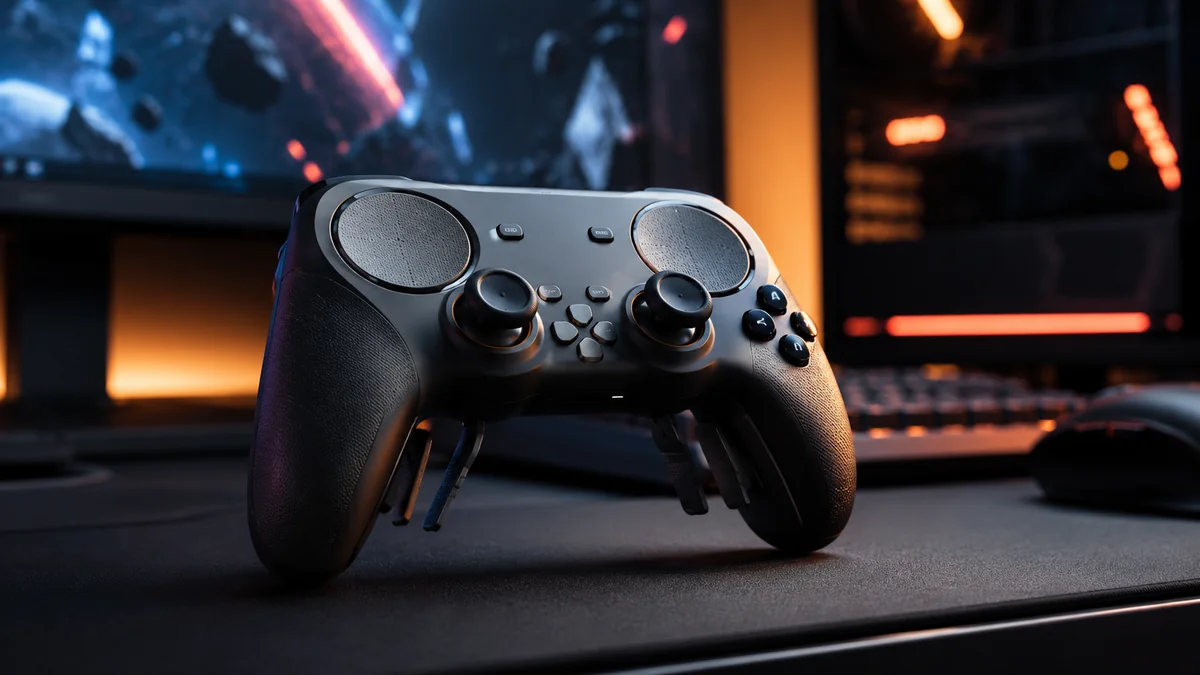
The 2026 Steam Controller is Valve's second generation gamepad, arriving more than a decade after the experimental original. It keeps the things that made the first one beloved by a niche audience — twin trackpads, deep customization through Steam Input, gyro aiming — and finally combines them with a conventional layout that mainstream PC gamers expect.
The highlights for 2026:
- Two thumbsticks (the original had only one) using hall-effect sensors that won't drift over time.
- Refined dual trackpads with high-density haptic feedback — better for cursor work and gesture-mapped actions.
- Four rear paddles that are individually remappable.
- Built-in gyroscope for motion aiming (very popular on Steam Deck and Nintendo's controllers).
- USB-C charging, Bluetooth LE, and a 2.4 GHz dongle in the box.
- SDL2 native support — the Steam Controller now works in non-Steam games and apps without launching Steam.
- Polished firmware — Valve pushed two patches in the first launch month addressing trackpad and charging quirks.
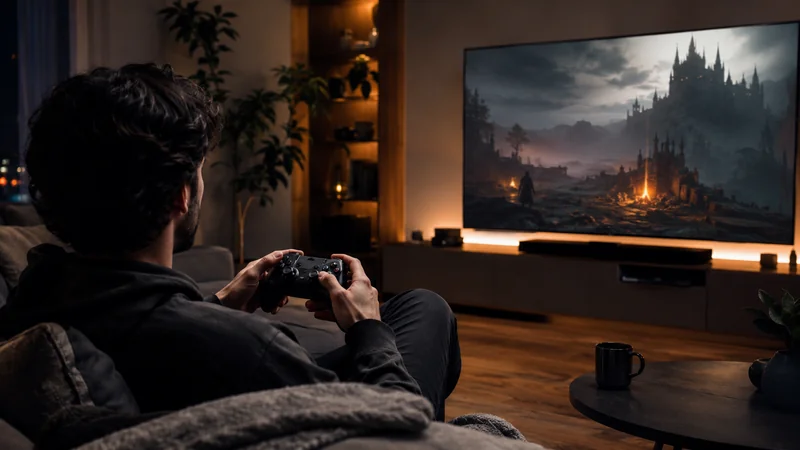
It's a polished version of an idea that always made sense: a PC gamepad that respects the fact that PC games are still mostly mouse-and-keyboard. If you've ever tried to play Civilization, XCOM, Baldur's Gate 3, or a 90s point-and-click adventure from your couch, this is the gamepad that finally makes it work.
Specs & At-a-Glance
| Spec | Steam Controller (2026) |
|---|---|
| Layout | 2 thumbsticks (hall-effect), 2 trackpads, ABXY, D-pad, 4 rear paddles, gyro |
| Wireless | Bluetooth LE + 2.4 GHz dongle (included) |
| Wired | USB-C |
| Battery life | ~35 hours (rated) |
| Charging | USB-C, ~2 hours full |
| Compatibility | Windows 10/11, macOS, Linux, SteamOS, Steam Deck (docked), Steam Link |
| SDL support | Native (SDL2 library, mid-2026 merge) |
| Weight | ~285 g |
| Audio | 3.5 mm headphone jack on the controller |
| Price (US) | Listed by Valve at $69.99 |
| Availability | Reservation system with 72-hour purchase windows |
Key Features Explained
Dual trackpads — the headline feature
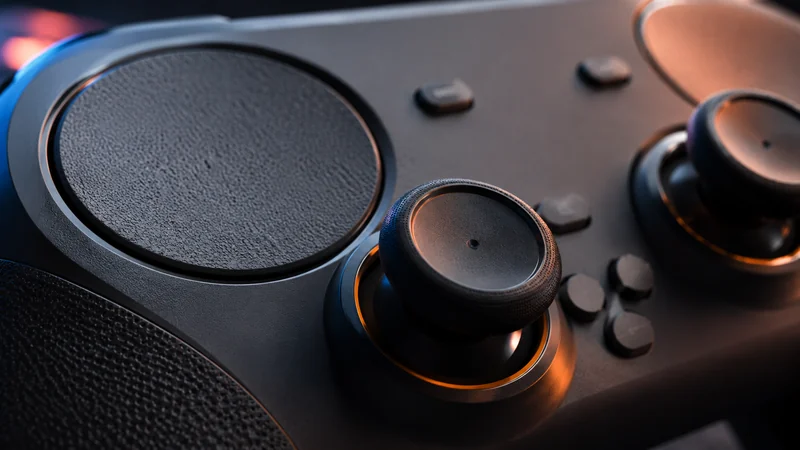
Each trackpad is a high-resolution touch surface with haptic actuators underneath. The right pad acts as a precision mouse for menus, RTS unit selection, and shooter aiming; the left pad maps to anything from radial menus to scroll wheels to a virtual D-pad. The haptic feedback is the trick — it gives you tactile click sensations that mimic a real mouse wheel or button press, so blind targeting feels much more accurate than on a smooth glass touchpad.
Hall-effect thumbsticks
Stick drift was a defining gripe on every gamepad of the past five years. Valve switched to hall-effect sensors that use magnetic fields instead of physical contact, eliminating the wear that causes drift. After thousands of hours, the sticks should still register dead zone correctly.
Gyroscope motion aiming
The built-in gyro lets you fine-tune aim by tilting the controller — gamepad players who use gyro consistently outperform stick-only players in fast shooters. The feature has been on Switch and Steam Deck for years; this is the first dedicated PC controller from Valve to integrate it natively.
Four rear paddles
Two pairs of remappable rear paddles, each curved differently so middle and ring fingers find their assigned paddle without looking. Map crouch, jump, melee, and reload here and you'll never lift a thumb off the stick again.
Wireless + USB-C
The included 2.4 GHz dongle gives ultra-low-latency play; Bluetooth LE is there for everything else (laptops, Steam Deck, phones). USB-C handles charging and works as a wired pad if you prefer.
SDL Support: The Big Quiet Update
The biggest news around the 2026 Steam Controller isn't the hardware — it's a one-line entry in the SDL2 changelog. The cross-platform Simple DirectMedia Layer library, used by virtually every modern indie game and a large chunk of AAA Linux releases, merged native Steam Controller mapping support in mid-2026.
Practically, this means:
- Games outside Steam recognize the controller — Itch.io, Epic, GOG, emulators, and standalone executables now pick up the Steam Controller as a generic gamepad without launching Steam first.
- Linux compatibility expanded enormously — most Linux-native games use SDL by default.
- Emulators work — RetroArch, Dolphin, PCSX2, RPCS3 all detect the controller and map buttons sensibly.
- Steam Input is still the killer feature — but you don't need Steam running for basic gamepad function anymore.
For users who shelved the original Steam Controller because it felt like a Valve-only peripheral, this is the change that brings it back. There is also a community fan-made driver app for edge cases — older games that don't use SDL, or operating systems where Steam isn't installed.
How to Reserve & Buy
Demand has outstripped supply since day one. Valve's response was a reservation queue rather than a traditional pre-order:
- Visit the Steam Store page for the Steam Controller while logged into your Steam account.
- Click "Reserve" — no payment is taken at this step. Your place in the queue is locked to your Steam account.
- Wait for the email — Valve is sending reservation emails in waves as stock becomes available. Reports of inboxes lighting up have been daily through 2026.
- Use the 72-hour purchase window — once your email arrives, you have 72 hours to complete the purchase before your slot rolls to the next person in line.
- Check both inbox and Steam notifications — Valve sends both, but spam filters have caught a noticeable number of reservation emails. If you reserved more than 4 weeks ago, log into Steam and check the dropdown notifications.
If you missed reserving early, the queue still moves quickly — most users report waits of 4–10 weeks from reservation. Restocks at major retailers (Best Buy, Amazon, EB Games, JB Hi-Fi) are rare but they do happen, usually selling out within minutes.
First Impressions & Review Roundup
Reviews across tech publications and YouTube have skewed strongly positive, with some sharp caveats. The consensus reads roughly like this:
| Source | Score / Tone | Key Quote / Takeaway |
|---|---|---|
| Mainstream tech reviewers | Strongly positive | "Fixes nearly everything I hated about the original." Praise for hall-effect sticks, refined trackpads, and gyro. |
| PC enthusiast outlets | Enthusiastic | "The best thing to happen to gaming in a long while" — a recurring framing in roundup pieces. |
| Pure-gamepad reviewers | Mixed | As a traditional gamepad, beaten by GameSir Cyclone 2, Flydigi Vader 4 Pro, Nacon Revolution X. The trackpads are the differentiator, not the sticks. |
| Linux community | Very positive | SDL integration is a quiet game-changer; Big Picture Mode and SteamOS tweaks landed alongside the launch. |
| Couch PC gamers | Universally positive | The only controller that makes mouse-and-keyboard games playable on a sofa. |
Best Use Cases — Where It Shines
The Steam Controller is not the right answer for every game. Where it pulls ahead is the catalog of PC titles that were never designed for a gamepad:
- Strategy and 4X — Civilization VII, Stellaris, Old World, Total War series. The right trackpad replaces a mouse cleanly.
- Isometric RPGs — Baldur's Gate 3, Pathfinder, Pillars of Eternity, Disco Elysium. Pointer + radial menus + paddles for spell hotkeys = a real couch experience.
- Point-and-click classics — Sierra, LucasArts, modern adventure games. Trackpad-as-cursor is night and day vs. stick-driven cursor.
- City builders and management sims — Cities: Skylines II, Frostpunk 2, Manor Lords. UI-heavy interfaces benefit from precise pointer control.
- Emulation — Wii motion games, DS touchscreen games, light gun shooters. The trackpads + gyro combination handles input cases pure gamepads can't.
- Big Picture / TV gaming — anything you'd want to play on a couch with the PC across the room.
Where it's not the best pick: pure FPS multiplayer, fighting games, retro 2D platformers. A dedicated competitive pad still wins those categories.
Steam Controller vs. the Competition
| Controller | Price | Best For | Watch-out |
|---|---|---|---|
| Steam Controller (2026) | $70 | Mouse-and-keyboard PC games on couch, RTS, RPG, emulation | Not the best for pure twitch shooters |
| GameSir Cyclone 2 | $60 | Premium budget pick — hall-effect sticks, great latency, sleek design | No trackpads, no first-party PC OS integration |
| Flydigi Vader 4 Pro | $85 | Pro-tier sticks, paddles, software, RGB | Companion app rough on Linux; Windows-first |
| Nacon Revolution X (Pro 5) | $190 | Premium swap-stick competitive controller | Expensive; aimed at Xbox/PC esports players |
| Sony DualSense (Edge) | $70 / $200 | Adaptive triggers + haptics; best PlayStation game support on PC | Wireless on PC via Bluetooth has higher latency |
| Xbox Wireless / Elite Series 2 | $60 / $180 | Cleanest plug-and-play PC experience; Microsoft Store / Game Pass synergy | Less customization than Steam Input |
Bottom line: the Steam Controller competes on a unique axis (trackpads + Steam Input). If you don't care about that axis, a GameSir, Flydigi, or Xbox pad is a perfectly good pick at a similar price.
Steam Input & Customization
Steam Input is the configuration layer that turns the Steam Controller from "another gamepad" into "the most flexible input device on the PC." Out of the box, every Steam game has a default configuration. Two clicks take you to the layout editor where you can:
- Remap any button, trackpad gesture, paddle, or stick zone to any keyboard, mouse, or gamepad action.
- Build action layers — hold a paddle to switch into a "menu mode" with different button bindings.
- Configure radial menus on the trackpads for inventory and spell hotbars.
- Tune gyro sensitivity, dead zones, response curves, and trackpad haptics per game.
- Save and share community configurations — most popular games have multiple community-tested configs, sorted by upvotes.
Early Bugs & Valve's Fixes
Launch hardware always ships with surprises. The 2026 Steam Controller had three early bugs reported widely in reviews:
- Trackpad input drop-outs — under specific firmware conditions the right trackpad would briefly stop registering input. Fixed in firmware 1.0.6 (Steam client update).
- USB-C slow-charging — early units only negotiated 5 V at 1.5 A even when plugged into a 30 W charger. Fixed in firmware 1.0.7.
- Bluetooth pairing instability in Big Picture Mode — occasional unpair on system suspend. Fixed client-side in the Steam Beta channel and then in main.
Updates apply automatically when the controller is connected via USB to a PC with Steam running. No manual flashing or RMAs required. If your controller is behaving oddly, plug it in, run Steam, wait two minutes, and reboot the controller — that resolves the vast majority of reported issues.
Linux, SteamOS & Steam Deck
Valve treats Linux and SteamOS as first-class platforms for this controller. Specific wins for the Linux ecosystem in 2026:
- SDL2 mainline support — covered above; this alone is enormous for Linux gaming.
- SteamOS Big Picture Mode — picked up a UI refresh and several controller-aware tweaks alongside the Steam Controller launch.
- Steam Deck pairing — the Steam Controller pairs cleanly with a docked Steam Deck for couch sessions where you want trackpads + the Deck's screen as a small monitor.
- Proton games — Steam Input runs at the Steam client level, so any Proton-played Windows game inherits Steam Controller support without per-game configuration.
Verdict — Should You Get One?
Yes, if any of these describe you:
- You play PC games on a couch and have ever wished a gamepad could comfortably handle mouse-driven games.
- You play a lot of strategy, RPG, point-and-click, or simulation games.
- You loved the first Steam Controller but were frustrated by its single-stick layout.
- You use Linux or SteamOS as a primary gaming OS.
- You emulate older systems (DS, Wii, light gun games) that need pointer input.
Maybe skip if:
- You play primarily competitive shooters or fighting games (better dedicated controllers exist).
- Your library is mostly console-style action games with full gamepad support.
- You already own a premium Xbox Elite, DualSense Edge, or Flydigi Vader 4 Pro and use it happily.
The Steam Controller's pitch in 2026 is the same as it was in 2015 — but everything around it has improved. Hardware quality, the layout, Steam Input maturity, SDL ecosystem support, and Valve's responsiveness on launch firmware bugs all combine to make the second generation actually deliver on the original promise. At $70 with sold-out queues and a reservation system, it's also genuinely hard to get. If trackpad-driven PC gaming sounds appealing, reserve now and wait — the email is coming.
Frequently Asked Questions
When can I buy the new Steam Controller?
Valve is shipping the new Steam Controller in waves through 2026. Initial stock sold out almost instantly, and Valve introduced a reservation system — you join the queue on the Steam Store page and receive an email with a 72-hour purchase window when your unit is ready. Reservation emails are now reaching subscribers daily.
Does the new Steam Controller work outside Steam?
Yes. As of mid-2026 the SDL2 library merged native Steam Controller mapping support, which means non-Steam games and apps that use SDL — virtually every modern cross-platform indie and many AAA Linux releases — recognize the controller without launching Steam first. A fan-made driver app is also available for unusual setups.
What are the key differences between the 1st-gen and 2nd-gen Steam Controller?
The 2nd-gen Steam Controller adds a second analog thumbstick, refined trackpads with better haptic feedback, hall-effect (drift-free) sticks, four rear paddles, USB-C charging, and Bluetooth LE plus 2.4 GHz wireless. The first-gen layout (which only had one stick and dual trackpads) felt experimental — this generation feels like a polished, modern gamepad with the trackpad superpower preserved.
Is the Steam Controller good for shooters and traditional gamepad games?
It's competitive but not class-leading. Pure gamepad reviewers tend to rank dedicated pads like GameSir Cyclone 2, Flydigi Vader 4 Pro, and Nacon Revolution X higher for pure FPS and platformer feel. The Steam Controller's edge appears in mouse-and-keyboard PC games (strategy, RPGs, classic shooters), where the trackpads + gyro outperform any thumbstick gamepad for couch play.
What were the early Steam Controller bugs and are they fixed?
Initial review units reported intermittent trackpad input drops, a slow-charging USB-C bug, and Bluetooth pairing instability on Big Picture mode. Valve pushed two Steam client updates within the first launch month that fix all three at the firmware level — no hardware return needed. Run Steam, plug the controller in, and updates apply automatically.
Does the Steam Controller work on Linux and SteamOS?
Yes — Linux and SteamOS support is excellent and was prioritized during development. The SDL2 library integration also means countless Linux indie games and emulators detect the controller natively. Big Picture Mode received Linux-focused tweaks alongside the controller launch.
Can I use a Steam Controller with Steam Link or Steam Deck?
Yes. The Steam Controller pairs natively with Steam Link (handy if you still have one) for couch streaming PC games to a TV, and works as an external controller for Steam Deck via Bluetooth or 2.4 GHz dongle when the Deck is docked. Multiple Steam Controllers can pair to the same Steam install for local co-op.
What is Steam Input and why does it matter?
Steam Input is the customization layer that lets you remap every button, trackpad gesture, and gyro motion to any keyboard, mouse, or gamepad action. It's the reason the Steam Controller can play mouse-and-keyboard games comfortably from the couch. Community configurations are shared publicly — most popular PC games have a tested, ready-to-use Steam Input profile.
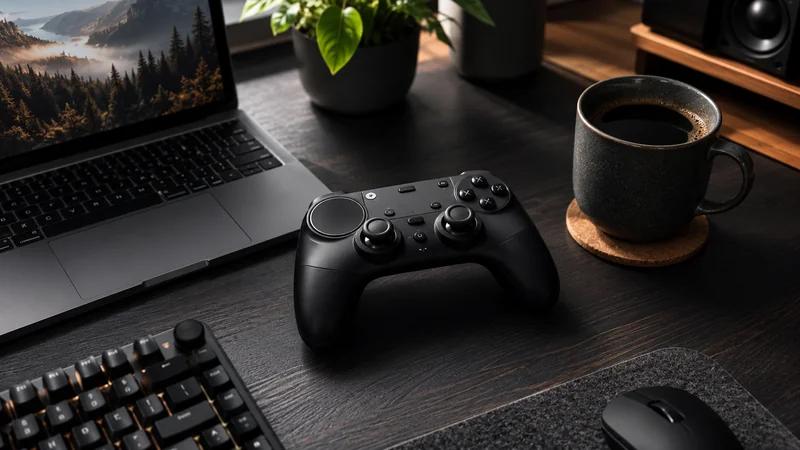
The 2026 Steam Controller is the rare PC peripheral that earns its sold-out queue. It is not the right controller for every player or every game, but for the specific niche of "I want to play my mouse-and-keyboard PC library from the couch," nothing else comes close. The hardware is solid, Steam Input is more polished than ever, the SDL2 ecosystem now treats the controller as a first-class citizen, and Valve has been quick to fix launch firmware bugs. Reserve early, expect a multi-week wait, and treat it as a complement to your existing gamepad rather than a replacement.