
What's New in Claude AI for 2026
If you last looked at Claude in 2024, almost everything has changed. The highlights for 2026:
- The Claude 4 family is out — Opus 4.7 (the flagship, with an optional 1M-token context window), Sonnet 4.6 (the everyday default), and Haiku 4.5 (the cheap, fast model). The old Claude 3 and 3.5 family is retired on the consumer apps and being deprecated on the API.
- Built-in web search — Claude can now search the web, cite sources, and combine live results with its own reasoning. No more "my knowledge cutoff is X."
- Memory and Projects — Claude remembers preferences and recurring facts across conversations, and Projects act as persistent workspaces with custom instructions, uploaded files, and shared chats.
- Claude Code — Anthropic's official CLI for software engineering, with file editing, shell access, sub-agents, hooks, custom slash commands, and an extensive skill/plugin ecosystem.
- Claude Agent SDK — a TypeScript and Python SDK for building production agents on the same harness Claude Code uses.
- MCP (Model Context Protocol) — an open standard for connecting Claude (and other AI tools) to external systems. Hundreds of MCP servers now exist for GitHub, Notion, Slack, databases, browsers, design tools, calendars, and more.
- Computer Use — Claude can take screenshots, move the mouse, click, and type to operate a real computer through the API. Used heavily for browser automation, QA, and accessibility tooling.
- Voice and mobile — full voice mode and polished native iOS and Android apps.
If you're returning to Claude after a long break, the workflow you remember (one chat, one model, manual everything) is now closer to a Swiss-army knife: choose the model, attach files or memory, optionally let Claude search the web, and let it run tools on your behalf.
What is Claude AI?
Claude is the family of AI assistants built by Anthropic, a safety-focused AI company founded by former OpenAI researchers. Claude is available through:
- claude.ai — the consumer web and desktop apps for chatting with Claude.
- iOS and Android apps — native mobile experiences with voice mode.
- The Claude API — for developers, accessible via
api.anthropic.comand the official Python and TypeScript SDKs. - Claude Code — the CLI for software engineering, available to Pro and Max subscribers (uses your plan, no separate API billing).
- The Claude Agent SDK — the same agent harness used by Claude Code, exposed for building custom agents.
- Partner platforms — Claude is also offered through Amazon Bedrock and Google Cloud Vertex AI.
Strengths Claude is best known for in 2026:
- Long-context reasoning — especially with Opus 4.7's optional 1M-token window, you can drop in entire books, codebases, contract sets, or research dossiers and still get coherent, well-cited answers.
- Coding — Claude is the most popular model for agentic software engineering; the Claude Code CLI has become a standard developer tool.
- Following instructions — Claude tends to stay on-task and respect specific formatting, tone, and policy directives without drifting.
- Tool use and agents — combined with MCP and the Agent SDK, Claude is the model most teams reach for when building autonomous workflows.
The Claude 4 Model Family
Pick the right model for the job — they have very different cost and latency profiles.
| Model | Best For | Context Window | Speed | Relative Cost |
|---|---|---|---|---|
| Opus 4.7 | Hard reasoning, long documents, multi-step coding agents, research | 200K standard / 1M optional | Slowest | $$$ (highest) |
| Sonnet 4.6 | Everyday chat, drafting, summarization, most production workloads | 200K | Fast | $$ |
| Haiku 4.5 | High-volume API calls, classification, simple Q&A, batched jobs | 200K | Fastest | $ (lowest) |
Rule of thumb: default to Sonnet 4.6 for chat and Opus 4.7 for code agents or anything with more than ~50 pages of context. Reach for Haiku 4.5 only when you're optimizing for cost-per-token at scale.
On claude.ai, the model selector lives at the top of the chat. On the API, pass the model ID (claude-opus-4-7, claude-sonnet-4-6, claude-haiku-4-5) in your request. In Claude Code, you can switch models per session with /model.
Prerequisites
- A modern browser (Chrome, Firefox, Safari, Edge) or the iOS / Android / desktop app.
- An email address — Google, Apple, and email-OTP sign-in are all supported.
- A credit card or PayPal if you plan to upgrade beyond the free tier.
- (For developers) Node.js or Python installed, and an API key from
console.anthropic.com.
Step 1: Getting Started
Creating Your Account
- Go to claude.ai.
- Click Sign Up and choose Google, Apple, or email.
- Verify your email if prompted and complete the short profile setup.
- Pick a plan. Free is fine to start — you can always upgrade later.
Understanding the Interface
The Claude.ai interface in 2026 has four key zones:
- Sidebar (left) — chat history, Projects, and recent activity.
- Chat window (center) — your current conversation, with the input box at the bottom.
- Model selector (top) — switch between Opus 4.7, Sonnet 4.6, and Haiku 4.5.
- Tools menu (paperclip and "+" icons) — upload files, add a connector (Google Drive, GitHub, etc.), or toggle web search.
Step 2: Your First Conversation
Open a new chat and try a real task — Claude shines on real work, not toy prompts.
Good starter prompts that exercise different muscles:
- Writing: "Draft a 200-word LinkedIn post announcing my new role as Senior Product Manager at [Company]. Tone: warm, professional, no buzzwords."
- Reasoning: "I have 12 features in my backlog and 6 engineer-weeks before launch. Help me think through which to ship vs. cut."
- Research: "Compare the visa requirements for a remote-work stay in Portugal vs. Spain vs. Estonia for an Indian citizen. Use web search and cite sources."
- Coding: "Here's a Python function that calculates compound interest — find the bug and explain the fix." (paste the code)
- Document Q&A: Upload a PDF and ask "Summarize the three biggest risks the author flags and quote the lines that support each."
Each of these reveals a different Claude capability — drafting, reasoning, web search, coding, document analysis — so you'll quickly learn which combinations work for you.
Step 3: Prompt Engineering in 2026
Claude 4 needs less hand-holding than older models. You no longer have to add "let's think step by step" — extended reasoning is built in. But these patterns still consistently improve results:
1. Lead with the goal, not the instruction
Instead of "summarize this," write "I want to decide whether to read this 80-page report in full. Pull out the 3 sections most relevant to a B2B SaaS founder thinking about pricing changes."
2. Specify the audience and format
"Explain CRISPR to a smart 12-year-old in 4 short paragraphs" reliably beats "explain CRISPR."
3. Show, don't tell
Give one or two examples of the output you want. "Here's the tone I'm aiming for: [paste 2-3 sample sentences]. Now write 10 more in that voice."
4. Set scope explicitly
Tell Claude what's in and out of scope. "Only consider 2024-2026 sources. Skip anything older than that."
5. Ask for the reasoning when it matters
For decisions with downside risk: "Before giving the final recommendation, lay out the 3 strongest arguments against it."
6. Use XML-style tags for complex prompts
Wrap context in <context>, <examples>, <task> tags when you have multiple parts. Claude was trained on this format and follows structured prompts especially well.
Step 4: Projects, Memory & Custom Instructions
This is the area that changed most since 2024. Three layers of persistence now sit between you and Claude:
Custom Instructions
Account-wide preferences — your role, communication style, things you always want Claude to do or avoid. Set them once under Settings → Profile. Every new chat automatically respects them.
Memory
In claude.ai (Pro and above), Claude can choose to "remember" facts you mention across conversations — your job, the project you're working on, your preferred coffee order. You'll see a small "memory updated" indicator when this happens. Review and edit everything Claude has remembered in Settings → Memory.
Projects
Projects are persistent workspaces for related work. Each project gets:
- Custom instructions specific to that project (e.g., "You are helping me write a novel set in 1920s Bombay. Maintain Marathi/Hindi flavor in dialogue.")
- Project knowledge — uploaded files, links, or pasted text that's automatically included in every chat in that project.
- Shared chats — all conversations in the project share context naturally.
If you find yourself re-explaining the same context every time you start a new chat, that's the signal to make a Project.
Step 5: Web Search & Live Research
Claude (Pro and above) can now search the web from inside any chat. Toggle the web search tool from the "+" menu, or just ask — Claude will trigger search on its own if it judges that current information is needed.
Web search is great for:
- Live prices, schedules, scores, weather, news.
- Comparing the current state of multiple products or services ("Which CRMs added native MCP support in the last 6 months?").
- Verifying citations or finding the original source of a claim.
- Research with full citations — every fact comes with a link you can click.
For deeper research, the Deep Research mode (Pro and above) runs a longer multi-step agent that explores 20+ sources, writes notes, and produces a structured report with full citations — usually 5–15 minutes per query.
Step 6: Computer Use & Browser Agents
Through the API, Claude can now take screenshots, move the mouse, click, and type to operate a real computer. This is called Computer Use and it's the foundation for browser agents, end-to-end test runners, and accessibility automation. Common applications:
- Browser automation — book travel, fill forms, scrape, run repetitive web workflows.
- QA testing — automated UI smoke tests that read like a human tester's notes.
- Data entry — Claude can transcribe between systems that don't talk to each other.
- Accessibility — voice-driven control of any app, including ones without native voice support.
For everyday use without writing code, Anthropic's Claude in Chrome extension (in early access in 2026) lets Claude operate your browser tabs interactively while you watch.
Step 7: Claude Code for Developers
Claude Code is Anthropic's official command-line interface for software engineering with Claude — and easily the most popular AI dev tool in 2026.
Installing Claude Code
| Step | Command |
|---|---|
| 1. Install via npm | npm install -g @anthropic-ai/claude-code |
| 2. Authenticate | claude login — choose Pro/Max subscription or API key |
| 3. Start in your project | cd ~/my-project && claude |
What it can do
- Read and edit files in your repo with confirmation prompts.
- Run shell commands — build, test, lint, deploy.
- Run sub-agents for parallel work or context isolation.
- Use MCP servers — GitHub, Notion, Linear, Slack, Postgres, Playwright, and hundreds more.
- Custom slash commands — save reusable workflows as
.claude/commands/*.md. - Hooks — run scripts on events like before commit or on file change.
- Skills — modular instructions that activate automatically based on the task at hand.
Typical workflow
- Open a terminal in your project root and type
claude. - Describe the task — e.g., "Migrate this API from REST to GraphQL. Start with the user routes."
- Claude proposes a plan and starts editing files, asking for permission before potentially destructive operations.
- It runs tests after each significant change and self-corrects when they fail.
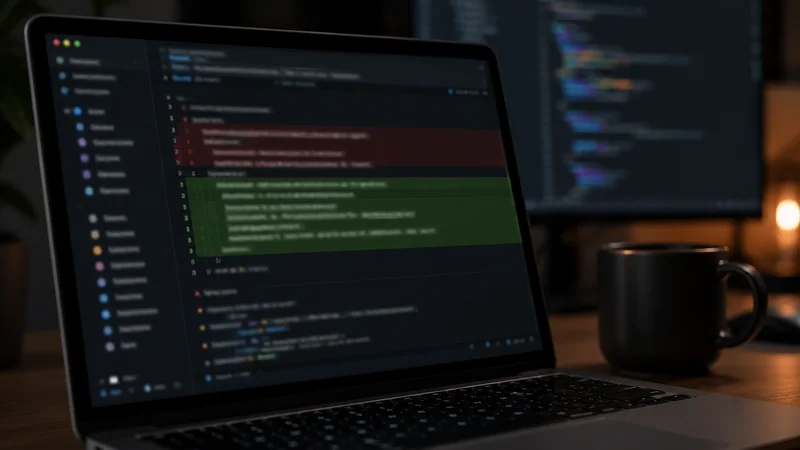
- You review the diff and either accept, ask for changes, or roll back.
For multi-step refactors, Claude Code with Opus 4.7 is the closest thing 2026 has to a junior engineer who works on a chunk of your codebase overnight.
Step 8: The Agent SDK & MCP Servers
Claude Agent SDK
The Claude Agent SDK exposes the same agent harness that powers Claude Code, for building production AI agents. It's available in TypeScript (@anthropic-ai/claude-agent-sdk) and Python (claude-agent-sdk).
Key building blocks:
- Tool use — describe tools and Claude decides when to call them.
- Sub-agents — delegate work to isolated agent instances.
- MCP integration — instantly use any MCP server.
- Prompt caching — cut costs by 50–90% for repeated context.
- Streaming and partial outputs — for responsive UIs.
MCP (Model Context Protocol)
MCP is the open standard Anthropic introduced for connecting AI tools to external systems. An MCP server exposes tools, resources, and prompts that any MCP-aware client (Claude Code, Claude Desktop, Cursor, Cline, Windsurf, etc.) can use.
Popular MCP servers in 2026 include:
- GitHub — read repos, open PRs, comment on issues.
- Slack — read channels, post messages, search history.
- Notion / Linear / Jira — task and doc management.
- Postgres / MySQL / SQLite — query databases directly.
- Playwright — drive a real browser.
- Filesystem — read/write files outside the project root.
- Gmail / Outlook / Calendar — email and scheduling.
Installing an MCP server is usually a one-line addition to your Claude Code or Claude Desktop config. Once it's added, Claude knows the new tools exist and will call them when relevant.
Pricing & Plans (2026)
Plans as of mid-2026:
| Plan | Price (USD) | Best For | Highlights |
|---|---|---|---|
| Free | $0 | Trying Claude | Sonnet 4.6, limited daily messages, no web search or projects |
| Pro | $20/month | Individual professionals, writers, students | Opus 4.7 access, 5x message volume, web search, projects, memory, Claude Code (within plan limits) |
| Max 5x | $100/month | Heavy Claude Code users, advanced researchers | 5x Pro usage, priority access, longer context options |
| Max 20x | $200/month | Power users running Claude Code most of the day | 20x Pro usage, highest priority, beta feature access |
| Team | $30/user/month (min 5) | Small teams sharing projects | Pro features + shared projects, admin tools, central billing |
| Enterprise | Custom | Larger orgs | SSO, audit logs, data residency, custom contracts, dedicated support |
| API | Pay-as-you-go | Developers building products | All models, prompt caching, batch API, Computer Use, MCP, Agent SDK |
How to choose:
- Free is enough for casual chat 1–2 times a day.
- Pro is the right starting point for most professionals.
- If you live in Claude Code, Max 5x usually pays for itself within a week vs. API billing.
- Max 20x makes sense once you're running coding agents most of the workday.
- For teams, the Team plan unlocks shared Projects — worth it once two or more people work in the same Project regularly.
Best Practices and Pro Tips
Use the right model for the job
Don't use Opus 4.7 to summarize a tweet. Don't use Haiku 4.5 to refactor a microservice. The model selector is a cost and latency knob — turn it deliberately.
Build a Project for anything recurring
If you've explained your context to Claude more than twice, that's a Project. The 10 minutes of setup pays back every day after.
Cite as you go
For research tasks, ask Claude to cite sources inline. It's much faster to verify a claim with a link than to debug a wrong answer later.
Use sub-agents for context isolation
In Claude Code (and the Agent SDK), spawn a sub-agent for big read-only tasks (exploring a codebase, summarizing logs, etc.) so the main session's context stays focused on the actual work.
Prompt caching for API workloads
If you're calling the API repeatedly with the same long system prompt, turn on prompt caching. Cost drops 50–90% and latency improves.
Verify before acting
For high-stakes outputs (financial calculations, legal text, production code), have Claude run sanity checks: "Before answering, walk through 2 ways this could be wrong."
Common Mistakes to Avoid
Pasting secrets into chats
API keys, private SSH keys, customer PII — keep them out of consumer chats. Use environment variables in Claude Code, and the Enterprise tier if you handle regulated data.
Treating Claude as infallible
Even with web search and 1M-token context, Claude can be wrong. Cross-check anything load-bearing — financial advice, medical questions, legal text, code that touches money.
Forgetting to set up Memory and Projects
Many users still re-explain their context every time. Set up your custom instructions and one Project for your top recurring use case in the first hour — the time it saves over a year is enormous.
Skipping the model selector
Letting every chat run on the default isn't optimal. Switch to Opus 4.7 for hard tasks and Haiku 4.5 for short, simple ones.
Over-engineering prompts
Claude 4 understands clear English. You don't need to wrap every request in "you are an expert X who…" personas — that often makes outputs worse, not better.
Use Cases and Applications
For knowledge workers
- Drafting emails, briefs, memos, proposals.
- Summarizing long meeting notes or PDFs.
- Researching competitors or markets with web search and citations.
- Negotiation prep — Claude is excellent at red-teaming your arguments.
For developers
- Claude Code for everyday refactors, bug fixes, and feature work.
- Code review with Opus 4.7 — paste a diff and ask for issues, edge cases, and test gaps.
- Architecture brainstorming with sub-agents exploring alternatives in parallel.
- Migrating between languages or frameworks.
For students & researchers
- Deep Research for literature reviews with citations.
- Explaining hard papers section by section.
- Generating practice problems with answer keys.
- Drafting and revising thesis chapters with consistent voice.
For creators
- Brainstorming and outlining long-form content.
- Editing and tightening drafts while preserving voice.
- Generating variations for A/B testing copy.
- Building Projects per show, channel, or publication.
For businesses
- Customer support automation via the API + MCP.
- Internal knowledge assistants built on Projects + Enterprise plans.
- Sales enablement — research a prospect, draft an outreach, and prep for the call.
- Document analysis at scale (contracts, RFPs, vendor docs) with Opus 4.7's 1M context.
Security and Privacy
Anthropic's 2026 stance on consumer data is straightforward:
- Free, Pro, and Max consumer chats are not used to train Claude by default.
- Team, Enterprise, and API traffic has stricter contractual protections — Anthropic doesn't train on this data.
- You can review and clear Memory and conversation history from Settings.
- Claude Enterprise offers SSO, audit logs, data residency choices (US/EU), and BAAs for healthcare.
Best practices regardless of plan:
- Don't paste raw secrets (API keys, passwords, PII) into chats. Use environment variables or redact before pasting.
- For regulated data (health, finance, legal), use the Enterprise plan or the API with appropriate contractual terms.
- Review Settings → Memory periodically and delete anything you don't want persisted.
- For sensitive code or documents, prefer Claude Code (which runs locally) over uploading entire repos to the web chat.
Frequently Asked Questions
Is Claude AI free to use in 2026?
Yes, Claude has a free tier on claude.ai that gives you access to Sonnet 4.6 with daily message limits. Paid plans start at Pro ($20/month) which unlocks Opus 4.7, larger context, web search, projects, memory, and Claude Code. Max plans ($100 and $200/month) raise usage limits 5–20x for heavy users.
What are the latest Claude models in 2026?
The current Claude 4 family includes Opus 4.7 (Anthropic's flagship with 1M-token context for the largest, most complex tasks), Sonnet 4.6 (the default balanced model — fast, capable, and used in claude.ai for most users), and Haiku 4.5 (the cheapest and fastest model, ideal for high-volume API workloads). Opus 4.7 is the recommended choice for hard reasoning, long documents, and coding agents.
Can Claude browse the internet now?
Yes — as of 2025, Claude has a built-in web search tool on claude.ai (Pro and above) and via the API. It can pull live information, cite sources, and combine search results with reasoning. You can also explicitly ask Claude to search the web, or it will trigger search on its own when it judges that current information is needed.
Does Claude have memory across conversations?
Yes. Claude now supports both Projects (a persistent workspace with custom instructions and uploaded files that apply to every chat inside the project) and conversation memory in the Claude app, which can recall facts and preferences across sessions. You can review, edit, or clear what Claude remembers from your account settings.
What is Claude Code?
Claude Code is Anthropic's official command-line interface for software engineering with Claude. It runs in your terminal, reads and edits files, executes commands, runs tests, and uses Claude's agentic loop to complete multi-step coding tasks. It also supports MCP servers, skills, sub-agents, hooks, and custom slash commands. Pro and Max subscribers can use it without separate API billing within their plan limits.
What file types can I upload to Claude?
Claude accepts PDFs (text + images, up to ~100 pages per file), Word documents, plain text and markdown, code files, CSV/Excel spreadsheets, and images (JPEG, PNG, GIF, WebP). On Pro you can upload up to 20 files per chat. Opus 4.7's 1M-token context lets you load entire books, codebases, or long research dossiers in a single conversation.
How does Claude compare to ChatGPT in 2026?
Both are excellent. Claude tends to be stronger at long-context reasoning (especially with Opus 4.7's 1M-token window), agentic coding workflows via Claude Code, and following detailed instructions without drift. ChatGPT tends to be stronger at image generation, voice, and the broader ecosystem of GPTs and connectors. Many serious users keep subscriptions to both.
Is my data safe with Claude AI?
Anthropic does not train its models on your consumer chat data by default. Enterprise and API customers have additional contractual protections. For sensitive work, use Claude Enterprise or the API, avoid pasting secrets in plaintext, and review Anthropic's privacy policy before uploading regulated data (health, financial, legal).
What is MCP and why does it matter?
MCP (Model Context Protocol) is an open standard introduced by Anthropic for connecting AI assistants to external tools, data sources, and services. Hundreds of MCP servers exist for GitHub, Notion, Slack, databases, browsers, calendars, design tools, and more. With MCP, Claude can act on real-world systems without custom integration code — install a server once, use it across Claude Code, the desktop app, and the API.
Can I use Claude for commercial purposes?
Yes. Pro, Max, Team, and Enterprise plans all permit commercial use. Outputs are usable for client work, products, content creation, and software development. Review Anthropic's usage policy for restricted use cases (high-stakes decisions in regulated industries, weapons, etc.) before deployment.

Conclusion and Next Steps
Claude in 2026 is no longer just a chatbot — it's a writing partner, research assistant, coding agent, and computer operator depending on how you wire it up. Most of the gains come from setting up the boring stuff once: pick a default model, write good custom instructions, build a Project for your main use case, and learn the model selector.
Your next 30 minutes:
- Set custom instructions in Settings → Profile — your role, tone preferences, what to avoid.
- Create one Project for your most common Claude use case and seed it with 2–3 reference documents.
- Try Opus 4.7 on a real task you've been putting off — preferably one with 5+ pages of source material.
- If you write code, install Claude Code (
npm install -g @anthropic-ai/claude-code) and run it in your repo. - Bookmark this guide and come back as features ship — Anthropic typically updates models every quarter.
The fastest way to get good at Claude is to use it for real work, in the smallest possible deliverable. Pick something you'd otherwise procrastinate on, hand it to Claude, and iterate. By the third or fourth back-and-forth, you'll have a feel for what it does well and what it doesn't — which is exactly the intuition that pays off as the models keep getting better.