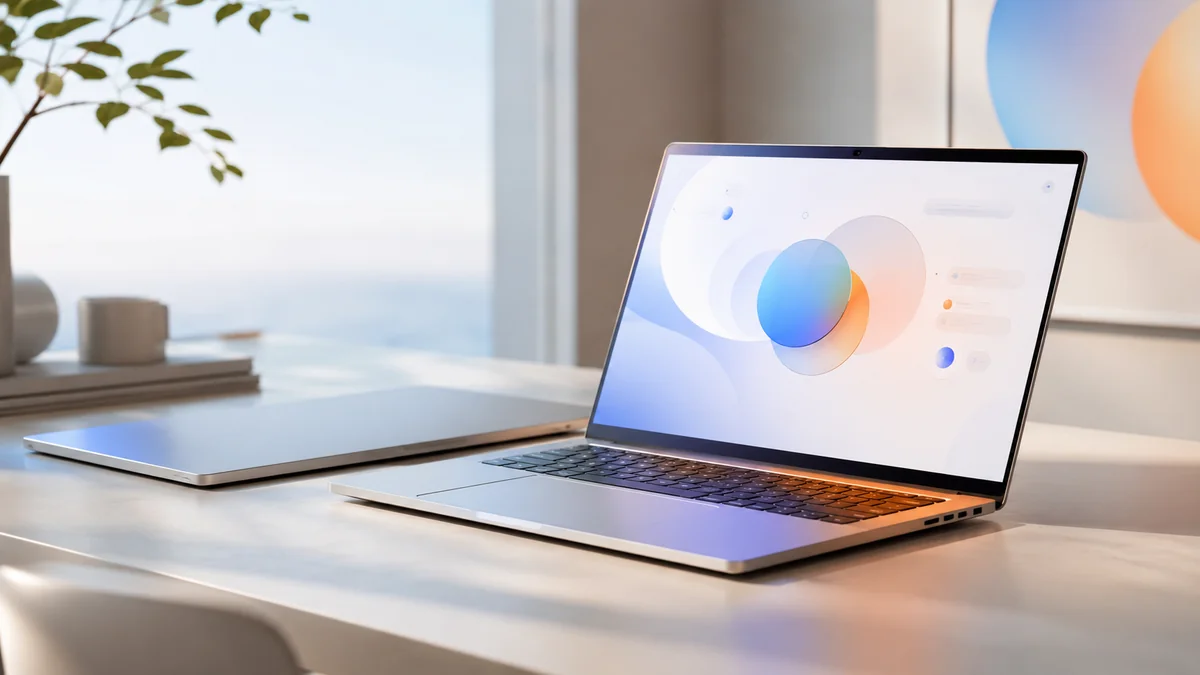
What is a Googlebook?
Googlebook is Google's new category of premium AI-native laptops, announced in 2026 as the long-term successor to the Chromebook. Where ChromeOS started life as a browser running in a kiosk and slowly added Android and Linux app support, AluminiumOS starts life as Android — full multi-window, full app catalog, full Gemini integration — and a desktop shell built on top.
The pitch is straightforward: Google believes the next decade of computing belongs to laptops where the operating system, the apps, the silicon, and the AI assistant are all designed together. Chromebooks were affordable web-first devices; Googlebooks are premium AI-first devices, with prices and specs that put them in MacBook territory.
Key positioning points Google emphasized at launch:
- "Designed for Gemini Intelligence" — Gemini is not an app on the device, it is a system layer.
- Premium hardware only — no $250 Googlebook variants. The cheapest configurations sit at MacBook-Air pricing.
- Cross-architecture from day one — Intel x86, Qualcomm ARM, MediaTek ARM all officially supported.
- Native Android app catalog — every app on Google Play that supports adaptive layouts runs as a real desktop window.
- Multi-year software promise — Google has committed to seven years of OS and security updates on the first Googlebook wave.
AluminiumOS — Android 17 for Laptops
The new operating system is called AluminiumOS. Public statements from Google call it "a laptop operating system designed for the AI era." Leaked builds and early reviewer access confirm what insiders had hinted at for months: AluminiumOS is Android 17, redesigned for keyboard-and-trackpad laptop use, not a fork of ChromeOS.
What that means in practice:
- True multi-window apps — windowing, snapping, virtual desktops, taskbar, system tray. Familiar laptop behavior, not a phone UI on a 14-inch screen.
- Full Android app compatibility — no compatibility layer, no emulation. Apps run natively.
- Linux/terminal support — for developers, AluminiumOS keeps the ChromeOS Linux dev environment idea but unifies it under a single Android Studio-friendly runtime.
- Deep Gemini integration — Gemini sees your screen content, files, and clipboard with explicit per-app permissions. Voice and text invocation system-wide.
- Cross-device handoff — phone calls, SMS, photos, and clipboard sync with Android phones, similar to how iPhone and Mac integrate.
- Strong privacy controls — granular permissions for what Gemini can see, mic/camera indicators in the status bar, on-device-only modes for sensitive work.
The "Android 17 for laptops" framing is doing a lot of work. For users who want a Chromebook-like simplicity with vastly better app support, this is exactly the upgrade they have been waiting for. For users who feared Google was about to bring all of Android's phone-app chaos to laptop form factors, leaked screenshots suggest Google has actually fixed the long-standing window manager and input gaps.
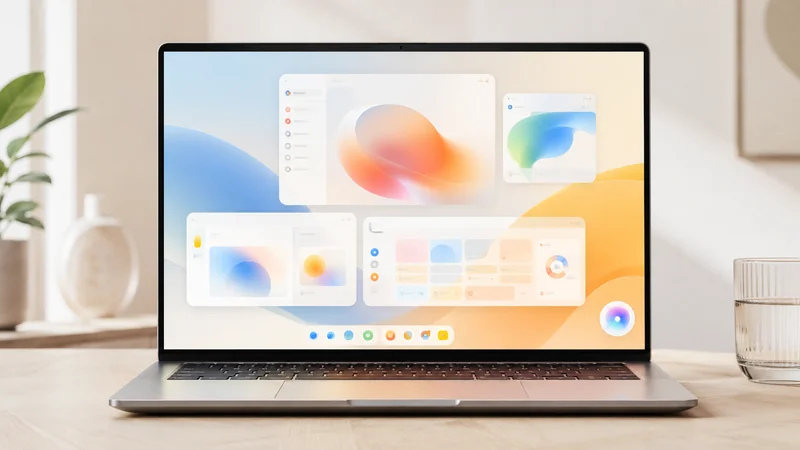
Gemini Intelligence — The Core AI Layer
The most-repeated phrase in Google's announcement was "Gemini Intelligence." It refers to the system-wide AI layer that ships with every Googlebook. Unlike Copilot on Windows (largely a sidebar) or Apple Intelligence (a collection of features), Gemini Intelligence is positioned as an always-available assistant that can read your screen, summarize your documents, draft replies, generate images, write code, and orchestrate actions across apps.
Launch features Google highlighted:
- Natural-language file search — "Find the PDF from Anjali last quarter where she mentioned the bangalore office expansion."
- Document drafting and summarization — works on the file you have open in any app, not just Google Docs.
- Image generation — Imagen-class quality, on-device when supported, cloud for larger tasks.
- Code assistance — full Gemini Code Assist features integrated into the system, available in any editor.
- Live transcription and translation — works on any audio source on the device, system-wide.
- Ambient mode — Gemini watches your meeting and produces structured notes; you opt in per meeting.
The hardware story matters here too. Each chip partner ships a dedicated NPU sized for on-device Gemini Nano workloads. Heavier tasks call cloud Gemini, but Google's claim is that 80% of consumer interactions run fully locally — both for speed and for privacy.
Specs & Hardware At-a-Glance
Googlebook is a category, not a single device — but Google's first-party reference Googlebook sets the bar:
| Spec | Google reference Googlebook |
|---|---|
| Chip options | Intel Panther Lake (Core Ultra 7/9), Qualcomm Snapdragon X Elite Gen 2, MediaTek Dimensity Auto for laptops |
| NPU | ≥ 45 TOPS (all configs); Snapdragon variant hits ~80 TOPS |
| RAM | 16 GB / 24 GB / 32 GB LPDDR5X |
| Storage | 256 GB / 512 GB / 1 TB UFS 4 + PCIe 4.0 |
| Display | 14" or 16" OLED, 2880×1800, 120 Hz, HDR true black |
| Battery | 14 hours (typical mixed use); fast-charge to 50% in 30 minutes |
| Ports | 2× USB-C / USB4, headphone jack, MicroSD on 16" model |
| Webcam | 1080p with privacy shutter, Gemini-aware framing |
| Connectivity | Wi-Fi 7, Bluetooth 5.4, optional 5G mmWave on premium SKUs |
| Weight | 1.20 kg (14") / 1.60 kg (16") |
| OS | AluminiumOS 1.0 (Android 17 derivative) |
| Software updates | 7 years of OS & security updates |
Chip Partners — Intel, Qualcomm, MediaTek
One of the most consequential decisions in the Googlebook launch is the multi-chip strategy. Three silicon vendors confirmed partnerships:
Intel Panther Lake (x86)
Intel's first major laptop platform built around an upgraded NPU. Reports suggest a high-end Panther Lake-H variant is reserved for premium Googlebook configurations, with leaked shipping manifests aligning with the launch SKUs. For x86 software compatibility and Linux developer workflows, this is the most familiar option.
Qualcomm Snapdragon X Elite Gen 2 (ARM)
The same family that powers Windows on Snapdragon laptops, now officially shipping outside Windows. Best battery life, strongest NPU performance for on-device Gemini, ideal for ultraportable Googlebooks. Snapdragon X options will dominate the 14" lineup.
MediaTek Dimensity Auto for laptops (ARM)
The surprise addition. MediaTek brings aggressive pricing and an AI-first laptop chip family designed in close collaboration with Google. Expected on more affordable Googlebook SKUs and on regional configurations for India, Southeast Asia, and parts of Europe.
This three-architecture launch is unprecedented in the laptop space. The closest comparison is Android itself — phones from Pixel, Samsung, OnePlus, and Xiaomi run the same Android even though they use different SoCs. AluminiumOS aims to do the same for laptops.
Launch Brand Partners
Five brands confirmed for the first Googlebook wave:
| Brand | Launch model | Sizes | Chip |
|---|---|---|---|
| Pixel Googlebook | 14" | Snapdragon X Elite Gen 2 | |
| Lenovo | ThinkPad Googlebook X1 AI | 14" | Panther Lake |
| HP | HP Dragonfly Googlebook | 14" | Panther Lake |
| ASUS | ASUS Zenbook Googlebook | 14" / 16" | Snapdragon X / Panther Lake |
| Acer | Acer Spin Googlebook | 14" | MediaTek Dimensity Auto |
The conspicuous absentee is Samsung. Samsung's Galaxy Book lineup runs Windows on a mix of Intel and Snapdragon, and the company has reportedly been negotiating its own AI laptop strategy. Industry observers see Samsung's absence as a sign of friction with Google over the Android-on-laptop direction — though both companies have publicly emphasized their phone-side partnership remains unchanged.
Wave 2 is expected later in 2026, with brands like Dell, Razer, and possibly Samsung joining if commercial momentum justifies it.
Googlebook vs. Chromebook — What Changed
Even existing Chromebook fans should understand exactly what Googlebook changes:
| Aspect | Chromebook | Googlebook |
|---|---|---|
| OS lineage | ChromeOS (browser-first) | AluminiumOS (Android 17-based) |
| App catalog | Web apps + Android apps + Linux | Native Android 17 apps + Linux |
| Price range | $200–$1,000 | $899–$2,499 |
| Target audience | Students, kiosks, secondary devices | Professionals, primary device, MacBook switchers |
| AI integration | Gemini app + helper features | System-wide Gemini Intelligence |
| Hardware tier | Mostly mid-range | Premium only |
| Chip support | Intel, AMD, MediaTek (limited) | Intel, Qualcomm, MediaTek (official) |
| Update window | 10 years (current generation) | 7 years confirmed for v1 |
Googlebook vs. MacBook Neo
The most-discussed comparison is Googlebook vs. Apple's current MacBook line (the MacBook Neo refresh):
| Category | Googlebook (reference) | MacBook Neo |
|---|---|---|
| Starting price (US) | $899 | $1,099 |
| OS | AluminiumOS 1.0 | macOS 27 |
| Silicon | Intel / Snapdragon / MediaTek (choose) | Apple M5 / M5 Pro |
| AI layer | Gemini Intelligence | Apple Intelligence |
| App catalog maturity | Android 17 + web (new) | macOS-native, decade+ maturity |
| Native pro apps | Smaller, growing | Final Cut, Logic, Xcode, etc. |
| Cross-device handoff | Android phones | iPhone, iPad, Watch |
| Repairability | Hardware partner-dependent | iFixit middling scores |
| Display | OLED 2880×1800 120 Hz | Liquid Retina XDR ProMotion |
Both platforms are excellent. MacBook still wins on pro-app catalog and platform maturity; Googlebook offers more hardware choice, a less expensive entry point, and the world's biggest mobile app catalog. Choice will increasingly come down to which assistant ecosystem (Gemini vs. Apple Intelligence) and which phone (Android vs. iPhone) you already use.
Android App Support
Android app compatibility is Googlebook's biggest practical advantage over both Chromebook and MacBook. Out of the box, you get:
- Every Play Store app — Instagram, WhatsApp, banking apps, native streaming apps that don't ship great web versions.
- Tablet-optimized layouts — apps that already support large screens for Android tablets and foldables look great.
- Multi-window snapping — drag apps to corners, half-screen, or quarter-screen with system shortcuts.
- Game support — Google has been quiet on this but leaked builds confirm Google Play Games on Googlebook with controller support.
- Sideloading — APK installation possible after enabling developer mode (similar to Android phones).
The catch: many popular Android apps were never designed for keyboard input or large screens. Reviews mention that high-quality experiences exist for productivity and creative apps, while many social/lifestyle apps still feel like a stretched-phone UI. Expect a quality flurry over the first year as developers update.
Pricing & Availability
Pricing details by launch SKU (USD, base configuration):
| Model | Price | Notable |
|---|---|---|
| Pixel Googlebook 14" | $1,099 | Google reference design, Snapdragon X Elite Gen 2 |
| Lenovo ThinkPad Googlebook X1 AI | $1,449 | Business-focused, Panther Lake, MIL-STD certified |
| HP Dragonfly Googlebook | $1,349 | Premium HP design, Panther Lake, OLED |
| ASUS Zenbook Googlebook 14" | $1,199 | Snapdragon X variant, slim 1.05 kg |
| ASUS Zenbook Googlebook 16" | $1,699 | Panther Lake-H, dual-fan, content creator focus |
| Acer Spin Googlebook | $899 | MediaTek Dimensity, 2-in-1 hinge, entry point |
Availability — Pre-orders opened the week of announcement; first deliveries are tracking for early summer 2026 in the US, Canada, UK, Australia, and parts of Europe. India, Brazil, and Southeast Asia will see the MediaTek Acer SKU first, with the premium models following in Q3.
Initial Reactions — Excited and Skeptical
Press and analyst response has been a textbook split:
| Camp | Take |
|---|---|
| Excited | "With the Googlebook, I'm betting on Google to reinvent the laptop again." Praise for native Android apps, premium hardware, Gemini integration, and finally a real MacBook alternative for Android users. |
| Skeptical | "The Googlebook doesn't make any sense." Concerns about app quality, ChromeOS being abandoned, and whether AluminiumOS is mature enough for a primary device. "Google hasn't shown any reason for 'Googlebook' laptops to exist." |
| Apple-side | "Google just helped Apple sell a million more MacBook Neos." The argument: by signaling that ChromeOS's days are numbered, Google has nudged premium-buyers toward the safer MacBook. |
| Android identity | "Googlebook is proof Android still has an identity problem." Critics argue Android is now phones, tablets, foldables, watches, TVs, cars, and now laptops — without a clean unifying design language. |
| Quietly impressed | "I didn't think the desktop cursor needed reinventing — Googlebooks are proving me wrong." Reviewers like the new keyboard-first Gemini invocation, multi-window app behavior, and the OLED panels. |

What Happens to Existing Chromebooks?
The most-asked question after the Googlebook reveal: what about my Chromebook?
Google's official statement is reassuring but leaves room for concern. Key points:
- Existing Chromebooks continue to receive ChromeOS updates for their full Auto Update Expiration (AUE) period — most recent Chromebooks have at least 8 years of support remaining.
- No upgrade path from existing Chromebook hardware to AluminiumOS has been announced. Different drivers, different baseline silicon expectations.
- Partner-brand Chromebooks (especially Samsung's premium Galaxy Chromebook line) face uncertainty. Software updates depend on the OEM as much as Google.
- Education and enterprise Chromebooks — Google has confirmed multi-year continued support to large fleet customers. Schools should expect no disruption for 3–5 years minimum.
If you bought a Chromebook in the past 12 months, you are fine. If you are about to buy a Chromebook today, consider whether waiting for a Googlebook (or buying second-hand for budget reasons) fits your timeline.
Should You Buy? — Verdict
Buy a Googlebook if:
- You are an Android-phone user who has wanted a MacBook-style laptop experience without leaving the Google ecosystem.
- You already use Gemini heavily across phone, tablet, and web — system-wide Gemini Intelligence is the killer feature for you.
- You depend on Android apps that have no good web or macOS equivalent.
- You want OLED + 120 Hz + 7 years of updates at a starting price that undercuts MacBook.
- You are a developer or technical user comfortable with first-generation rough edges.
Wait or skip if:
- You rely on Mac-only pro apps (Final Cut, Logic, Xcode, native Adobe Creative Cloud workflows).
- You're happy with your current Chromebook and not chasing premium features.
- You typically wait for second-generation hardware to avoid first-version issues.
- You want a Windows alternative — the Snapdragon X laptops with Windows 11 may still suit you better in mid-2026 while AluminiumOS matures.
If unsure, watch the September 2026 software update wave. Google has pre-committed several headline features (offline Gemini, Gemini in every app, full Linux runtime parity) that should land within four months. The Googlebook story in late 2026 will be very different from the Googlebook story at launch — and how much different is the practical signal of whether AluminiumOS is the next big platform or another ChromeOS-style slow burn.
Frequently Asked Questions
What is a Googlebook?
Googlebook is Google's new category of premium AI-native laptops launched in 2026. It runs AluminiumOS — a laptop-optimized variant of Android 17 — with Gemini AI integrated as the core operating layer rather than an add-on app. Googlebooks are positioned as the successor to Chromebooks at the high end and as a direct competitor to Apple's MacBook line.
What is AluminiumOS?
AluminiumOS is Google's new operating system for Googlebook laptops. Leaked builds confirm it is based on Android 17, redesigned for keyboard, trackpad, and multi-window laptop use. It runs Android apps natively, includes a deep Gemini integration, and supports both ARM (Snapdragon X, MediaTek) and x86 (Intel Panther Lake) hardware.
Is the Googlebook replacing Chromebook?
Not immediately. ChromeOS continues to receive updates for existing Chromebooks, but Googlebook is clearly positioned as the next generation. Google has confirmed AluminiumOS as the long-term direction for laptops; existing premium Chromebook lines from partners like Samsung face questions about future software updates.
Which chips run on Googlebook?
Google confirmed three chip partners for the Googlebook launch: Intel Panther Lake (x86), Qualcomm Snapdragon X (ARM), and MediaTek (ARM). This makes AluminiumOS one of the first major laptop platforms designed cross-architecture from day one, similar to how Android phones span Snapdragon, MediaTek, and Tensor.
Which brands are making Googlebooks?
Launch partners include Acer, ASUS, HP, Lenovo and Google itself with a first-party model. Samsung is conspicuously absent at launch — widely seen as a sign of friction with Samsung's Galaxy Book line. Other ChromeOS partners have not yet been confirmed for second-wave Googlebook devices.
How does Googlebook compare to MacBook?
Both are premium AI-focused thin-and-light laptops with strong silicon and tight OS integration. Apple's MacBook Neo line has the advantage of a more mature software platform, established Pro-app catalog, and signature Apple Silicon. Googlebook counters with on-device Gemini, native Android app compatibility, cross-architecture hardware choice, and Google services depth. Early reviews are mixed: some say Google launched too late, others see a genuine alternative finally arriving.
Will my Android apps work on Googlebook?
Yes — Android app compatibility is a headline feature. AluminiumOS runs Android 17 apps natively with a redesigned window manager so apps can be resized, snapped, and used multi-window. Apps designed for foldable Android phones already work well; phone-only apps fall back to a phone-shaped portrait window.
What is Gemini Intelligence on Googlebook?
Gemini Intelligence is Google's branding for the on-device AI layer that powers Googlebook. It handles natural-language file search, document summarization, system-level voice commands, image generation, code assistance, and ambient assistant features. Some Gemini features run fully on-device thanks to NPU acceleration on the chip partners; heavier tasks call Google's cloud Gemini models.
Should I buy a Googlebook or wait?
If you are happy with a Chromebook or MacBook today, the first-generation Googlebook is worth watching but not necessarily buying. First-generation devices typically have rough edges — AluminiumOS will mature significantly over the first 6–12 months. Heavy Android-app users, users invested in Google services, and tech enthusiasts who want the newest AI hardware are the early-adopter sweet spot.

The Googlebook is the most consequential laptop launch since Apple's first Apple-silicon MacBook in 2020. Whether AluminiumOS becomes the third major desktop platform alongside Windows and macOS — or fades into the same niche as ChromeOS — depends almost entirely on how the next twelve months of software updates and developer adoption play out. For now, the hardware is real, the price is competitive, the chip choice is genuine, and Google's commitment to seven years of OS updates is the longest support window in the premium laptop market. Whatever else happens, Google has finally shown up to the AI-laptop fight with a credible product.