
Customer support is evolving rapidly in 2025, with AI-powered workflows becoming essential for businesses of all sizes. This comprehensive guide will teach you how to implement effective AI workflows that seamlessly integrate chatbots with traditional ticketing systems, creating a hybrid support experience that maximizes efficiency while maintaining human touch when needed.
You'll learn how to design intelligent routing systems, set up automated responses that feel personal, and create escalation pathways that ensure complex issues reach the right human agents. By the end of this guide, you'll have a complete roadmap for transforming your customer support operations with AI technology that actually works.
Prerequisites
Before diving into AI workflow implementation, ensure you have the following foundations in place:
- Existing customer support infrastructure: A basic ticketing system or help desk platform currently handling your support requests
- Customer data access: Ability to integrate with your CRM, user database, or customer information systems
- Technical resources: Either in-house developers or budget for implementation services (most modern platforms offer no-code options)
- Support team buy-in: Your human agents should understand and support the AI integration process
- Basic analytics setup: Tools to measure current support metrics like response time, resolution rate, and customer satisfaction
- Content inventory: Existing FAQs, help articles, and common response templates that can train your AI systems
Step 1: Audit Your Current Support Operations
Start by conducting a thorough analysis of your existing customer support processes. This foundational step will inform every decision you make about AI implementation.
Analyze Support Volume and Patterns
Examine your support data from the past 6-12 months to identify:
- Peak hours and seasonal trends: When do most tickets arrive? Are there predictable spikes?
- Common inquiry types: What percentage of tickets are simple questions versus complex issues?
- Resolution timeframes: How long do different types of issues typically take to resolve?
- Channel preferences: Do customers prefer email, chat, phone, or social media support?
Categorize Support Requests
Create a comprehensive taxonomy of your support requests. Most businesses find that 60-80% of inquiries fall into predictable categories:
| Category | Examples | AI Suitability | Complexity Level |
|---|---|---|---|
| Account Management | Password resets, billing questions, account updates | High | Low |
| Product Information | Feature explanations, pricing questions, compatibility | High | Low-Medium |
| Technical Issues | Bug reports, integration problems, performance issues | Medium | Medium-High |
| Sales Support | Demo requests, custom pricing, enterprise inquiries | Low | High |
Identify Automation Opportunities
Look for requests that meet these criteria for AI automation:
- High frequency (appearing in more than 5% of total tickets)
- Standardized responses possible
- Clear resolution steps
- Minimal human judgment required
- Data can be retrieved from existing systems
Step 2: Choose Your AI Support Platform
Selecting the right platform is crucial for success. In 2025, the market offers sophisticated options that integrate seamlessly with existing systems.
Intercom
Complete customer service platform with advanced AI
Intercom's Resolution Bot uses machine learning to handle routine inquiries while seamlessly escalating complex issues to human agents. Their 2025 updates include improved natural language processing and better integration capabilities.
- AI-powered conversation routing and resolution
- Custom chatbot builder with visual workflow editor
- Advanced analytics and performance tracking
- Omnichannel support across web, mobile, and social
- Integration with 300+ business tools
Zendesk
Scalable support platform with Answer Bot AI
Zendesk's Answer Bot leverages machine learning to suggest relevant help articles and can resolve tickets automatically. Their 2025 platform includes enhanced AI training capabilities and better multilingual support.
- Answer Bot with automatic ticket resolution
- AI-powered agent assistance and suggestions
- Comprehensive ticket management system
- Advanced reporting and analytics dashboard
- Marketplace with 1000+ app integrations
Freshworks
AI-first customer service suite
Freshworks Freddy AI provides intelligent automation across the entire customer journey. Their platform excels at predictive analytics and proactive customer engagement.
- Freddy AI for intelligent ticket routing and resolution
- Predictive contact scoring and sentiment analysis
- No-code chatbot builder with conversation flows
- Omnichannel inbox with unified customer view
- Built-in phone, chat, and social media management
Help Scout
Customer service platform built for growing teams
Help Scout focuses on maintaining personal connections while adding AI efficiency. Their Beacon widget and automated workflows help reduce ticket volume while keeping interactions human-centered.
- AI-powered suggested replies and article recommendations
- Beacon proactive messaging and self-service widget
- Automated workflow triggers and responses
- Customer satisfaction surveys and reporting
- Team collaboration tools and shared inbox
Platform Selection Criteria
When evaluating platforms, consider these essential factors:
- Integration capabilities: How well does it connect with your existing CRM, e-commerce platform, and other tools?
- Customization options: Can you tailor the AI responses and workflows to match your brand voice?
- Scalability: Will the platform grow with your business without requiring major changes?
- Training requirements: How much time will your team need to become proficient?
- Analytics depth: Does it provide the metrics you need to optimize performance?
Step 3: Design Your AI Workflow Architecture
Create a comprehensive workflow that defines how customers move through your support system, from initial contact to resolution.
Map the Customer Journey
Design your workflow around these key stages:
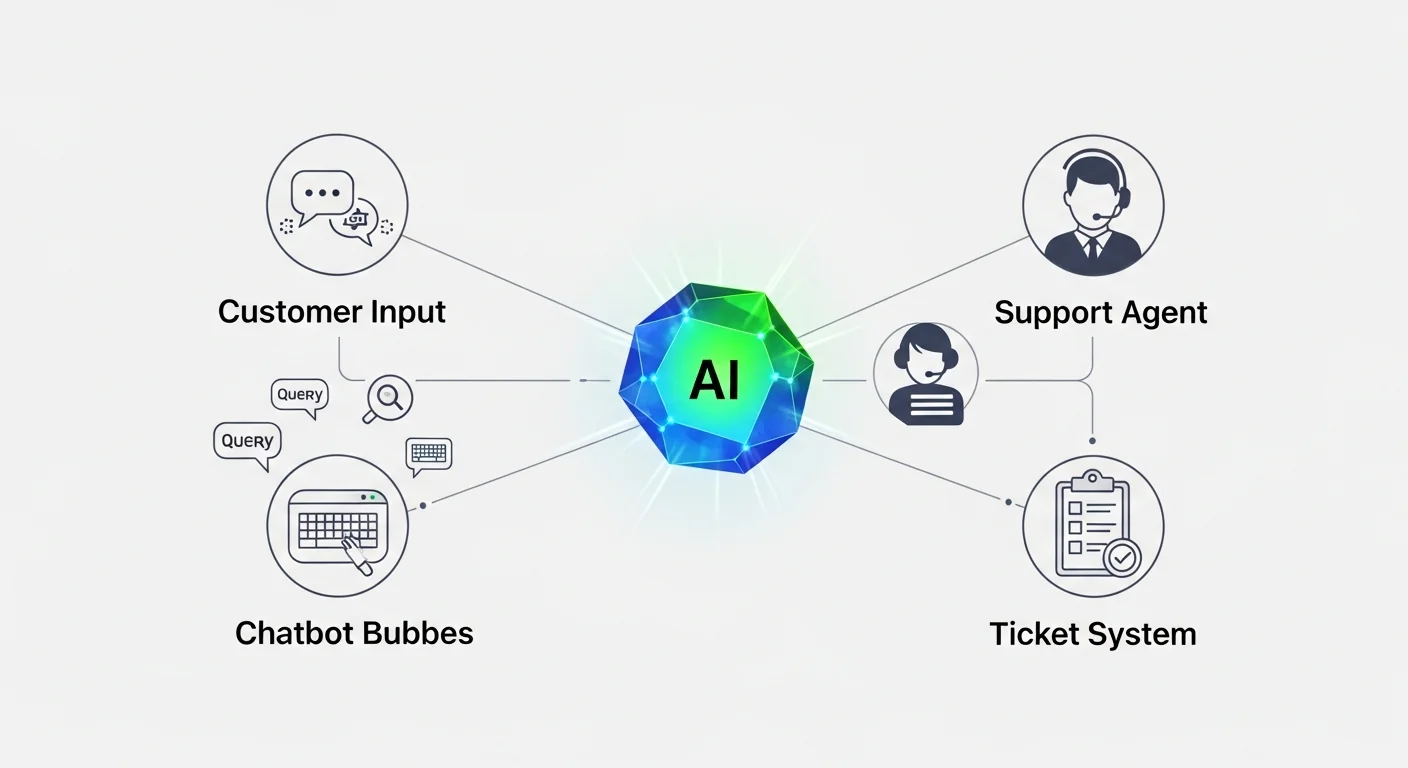
- Initial Contact: Customer reaches out via chat, email, or form
- Intent Recognition: AI analyzes the inquiry to understand the customer's need
- Routing Decision: System determines whether AI can handle the request or if human intervention is needed
- Resolution Attempt: AI provides solution or human agent takes over
- Follow-up: System checks if the issue was resolved satisfactorily
Create Decision Trees
Build logical decision trees for common scenarios. Here's an example for a SaaS company:
| Customer Input | AI Response | Next Action | Escalation Trigger |
|---|---|---|---|
| "I can't log in" | Password reset flow | Send reset link | Multiple failed attempts |
| "How much does X cost?" | Pricing information | Show pricing page | Custom pricing request |
| "Feature isn't working" | Troubleshooting steps | Guide through solution | Steps don't resolve issue |
| "I want to cancel" | Retention flow | Offer alternatives | Customer insists on cancellation |
Define Escalation Rules
Establish clear criteria for when AI should transfer to human agents:
- Complexity indicators: Technical jargon, multiple issues in one message, custom implementation questions
- Sentiment triggers: Angry language, frustration indicators, dissatisfaction with AI responses
- Value-based routing: High-value customers, enterprise accounts, VIP status
- Time-based escalation: Issues unresolved after X interactions or Y minutes
- Explicit requests: Customer asks to speak with a human
Step 4: Set Up Your Chatbot Foundation
Build your chatbot with a focus on natural conversation flow and accurate intent recognition.
Configure Natural Language Processing
Train your AI to understand customer intent by:
- Creating intent categories: Define 15-20 primary intents that cover 80% of inquiries
- Building entity recognition: Teach the AI to identify key information like account numbers, product names, dates
- Adding training phrases: Provide 10-15 example phrases for each intent, including variations and common misspellings
- Implementing context awareness: Enable the bot to remember previous conversation turns
Design Conversation Flows
Create engaging, helpful conversation flows that feel natural:
- Welcome message: Greet customers and set expectations about what the bot can help with
- Information gathering: Ask clarifying questions to understand the specific issue
- Solution delivery: Provide clear, actionable answers with relevant links or attachments
- Confirmation: Verify that the solution was helpful
- Additional assistance: Offer related help or escalation options
Implement Fallback Strategies
Prepare for situations when the AI doesn't understand:
- Clarification requests: "I want to help, but I need more information. Could you tell me more about..."
- Alternative suggestions: "I'm not sure about that specific question, but I can help you with..."
- Human handoff: "Let me connect you with one of our specialists who can better assist you"
- Self-service options: "You might find what you're looking for in our help center..."
Step 5: Integrate with Your Ticketing System
Create seamless integration between your chatbot and ticketing system to ensure no customer inquiries fall through the cracks.
Configure Automatic Ticket Creation
Set up rules for when chatbot interactions should generate tickets:
- Unresolved conversations: When the bot cannot provide a satisfactory solution
- Human agent requests: When customers explicitly ask to speak with someone
- Complex issues: When the conversation indicates a problem requiring human expertise
- Follow-up required: When the solution needs verification or additional steps
Maintain Context During Handoffs
Ensure human agents have complete conversation history:
- Conversation transcripts: Full chat history attached to the ticket
- Customer information: Relevant account details and previous interactions
- Intent classification: What the AI determined the customer was trying to accomplish
- Solutions attempted: What the bot tried before escalating
- Urgency indicators: Customer sentiment and priority level
Enable Bi-directional Communication
Allow agents to continue conversations through the chat interface:
- Agent takeover: Seamless transition from bot to human without starting over
- Co-browsing capabilities: Screen sharing for complex technical issues
- File sharing: Ability to send screenshots, documents, or other attachments
- Real-time typing indicators: Show customers that an agent is actively responding
Step 6: Implement Intelligent Routing
Create sophisticated routing logic that ensures each inquiry reaches the most appropriate resource.
Skill-Based Routing
Route tickets based on agent expertise:
- Technical issues: Route to agents with product knowledge
- Billing questions: Direct to agents with account management training
- Sales inquiries: Send to agents with sales experience
- Language preferences: Match customers with agents who speak their language
Workload Balancing
Distribute tickets efficiently across your team:
- Round-robin assignment: Distribute tickets evenly among available agents
- Capacity-based routing: Consider current workload when assigning new tickets
- Priority queuing: Ensure high-priority issues get immediate attention
- Availability tracking: Route only to agents who are currently online and available
Dynamic Prioritization
Automatically prioritize tickets based on multiple factors:
| Factor | High Priority Indicators | Weight | Action |
|---|---|---|---|
| Customer Tier | Enterprise, VIP, High-value | 40% | Route to senior agents |
| Issue Type | Service outage, security, billing | 30% | Immediate escalation |
| Sentiment | Angry, frustrated, disappointed | 20% | Expedited handling |
| Time Sensitivity | Deadline mentioned, urgent keywords | 10% | SLA adjustment |

Step 7: Train Your AI with Quality Data
The effectiveness of your AI workflows depends heavily on the quality of training data and ongoing optimization.
Prepare Training Datasets
Gather comprehensive data to train your AI models:
- Historical tickets: Use past customer inquiries and resolutions as training examples
- FAQ content: Convert existing help articles into conversational Q&A pairs
- Agent responses: Analyze successful agent interactions to identify effective response patterns
- Customer feedback: Use satisfaction surveys to identify high-quality interactions
Implement Continuous Learning
Set up systems for ongoing AI improvement:
- Feedback loops: Collect customer ratings on AI responses
- Agent corrections: Allow agents to mark incorrect AI suggestions and provide better alternatives
- A/B testing: Test different response variations to optimize effectiveness
- Regular model updates: Schedule monthly or quarterly retraining with new data
Quality Assurance Processes
Maintain high standards for AI interactions:
- Response review: Regularly audit AI responses for accuracy and tone
- Edge case identification: Monitor for unusual scenarios that need special handling
- Brand voice consistency: Ensure AI responses match your company's communication style
- Compliance checking: Verify that automated responses meet regulatory requirements
Step 8: Create Seamless Escalation Pathways
Design smooth transitions from AI to human agents that maintain customer satisfaction and context.
Proactive Escalation Triggers
Identify situations that warrant immediate human intervention:
- Sentiment analysis alerts: Negative sentiment scores above threshold levels
- Conversation length: Interactions exceeding 5-7 exchanges without resolution
- Keyword detection: Terms like "lawsuit," "competitor," "cancel immediately"
- Account status flags: Customers with recent billing issues or service problems
Contextual Handoff Procedures
Ensure agents receive complete context when taking over from AI:
- Conversation summary: AI-generated summary of the discussion so far
- Customer profile: Account information, purchase history, previous interactions
- Attempted solutions: What the AI tried and customer responses
- Recommended actions: AI suggestions for next steps based on similar cases
- Urgency assessment: Priority level and any time-sensitive factors
Smooth Transition Messaging
Craft messages that make handoffs feel natural:
- "Let me connect you with Sarah, who specializes in this area"
- "I'm bringing in one of our experts to give you more detailed help"
- "To resolve this quickly, I'm transferring you to our technical team"
- "One moment while I get you connected with someone who can help immediately"
Step 9: Set Up Analytics and Monitoring
Implement comprehensive tracking to measure performance and identify optimization opportunities.
Key Performance Indicators (KPIs)
Track these essential metrics for AI workflow success:
| Metric | Target Range | Measurement Method | Optimization Focus |
|---|---|---|---|
| AI Resolution Rate | 40-60% | Tickets resolved without human intervention | Training data quality |
| First Response Time | < 30 seconds | Time to initial AI response | System performance |
| Customer Satisfaction | > 4.0/5.0 | Post-interaction surveys | Response quality |
| Escalation Rate | 20-40% | Conversations transferred to humans | Intent recognition |
| Agent Efficiency | +25% improvement | Tickets per agent per hour | Workflow optimization |
Real-Time Monitoring Dashboards
Create dashboards that provide immediate visibility into system performance:
- Live conversation monitoring: See active chats and identify issues in real-time
- Queue management: Track ticket volume, wait times, and agent availability
- Performance alerts: Notifications when metrics fall outside acceptable ranges
- Customer sentiment tracking: Real-time sentiment analysis across all interactions
Advanced Analytics
Implement deeper analysis for strategic insights:
- Conversation flow analysis: Identify where customers commonly get stuck or frustrated
- Intent accuracy tracking: Measure how well AI understands customer requests
- Resolution pattern analysis: Find the most effective solution paths for common issues
- Customer journey mapping: Understand how support interactions fit into the broader customer experience
Step 10: Launch and Optimize
Execute a phased rollout that minimizes risk while maximizing learning opportunities.
Phased Deployment Strategy
Launch your AI workflows gradually:
- Internal testing (Week 1-2): Test with team members and stakeholders
- Beta customer group (Week 3-4): Roll out to a small group of friendly customers
- Limited feature set (Week 5-6): Enable AI for simple, low-risk inquiries only
- Full deployment (Week 7-8): Activate all AI workflows with full monitoring
Continuous Optimization Process
Establish regular optimization cycles:
- Weekly reviews: Analyze performance metrics and customer feedback
- Monthly training updates: Retrain AI models with new data and insights
- Quarterly strategy sessions: Evaluate overall effectiveness and plan improvements
- Annual platform assessment: Consider new features, integrations, or platform changes
Team Training and Change Management
Ensure your team adapts successfully to AI-enhanced workflows:
- Agent training programs: Teach agents how to work effectively with AI assistance
- New skill development: Help agents focus on complex, high-value interactions
- Performance metric updates: Adjust KPIs to reflect new AI-assisted processes
- Feedback collection: Regular surveys to understand agent experience and challenges
Tips and Best Practices
Conversation Design Excellence
- Keep it conversational: Write AI responses as if a helpful human is speaking, avoiding robotic or overly formal language
- Use progressive disclosure: Present information in digestible chunks rather than overwhelming customers with everything at once
- Provide multiple options: Give customers choices in how they want to proceed rather than forcing a single path
- Include emotional intelligence: Train your AI to recognize and respond appropriately to customer emotions
Technical Implementation
- Implement robust error handling: Plan for API failures, system downtime, and unexpected inputs
- Use webhook integrations: Enable real-time data synchronization between your AI platform and other systems
- Set up proper logging: Maintain detailed logs for troubleshooting and compliance purposes
- Plan for scalability: Design your architecture to handle traffic spikes and growth
Customer Experience Focus
- Be transparent about AI: Let customers know they're interacting with AI, but emphasize the human backup available
- Minimize repetition: Don't make customers repeat information they've already provided
- Offer easy escalation: Always provide a clear path to human help when customers need it
- Follow up proactively: Check back with customers to ensure their issues were fully resolved
Data and Privacy
- Implement data encryption: Protect customer information in transit and at rest
- Follow privacy regulations: Ensure compliance with GDPR, CCPA, and other relevant laws
- Provide data control: Give customers options to review, modify, or delete their conversation data
- Regular security audits: Conduct periodic security assessments of your AI systems
Common Mistakes to Avoid
Over-Automation Errors
- Trying to automate everything: Some interactions genuinely require human empathy and judgment
- Ignoring edge cases: Failing to plan for unusual scenarios that don't fit standard patterns
- Removing human options too quickly: Always maintain easy access to human agents
- Neglecting emotional situations: Automatically escalating angry or upset customers rather than trying to resolve with AI
Technical Implementation Pitfalls
- Insufficient training data: Launching with too few examples for the AI to learn effectively
- Poor integration testing: Not thoroughly testing connections between AI and existing systems
- Ignoring mobile experience: Failing to optimize AI interactions for mobile devices
- Inadequate fallback planning: Not preparing for when AI systems fail or perform poorly
Customer Experience Mistakes
- Overly complex conversation flows: Creating confusing paths that frustrate rather than help customers
- Inconsistent brand voice: AI responses that don't match your company's communication style
- Lack of context awareness: Making customers repeat information or starting over unnecessarily
- Poor escalation messaging: Abrupt or confusing transitions from AI to human agents
Analytics and Optimization Oversights
- Not tracking the right metrics: Focusing on vanity metrics rather than actual customer satisfaction and business impact
- Infrequent optimization cycles: Failing to regularly review and improve AI performance
- Ignoring agent feedback: Not incorporating insights from human agents who see AI limitations firsthand
- Insufficient A/B testing: Making changes without testing their impact on customer experience
Frequently Asked Questions
How long does it typically take to implement AI workflows for customer support?
Implementation timeline varies based on complexity and existing infrastructure. A basic setup can be operational in 2-4 weeks, while comprehensive implementations with custom integrations may take 8-12 weeks. The key is starting with simple use cases and gradually expanding functionality.
What percentage of customer inquiries can AI realistically handle?
Most businesses see AI resolution rates between 40-60% for routine inquiries. However, this varies significantly by industry and complexity of products/services. E-commerce sites might achieve 70%+ automation for order status and basic product questions, while B2B SaaS companies might see 30-40% due to more complex technical issues.
How do I ensure AI responses maintain our brand voice and tone?
Create detailed brand voice guidelines specifically for AI interactions, including tone, vocabulary preferences, and example responses. Most platforms allow you to customize response templates and train the AI on your preferred communication style. Regular review and refinement of AI responses helps maintain consistency.
What's the ROI of implementing AI customer support workflows?
ROI typically ranges from 200-400% within the first year. Benefits include reduced response times (often from hours to seconds), increased agent efficiency (25-50% improvement), lower operational costs, and improved customer satisfaction. The exact ROI depends on current support costs, ticket volume, and implementation quality.
How do I handle customers who prefer human interaction over AI?
Always provide easy access to human agents and respect customer preferences. Consider offering a choice upfront ("Would you like quick automated help or to speak with an agent?") and ensure seamless escalation paths. Some customers may warm up to AI over time as they experience its efficiency for simple tasks.
What happens if the AI provides incorrect information to customers?
Implement confidence scoring to flag uncertain responses, maintain detailed logs for tracking issues, and establish clear correction procedures. When errors occur, promptly reach out to affected customers, provide accurate information, and use the incident to improve AI training. Consider adding disclaimers for complex technical advice.
How do I train my support team to work effectively with AI?
Focus on repositioning agents as AI collaborators rather than replacements. Train them to handle escalated cases, review AI suggestions, and provide feedback for system improvement. Emphasize how AI handles routine tasks so they can focus on complex, high-value customer interactions that require human expertise.
Can AI workflows integrate with existing CRM and business systems?
Yes, modern AI platforms offer extensive integration capabilities through APIs, webhooks, and pre-built connectors. Popular integrations include Salesforce, HubSpot, Shopify, and Slack. Ensure your chosen platform supports your specific tech stack and consider working with integration specialists for complex setups.
Conclusion and Next Steps
Implementing AI workflows for customer support represents a significant opportunity to transform your customer experience while improving operational efficiency. The key to success lies in thoughtful planning, gradual implementation, and continuous optimization based on real customer feedback and performance data.
Remember that AI should enhance, not replace, the human element in customer service. The most successful implementations create a hybrid model where AI handles routine inquiries efficiently, while human agents focus on complex, high-value interactions that require empathy, creativity, and strategic thinking.
Your Next Steps
- Conduct your support audit: Analyze your current ticket volume, types, and resolution patterns to identify automation opportunities
- Start with a pilot program: Choose one high-volume, low-complexity use case for your first AI implementation
- Select and configure your platform: Based on your specific needs, budget, and technical requirements
- Train your team: Prepare your support agents for the new AI-assisted workflows
- Launch gradually: Begin with limited functionality and expand based on performance and feedback
- Monitor and optimize: Establish regular review cycles to continuously improve AI performance
The customer support landscape will continue evolving rapidly throughout 2025 and beyond. By implementing robust AI workflows now, you're positioning your business to deliver exceptional customer experiences while building a scalable foundation for future growth. Start small, learn fast, and iterate continuously – your customers and your bottom line will thank you.