What a Work ID Card Consists Of (and Why It Matters in 2026)
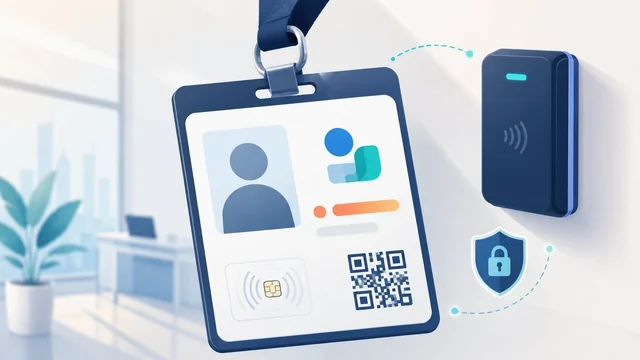
Your employee ID badge looks like a simple piece of plastic — your name, a photo, maybe a company logo. The actual card has a lot more going on. A modern work ID can carry secure encrypted credentials, double as a building access key, log your hours, sit in your phone’s digital wallet, and act as the audit trail for who entered which room at what time. In 2026 the technology behind it has changed more in the past five years than in the previous twenty — mobile credentials, FIDO2 cards and biometric tap-to-enter are now mainstream. Here is what actually goes into a modern work ID card and why each piece matters.
1. Design and visual identity
A good work ID balances three things: it has to be easy for a security guard to spot at a glance, it has to fit the brand, and it has to follow the company’s human-resources and accessibility standards. Most modern ID designs use a strong colour stripe to indicate access level (contractor, employee, executive, visitor), a clean photo area, and minimal text — first name + employee ID number is usually plenty. Some companies tier their badges with different colours for different campuses or departments.
2. Data encoding (the part you can’t see)
Beneath the printed surface, the badge usually carries one or more of: a barcode or QR code, a magnetic stripe, a RFID tag (low-frequency proximity at 125 kHz, or high-frequency 13.56 MHz), or an NFC / smart-chip running mutual-authentication credentials. The 2026 default for new deployments is a high-frequency contactless smart card — HID iCLASS Seos, MIFARE DESFire EV3 or PIV/CAC for government employers — not the older 125 kHz prox cards that have been clonable with a $30 reader since 2014.
3. Security features
Beyond the chip, modern badges add visible anti-counterfeit features: holographic overlays, UV-ink patterns visible only under blacklight, microtext, and tactile embossing. High-security deployments also issue badges with a personal photo printed directly onto the polycarbonate core (not stuck on the surface), which makes the photo physically un-swappable without destroying the card. For sensitive sites, badges may also store a biometric template — fingerprint or face geometry — encrypted on the chip, so the door reader can verify both card and bearer.
4. Card material and durability
Most work IDs are printed on PVC (the cheapest, lasts 1–2 years of daily use), composite PVC/PET (stronger, 3–5 years), or polycarbonate (laser-engraved photo, virtually un-tamperable, 10+ years — the spec for government IDs and most high-security corporate environments). Paper or laminated-paper badges still appear for one-day visitor passes but have no place in a permanent employee credential.
5. Single-sided vs. dual-sided, horizontal vs. vertical
If the badge needs to be human-readable at a distance (front-desk, conference greeting), use a horizontal orientation — eyes scan side-to-side faster. If the badge is primarily for tap-to-access door readers and timekeeping, a vertical orientation rides on a lanyard at chest height naturally. Dual-sided cards let you fit a photo, name and contact info on the front while keeping access-control data, emergency contacts and the QR code on the back — this is the standard in 2026 corporate deployments.
6. Company logo and branding
A consistent corporate logo on every employee badge gives the card a recognisable shape — security can spot a fake at a glance — and reinforces the brand to visitors. Most issuance software lets you template multiple logo lockups for different business units or campuses while keeping the layout consistent.
7. Employee personal information
Modern badges deliberately print less personal information than they used to. First name and employee ID number is typically enough; full surname, home department or job title is often omitted to reduce social-engineering risk if the badge is lost. Department / building / floor information is usually only carried on the chip (read by the door reader) rather than printed on the card.
8. The employee photo
The photo on a work badge serves the same purpose as the one on a driving licence — it ties the credential to the bearer. Good photos are taken under consistent lighting, against a neutral background, with the face filling roughly 60% of the frame. Many companies now refresh photos every 3–5 years; a 2008-era photo on a 2026 badge defeats the point.
9. Signature (still used in regulated industries)
Wet-ink signature blocks on ID cards are gradually disappearing in favour of digital signature templates stored on the chip. Where the signature still appears — healthcare, finance, government — it is for legal traceability rather than visual verification.
10. Mobile and digital credentials (the 2026 layer)
The biggest change since 2020: more than half of large-employer access systems now issue a mobile credential alongside the physical card — an Apple Wallet or Google Wallet entry that taps a door reader using NFC or UWB, the same way Apple Pay or Google Pay works at a checkout terminal. The physical badge is still there as backup, but day-to-day access is increasingly phone-first. Higher-security environments are adding FIDO2 / passkey credentials to the same card, letting the badge double as a multi-factor login token for laptops and SaaS apps.
Frequently asked questions
Why is it so expensive to replace a lost work ID?
The blank card itself costs a few cents. The expensive parts are the polycarbonate or composite material, the secure smart-chip with pre-loaded encryption keys, the holographic overlay, the printer ribbon for the photo, and the security desk’s time to revoke the lost credential, enrol the new one in the access system, and re-issue. Replacement fees of $25–$75 cover the labour and discourage casual loss; the card itself is well under $10 even on premium polycarbonate.
Can a work ID card be cloned?
Older 125 kHz proximity cards (HID Prox, EM4100, Indala) can be cloned in seconds with a $30 device sold online — this is why they’ve been deprecated. Modern 13.56 MHz contactless smart cards (HID Seos, MIFARE DESFire EV3, government PIV) use mutual cryptographic authentication and are not practically clonable without first compromising the issuance system. If your office still uses prox-only readers in 2026, the building’s access security is essentially decorative.
What is RFID vs NFC on an ID card?
RFID is the broad family of radio-frequency identification tech. NFC (Near Field Communication) is a specific subset of RFID at 13.56 MHz designed for short-range secure transactions — it’s what your phone uses for tap-to-pay. Most modern work IDs use NFC or NFC-compatible smart chips because they’re harder to clone and they interoperate with mobile credentials in Apple Wallet and Google Wallet.
Do I have to wear my work ID at all times?
Most office environments require the badge to be visible inside the building for security and visitor identification purposes. Some companies enforce it strictly via clip-on policies and random checks; others ask employees to badge in at the front desk but don’t require continuous display. Regulated industries (healthcare, finance, government, defence contracting) almost always require the badge to be visibly worn at chest height throughout the workday.
Is my photo stored on my employer’s servers forever?
Under GDPR in the EU, the employer should only retain identity-card photos for as long as the employment relationship plus a defined record-keeping period. In the US the retention is governed by the company’s own privacy policy — check it. Some companies will delete the photo on offboarding; others will retain the badge record for years for audit purposes. If you’ve been at a company for a while, you can usually ask HR for a copy of what they hold about you.
For more workplace-tech reading, see our best digital signature software guide and our best web analytics tools roundup.