Desktop PC vs Laptop 2025: Which Should You Buy? Complete Guide
Quick Answer: Desktop or Laptop?
The choice between a desktop PC and laptop in 2025 depends on your priorities:
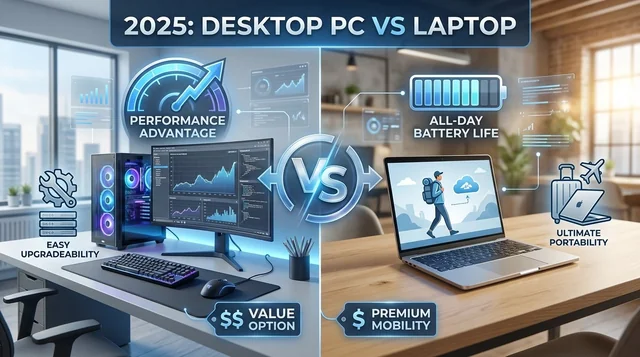
- Choose Desktop if: You prioritize performance, value, upgradeability, and work from a fixed location. Desktops offer 15-30% better performance and superior cooling for the same price.
- Choose Laptop if: You need portability, flexibility, or are a student/remote worker. Modern laptops deliver excellent performance with all-day battery life (8-18 hours).
- Choose Mini PC if: You want desktop performance in an ultra-compact form factor. Perfect for space-constrained environments.
- Choose Hybrid Setup if: You need both mobility and maximum performance. Use a laptop for portable work and desktop for intensive tasks.
Understanding the Desktop vs Laptop Decision in 2025
The desktop versus laptop debate has evolved significantly in 2025. While desktops maintain their performance and value advantage, the gap has narrowed considerably. Modern thin-and-light gaming laptops now deliver desktop-class performance in portable form factors, gaming laptops with RTX 5000-series GPUs offer excellent mobility without major compromises, and new CPU architectures from both Intel and AMD have dramatically improved laptop battery life and efficiency.
However, fundamental differences remain. Desktop PCs still outperform laptop equivalents by 15-30% thanks to superior cooling and higher power delivery. They offer unlimited upgradeability, extending system lifespan indefinitely through component replacement. The price-to-performance ratio favors desktops, especially in the $1,000-2,500 mid-range segment that dominates with 43.4% market share.
Laptops counter with undeniable advantages: true portability with everything integrated into one device, energy efficiency consuming 80% less electricity than desktops (saving $108 annually), and space efficiency perfect for small apartments, dorm rooms, and mobile work environments. The rise of remote work and hybrid schedules has made laptop flexibility increasingly valuable.
This comprehensive guide examines every aspect of the desktop vs laptop decision, helping you make an informed choice based on your specific needs, budget, and usage patterns.
Performance Comparison: Desktop vs Laptop in 2025
CPU Performance: The Raw Power Difference
Desktop processors maintain a commanding performance lead over their laptop counterparts, even when comparing CPUs with identical model numbers. A desktop Core i5-12600K outperforms the laptop Core i9-12900H and Core i7-13700H, while a 13th generation Core i3 desktop CPU surpasses all 12th generation laptop processors. This performance gap exists because desktop CPUs operate at significantly higher power levels—65-125 watts versus 15-45 watts for laptops—enabling sustained performance without thermal throttling.
Intel 14th Generation (Raptor Lake Refresh): Intel's latest desktop processors feature a hybrid architecture combining Performance cores with Efficiency cores, scaling up to 24 cores and 32 threads. The flagship Core i9-14900K delivers exceptional single-core performance ideal for gaming, though it draws up to 253 watts at peak load. The platform uses the LGA 1700 socket, which is nearing the end of its upgrade path. Users should note stability concerns affecting 13th and 14th generation high-end CPUs, though firmware updates have been released to address these issues.
AMD Ryzen 7000/8000 Series: AMD's Zen 5 architecture (8000 series) provides up to 16 cores and 32 threads with significantly better energy efficiency. The Ryzen 9 7950X and 7950X3D deliver 13.5% higher multi-core performance than Intel's i9-14900K while consuming 65% less power—TDP ranges from 65W to 170W compared to Intel's 253W peak. The revolutionary 3D V-Cache technology in models like the 7800X3D and 7950X3D provides substantial gaming advantages. AMD's AM5 socket is designed for long-term upgrades, offering superior future-proofing. The 8000G series APUs feature RDNA integrated graphics that outperform Intel's offerings.
Performance Reality: Desktop CPUs maintain a 20-40% performance advantage over laptop versions with the same model numbers. This gap widens during sustained workloads—exactly when you need the performance most. While a laptop may match desktop performance for brief bursts, thermal constraints force throttling during extended tasks like video rendering, 3D modeling, or long gaming sessions.
GPU Performance: Desktop Dominates High-End
The GPU performance gap between desktop and laptop remains substantial, especially at the high end. The desktop RTX 4090 outperforms its mobile counterpart by 40-87% depending on the workload and resolution. At 4K resolution, the desktop version averages 56% faster, with gaps reaching 87.2% in demanding titles like Hitman 3. This massive difference exists because the mobile RTX 4090 actually uses a different GPU die similar to the desktop RTX 4080, operates at 175 watts versus 450 watts for the desktop version, and features 9,728 CUDA cores compared to 16,384 on the desktop card.
The performance gap increases at higher resolutions. At 1440p, desktop maintains a 31% advantage, growing to 39-58% at 4K where both GPU power and memory bandwidth become critical bottlenecks for mobile variants.
NVIDIA RTX 5000 Series (2025): The latest generation shows interesting trends. The high-end gap persists—desktop RTX 5090 can be nearly twice as fast as mobile at 4K. However, the mid-range is narrowing, with mobile RTX 5080 performing within 10 FPS of mobile RTX 5090 in many titles. Most surprisingly, budget parity has arrived: mobile RTX 5060 and 5050 match or exceed their desktop counterparts in games like Black Myth: Wukong, thanks to slightly reduced core counts offset by higher clock speeds on mobile.
The thermal reality check: Reducing laptop fans to a comfortable 40 dB causes flagship mobile GPU performance to plummet to desktop RTX 5060 Ti levels. This illustrates the fundamental challenge—laptops must choose between performance and livable noise levels.
AMD Radeon RX 7000 Series: AMD offers 8 desktop cards (RX 7400 through RX 7900 XTX) but only 4 mobile options (RX 7600S, 7700S, 7800M, 7900M). The mobile variants use a 6nm process versus 5nm for desktop and are limited to 8GB GDDR6 memory with a 128-bit interface, while desktop cards scale up to 24GB. Mobile power consumption maxes out at 120W for the RX 7600M XT. Note that RDNA 3 architecture won't support the upcoming FSR 4 technology, as AMD has focused development on the next-generation RDNA 4 (RX 9000 series).
Real-World Impact: For gamers and content creators, these differences translate to tangible results. A desktop RTX 4090 system maintains consistent 4K performance in demanding titles, while a mobile RTX 4090 laptop may struggle with the same settings. The desktop RTX 4070 Ti Super outpaces the mobile RTX 4090 for significantly less money, illustrating the value proposition difference.
RAM and Storage: Desktop Flexibility Wins
Desktop systems easily support 128GB or more of RAM across four standard DIMM slots, with straightforward upgrades using widely available, affordable memory. Support for the latest DDR5 speeds operates without the thermal or power constraints affecting laptops. Multiple M.2 NVMe slots plus traditional SATA bays enable massive storage configurations for video editors, photographers, and data hoarders. Component costs run significantly lower—$50-100 for a 32GB DDR5 kit versus $100-200 for laptop memory when upgradeable at all.
Laptop memory situations vary dramatically by model. Capacity typically ranges from 8GB to 32GB, with some high-end models supporting 128GB. The critical issue: many modern laptops feature soldered RAM that cannot be upgraded post-purchase. AMD's innovative Ryzen AI Max processors feature a unified memory architecture allowing CPU, GPU, and NPU to access up to 128GB, but this remains rare. Storage usually consists of 1-2 M.2 slots with limited expansion options. For professionals working with 4K video or large datasets, the minimum recommended is 16GB RAM for productivity work and 32GB for content creation—but always buy what you'll need, as upgrades may be impossible.
Thermal Management: The Critical Difference
Thermal performance represents one of the most significant yet underappreciated differences between desktops and laptops. Desktop systems employ large air coolers or liquid cooling solutions that maintain components at optimal temperatures even during hours-long rendering sessions or gaming marathons. Larger fans spinning at lower RPMs deliver excellent cooling while remaining nearly silent. Each major component can have dedicated cooling, and there's no compromise between performance and acoustics.
Laptops face an entirely different thermal reality. Small fans work frantically to cool high-performance components crammed into thin chassis. Heat buildup causes thermal throttling—the automatic reduction of performance to prevent damage. Modern laptops often run 10 degrees Celsius hotter than desktop counterparts under load, directly reducing performance by 20-40% during sustained workloads. The noise-versus-performance trade-off forces users to choose: either suffer with high fan speeds (often exceeding 50 dBA) or accept reduced performance with quieter operation.
Laptop manufacturers are fighting back with innovative solutions. Traditional approaches include advanced heat pipes, vapor chambers, and liquid metal thermal paste. Emerging silent technologies show promise: Ventiva ICE uses electrohydrodynamic airflow to dissipate 25W completely silently. Frore AirJet Mini Slim employs MEMS-based cooling in just 2.5mm thickness, handling 5.25W. Graphene thermal solutions offer 20% better conductivity than copper, reducing temperatures by 15-20°C. The best cooling laptops maintain CPU temperatures under 85°C during stress tests with fan noise below 50 dBA—but these represent the premium tier.
The Mini PC Alternative: Desktop Power, Minimal Space
Mini PCs have emerged as a compelling middle ground that deserves serious consideration. These ultra-compact systems deliver desktop-class performance in form factors measuring just 4-7 inches square. They've largely replaced traditional desktops and laptops in home theater setups, offering what experts call "the smartest way to bring powerful, quiet, flexible media playback" to your entertainment center.
Apple Mac Mini M4: Apple's latest generation has critics calling it "easily the best Mac for most people." The M4 and M4 Pro chips deliver powerful 10-core CPU and GPU configurations in an incredibly tiny footprint. Hardware-accelerated HEVC, AV1, and ProRes decoding makes it ideal for 4K streaming and video work. Energy efficiency remains exceptional, and the value proposition beats larger desktop Macs significantly.
Intel NUC: Now manufactured by ASUS after Intel sold the division, the latest models feature Alder Lake CPUs including the i5-1240P and i7-1260P. These deliver genuine productivity performance in business-card-sized enclosures.
AMD-Based Options: Systems using Ryzen 5 7430U processors with 16GB RAM and 512GB SSDs fit in 4.6-inch square footprints. The AWOW NYi3 earns recommendations as the best balance of performance and price for HTPC use.
Mini PCs excel in specific scenarios: home theater PCs for 4K streaming, small office environments where space is premium, business computing requiring discrete stations, and desktop replacement where traditional towers are impractical. They typically cost $600-900 for quality configurations. Benefits include extremely compact design, lower costs than equivalent laptops, better performance than similar-priced laptops, and no battery degradation issues. The 5-7 year typical lifespan (thanks to some upgradeability) exceeds laptops while approaching desktop longevity.
However, mini PCs require separate displays, keyboards, and mice. They're not portable like laptops. Upgradeability is limited compared to tower desktops—usually just RAM and storage can be upgraded, if anything. They represent the perfect solution for users who want desktop performance and don't need portability, but can't accommodate or don't want a full-sized tower system.
Pricing and Value Analysis: Where Your Money Goes
Entry-Level: $400-700
The budget computer market in 2025 presents interesting challenges and opportunities. Desktop options include the Acer Aspire TC-1775 with 14th Gen Intel Core i5 earning recognition as the best overall budget desktop, and refurbished Dell OptiPlex 7060 units offering reliable performance for daily tasks. Performance at this level handles light gaming with older titles, productivity work, and general computing. However, budget desktop prices have risen in 2025 due to global market tensions, making quality systems under $500 harder to find.
Laptop options provide better value-per-dollar when considering included peripherals. The Acer Aspire Go 15 delivers best-in-class budget performance at Chromebook-like prices while running Windows 11. Lenovo's IdeaPad Slim 3x earns recommendations for productivity work. Dell's Inspiron with Snapdragon processor hits the $400 mark while delivering excellent power efficiency and battery life. Budget laptops typically offer 8-10 hours on a single charge—essential for students and mobile workers.
The verdict at entry-level: Desktops offer better raw performance for the money, but laptops include the display and peripherals that would cost an additional $300+. For students and mobile workers, laptops make more sense. For families with a fixed computing station, desktops provide better value.
Mid-Range: $800-1,500 (The Sweet Spot)
The mid-range segment dominates the market with 43.4% market share, encompassing systems priced $1,000-$2,500. This represents the sweet spot for mainstream gamers and professionals seeking the best balance of performance and price.
Desktop systems deliver superior price-to-performance ratios in this range. A well-configured gaming build with RTX 4060, Ryzen 5 7600, 16GB DDR5, and a B650 motherboard provides excellent 1080p-1440p gaming and productivity performance for $800-1,200. Prebuilt options from Lenovo, Dell, and HP offer similar configurations with warranty support. The general rule holds: you can get better or comparable desktop performance for less than an equivalent laptop.
Laptop options have become increasingly competitive. The Lenovo LOQ 15 offers RTX 5060 GPU and Ryzen 7 250 CPU for around $800. ASUS configurations featuring 32GB RAM and 2TB SSD sell for $1,499.99—specs typically seen at $1,800-2,000 in previous years. Gaming laptops span $1,000-$3,000 depending on specifications. Experts note that prices are "fairly similar" to prebuilt desktops, though budget-conscious buyers should still favor desktops for pure value.
The performance gap remains: desktop CPUs maintain a 15-25% advantage in sustained workloads, while gaming laptops deliver 50-70% of equivalent desktop gaming performance due to thermal and power constraints. However, the convenience premium of laptop portability justifies the cost for many users in this segment.
High-End: $1,500-3,000+
The high-end segment reveals the most dramatic performance differences. Desktop CPUs and GPUs outperform laptop versions by 15-30% on average, with gaps reaching 40-87% in GPU-intensive 4K workloads. Desktops benefit from larger cooling solutions allowing quietest operation even during long sessions, unrestricted power delivery enabling full performance, and undisputed advantages for 3D rendering, high-FPS gaming, and 8K video editing. The easy upgrade path provides genuine future-proofing—replace the GPU in 2-3 years rather than the entire system.
High-end gaming laptops like those with mobile RTX 4090 chips cost around $3,000 while delivering impressive but ultimately limited performance. The Razer Blade 16 with RTX 5090 achieves 217 FPS in Cyberpunk 2077 with maximum ray tracing—remarkable for a laptop but still below desktop RTX 4090 capabilities. The uncomfortable reality: a desktop RTX 4070 Ti Super outpaces the mobile RTX 4090 for significantly less money.
Workstation pricing tells a similar story. Professionals handling CAD, 3D rendering, and heavy video editing find desktop workstations provide superior thermal stability and consistent output that even top-tier gaming laptops cannot match. The long-term value proposition favors desktops dramatically—upgrade individual components over time rather than replacing the entire system every 3-5 years as laptop users must.
Real-World Use Cases: Which Should You Choose?
Gaming: Desktops Still Reign Supreme
AAA gaming performance differences become obvious during actual gameplay. While a Razer Blade 16 with RTX 5090 delivers 217 FPS in Cyberpunk 2077 with maximum ray tracing, and an MSI Raider 18 with RTX 5080 achieves 64 FPS on Ultra settings at 1080p, desktop counterparts exceed these numbers while running cooler and quieter. The desktop performance advantage increases at higher resolutions and during longer gaming sessions when laptop thermal throttling becomes pronounced. For maximum performance, desktops remain unmatched. High-end laptops work for gamers prioritizing portability and willing to pay premium prices ($2,000+).
Esports gaming reveals professional preferences: approximately 70% of esports players choose desktops. The reasons are clear—performance consistency without thermal throttling, component upgradeability as games and standards evolve, and lower input latency critical for competitive play. Desktop CPUs' 15-25% advantage in sustained workloads translates to more stable frame rates during tournament-length sessions. Budget esports gaming ($700-1,000) strongly favors desktops offering RTX 4060 builds with clear upgrade paths.
VR gaming presents another desktop advantage. Quest 3 PC VR requires a 6-core Intel i5 or AMD Ryzen 5, GTX 1060 or RX 480 with 6GB memory, and 16GB RAM as minimum specs. Wireless PCVR additionally demands a Wi-Fi 6 or 6E router with the PC connected via Ethernet for optimal performance. Gaming laptops technically meet these requirements, but sustained VR sessions push thermal limits uncomfortably. PSVR2 remains PS5-exclusive, though a $50 PC adapter exists. The image compression inherent in wireless Quest affects quality compared to wired PSVR2. Bottom line: desktops provide the best VR experience with thermal headroom for comfortable extended sessions.
Content Creation: It Depends on Your Workflow
Video editing workflows increasingly split between desktop and laptop depending on project scope and working style. Desktop advantages include higher core counts (24+ versus 12-16 cores on laptops), superior cooling for sustained multi-hour renders, more powerful GPUs with the desktop RTX 4090 vastly outpacing mobile variants, unlimited RAM capacity (128GB+ for 8K workflows), better price-to-performance ratios, and faster rendering times. Professional editors working with 4K-8K footage in studio environments benefit enormously from desktop workstations.
Laptop advantages center on flexibility: the MacBook Pro M3/M4 handles 4K editing smoothly with ProRes hardware acceleration, the Dell XPS 15 offers 4K editing capability in Windows ecosystem, modern laptops handle 4K editing competently though 8K remains challenging, and freelancers can edit on location or during client presentations. Many professional editors employ a hybrid approach—laptop for everyday work, location shoots, and rough cuts, with desktop workstation for heavy rendering, final color grading, and delivery. Cloud synchronization tools make this workflow seamless.
3D rendering and animation strongly favor desktops. These workloads require sustained performance where thermal throttling kills laptop productivity. Rendering requires uninterrupted hours or even days of maximum CPU and GPU usage. Desktop systems with 16+ core CPUs, 64-128GB RAM, and RTX 4090 or professional workstation GPUs excel here. Software like Blender, Cinema 4D, Maya, Octane, and Redshift benefit massively from desktop-class hardware. Budget for 3D work starts at $2,000 and scales to $5,000+ for professional workstations. Laptops remain viable only for light 3D work or previewing—serious rendering demands desktop power.
Graphic design using Photoshop and Illustrator presents a more balanced choice. Desktops offer more affordable configurations with equivalent specs, easier GPU upgrades as software demands increase, and no dual-graphics complications. Recommended laptop options include the Dell XPS 14 with premium design and 10-12 hour battery life, HP Spectre 360 14 offering 2-in-1 flexibility with stylus support, and Microsoft Surface Laptop 7 as a budget option. Required specs include 16-32GB RAM, dedicated GPU (helpful but not critical for 2D work), Core Ultra 200/Ryzen AI 300/M4 processors, and 4K or QHD displays with Adobe RGB or DCI-P3 color coverage. Desktops win on value and power; laptops excel for mobile designers and client presentations.
Programming and Development: Laptops for Students, Desktops for Power
Development workflows present interesting trade-offs. Desktop advantages include more processing power and storage at similar price points, beneficial for resource-intensive applications and large datasets, easier upgrades as requirements evolve, larger screens reducing eye strain during marathon coding sessions, and superior performance for intensive compilation, virtual machines, and containerized development environments.
Laptop advantages focus on flexibility: experts agree a laptop is the "best option for students going to school every day," enabling portable attendance at lectures, workshops, and collaborative work. Professional developers recommend prioritizing "battery life over raw power—an i5 with 8-12 hours beats an i7 dying in 3 hours." Top picks for programming include the MacBook Pro 14 M4 as the overall "best laptop for programming," MacBook Air delivering 14 hours 51 minutes battery life ideal for web and mobile development, ThinkPad E14 offering well-specced configurations for junior developers and students, and Acer Swift X 14 providing powerful performance without workstation pricing.
The verdict: laptops for college students and mobile developers who need flexibility; desktops if working primarily from a home office with intensive workload requirements like machine learning, large-scale compilation, or data science.
Office Work and Productivity: Ergonomics vs Flexibility
Desktop advantages for office work center on ergonomics and productivity. Separate monitors positioned at proper eye level prevent neck strain. External keyboards and mice provide better ergonomics than laptop keyboards and trackpads. Multiple monitor support enhances productivity by 20-50% according to research studies. More processing power handles Excel with massive datasets (1M+ rows with PowerQuery), and better value-per-dollar delivers more performance for the budget. Recommended models include Dell OptiPlex, Lenovo ThinkCentre, and HP EliteOne all-in-ones.
Laptop advantages emphasize flexibility: work from anywhere including home, office, or coffee shops. Built-in webcams and microphones support video conferencing essential for modern work. Battery life of 8-12 hours covers full workdays unplugged. Microsoft 365 works seamlessly across all devices. The Dell XPS 14's 10-12 hour battery provides comfortable full-workday unplugged operation. Minimum specs include 8GB RAM with 16GB recommended, i5 or Ryzen 5 processors sufficient for productivity work, and SSD storage for fast boot times.
The choice: laptops for flexibility and remote/hybrid work; desktops for permanent workstations with superior ergonomics.
Students: Portability Trumps Performance
The expert consensus for college students is clear: laptops are recommended due to the mobility requirements of campus life. Students need devices they can throw in backpacks for lectures, take to libraries for quiet study, and bring to study groups for collaboration. The exception: students primarily working from dorm rooms pursuing intensive programs like engineering or computer science may benefit from desktop value.
Budget considerations matter significantly. Laptops cost more than desktops with equivalent specs, but students must factor in the need for a portable device. Buying a desktop may seem economical but "can end up spending more (desktop + peripherals) and still need a portable device." Best laptops for students include the Acer Aspire Go 15 as the best budget option, Lenovo IdeaPad for affordable portability around $200, Dell Inspiron at the $400 budget tier, and ThinkPad E14 for programming students.
Remote Work: Laptops with Docking Stations
Remote and hybrid work has fundamentally changed computer requirements. Laptops serve as the primary choice for their inherent flexibility—work from home, office, or hybrid arrangements without friction. Built-in webcams and microphones prove essential for daily video calls. Battery life of 8-18 hours enables working unplugged throughout the day. Top remote work laptops include the MacBook Pro M3 Pro as best overall with 12-core CPU and 18 hours battery, Dell XPS 13 with sleek design and excellent battery, MacBook Air 15 M3 providing 18 hours of battery life, Lenovo ThinkPad T14s featuring ergonomic keyboard and professional build, and Dell Latitude built specifically for hybrid schedules.
The hybrid setup represents the optimal solution for many remote workers: laptop plus USB-C or Thunderbolt docking station, external monitor (27-32 inch 4K recommended), and ergonomic keyboard and mouse. This "single cable solution" lets workers plug in one cable for instant desk setup providing power, peripherals, and display connections. Investment ranges from $1,200-$2,000 for a complete hybrid setup delivering the best of both worlds—portability when needed, desktop ergonomics at home.
Small Business: Desktops for Offices, Laptops for Mobility
Small offices benefit from desktop or mini PC solutions at fixed workstations. Dell OptiPlex Micro Plus 7020 delivers space-efficient performance under $700. Lenovo ThinkCentre M720q provides ultra-compact reliability with 16GB RAM. HP Z2 Mini G9 offers powerful performance in a small package with VESA mounting. Mac Mini M4 stands as the best Mac option with energy efficiency and excellent value. Advantages include tiny footprints, mounting capability behind monitors, professional appearance, and no battery degradation issues over years of service.
Laptops make sense for sales teams, remote workers, hybrid schedules, and client-facing presentations. Dell Latitude provides built-for-business features with hybrid readiness. Lenovo ThinkPad offers legendary reliability and enterprise support. HP ProBook delivers cost-effective business laptops. Budget ranges from $800-1,500 per laptop for business-appropriate models.
Key Buying Factors: Making Your Decision
Upgradeability and Future-Proofing
Desktop upgradeability represents one of the most significant long-term advantages. Users can easily upgrade RAM, storage, GPU, CPU, cooling systems, and power supplies. Systems extend lifespan indefinitely through component upgrades, adapting to new technologies without replacing the entire computer. Standard sockets and connectors ensure compatibility. Long-term investment results in lower total cost of ownership despite higher initial peripheral costs.
Laptop limitations have worsened in recent years. Modern laptops increasingly feature soldered RAM and storage. GPUs integrate into motherboards with no replacement possibility. CPUs are usually soldered. Users find themselves limited to storage upgrades in some models with 1-2 M.2 slots. Average lifespan runs just 3-5 years before replacement becomes necessary. The Framework Laptop stands as a notable exception with user-replaceable and upgradeable parts, allowing users to "just buy a new mainboard instead of throwing away the entire machine," but this remains a niche product.
AMD's AM5 platform is designed to support future upgrades for years, while Intel's LGA 1700 is nearing the end of its upgrade path with 14th generation likely being the last supported generation. Desktop platforms typically support 2-4 CPU generations before requiring motherboard replacement.
Power Consumption: The Hidden Cost
Laptop power efficiency delivers substantial savings. Average power draw ranges from 30-70 watts, with everyday laptops consuming just 5-20 watts during normal use (MacBook Air, XPS 13, ThinkPad). Gaming laptops draw 30-70 watts typically, reaching up to 175W for RTX 4090 models. This represents 80% less electricity than desktops.
Desktop power usage scales dramatically higher. Average systems draw 200-500 watts, while gaming setups often exceed 700 watts. High-end RTX 4090 systems can draw 450W+ for the GPU alone, before accounting for CPU, motherboard, storage, and other components.
Monthly and annual cost comparison tells the story clearly (assuming 8 hours daily usage at $0.1745 per kWh U.S. average for 2025): - Laptop (50W): 0.4 kWh/day = 12 kWh/month = $1.80/month = $21.60/year - Desktop (300W): 2.4 kWh/day = 72 kWh/month = $10.80/month = $129.60/year - Difference: Desktop costs 6x more in electricity, approximately $108 more annually
Over 5 years, desktops cost $540 more in electricity. Gaming and workstation desktops can exceed $200 annually in electricity costs. Environmental considerations increasingly matter—laptops carry significantly lower carbon footprints.
Display Considerations
Desktop monitor setups provide unlimited flexibility. Users choose any monitor configuration—size, resolution, refresh rate, panel type, and features. Dual monitors increase productivity by 20-50% according to multiple studies. The sweet spot for productivity is 24-32 inch displays, with 4K (3840×2160) becoming the 2025 standard for professional work. Gaming optimizes at 27-32 inches with high refresh rates (144Hz-360Hz). Creative professionals benefit from 5K or 8K displays. Top models include the Dell U2725QE with 4K, USB-C hub, and minimal bezels, BenQ PD2730S offering 5K with impeccable image quality, and Dell UltraSharp 40 Curved providing single ultrawide alternative to dual monitors. Hidden costs add $150-500+ for quality monitor setups.
Laptop built-in screens offer convenience without additional purchases, though size limitations restrict screens to 13-17 inches typically. High-end laptops feature OLED panels, 4K resolution, and wide color gamut coverage. Gaming laptops offer 120Hz-360Hz refresh rates. Creative work demands Adobe RGB or DCI-P3 color accuracy support. Expandability exists through external monitors via USB-C or Thunderbolt connections. Docking stations enable multiple monitor setups providing the best of both worlds—built-in display for portability plus external displays for desktop productivity.
Repairability and Maintenance
Repair costs in 2025 reveal significant differences. Screen replacement runs $200-600. Keyboard or battery replacement costs $150-300. Motherboard replacement reaches $1,500-1,900. Average hourly repair rates hit $65 with ranges from $50-150. The median laptop repair costs $118. Extended warranty averages 22% of laptop purchase price, ranging from $33-$321. Apple AppleCare for a 16-inch MacBook Pro costs $399 plus $99-299 deductibles per incident. Best Buy's 3-year plan runs $189 with accident protection. Usage reality check: only 15% of PC owners with extended coverage actually use it for repairs (7% for Apple products).
Desktop repair advantages include user-serviceable components allowing DIY replacement, standard parts ensuring easy replacement sourcing, lower labor costs due to simpler component access, and modular design enabling replacement of only the failed component. Maintenance remains straightforward with easy cleaning access, dust filters, and accessible components ensuring peak performance long-term.
Laptop repair challenges include proprietary parts with limited availability and higher costs, difficulty requiring disassembly that often voids warranties, soldered components including RAM, storage, and CPU that cannot be replaced separately, and higher labor costs due to complex disassembly requirements. Maintenance proves difficult with challenging internal cleaning and dust buildup reducing cooling efficiency over time. Positive trend: repairability is improving thanks to right-to-repair legislation now introduced in 20 states.
2025 Technology Trends Shaping the Decision
Powerful Thin-and-Light Laptops
Manufacturing advances have enabled processors and graphics cards to become smaller, more energy-efficient, and easier to cool, fitting into ever thinner housings without sacrificing performance. The best thin-and-light gaming laptops now deliver high refresh rates, advanced graphics, and strong cooling in bodies that slip easily into backpacks.
Impressive 2025 specifications include the Razer Blade 16 under 17mm height at approximately 2 kg with a high-quality chassis, ASUS Zephyrus G14 with Ryzen AI 9 HX 370 and up to RTX 5080 110W in an OLED display package, Acer's Intel Core Ultra 288V plus RTX 5070 in a 3.5-pound laptop with OLED touchscreen and stylus support, and ASUS TUF Gaming A14 offering premium feel with great battery life for non-gaming tasks. Target weights under 2.2 kg (4.8 lbs) with RTX 4060+ GPUs represent the new standard. Displays feature high-refresh (120Hz+) OLED or IPS panels. Battery delivers all-day life for productivity with several hours for gaming. Future outlook promises lightning-fast performance from next-generation processors like Intel's 14th-generation and AMD's Zen 5 architecture, making systems more powerful, portable, and innovative.
Gaming Laptops with Desktop-Class Performance
The lines between powerful desktops and gaming laptops have blurred considerably in 2025. Modern gaming laptops deliver desktop-level performance featuring RTX 5090 graphics, Mini-LED displays, and cutting-edge cooling solutions. The Razer Blade 16 with RTX 5090 achieves 217 FPS in Cyberpunk 2077 with maximum ray tracing enabled—remarkable for a portable system. These systems provide excellent mobility without major compromises for many users.
The reality check remains important. The high-end gap persists with desktop RTX 5090 nearly twice as fast as mobile at 4K resolution. Budget models show performance parity—mobile RTX 5060 and 5050 match desktop equivalents in many games. Mobile GPU bottlenecks center on thermal management with thermal constraints running 10 degrees Celsius higher than desktop counterparts. Market growth shows gaming laptops capturing 26.6% market share with 15.4% CAGR through 2033, while desktop gaming PCs hold 73.4% market share but grow slower. Consumers benefit from more choices than ever with desktop-class gaming becoming increasingly portable.
AI and Machine Learning Capabilities
NPU (Neural Processing Unit) integration represents a significant 2025 development. These specialized hardware components handle AI tasks while reducing CPU and GPU load. Copilot+ PC requirements specify 40+ TOPS (Trillion Operations Per Second) minimum performance.
2025 NPU performance specifications include AMD Ryzen AI delivering 50 TOPS (Ryzen AI 9 HX 370, Ryzen AI Max), Intel Core Ultra 7 258V providing 48 TOPS, Intel Core Ultra 9 285H offering only 13 TOPS with older architecture, and Snapdragon X series hitting 45 TOPS. Real-world performance shows AMD leading specifications but only slightly ahead by 17-20% in actual testing. NPUs reach 12-16 TOPS on local inference loads in practice. Software support currently favors Intel with more stable drivers, while AMD is still working on software optimization.
GPU versus NPU comparison for AI workloads reveals dramatic differences. The NVIDIA RTX 5090 desktop GPU delivers 3,352 TOPS—vastly outperforming any NPU. High-end desktop GPUs crush NPUs for heavy AI workloads like model training and large-scale inference. NPUs excel at power efficiency with 35% power reduction for specific tasks like video conferencing background blur, image processing, and light on-device AI operations. Best use cases include NPU for video conferencing features, image processing, and battery-efficient AI tasks; desktop GPU for training models, heavy inference, data science, and professional ML work; laptop NPU for battery-efficient AI tasks, on-device processing, and privacy-sensitive workloads.
Remote Work and Hybrid Setups
The shift to remote and hybrid work has fundamentally changed computer requirements. Priorities now emphasize portability combined with desktop performance capability. Home office setups require flexibility for various work locations. Hybrid work models demand adaptable solutions that work equally well at home or office.
Popular remote work laptops include the MacBook Pro M3 Pro for developers and designers with up to 18 hours battery, Dell Latitude built for hybrid schedules and light for travel, Lenovo ThinkPad X1 Carbon ultra-light with enterprise-grade features and 5G connectivity, Dell XPS 13 with sleek design and excellent battery, and MacBook Air 15 M3 providing 18 hours battery life. The hybrid setup trend continues growing: laptop plus docking station plus external monitor(s) plus peripherals creates optimal flexibility. USB-C and Thunderbolt docks enable single-cable connections for multiple displays and peripherals. This delivers the best of both worlds—portable when needed with desktop ergonomics at home. NPU power efficiency reduces consumption by 35% for tasks like video conferencing with AI features including background blur, noise cancellation, and auto-framing.
Complete Buying Guide: Making Your Decision
Choose Desktop If You:
- Prioritize performance above all else (15-30% advantage over laptops)
- Work primarily from a fixed location without need for portability
- Are budget-conscious and want best price-to-performance ratio
- Need upgradeability and future-proofing capabilities
- Perform intensive tasks like 4K+ video editing, 3D rendering, or AAA gaming at maximum settings
- Want the best thermal management and quietest operation possible
- Value ergonomics with multiple large monitors and comfortable peripherals
- Plan to keep your system 5+ years with periodic component upgrades
Choose Laptop If You:
- Need portability as an essential requirement
- Are a college student attending classes daily
- Work remotely with hybrid schedule requiring flexibility
- Travel frequently for work or personal reasons
- Work from multiple locations regularly
- Live in space-constrained environment like apartment or dorm
- Want all-in-one solution without peripheral costs
- Value energy efficiency and lower electricity bills (80% less power consumption)
- Need battery-powered operation away from outlets
Choose Mini PC If You:
- Want desktop performance in ultra-compact form factor (4-7 inches)
- Face extreme space constraints but work from fixed location
- Need HTPC for 4K streaming and entertainment
- Work in small office environment with limited desk space
- Don't require maximum upgradeability of tower desktop
- Want lower power consumption than traditional desktop tower
- Appreciate clean, minimalist setup with tiny footprint
Choose Hybrid Setup If You:
- Are content creator needing both mobility and maximum power
- Work as developer with home office but occasional travel requirements
- Want best of both worlds and have budget ($2,500-$4,000 total)
- Need laptop for mobile work plus desktop for intensive tasks
- Work professionally with both studio and on-location needs
Budget Recommendations by Use Case
Students: - Budget ($400-600): Acer Aspire Go 15, Lenovo IdeaPad, Dell Inspiron - Mid-range ($800-1,200): Dell XPS 13, ThinkPad E14, MacBook Air - Priority: Portability, battery life (8-12 hours), durability
Office Workers: - Desktop ($600-900): Dell OptiPlex, Lenovo IdeaCentre, HP EliteOne - Laptop ($800-1,200): Dell Latitude, Lenovo ThinkPad, HP ProBook - Priority: Reliability, warranty support, ergonomics
Content Creators: - Budget ($1,200-1,800): Desktop with RTX 4060, 32GB RAM - Mid-range ($2,000-3,000): Desktop RTX 4070/4080 OR MacBook Pro M3/M4 - High-end ($3,500+): Desktop RTX 4090, 64GB+ RAM, professional monitors - Priority: Rendering performance, color accuracy, storage capacity
Gamers: - Budget ($700-1,000): Desktop RTX 4060 build with upgrade path - Mid-range ($1,200-1,800): Desktop RTX 4070/4070 Ti OR laptop RTX 4060/4070 - High-end ($2,500+): Desktop RTX 4080/4090 for 4K gaming - Competitive esports: Desktop priority with high refresh monitor (240Hz-360Hz) - Priority: Frame rate consistency, upgradeability (desktop) or portability (laptop)
Remote Workers: - Basic ($800-1,200): Dell XPS 13, Lenovo ThinkPad, MacBook Air - Professional ($1,500-2,500): MacBook Pro M3/M4, Dell XPS 15, ThinkPad X1 - Hybrid setup ($1,500-2,500): Laptop plus dock plus monitor plus peripherals - Priority: Battery life (10+ hours), webcam quality (1080p), reliability
Specifications to Prioritize
CPU Requirements: - Budget: Intel i5 or AMD Ryzen 5 (6-8 cores) for general productivity and light gaming - Mid-range: Intel i7 or AMD Ryzen 7 (8-12 cores) for gaming and content creation - High-end: Intel i9 or AMD Ryzen 9 (12-16+ cores) for professional workloads - Laptop priority: Battery efficiency (check TDP specifications) - Desktop priority: Raw performance (higher TDP acceptable) - 2025 leaders: AMD Ryzen 8000 series for efficiency, Intel 14th gen for peak gaming
RAM Requirements: - Minimum: 16GB for productivity work and light gaming - Recommended: 32GB for content creation and heavy multitasking - Professional: 64-128GB for 4K-8K video editing and 3D rendering - Laptop caveat: Ensure RAM is upgradeable (not soldered) if buying less than you'll eventually need
Storage Requirements: - Minimum: 512GB NVMe SSD for operating system and applications - Recommended: 1TB NVMe SSD for most users with moderate storage needs - Content creators: 2TB+ NVMe SSD (4K video files consume massive space) - Speed: Gen 4 NVMe for best performance (Gen 3 acceptable for budget builds) - Desktop advantage: Multiple drives easily added for expanded storage
GPU Requirements: - No gaming/3D work: Integrated graphics sufficient (Intel Xe, AMD RDNA) - Light gaming/design: RTX 4060 or RX 7600 - Mid-range gaming: RTX 4070 or RX 7700 XT for 1440p high settings - High-end gaming/creation: RTX 4080/4090 or RX 7900 XTX for 4K maximum settings - Laptop reality: Mobile GPUs perform 15-50% slower than desktop equivalents depending on tier - Budget gaming: Mobile RTX 5060/5050 now competitive with desktop counterparts
Display Specifications (Laptop): - Resolution: 1080p minimum, 1440p or 4K for creative professional work - Refresh rate: 60Hz for productivity, 120Hz+ for gaming - Panel type: IPS minimum, OLED for best quality (deeper blacks, better colors) - Color gamut: Adobe RGB or DCI-P3 coverage for design and photo work - Size: 14-15 inch for portability, 16-17 inch for desktop replacement
Monitor Specifications (Desktop): - Size: 24-27 inch for 1440p, 27-32 inch for 4K resolution - Dual monitors: Massive productivity boost (20-50% increase in studies) - Gaming: High refresh rate (144Hz-360Hz) with low response time (1ms) - Creative work: Color accuracy calibration, 4K resolution minimum, 27+ inches - Best models: Dell U2725QE (4K USB-C hub), BenQ PD2730S (5K creative), Dell UltraSharp 40 Curved (ultrawide alternative)
Common Buying Mistakes to Avoid
Laptop Buyers - Don't: - Buy laptops with soldered RAM if you might need more memory later (check specifications carefully) - Sacrifice battery life for marginal performance gains (8+ hours minimum recommended) - Overlook thermal reviews—thin laptops often throttle severely under sustained load - Buy last-generation CPUs at slight discount (efficiency improvements in new generations are significant) Laptop Buyers - Do: - Check repairability scores if long-term ownership matters (Framework, ASUS, Dell rate better) - Consider AppleCare or extended warranty (laptop repairs are expensive at $200-600 for screens) - Test keyboard and trackpad before buying when possible (you'll use them constantly)
Desktop Buyers - Don't: - Forget to budget for monitor ($150-500), keyboard ($20-100), mouse ($15-100), totaling $300+ additional - Cheap out on power supply (quality PSU is critical for system stability and longevity) - Overlook case airflow design (cheap cases create thermal issues reducing performance) - Buy lowest-end motherboard if planning future upgrades (limits compatibility and features) Desktop Buyers - Do: - Consider quality prebuilt systems if not comfortable building (Lenovo Legion, Dell, HP OMEN offer good value) - Invest in quality cooling solutions (especially critical for high-end CPUs and GPUs) - Plan for future upgrades when selecting motherboard and power supply (leave headroom)
Both - Don't: - Overbuy dramatically beyond current needs (diminishing returns at high end) - Underbuy if needs will clearly grow (especially RAM for creative work—upgrade costs more later) - Ignore warranty and support reputation of brand (check reviews for customer service quality) Both - Do: - Read professional reviews specifically for thermal performance and long-term reliability - Check software compatibility requirements (some professional applications prefer specific hardware) - Consider total cost of ownership over 5 years (electricity, repairs, upgrades) not just purchase price
The Final Verdict: Desktop vs Laptop in 2025
The desktop versus laptop decision in 2025 ultimately depends on your specific priorities, usage patterns, and lifestyle requirements. Neither choice is universally "better"—each excels in different scenarios.
Performance champions should choose desktops for their 15-30% performance advantage over equivalent laptops, superior cooling preventing thermal throttling during sustained workloads, unlimited upgradeability extending system lifespan indefinitely, and best value per dollar spent especially in the $1,000-2,500 sweet spot. Desktop systems deliver the absolute best performance for gaming, content creation, and professional workloads. The ability to upgrade individual components means a well-built desktop can serve you for 7-10 years with periodic GPU, RAM, or storage upgrades costing far less than replacing an entire laptop.
Mobility-first users should choose laptops for their essential portability enabling work from anywhere, all-in-one convenience including display and peripherals saving $300+ in additional purchases, energy efficiency consuming 80% less electricity and saving $108 annually, and flexibility perfectly suited for modern remote and hybrid work lifestyles. Modern laptops in 2025 deliver remarkable performance with the latest thin-and-light models blurring lines with desktops. Battery life of 12-18 hours on premium models eliminates the constant search for power outlets. For students, remote workers, and frequent travelers, the portability premium is absolutely justified.
Space-conscious users should consider mini PCs for desktop-class performance in ultra-compact 4-7 inch form factors, no battery degradation issues affecting long-term usability, better price-to-performance than equivalent laptops, and perfect fit for space-limited environments including small offices and entertainment centers. The Mac Mini M4, Dell OptiPlex Micro, and other mini PCs deliver 90% of desktop performance in 5% of the space. They represent the ideal middle ground for users who work from fixed locations but can't accommodate traditional tower systems.
Flexibility maximizers should invest in hybrid setups combining laptop for mobile work and desktop for intensive tasks, getting the absolute best of both worlds at total investment of $2,500-4,000. Many professional content creators, developers, and power users employ this strategy—laptop with enough power for on-location work or travel, desktop workstation for heavy rendering, gaming, or compilation. Cloud synchronization tools make workflows seamless between devices. This approach costs more upfront but delivers unmatched versatility.
Looking Forward: The Future of Computing
The computing landscape continues evolving rapidly. Desktop gaming PCs maintain their 73.4% market share but grow slowly, while gaming laptops capture 26.6% share with robust 15.4% CAGR through 2033. This gradual shift reflects improving laptop performance and increasing prioritization of mobility. However, desktops will remain the performance kings—physics limits how much power and cooling can fit in thin portable chassis.
Laptop improvements continue accelerating. NPU integration enables new AI capabilities while reducing power consumption by 35% for specific workloads. Battery life improvements reaching 15-18 hours eliminate range anxiety. RTX 5000-series mobile GPUs narrow the performance gap at budget tiers while high-end gaps persist. Thin-and-light gaming laptops deliver ever-more impressive performance in incredibly portable packages. Right-to-repair legislation in 20 states is slowly improving repairability scores.
Mini PCs continue capturing market share as the "forgotten middle ground" between laptops and desktops. Their combination of desktop-class performance, tiny footprints, and no battery degradation appeals to space-conscious users and small businesses. Expect continued innovation in this segment.
Power efficiency gains benefit everyone. AMD's 65% lower TDP compared to Intel delivers similar performance with dramatically less power consumption. Apple's M-series chips demonstrate exceptional performance-per-watt leadership. These efficiency improvements reduce electricity costs, lower heat generation, and benefit the environment through reduced carbon footprints.
Your Decision
Make your choice based on honest assessment of your actual usage patterns:
If you work or game primarily from one location and prioritize performance and value, choose a desktop. The 15-30% performance advantage, upgradeability, and better price-to-performance ratio will serve you well for years. Budget for quality peripherals that you'll enjoy using daily.
If you need genuine portability for school, remote work, or frequent travel, choose a laptop. The flexibility to work anywhere, integrated peripherals, and energy efficiency justify the performance and price premium. Invest in a model with excellent battery life and comfortable keyboard since you'll use it extensively.
If you work from home in a small space and don't need maximum upgradeability, consider a mini PC. You'll get 90% of desktop performance in a fraction of the space at prices below equivalent laptops.
If budget allows and you need both portability and maximum performance, invest in a hybrid setup. The combined capability of a good laptop and powerful desktop provides unmatched versatility for professionals with diverse workflows.
The good news: 2025 offers exceptional options across all categories. Desktop, laptop, mini PC, or hybrid—whichever path you choose, you'll get more performance, better efficiency, and more features than ever before. The key is matching the tool to your actual needs rather than chasing specifications you'll never use. Make your decision thoughtfully, and either choice will serve you well.