Why Resolution Matters When Printing
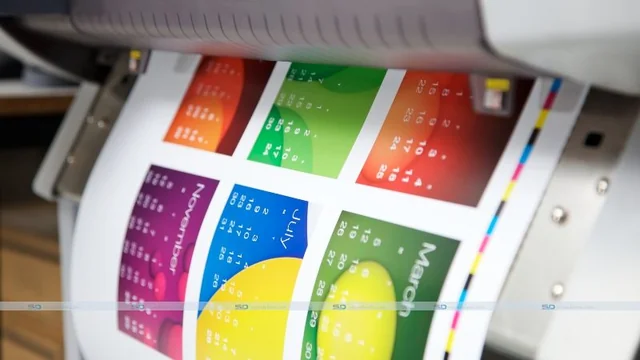
Have you ever printed an image that looked great on your computer screen but turned out disappointingly blurry or blocky when printed? The culprit is likely a resolution.
The resolution gets pretty technical, but getting this right is essential. We'll break down why resolution matters and how to achieve high-quality printing.
Color
Whether printing something for your home or business, image resolution plays a crucial role in the quality of the result. This is especially true regarding photo prints and other large-format documents.
Resolution is measured in pixels per inch (PPI) and dots per inch (DPI). PPI refers to the digital resolution of an image, counting the number of pixels contained within one inch of printed material.
A print comprises thousands of tiny dots that blend to create a lifelike image when viewed from a sufficient distance. When an image is not printed at a high enough resolution, the result is a pixelated and blurry image that looks grainy and unprofessional.
Printing a booklets involves the process of printing a document and then binding its separate pages to create a booklet. The document may be folded in half, thirds, or quarters, depending on the anticipated size and format of the custom-made booklet. Booklet printing finds extensive use in the production of brochures, program manuals, cookbooks, product catalogs, and other literary materials. The booklets can be either color printed or produced in black and white, and they can be bound using different methods like saddle-stitching, perfect binding, wire-o binding, or comb binding.
Image resolution is essential for many reasons. For example, if you are printing a poster, it is essential to have a high PPI so that the small details will be crisp and clear. It is also essential for images with a lot of text or other elements requiring more detail.
Another reason to have a high PPI is that it will help you when you are trying to blow up an image. A low PPI can cause the image to become pixelated and blurry when printing at a larger size.
Text
The resolution of an image determines how clear it will print. High resolutions are needed to make fine details appear sharp and crisp. A low resolution will result in a fuzzy image. In printing, resolution refers to the number of dots or pixels per inch. Higher resolutions mean better prints, but they also come with larger file sizes.
Pixels are tiny square elements your computer uses to assemble an image on the screen. The resolution of a screen is the number of pixels it can display horizontally and vertically. Screen resolution is usually measured in pixels per inch (PPI).
When creating the best resolution for printing an image for print, setting the image size at 300 dpi or higher is essential. Anything less will cause the image to look pixelated, which will not be acceptable for a cover or interior of a book. We will not accept images at a lower resolution than this, and our design studio will flag these images with an orange warning symbol when uploaded to the site.
Resolution is sometimes confused with size, and the two terms are often used interchangeably. However, resolution is not necessarily related to size, as an image's pixel count can change when the image is enlarged or reduced. For example, imagine taking a picture and enlarging it. The number of pixels remains the same, but the image will be much smaller because the pixels have to be more significant to fit in the new larger frame.
Lines
Have you ever downloaded an image from the Internet and printed it, and it came out looking blurry or blocky? The reason for that is resolution.
Digital images are referred to as pixels, and print images are called dots per inch (or DPI). The higher the PPI, the more detail is present, which means that a high-resolution image will be clear and crisp.
In addition to PPI, resolution can also refer to the number of lines (or dpi) in a printed piece. This is crucial in printing because a low DPI will make an image look fuzzy, indistinct, and unprofessional.
Concerning prints, a general standard for image resolution is 300 PPI. This is the ideal print size for most photographs and is usually sufficient for everyday needs. In addition, resolution can help you figure out how ample to enlarge an image before it looks pixelated.
Regarding resolution, it is essential to distinguish PPI from image dimensions, the total number of pixels in a digital image, such as a 2-megapixel photo. Also, don't confuse PPI with bit depth, which refers to the number of bits in a digital sample or data. The higher the bit depth, the more accurate the sample or data.
Depth
For graphics, resolution is usually expressed as the number of pixels per inch. The higher the resolution, the more detail an image will have. A low resolution will result in a blurry or blocky image that's difficult to interpret. This is where the term "pixelated" comes from.
The resolution is often measured in line pairs per millimeter for films and other physical images. A line pair comprises a dark line followed by a light line, which is measured together to determine the resolution of an image. The resolution is also called angular subtense or optical resolution in these cases.
This type of resolution matters because it's the basis for the clarity and sharpness of an image. For example, if an image is captured on film at a high resolution, it will retain this quality when scanned into a digital format. This is why many older movies shot on film look better when compared to modern digital images. For video gamers, however, the pixel count in an image is less important than the refresh rate. This is because games with high refresh rates are more likely to run smoothly than those with lower ones, which can make or break a gaming experience.