Why ChatGPT Atlas Browser Could Replace How We Browse
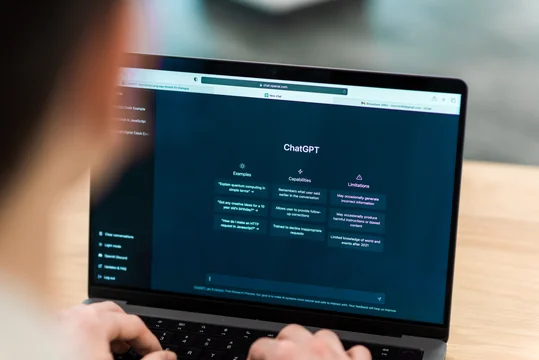
ChatGPT Atlas Browser: How AI Is Reinventing the Web
A new browser called ChatGPT Atlas is quietly redefining what it means to “use the internet.” This isn’t just another Chrome alternative—it’s a signal that browsing itself is becoming intelligent, contextual, and increasingly delegated to AI.
The real story isn’t that ChatGPT now lives inside a browser. It’s that the browser is no longer just a window to the web—it’s becoming an active participant in your work, learning what you need and helping you act faster.
Key Facts: What ChatGPT Atlas Actually Is
ChatGPT Atlas is a new web browser built with ChatGPT at its core. It launched globally on macOS for Free, Plus, Pro, and Go users, with a beta rollout for Business users. Windows, iOS, and Android versions are planned.
Key capabilities include:
-
Native ChatGPT access across any webpage
-
Optional browser memory that remembers context from sites you visit
-
Agent mode that can take actions like researching, summarizing, and planning tasks
-
Built-in privacy controls, incognito mode, and parental settings
In short, Atlas combines search, memory, and automation into a single AI-powered web browser experience.
Why the ChatGPT Atlas Browser Matters More Than You Think
For years, browsers have barely changed. Tabs multiplied. Extensions piled up. Productivity relied on switching between tools.
The ChatGPT Atlas browser challenges that entire model.
Instead of jumping between apps, copying text, or manually organizing research, Atlas keeps context alive. The AI understands what you’re looking at, what you’ve looked at before, and what you’re trying to accomplish next.
This aligns with a larger trend: agentic computing—where users delegate routine digital tasks to AI systems. Rather than asking “Where do I click?”, users ask “Can you handle this?”
For students, this means learning without friction. For professionals, it means research, planning, and coordination happen in the background. For businesses, it hints at a future where workflows live inside the browser itself.
How Agent Mode Changes Browsing Behavior
One of Atlas’s most disruptive features is ChatGPT agent mode.
Agent mode allows ChatGPT to open tabs, read pages, compare information, and complete multi-step tasks—while you watch. For example, you can ask it to:
-
Review job listings you viewed last week and summarize trends
-
Compile competitive research into a short brief
-
Plan an event or prepare a shopping list based on a recipe
This shifts browsing from navigation to delegation.
Importantly, OpenAI has placed clear safety limits on agents. They can’t install software, run code, or access your local files, and they pause on sensitive sites like banking portals. Still, OpenAI acknowledges that AI agents carry risk and encourages users to monitor actions and limit access when needed.
Practical Implications: Who Benefits Most Right Now?
The ChatGPT Atlas browser isn’t for everyone—yet. But certain groups stand to gain immediately:
-
Knowledge workers who research, write, or analyze information daily
-
Students juggling lectures, references, and study materials
-
Founders and marketers conducting competitive or market research
-
Busy professionals looking to automate repetitive browser tasks
If your work already lives inside tabs, Atlas could reduce friction dramatically.
ChatGPT Atlas vs Traditional Browsers
| Feature | ChatGPT Atlas Browser | Traditional Browser |
|---|---|---|
| Built-in AI assistant | Yes, native | Extensions only |
| Contextual memory | Optional, persistent | None |
| Task automation | Agent mode | Manual |
| Privacy controls | Granular, AI-specific | Basic |
| Workflow intelligence | High | Low |
Bottom Line: Traditional browsers help you access information. The ChatGPT Atlas browser helps you do something with it.
What Comes Next for AI-Powered Browsing
Atlas is clearly a first step, not a finished product. OpenAI has already signaled upcoming features like multi-profile support, better developer tools, and deeper app discovery.
Long-term, this hints at a web where:
-
Websites are optimized for AI agents, not just humans
-
Browsing becomes conversational and goal-driven
-
Users spend less time clicking and more time deciding
The browser may soon be the most important AI interface we use daily.
Conclusion: The Browser Is Becoming a Super Assistant
The ChatGPT Atlas browser isn’t just a new product—it’s a preview of a more autonomous internet. One where AI understands your intent, remembers your context, and helps you move faster without demanding constant attention.
If Atlas succeeds, we may look back on manual browsing the same way we now view dial-up internet: functional, but painfully inefficient.
FAQ SECTION
Q: What is the ChatGPT Atlas browser?
A: The ChatGPT Atlas browser is an AI-powered web browser built by OpenAI that integrates ChatGPT directly into browsing, allowing contextual assistance, memory, and task automation across websites.
[FAQ SCHEMA RECOMMENDED]
Q: Is ChatGPT Atlas free to use?
A: Yes. ChatGPT Atlas is available to Free users on macOS, with additional features like agent mode available in preview for Plus, Pro, and Business users.
Q: How is ChatGPT Atlas different from using ChatGPT in Chrome?
A: Atlas is native and context-aware. Unlike extensions, it can understand what you’re viewing, remember past browsing context, and take actions directly within the browser.
Q: Is my browsing data private in Atlas?
A: Yes. Browser memories are optional, user-controlled, and private to your ChatGPT account. You can view, archive, or delete them at any time.