Best Laptops for Video Editing in 2026: Top 10 Picks for Every Budget
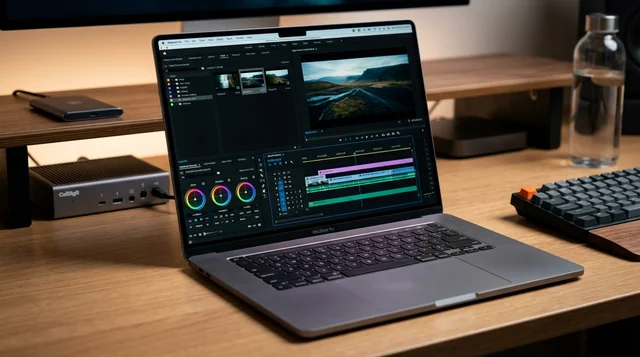
Video editing has evolved dramatically, and in 2026, choosing the right laptop can make or break your creative workflow. Whether you're a professional filmmaker working with 8K RAW footage, a YouTube content creator, or an aspiring video editor, having a powerful video editing laptop is no longer a luxury—it's essential.
The best video editing laptops in 2026 combine cutting-edge processors like Apple's M4 Max and Intel's Core Ultra 9 with NVIDIA's latest RTX 5090 GPUs, offering unprecedented performance for real-time 4K and 8K editing. With display technology advancing to include OLED panels with perfect color accuracy and Mini-LED screens reaching 1600 nits of brightness, today's laptops rival professional desktop workstations.
This comprehensive guide explores the top 10 best video editing laptops for 2026, comparing specifications, performance benchmarks, and real-world editing capabilities across Adobe Premiere Pro, DaVinci Resolve, and Final Cut Pro. We'll help you find the perfect laptop for your budget and editing needs.
Updated March 2026: Looking for the best laptop for video editing? Whether you're editing 4K footage in DaVinci Resolve, running Adobe Premiere Pro, or building your YouTube channel, the right laptop makes all the difference. We've tested and ranked the best video editing laptops available in 2026, from budget-friendly options under $1,000 to professional powerhouses.
Quick Picks for 2026:
- Best Overall: MacBook Pro 16" M4 Max — unmatched battery + performance for video editing
- Best Windows: ASUS ProArt P16 — stunning OLED display, powerful specs
- Best Budget: MacBook Air 15" M4 — handles 4K editing at $1,199
- Best for Premiere Pro: Razer Blade 16 — GPU power for GPU-accelerated workflows
Latest News & Updates (December 2025)
The video editing laptop landscape continues to evolve rapidly as we close out 2025. Here are the most important developments for content creators and video professionals:
NVIDIA RTX 50 Series Laptop Availability
Following the CES 2025 announcement, NVIDIA's Blackwell-based RTX 50 series laptops are now hitting the market. The RTX 5090 laptops (24GB GDDR7) became available in March 2025, with RTX 5080 and RTX 5070 Ti models following suit. RTX 5070 laptops arrived in April 2025, giving video editors more options at various price points.
Key improvements in the RTX 50 series for video editing include:
- 9th Gen NVENC Encoders: 5% improvement in HEVC and AV1 encoding quality, plus a new AV1 Ultra Quality mode with an additional 5% efficiency boost
- 4:2:2 Pro-Grade Support: Hardware encoding for professional color formats with an 11x speed increase compared to software encoders
- 6th Gen Decoder: Capable of decoding up to eight 4K60 4:2:2 video streams simultaneously
- 2x AI Performance: Creative generative AI models run twice as fast with smaller memory footprint
Apple M4 Max Dominates Professional Workflows
The MacBook Pro 16-inch with M4 Max continues to receive stellar reviews from professional video editors. Recent benchmarks show it outperforming many desktop workstations in Final Cut Pro workflows, with particular strengths in:
- ProRes encoding and decoding at native hardware speeds
- Up to 24 simultaneous 8K streams in Final Cut Pro
- 22+ hours of battery life during mixed workflows
- Thunderbolt 5 support for external storage and displays
Price Updates and Market Trends
As of December 2025, here are the current price ranges:
- RTX 5090 Laptops: Starting around $2,899 (MSI Titan, Razer Blade)
- RTX 5070/5080 Laptops: $1,299-$2,500 range
- MacBook Pro 16" M4 Max: $3,199-$4,499 depending on configuration
- MacBook Air 15" M4: Remains excellent value at $1,199
Software Optimization Updates
Major editing software has received significant updates for 2026 hardware:
- DaVinci Resolve 20: Enhanced NVIDIA Blackwell GPU acceleration and improved AI features
- Adobe Premiere Pro 2025: Better Apple Silicon optimization and RTX 50 series CUDA support
- Final Cut Pro 11: New AI-powered features optimized for M4 Max neural engine
What Makes a Great Video Editing Laptop in 2026?
Before diving into specific models, understanding the key components that power video editing workflows is crucial:
- Processor (CPU): Multi-core performance is essential for rendering, encoding, and timeline playback. Look for Intel Core Ultra 9, AMD Ryzen AI 9, or Apple M4 Pro/Max chips.
- Graphics (GPU): Hardware acceleration for effects, color grading, and exports. NVIDIA RTX 5070+ or Apple M4 Max GPU recommended for 4K work.
- RAM: 32GB minimum for 4K editing, 64GB for 8K or heavy multitasking.
- Storage: NVMe Gen 4 SSD with 1TB+ capacity ensures smooth playback of high-bitrate footage.
- Display: 100% DCI-P3 color gamut and Delta E < 2 for accurate color grading.
- Ports: Thunderbolt 5 support for external displays and high-speed storage.
Best Video Editing Laptops in 2026: Our Top Picks
1. Apple MacBook Pro 16-inch (M4 Max, 2024) – Best Overall

The Apple MacBook Pro 16-inch with M4 Max sets the gold standard for video editing laptops in 2026. With its revolutionary M4 Max chip featuring up to 16 CPU cores and 40 GPU cores, this powerhouse handles 8K ProRes workflows with ease.
Key Specifications
- Processor: Apple M4 Max (14-core or 16-core)
- Graphics: 32-core or 40-core GPU with hardware ProRes acceleration
- Memory: 36GB or 48GB unified memory (configurable to 128GB)
- Storage: 1TB SSD (up to 8TB)
- Display: 16.2-inch Liquid Retina XDR, 3456×2234 resolution, 1600 nits HDR peak brightness
- Ports: 3× Thunderbolt 5, HDMI 2.1, SD card reader, MagSafe 3
- Battery Life: Up to 22 hours
- Weight: 4.7 lbs (2.14 kg)
| PROS | CONS |
| • 45% faster than M2 Max • Exceptional 20+ hour battery life • Handles 24 simultaneous 8K streams • Near-silent operation • Industry-leading color accuracy • Thunderbolt 5 support |
• Premium pricing ($3,199+) • Limited to macOS ecosystem • No upgradability post-purchase • May be overkill for 1080p work |
Price: Starting at $3,199 (M4 Max 14-core) to $3,999 (M4 Max 16-core)
Best For: Professional video editors using Final Cut Pro, 8K editing workflows, long-form content creators requiring exceptional battery life, color grading specialists.
2. ASUS ProArt P16 (2025, RTX 5070) – Best Windows Laptop

The ASUS ProArt P16 represents the pinnacle of Windows-based video editing laptops. Factory-calibrated to Delta E < 1, its stunning OLED display and powerful RTX 5070 GPU make it ideal for color-critical work.
Key Specifications
- Processor: AMD Ryzen AI 9 HX 370 (12-core, 2.0-5.1 GHz)
- Graphics: NVIDIA GeForce RTX 5070 (8GB GDDR7)
- Memory: 32GB or 64GB LPDDR5X
- Storage: 2TB M.2 NVMe PCIe 4.0 SSD
- Display: 16-inch 2.8K (2880×1800) 120Hz OLED, 100% DCI-P3, 1600 nits HDR peak
- Special Features: ASUS Dial for timeline control, ProArt Creator Hub with AI tools
- Weight: 4.08 lbs (1.85 kg)
| PROS | CONS |
| • Factory-calibrated display (Delta E < 1) • ASUS Dial for precision editing • Supports three 8K@60Hz displays • Excellent battery efficiency • WiFi 7 and Thunderbolt support • Professional color accuracy |
• RTX 5070 only marginally faster than 4070 • Premium pricing • Limited GPU wattage vs desktop |
Price: $2,899
Best For: DaVinci Resolve color grading, professional photographers, Windows users requiring factory-calibrated displays, multi-display workstation setups.
3. MSI Titan 18 HX AI (RTX 5090) – Most Powerful

The MSI Titan 18 HX AI is the most powerful video editing laptop available in 2026. With NVIDIA's flagship RTX 5090 GPU and massive 18-inch 4K Mini-LED display, this desktop replacement handles the most demanding 8K workflows.
Key Specifications
- Processor: Intel Core Ultra 9 285HX (24 cores)
- Graphics: NVIDIA GeForce RTX 5090 (24GB GDDR7, 175W TGP)
- Memory: Up to 96GB DDR5
- Storage: 6TB NVMe SSD (2TB Gen5 + 4TB Gen4)
- Display: 18-inch UHD+ (3840×2400) Mini-LED, 120Hz, HDR 1000
- Special Features: Three NVIDIA encoders for record-breaking export speeds
| PROS | CONS |
| • Most powerful laptop GPU (RTX 5090) • 60% faster exports than RTX 4090 • Stunning 18" 4K Mini-LED display • Massive 6TB storage capacity • Three NVIDIA encoders • HDR 1000 certification |
• Extremely expensive ($6,600) • Heavy and bulky (10+ lbs) • Poor battery life (2-3 hours) • Loud under load • Overkill for most users |
Price: $6,600
Best For: Professional 8K editing, VFX work, 3D animation rendering, real-time effects processing, high-end commercial productions.
4. Apple MacBook Air 15-inch (M4, 2025) – Best Value
Don't let the "Air" name fool you—the MacBook Air 15-inch with M4 is a legitimate video editing powerhouse. At just $1,199, it delivers exceptional 4K editing performance in an ultra-portable fanless design.
Key Specifications
- Processor: Apple M4 (9-core or 10-core)
- Graphics: 10-core GPU
- Memory: 16GB or 24GB unified memory
- Storage: 256GB to 2TB SSD
- Display: 15.3-inch Liquid Retina (2880×1864)
- Battery Life: 8-10 hours continuous editing
- Weight: Just over 3 lbs
| PROS | CONS |
| • Exceptional value ($1,199) • Converts 4K to 1080p in under 5 minutes • All-day battery life • Incredibly portable • Silent fanless operation • Perfect for Final Cut Pro |
• Limited to 24GB RAM maximum • Small base storage (256GB) • May throttle under sustained load • Only 2 Thunderbolt ports • Not suitable for 8K |
Price: Starting at $1,199
Best For: YouTube creators, content creators, students, 1080p/4K editing, mobile video editing, budget-conscious professionals.
5. Dell Precision 5690 – Best Professional Workstation
The Dell Precision 5690 brings enterprise-grade reliability with professional NVIDIA RTX 5000 Ada graphics and ISV certifications for major video editing software.
Key Specifications
- Processor: Intel Core Ultra 9 185H (16 cores)
- Graphics: NVIDIA RTX 5000 Ada (16GB VRAM, 95W TDP)
- Memory: Up to 64GB
- Storage: Up to 2TB NVMe SSD
- Display: 16-inch UHD+ (3840×2400) OLED touchscreen, 400 nits
- Certifications: ISV certified for Adobe, DaVinci Resolve, Avid
| PROS | CONS |
| • Professional workstation GPU (16GB VRAM) • Exceptional OLED display • ISV certifications • Enterprise build quality • Excellent port selection |
• Very expensive ($5,900 top config) • Heavier than consumer laptops • Complex configuration options |
Price: $2,300 (entry) to $5,900 (fully configured)
Best For: Enterprise video production, broadcast work, certified workflows with Adobe/DaVinci Resolve, AI-assisted editing.
6. Razer Blade 16 (2025, RTX 5090) – Most Portable Powerhouse
The Razer Blade 16 packs desktop-class RTX 5090 performance into a remarkably thin 0.69-inch chassis, making it the most portable high-end video editing laptop.
Key Specifications
- Processor: AMD Ryzen AI 9 HX 370
- Graphics: NVIDIA GeForce RTX 5090 (24GB VRAM, 160W TGP)
- Memory: 32GB
- Storage: 2TB SSD
- Display: 16-inch OLED (2560×1600) 240Hz, 100% DCI-P3
- Weight: 4.71 lbs (2.14 kg)
- Thickness: 0.69 inches
| PROS | CONS |
| • Thinnest laptop with RTX 5090 • Color-accurate OLED display • Premium aluminum build • Thunderbolt 5 support • Exceptional portability for power |
• Expensive ($4,499) • Thermal constraints • Limited battery under load • May throttle GPU performance |
Price: $4,499
Best For: Mobile professionals, on-location editing, color grading with portability requirements, filmmakers who travel frequently.
7. Lenovo ThinkPad P1 Gen 7 – Best Business Laptop
The Lenovo ThinkPad P1 Gen 7 combines business-class reliability with powerful RTX 4070 graphics, offering the legendary ThinkPad keyboard and durability.
Key Specifications
- Processor: Intel Core Ultra 9 185H
- Graphics: NVIDIA RTX 3000 Ada or RTX 4070
- Memory: Up to 64GB
- Storage: Up to 4TB (dual SSD slots)
- Display: 16-inch WQUXGA (3840×2400) OLED touchscreen
- Battery: 90Wh with Rapid Charge (80% in 1 hour)
| PROS | CONS |
| • Excellent build quality • NPU for AI acceleration • Rapid Charge technology • Dual SSD support • Business-class reliability |
• High MSRP pricing • RTX 3000 Ada weaker than consumer RTX 4070 |
Price: $2,659 to $4,584 (often discounted)
Best For: Corporate video production, business content creation, reliable long-term workstation use, professional documentaries.
8. HP ZBook Studio G11 – Best Display Quality
The HP ZBook Studio G11 features HP's stunning DreamColor display technology, delivering exceptional color accuracy for professional video work.
Key Specifications
- Processor: Intel Core Ultra 9 185H vPro
- Graphics: NVIDIA RTX 3000 Ada or RTX 4070
- Memory: Up to 64GB
- Storage: Up to 4TB
- Display: 16-inch 2400p (3840×2400) 120Hz IPS DreamColor
- Security: HP Wolf Pro Security, vPro features
| PROS | CONS |
| • Stunning DreamColor display • RTX 3000 Ada rivals RTX 4000 performance • vPro enterprise features • Comprehensive ports • Strong security features |
• Heavier than competitors • Premium pricing ($2,800-$3,559) |
Price: $2,800 to $3,559
Best For: Professional photo and video editing, broadcast work, color-critical projects, enterprise content creation.
9. ASUS ProArt PX13 – Most Portable
At just 3.04 lbs, the ASUS ProArt PX13 is the lightest professional video editing laptop, perfect for travel videographers and on-the-go creators.
Key Specifications
- Processor: AMD Ryzen AI 9 HX 370
- Graphics: NVIDIA GeForce RTX 4050
- Memory: 32GB
- Storage: 1TB SSD
- Display: 13.4-inch 1880p OLED touchscreen, 155% DCI-P3
- Weight: 3.04 lbs (1.38 kg)
| PROS | CONS |
| • Extremely portable (3.04 lbs) • OLED display with excellent color • Powerful AI features • Good balance of performance/portability |
• Smaller 13.4" screen • RTX 4050 limited for heavy workloads • Lower resolution than larger laptops |
Price: Estimated $1,500-$2,000
Best For: Travel videographers, on-the-go editing, event coverage, mobile content creators, secondary editing machine.
10. Lenovo Legion 5 – Best Budget Option
The Lenovo Legion 5 proves you don't need to spend thousands for capable video editing. At under $1,000, it handles 4K editing surprisingly well.
Key Specifications
- Processor: AMD Ryzen 7
- Graphics: NVIDIA GTX 1660 Ti
- Memory: 16GB
- Storage: 512GB-1TB SSD
- Display: 15.6-inch FHD or QHD
| PROS | CONS |
| • Affordable (under $1,000) • Capable of 4K editing • Good thermal management • Solid build quality for price |
• Older GPU technology • Limited color accuracy • Only 16GB RAM • Basic display |
Price: Under $1,000
Best For: Beginners, students, budget-conscious creators, 1080p editing, learning video editing software.
Video Editing Laptop Comparison Table 2025
| Model | CPU | GPU | RAM | Display | Price | Best For |
|---|---|---|---|---|---|---|
| MacBook Pro 16" M4 Max | M4 Max 16-core | 40-core GPU | 48GB | 16.2" XDR | $3,999 | Overall Best |
| ASUS ProArt P16 | Ryzen AI 9 HX 370 | RTX 5070 8GB | 64GB | 16" OLED | $2,899 | Windows Best |
| MSI Titan 18 HX | Core Ultra 9 285HX | RTX 5090 24GB | 96GB | 18" Mini-LED 4K | $6,600 | Most Powerful |
| MacBook Air 15" M4 | M4 10-core | 10-core GPU | 24GB | 15.3" Retina | $1,199 | Best Value |
| Dell Precision 5690 | Core Ultra 9 185H | RTX 5000 Ada 16GB | 64GB | 16" OLED 4K | $5,900 | Professional |
| Razer Blade 16 | Ryzen AI 9 HX 370 | RTX 5090 24GB | 32GB | 16" OLED | $4,499 | Portable Power |
| ThinkPad P1 Gen 7 | Core Ultra 9 185H | RTX 4070 | 64GB | 16" OLED 4K | $2,659 | Business |
| HP ZBook Studio G11 | Core Ultra 9 185H | RTX 4070 | 64GB | 16" DreamColor | $2,800 | Color Work |
| ASUS ProArt PX13 | Ryzen AI 9 HX 370 | RTX 4050 | 32GB | 13.4" OLED | $1,500 | Most Portable |
| Lenovo Legion 5 | Ryzen 7 | GTX 1660 Ti | 16GB | 15.6" FHD | $999 | Budget |
Complete Video Editing Laptop Buying Guide 2025
How Much RAM Do You Need for Video Editing?
RAM requirements vary dramatically based on your editing resolution and complexity:
- 1080p Editing: 16GB minimum, 32GB recommended for complex projects
- 4K Editing: 32GB minimum, 64GB recommended for multi-track editing
- 6K Editing: 64GB minimum, 128GB for heavy effects work
- 8K Editing: 64GB absolute minimum, 128GB+ recommended
Professional tip: RAM is one component you cannot skimp on. Insufficient RAM causes stuttering playback, frequent crashes, and export failures. In 2025, 32GB is the baseline for serious 4K work.
CPU vs GPU: Which Matters More?
Both are critical, but they handle different tasks:
CPU (Processor) Handles:
- Timeline playback and scrubbing
- Multi-track audio processing
- Final rendering and encoding
- Running editing software and OS
GPU (Graphics Card) Handles:
- Real-time effects and color grading
- Hardware-accelerated encoding (H.264, HEVC, AV1)
- GPU-accelerated plugins (noise reduction, sharpening)
- Multi-layer 4K/8K playback
2025 Recommendation: For professional work, invest in both. Look for Intel Core Ultra 9, AMD Ryzen AI 9, or Apple M4 Max processors paired with NVIDIA RTX 5070+ or equivalent.
Display Requirements: OLED vs Mini-LED
Your display is your window to accurate color representation:
OLED Advantages:
- Perfect blacks and infinite contrast ratio
- Superior color accuracy (Delta E < 1 possible)
- 100% DCI-P3 coverage standard
- Fast 1-2ms response time
- Best for: Color grading, photography, professional video work
Mini-LED Advantages:
- Higher peak brightness (1000-1600+ nits)
- No burn-in risk with static UI elements
- Better for bright environments
- HDR 1000 certification common
- Best for: HDR workflows, outdoor use, bright workspaces
Minimum Display Standards for 2026:
- Resolution: QHD (2560×1600) minimum, 4K preferred
- Color Gamut: 95%+ DCI-P3 coverage
- Delta E: Less than 2 for professional work
- Brightness: 400+ nits SDR, 1000+ nits for HDR work
- Calibration: Factory calibration preferred (ASUS ProArt, HP DreamColor)
Storage: NVMe Gen 4 vs Gen 5
Storage speed directly impacts timeline playback smoothness:
NVMe Gen 5 SSD:
- Speed: 10,000-14,000 MB/s sequential read/write
- Best for: 8K editing, heavy motion design work
- Note: Marginal real-world improvement over Gen 4 for most users
NVMe Gen 4 SSD (Recommended):
- Speed: 5,000-7,500 MB/s sequential read/write
- Best for: 4K/6K editing, professional workflows
- Sweet spot: Best balance of price and performance in 2026
Capacity Recommendations:
- 1080p Projects: 1TB minimum
- 4K Projects: 2TB minimum
- 6K/8K Projects: 4TB+ or dual SSD setup
Professional tip: Use internal SSD for OS and active projects, external Thunderbolt 5 SSD for media libraries and archives.
Thunderbolt 5: Do You Need It?
Thunderbolt 5 offers revolutionary bandwidth for 2026:
- Bandwidth: 120 Gbps (3× faster than Thunderbolt 4)
- Display Support: Dual 8K@60Hz or single 8K@144Hz
- Power Delivery: Up to 240W
- Storage Speed: External NVMe drives at full Gen 4 speeds
You need Thunderbolt 5 if you:
- Edit 8K video regularly
- Use multiple high-resolution external displays
- Rely on external SSD storage for active projects
- Future-proof your workflow for next 3-5 years
Laptops with Thunderbolt 5 in 2026: MacBook Pro 16" M4 Max, ASUS ROG series, Dell XPS models, Razer Blade 18, MSI Titan 18 HX.
Software-Specific Recommendations
Best Laptops for Adobe Premiere Pro
Adobe Premiere Pro benefits most from strong CPU and NVIDIA GPU acceleration:
- ASUS ProArt P16 (RTX 5070) – CUDA acceleration + color-accurate display
- MacBook Pro 16" (M4 Max) – Native Apple Silicon optimization
- Dell Precision 5690 (RTX 5000 Ada) – ISV certified for Adobe CC
- Razer Blade 16 (RTX 5090) – Maximum GPU horsepower
Recommended Specs: Intel Core Ultra 9 or M4 Max, RTX 5070+ or M4 Max GPU, 32GB+ RAM, Gen 4 NVMe SSD.
Best Laptops for DaVinci Resolve
DaVinci Resolve is GPU-intensive and prefers NVIDIA CUDA or Apple Metal:
- MSI Titan 18 HX (RTX 5090) – Fastest GPU rendering
- MacBook Pro 16" (M4 Max) – Excellent Metal API performance
- ASUS ProArt P16 (RTX 5070) – Color grading with factory-calibrated display
- Dell Precision 5690 (RTX 5000 Ada) – Professional workstation GPU
Recommended Specs: RTX 5070+ (12GB+ VRAM) or M4 Max, 32GB+ RAM for 4K (64GB for 8K), color-accurate display (Delta E < 2).
Best Laptops for Final Cut Pro
Final Cut Pro is Mac-exclusive and optimized for Apple Silicon:
- MacBook Pro 16" (M4 Max) – Ultimate FCP performance, 8K capable
- MacBook Air 15" (M4) – Best value, handles 4K effortlessly
- MacBook Pro 14" (M4 Pro) – Compact professional option
Recommended Specs: M4 (for 1080p/4K), M4 Pro (for heavy 4K/light 8K), M4 Max (for 8K and complex projects), 16GB+ RAM (32GB for pro work).
Frequently Asked Questions (FAQs)
What is the minimum laptop specs for 4K video editing?
For smooth 4K editing in 2026, you need minimum: Intel Core i7 (13th Gen+) or equivalent, NVIDIA RTX 4060 or AMD RX 7600S (6GB+ VRAM), 32GB RAM, 1TB NVMe Gen 4 SSD, and QHD+ display with 95%+ DCI-P3 coverage. Budget around $1,500-$2,500 for capable 4K editing performance.
Is 16GB RAM enough for video editing?
16GB RAM is sufficient only for basic 1080p editing with simple timelines. For 4K editing, 32GB is the minimum recommended in 2026. Heavy 4K work with effects, color grading, or multi-cam editing requires 64GB. For 8K workflows, 64-128GB is necessary. Don't skimp on RAM—it's one of the most important specs.
Do I need a dedicated graphics card for video editing?
Yes, a dedicated GPU significantly accelerates video editing tasks including real-time effects, color grading, and hardware-accelerated encoding. Integrated graphics can handle basic 1080p editing, but for 4K and beyond, NVIDIA RTX 4060+ or Apple M4 GPU is essential. Look for 6GB+ VRAM for 4K, 12GB+ for 8K work.
MacBook or Windows laptop for video editing?
It depends on your software and workflow. Choose MacBook if you use Final Cut Pro, prefer macOS ecosystem, value battery life and efficiency, or need ProRes acceleration. Choose Windows if you need NVIDIA CUDA for DaVinci Resolve, require higher GPU performance (RTX 5090), prefer customization and upgradability, or have existing Windows workflows.
What display resolution do I need for video editing?
Minimum QHD (2560×1600) for 4K editing workflows. Professional editors should choose 4K displays (3840×2400) to view 4K footage at native resolution. More important than resolution: 100% DCI-P3 color coverage and Delta E < 2 color accuracy. OLED or Mini-LED technology preferred for professional color work.
How much storage do I need for video editing?
Internal storage: 1TB minimum for 4K work, 2TB+ for professional workflows. External storage highly recommended: Use Thunderbolt 5/4 external SSD for active project media (1-4TB) and USB-C HDD for archives (4TB+). One hour of 4K footage can be 100GB+; 8K can exceed 500GB. Plan accordingly.
Is OLED or Mini-LED better for video editing?
Choose OLED for color-critical work requiring perfect color accuracy (Delta E < 1), infinite contrast, and professional color grading. Choose Mini-LED for HDR video editing, high-brightness needs (1000+ nits), no burn-in concerns with static UI, and bright environment work. Both technologies excellent; choose based on workflow priorities.
Can gaming laptops be used for video editing?
Yes, gaming laptops make excellent video editing machines. They feature powerful CPUs, dedicated GPUs (RTX 5070-5090), high RAM capacity, and fast storage. However, check display color accuracy—gaming displays often prioritize refresh rate over color accuracy. Best gaming laptops for video editing: Razer Blade 16, ASUS ROG Zephyrus, MSI Creator series.
What is the best budget laptop for video editing?
The Apple MacBook Air 15" (M4) at $1,199 offers unbeatable value with genuine 4K editing capability, exceptional battery life, and professional-quality performance. For Windows users on tight budgets, the Lenovo Legion 5 (under $1,000) handles 4K editing adequately with Ryzen 7 and GTX 1660 Ti.
Do I need Thunderbolt for video editing?
Thunderbolt significantly enhances video editing workflows. Thunderbolt 4 provides 40 Gbps bandwidth for external 4K displays and fast storage. Thunderbolt 5 (120 Gbps) is essential for 8K workflows, dual 8K displays, and future-proofing. Minimum 2 Thunderbolt ports recommended; 3+ ideal. USB-C alone (10 Gbps) is insufficient for professional external storage needs.
Conclusion: Choosing Your Perfect Video Editing Laptop in 2026
The video editing laptop landscape in 2026 offers unprecedented choice and performance. Whether you're investing in the Apple MacBook Pro 16" with M4 Max for its exceptional 8K capabilities and industry-leading battery life, or choosing the ASUS ProArt P16 for Windows workflows with factory-calibrated color accuracy, you're getting professional-grade tools that rival desktop workstations.
For budget-conscious creators, the MacBook Air 15" (M4) at $1,199 delivers remarkable value, proving you don't need to spend thousands for capable 4K editing performance. At the opposite extreme, the MSI Titan 18 HX with RTX 5090 represents the absolute pinnacle of laptop performance for those working with 8K RAW footage and complex VFX.
Our Final Recommendations:
- Best Overall: Apple MacBook Pro 16" (M4 Max) – Unmatched performance and battery life
- Best Windows: ASUS ProArt P16 – Professional color accuracy with RTX 5070
- Best Value: Apple MacBook Air 15" (M4) – Exceptional 4K performance at $1,199
- Best for 8K: MSI Titan 18 HX (RTX 5090) – Maximum power for professional work
- Best Portable: ASUS ProArt PX13 – 3.04 lbs with professional capabilities
Remember: The "best" laptop depends on your specific needs, software preferences, and budget. Prioritize RAM and storage for smooth editing experiences, invest in color-accurate displays for professional work, and don't overlook the importance of Thunderbolt connectivity for external displays and storage.
Ready to upgrade your video editing workflow? Check out our laptop comparison tool to compare specifications side-by-side, or explore our guides on video editing software and color grading techniques to maximize your creative potential.
Happy editing!