Best PlayStation Emulators 2026: Top PS1/PS2/PS3/PS4 for PC & Android
The PlayStation console series has left an indelible mark on gaming history, from the groundbreaking original PlayStation to the powerful PlayStation 4. While these consoles have been succeeded by newer generations, their extensive game libraries remain beloved by retro gaming enthusiasts. Thanks to modern emulation technology, you can now experience these classic games on both PC and Android devices with enhanced graphics, improved performance, and convenient portability.
PlayStation emulation has reached impressive maturity in 2026, offering near-perfect compatibility for PS1 games, excellent support for PS2 titles, and increasingly viable PS3 and even PS4 emulation. This comprehensive guide covers the best PlayStation emulators available today, their system requirements, setup procedures, and optimization tips to help you enjoy your favorite retro games.
Understanding PlayStation Emulation in 2026
PlayStation emulation involves running software that mimics the hardware of Sony's gaming consoles on modern devices. Each PlayStation generation presents unique challenges due to their distinct architectures. The original PlayStation used a simple MIPS R3000 processor, making it relatively easy to emulate. The PlayStation 2 introduced DVD support and backward compatibility, requiring more processing power. The PlayStation 3's complex Cell processor architecture makes it extremely demanding to emulate. And with the PlayStation 4's x86-64 architecture, a new wave of emulators is finally making PS4 games playable on PC.
For more details, check out our guide on Top 10 Best-Selling Video Games of All Time (2026 Updated).
Modern emulators have overcome many historical limitations, offering features like save states, enhanced graphics, controller customization, and achievement systems. However, successful emulation requires legally obtained BIOS files and game ROMs, which must be dumped from your own hardware.
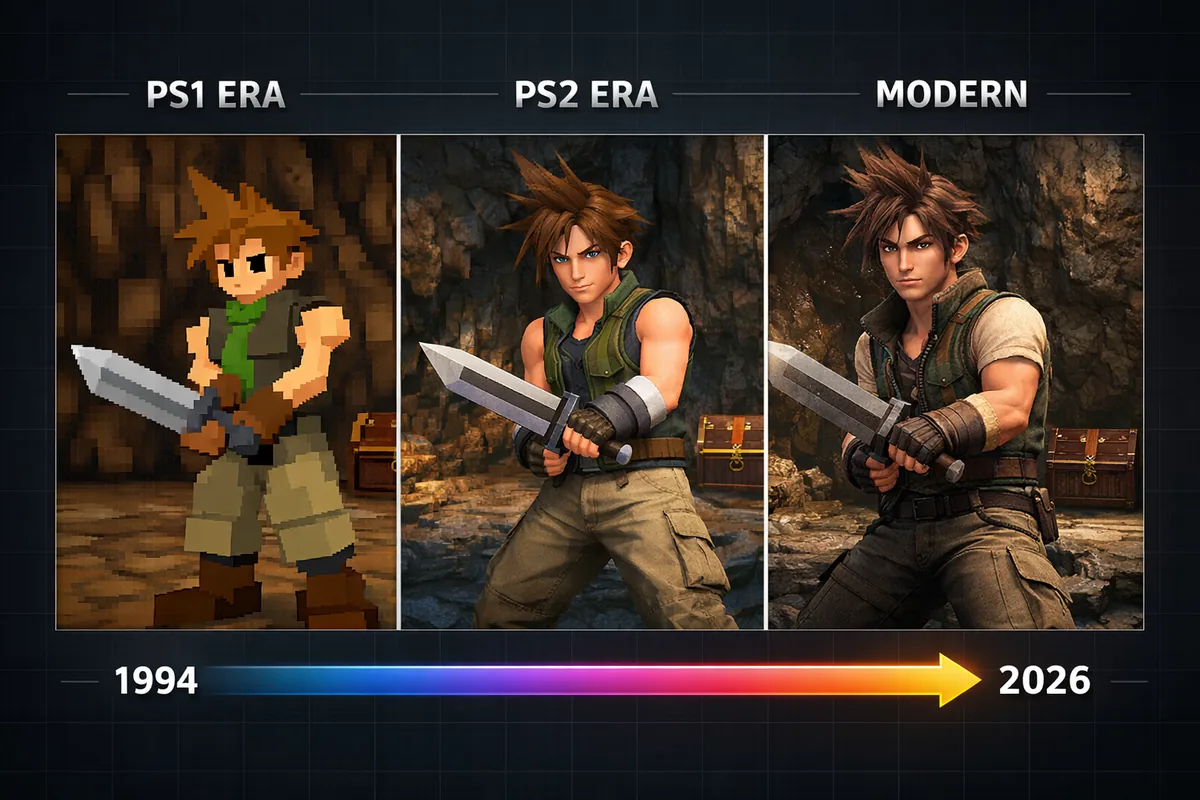
Best PlayStation 1 Emulators for 2026
DuckStation - The Ultimate PS1 Emulator
DuckStation has cemented its position as the definitive PlayStation 1 emulator in 2026, offering exceptional accuracy, performance, and cross-platform compatibility. Developed with modern programming practices, it provides the most authentic PS1 experience available today. Even the author of PCSX-Redux recommends DuckStation as one of the best current options.
Key Features:
- 99%+ game compatibility with over 7,000 tested titles
- Advanced graphics enhancements including PGXP geometry correction
- Multiple rendering backends (Vulkan, OpenGL, D3D11, D3D12)
- Resolution scaling up to 8K internal resolution
- Save states with preview thumbnails
- Memory card management with virtual multi-tap support
- RetroAchievements integration
- Real-time rewind functionality
System Requirements:
- PC: Windows 10/11, 4GB RAM, DirectX 11 compatible GPU
- Android: Android 7.0+, 3GB RAM, OpenGL ES 3.0 support
DuckStation's PGXP (Precision Geometry Transform Pipeline) technology eliminates the characteristic PlayStation "wobble" by correcting vertex precision, resulting in stable geometry that rivals modern remasters. Games look noticeably cleaner and more stable without losing their original art style. The emulator also supports texture filtering, resolution scaling up to 8K, and advanced shader effects.
ePSXe - The Veteran Choice
Despite being one of the older PS1 emulators, ePSXe remains relevant in 2026 with continued updates and solid performance. It's particularly popular among users who prefer a traditional emulation experience with extensive plugin support and NetPlay capabilities.
Notable Features:
- Excellent compatibility with classic and obscure titles
- Extensive plugin ecosystem for graphics and audio
- Split-screen multiplayer support
- NetPlay for online multiplayer with friends
- Customizable control schemes
- Low system requirements
The Android version of ePSXe costs $3.99 but offers a polished mobile experience with touch controls and hardware controller support. While it lacks some modern features found in DuckStation, its stability and compatibility make it a reliable choice.
RetroArch with Beetle PSX Core
RetroArch's modular approach allows users to access multiple console emulators through a unified interface. The Beetle PSX core, based on the Mednafen emulator, provides highly accurate PS1 emulation with advanced features.
Advantages:
- Unified interface for multiple console emulators
- Advanced shader support with hundreds of presets
- Netplay for online multiplayer
- Extensive customization options
- Cross-platform save synchronization
RetroArch's learning curve can be steep for newcomers, but its powerful feature set makes it invaluable for serious retro gaming enthusiasts who emulate multiple consoles. It suits power users who want everything in one place.
If you enjoy retro gaming, also check out our guide to the Best SNES Emulators for All Platforms.
Best PlayStation 2 Emulators for 2026
PCSX2 - The PC Powerhouse
PCSX2 has dominated PS2 emulation for over two decades and continues to set the standard in 2026. The landmark PCSX2 2.0 release in July 2024 was a massive overhaul — replacing the old wxWidgets GUI with a modern Qt interface, integrating a full Vulkan renderer, and eliminating legacy plugins entirely. Subsequent releases (2.2.0 in early 2025, 2.4.0 in June 2025) added RetroAchievements with Discord Rich Presence, Big Picture Mode, HDR texture processing, and even ray tracing emulation capabilities.
Current Statistics (v2.4+):
- Supports over 2,800 games with playable or perfect ratings
- Resolution scaling up to 8K (8192×8192)
- Advanced anti-aliasing and anisotropic filtering
- Widescreen patches for hundreds of games
- RetroAchievements integration with Discord Rich Presence
- Big Picture Mode for couch gaming
- Save state functionality with quick save/load
System Requirements:
- CPU: Intel Core i5-8400 / AMD Ryzen 5 2600 or better
- RAM: 8GB minimum, 16GB recommended
- GPU: GTX 1060 / RX 580 or equivalent
- Storage: SSD recommended for optimal loading times
PCSX2's graphics enhancements can transform PS2 games into near-HD experiences. Popular titles like Shadow of the Colossus, Grand Theft Auto: San Andreas, and Final Fantasy X benefit tremendously from increased resolution and improved texture filtering.
Related: Best Video Games of 2025: Top Titles You May Have Missed.
NetherSX2 - Android's New PS2 Champion
AetherSX2 was once the king of mobile PS2 emulation, but its developer discontinued the project in 2023 due to community harassment and impersonation. It was removed from the Google Play Store permanently. In its place, NetherSX2 has risen — a community fork by developer Texarian that has been actively maintained since late 2023 and is now the go-to PS2 emulator for Android in 2026.
What's New in NetherSX2 (v2.2):
- Online multiplayer gaming support (brand new)
- Completely ad-free interface
- Restored launcher support for smoother navigation
- Reduced ghosting and flickering artifacts
- Expanded HID driver support for modern controllers
- Per-game settings profiles
- Vulkan renderer for improved performance
- Improved compatibility with Jak and Daxter, GTA: San Andreas, and Metal Gear Solid 3
Minimum Requirements:
- Snapdragon 845 / Exynos 9810 or newer
- 6GB RAM (8GB recommended)
- Android 8.0 or higher
- Vulkan API support
NetherSX2 performs best on flagship devices with Snapdragon 8 Gen 1 or newer processors. If you previously used AetherSX2, NetherSX2 is a seamless upgrade with better stability and active development.
PlayStation 3 Emulation - RPCS3
PS3 emulation remains the most challenging due to the console's unique Cell processor architecture. RPCS3 is currently the only viable PS3 emulator, and in 2026 it has matured into a genuinely impressive piece of software.
RPCS3 - Breaking New Ground
RPCS3 has achieved playable status for over 2,500 PS3 games as of 2026, with blockbuster titles like Demon's Souls, Persona 5, Metal Gear Solid 4, The Last of Us, and the Uncharted series now playable from start to finish on high-end hardware. Persona 5 at 4K with a stable framerate is arguably the definitive way to play the game.
Current Capabilities:
- 2,500+ playable games from a library of 3,000+
- Resolution scaling up to 4K
- Enhanced graphics with improved shaders
- PSN integration support
- Save state support (experimental)
- Custom firmware and homebrew support
- Monthly updates with steady compatibility improvements
High-End System Requirements:
- CPU: Intel Core i7-10700K / AMD Ryzen 7 3700X or better
- RAM: 16GB minimum
- GPU: RTX 3070 / RX 6700 XT or equivalent
- Storage: Fast NVMe SSD essential
RPCS3 development focuses on accuracy over speed, meaning performance varies significantly between games. Regular monthly updates continue to improve compatibility and performance, making it an exciting project to follow.
PlayStation 4 Emulation - shadPS4 (NEW in 2026)
The biggest development in PlayStation emulation for 2026 is the rise of shadPS4 — an open-source PS4 emulator that has gone from a proof-of-concept to running major AAA titles. What was considered impossible just two years ago is now reality.
shadPS4 - The PS4 Emulation Revolution
shadPS4 made headlines worldwide when footage of Bloodborne running at 60fps on PC went viral. As of version 0.15.0 (March 2026), the emulator can successfully run over 109 games, a massive jump from just 33 playable titles a year earlier.
Playable Highlights:
- Bloodborne — fully playable at 60fps with mods on high-end hardware
- Dark Souls Remastered
- Red Dead Redemption
- Ratchet & Clank (2016)
- The Last Guardian
- Driveclub
- Unreal Engine game support (added September 2025)
System Requirements:
- CPU: Modern 6-core processor or better
- RAM: 16GB minimum
- GPU: RTX 4060 or equivalent recommended for smooth 60fps
- OS: Windows, Linux, or macOS
- Storage: Fast NVMe SSD strongly recommended
shadPS4 is still in active development with monthly releases bringing significant improvements. Version 0.10.0 (July 2025) improved The Last Guardian and Driveclub. Version 0.13.0 (December 2025) added Bloodborne speed optimizations. The pace of progress is remarkable — expect the playable library to grow rapidly throughout 2026.
Learn more in our article about Best WiFi 7 Routers for Gaming and Streaming.
Legal Considerations and BIOS Requirements
All PlayStation emulators require BIOS files to function properly. These files contain essential system software and must be legally obtained by dumping them from your own PlayStation consoles.
Required BIOS Files:
PlayStation 1:
- SCPH1001.BIN (NTSC-U) - 512KB
- SCPH5500.BIN (NTSC-J) - 512KB
- SCPH5502.BIN (PAL) - 512KB
PlayStation 2:
- PS2 BIOS files vary by region and model
- File sizes range from 4MB to 8MB
- PCSX2 supports multiple BIOS versions
PlayStation 3:
- PS3UPDAT.PUP firmware file
- Must be dumped from your own PS3 console
- File size approximately 200MB
PlayStation 4:
- shadPS4 requires decrypted game files
- Games must be dumped from a jailbroken PS4 console you own
- No BIOS file needed — the emulator handles system functions natively
Downloading BIOS files or game dumps from the internet without owning the original hardware is illegal in most jurisdictions. Several tutorials and tools exist for legally dumping files from your own consoles.
PlayStation Emulator Comparison Table
| Emulator | Console | Platform | Compatibility | Performance | Features | Price |
|---|---|---|---|---|---|---|
| DuckStation | PS1 | PC/Android | 99%+ | Excellent | PGXP, RetroAchievements, 8K | Free |
| ePSXe | PS1 | PC/Android | 95%+ | Very Good | Plugin support, NetPlay | Free/Paid |
| RetroArch | PS1 | PC/Android | 98%+ | Excellent | Multi-system, Shaders | Free |
| PCSX2 (v2.4) | PS2 | PC Only | 90%+ | Excellent | 8K upscaling, RetroAchievements, Big Picture | Free |
| NetherSX2 | PS2 | Android | 80%+ | Very Good | Ad-free, Online multiplayer | Free |
| RPCS3 | PS3 | PC Only | 70%+ | Good | 4K upscaling, PSN support | Free |
| shadPS4 | PS4 | PC (Win/Linux/Mac) | 109+ games | Variable | 4K/60fps, Bloodborne playable | Free |
Setup Guide and Performance Optimization
General Setup Steps:
- Download the emulator from official sources (GitHub or official websites)
- Obtain BIOS files legally from your own consoles
- Configure BIOS path in emulator settings
- Set up controllers and input mapping (DualSense and DualShock 4 work natively)
- Adjust graphics settings based on your hardware
- Load game ROMs/ISOs and test performance
Performance Optimization Tips:
For PC Users:
- Close unnecessary background applications
- Use game-specific settings profiles
- Enable hardware acceleration when available
- Adjust resolution scaling based on GPU capability
- Use fast storage (NVMe SSD) for game files — essential for PS3/PS4 emulation
- Keep GPU drivers updated — new releases often include emulator-specific optimizations
For Android Users:
- Enable performance mode in device settings
- Close other apps to free up RAM
- Use lower resolution scaling on older devices
- Disable unnecessary visual enhancements
- Keep device cool to prevent thermal throttling
Advanced Features and Enhancements
Modern PlayStation emulators offer numerous enhancements that can improve the original gaming experience:
See also: Netflix Ready Player Me Deal Signals a New Gaming Era.
Graphics Enhancements:
- Resolution scaling: Render games at up to 8K resolution (DuckStation, PCSX2)
- Anti-aliasing: Smooth jagged edges
- Texture filtering: Improve texture quality
- Shader effects: Add visual filters and CRT scanline effects
- Widescreen patches: Convert 4:3 games to 16:9 or ultrawide
- Ray tracing emulation: Available in PCSX2 2.4+ via real-time rendering techniques
Quality of Life Features:
- Save states: Save and load game progress instantly
- Fast forward: Speed up slow sections
- Rewind: Undo mistakes in real-time
- RetroAchievements: Earn achievements in classic games (DuckStation, PCSX2)
- Screenshots: Capture high-resolution game images
- Video recording: Record gameplay footage
Troubleshooting Common Issues
Game Won't Load:
- Verify BIOS files are correctly placed
- Check ROM/ISO file integrity
- Try different emulator settings
- Consult compatibility databases (each emulator maintains one)
Poor Performance:
- Lower resolution scaling
- Disable graphics enhancements
- Try different rendering backends (Vulkan often performs best)
- Update graphics drivers
Audio Issues:
- Adjust audio latency settings
- Try different audio backends
- Check system audio configuration
- Update audio drivers
The Future of PlayStation Emulation
PlayStation emulation is evolving at a breathtaking pace in 2026. The most exciting developments include:
- PS4 emulation becoming mainstream: shadPS4 went from 33 to 109+ playable games in a single year, and the pace is accelerating. Bloodborne on PC — long considered the "holy grail" of emulation — is now a reality.
- PS5 early experiments: Projects like RPCSX are in the very early stages of PS5 emulation research, though playable results are likely years away.
- Mobile hardware catching up: Snapdragon 8 Gen 3 and newer chips are making PS2 emulation at full speed standard on flagship phones, and early PS3 emulation experiments are beginning on high-end Android devices.
- AI-enhanced upscaling: Machine learning techniques are being integrated into emulators to automatically enhance textures and upscale graphics beyond what traditional methods can achieve.
The retro gaming community remains active in preserving PlayStation's gaming legacy, with ongoing efforts to document and preserve games, improve emulator accuracy, and develop new features that enhance the classic gaming experience.
Frequently Asked Questions
Is PlayStation emulation legal?
Emulation software itself is legal, but you must own the original games and console to legally use ROMs and BIOS files. Downloading copyrighted content without permission is illegal.
Can I play PlayStation games online through emulators?
Some emulators like RetroArch and ePSXe support netplay for online multiplayer. NetherSX2 v2.2 even added online multiplayer for PS2 games. However, original PlayStation Network services are not accessible through emulation.
What's the best controller for PlayStation emulation?
DualSense (PS5) and DualShock 4 controllers work excellently and maintain the authentic PlayStation feel. Most emulators auto-detect them with proper button mapping. Xbox controllers and third-party options are also well-supported.
How much storage space do PlayStation games require?
PS1 games typically range from 200MB to 700MB, PS2 games from 1GB to 8GB, PS3 games can exceed 25GB, and PS4 games range from 20GB to 100GB+. Plan storage accordingly for your collection.
Can I use my original PlayStation discs with emulators?
Yes, most PC emulators can read original discs directly. Mobile emulators require disc images (ISOs) due to hardware limitations.
Which PlayStation console is easiest to emulate?
PlayStation 1 is the easiest to emulate due to its simpler hardware architecture. Most modern devices — even budget phones — can run PS1 games at full speed with enhancements.
Do I need a powerful computer for PlayStation emulation?
PS1 emulation runs on modest hardware, PS2 requires mid-range systems, PS3 demands high-end specifications, and PS4 emulation requires a powerful modern PC (RTX 4060+ recommended). Check specific emulator requirements for your target games.
Can PlayStation emulators improve game graphics?
Yes, modern emulators can significantly enhance graphics through higher resolutions (up to 8K), improved textures, anti-aliasing, ray tracing emulation, and shader effects while maintaining the original gameplay.
Are there any PlayStation games that don't work with emulators?
While compatibility is excellent for PS1 and PS2, some games with unique hardware requirements or copy protection may not work perfectly. PS3 compatibility is steadily improving (70%+ playable). PS4 emulation is still early — only 109+ games are confirmed playable so far.
Can I play Bloodborne on PC?
Yes! As of early 2026, Bloodborne is fully playable on PC through the shadPS4 emulator. With an RTX 4060 or better and community mods, it runs at 60fps — something even the original PS4 couldn't achieve. This is arguably the biggest emulation milestone of the decade.
What happened to AetherSX2?
AetherSX2 was discontinued in 2023 after the developer faced impersonation and harassment from the community. It was removed from the Google Play Store. NetherSX2, a community fork maintained by developer Texarian, has replaced it as the best PS2 emulator for Android with active updates and new features like online multiplayer.
How do I transfer saves between different emulators?
Save file formats vary between emulators. Some tools exist for conversion, but it's often easier to use save states or stick with one emulator for consistency.