Pencil.dev Gets Slides Mode, Revamped Styleguides, and a Fresh New Look

Pencil.dev, the AI-powered design tool that bridges the gap between visual design and production code, just dropped a massive April 2026 update. The update brings a redesigned interface, a brand-new slides and presentation mode, completely revamped styleguides, and a long list of quality-of-life improvements that make it feel like a genuinely different tool.
For those unfamiliar, Pencil.dev is a vibe-coding tool that gives you a Figma-like canvas directly inside your development environment. It works with Claude Code and Cursor, allowing AI agents to read your visual designs and generate pixel-perfect React, HTML, and CSS code (similar to how AI video tools like Seedance are transforming content creation). The tool has crossed 100,000 users since its launch and continues to ship at a rapid pace.
Fresh New Look
The first thing you will notice is the redesigned interface. Pencil.dev has done some spring cleaning, and the result is a significantly cleaner layout with much more space for the three things that matter most: the agent chat panel, libraries (linked external .pen files), and components.
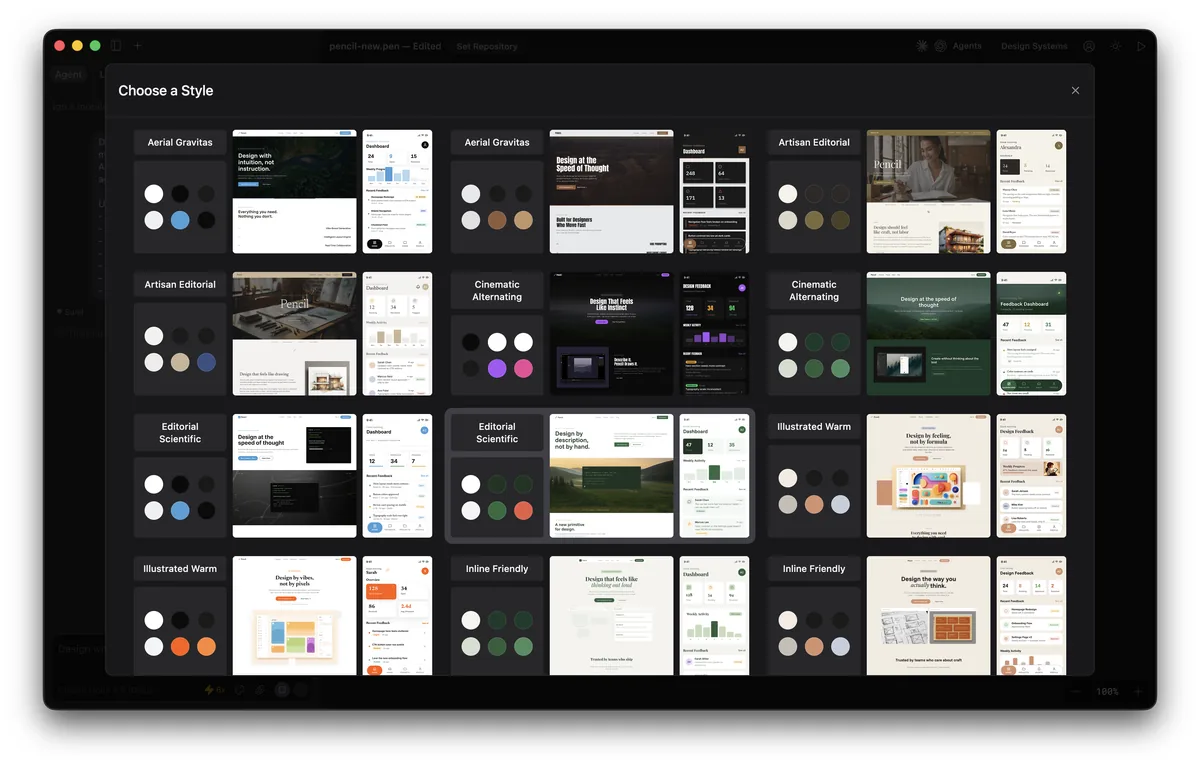
The new layout reduces visual clutter and makes it easier to focus on your design work while keeping the AI assistant accessible in a side panel. It is a subtle change, but one that makes extended design sessions feel less cramped.
Slides and Presentation Mode
This is the headline feature. Pencil.dev noticed that many users were already using the tool to create slides, so they built a proper slides and presentation mode that gives your work a designer-quality polish.
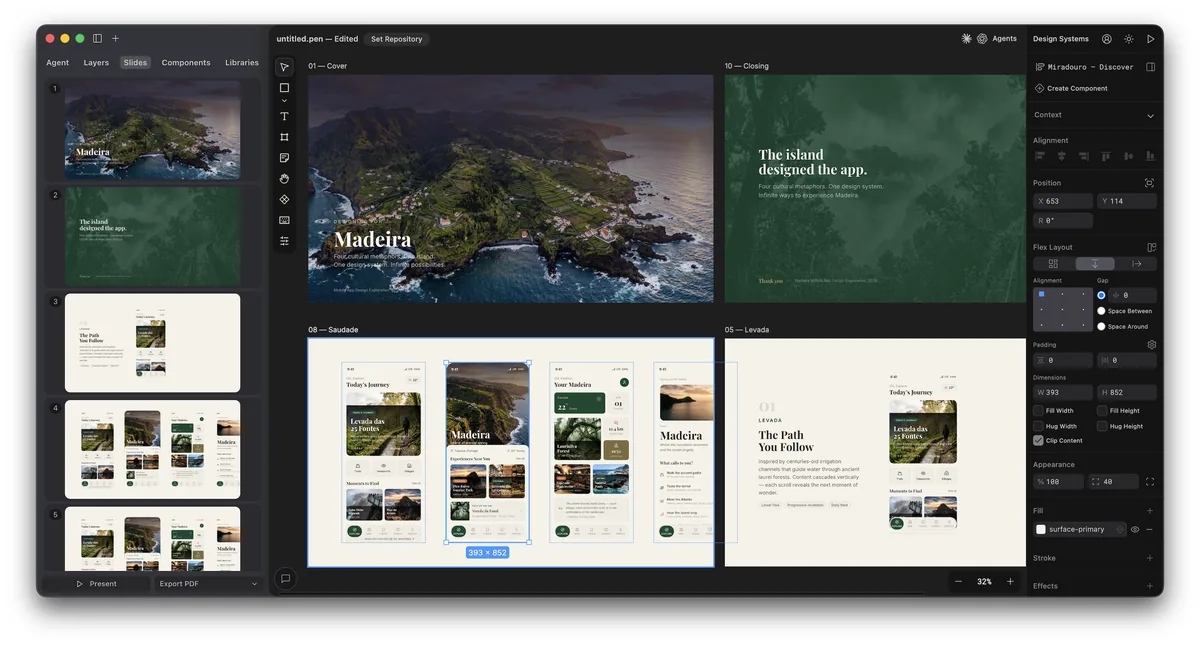
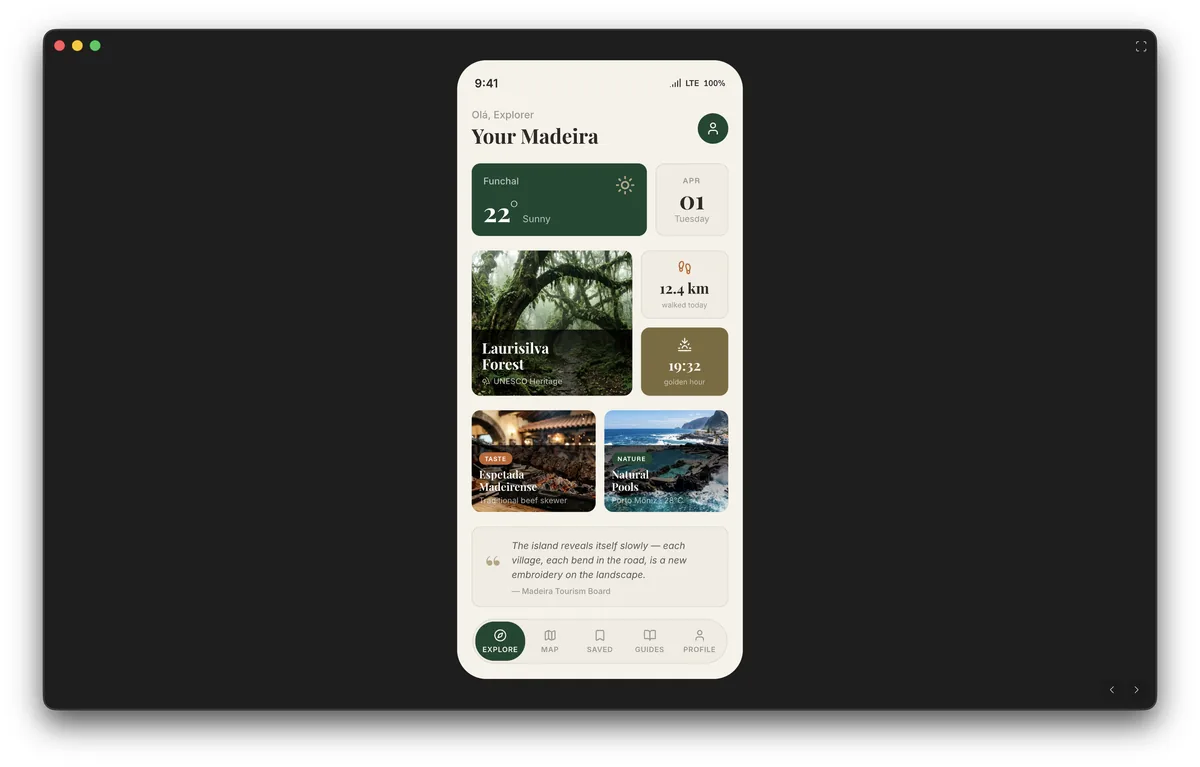
You can now generate on-brand slides with a more refined visual touch, export them to PDF, or present directly within Pencil with zero distractions. This is particularly useful for developers and designers who want to present technical concepts, product demos, or design proposals without switching to PowerPoint or Google Slides.
Revamped Styleguides
Pencil.dev went back to the drawing board with styleguides, and the results are significant. The new styleguides are:
- More atomic — breaking down design tokens into smaller, reusable pieces
- More composable — mix and match components across different contexts
- Better separated — clear distinction between brand elements and use-case specific styles
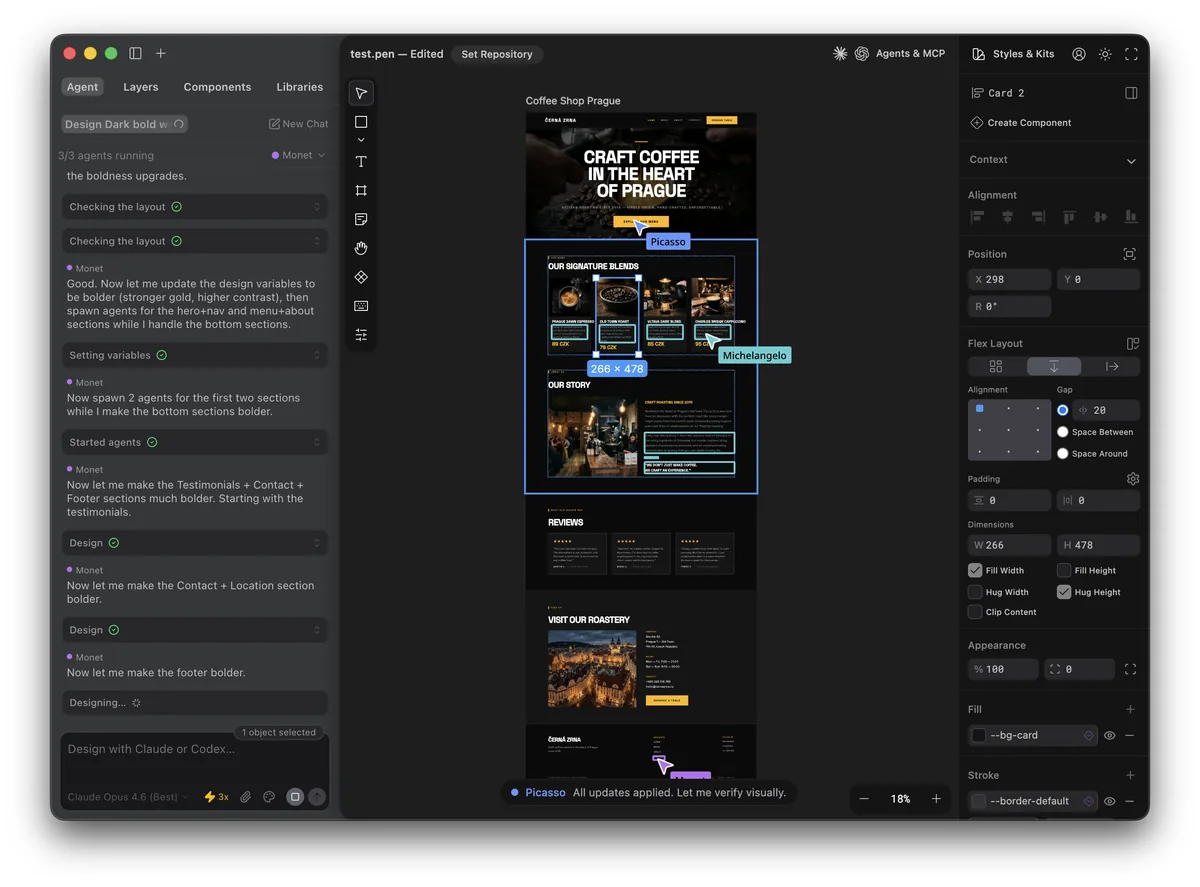
The team is also working on letting users create and share styleguides for their own clients and projects, with many more pre-built styleguides on the way. This positions Pencil.dev as more than just a code generator — it is becoming a full design system management tool.
Additional Updates
Beyond the three headline features, this update packs a dense list of improvements:
| Feature | Details |
|---|---|
| Higher export resolution | 2x and 3x export options for super crisp images |
| Absolute positions in flex layout | Critical for floating buttons, modals, and overlays |
| Corner radius drag handles | Hold Opt/Alt to drag any corner radius handle |
| Auto-backup unsaved changes | Desktop app now backs up work automatically |
| Claude and Codex model switching | Switch between AI models directly in the chat panel |
| Set Repository | On-canvas agent can tap into your codebase to read or generate code |
| Custom agent names | Personalize your AI design assistant |
| Agent message queuing | Queue messages while the agent is still working |
For Developers
Developers can check the updated documentation at docs.pencil.dev for details on libraries, components, slots, and variables. The Set Repository feature is particularly noteworthy — it allows the on-canvas agent to directly access your code repository, reading existing code and generating new code that fits your project’s conventions.
The addition of permissions controls (including “Always Allow” and “Dangerously Skip Permissions”) gives developers more control over what the AI agent can do, making it suitable for both exploratory prototyping and production workflows.
Pricing and Availability
Pencil.dev remains free during its early access phase. The tool is available as a desktop app download and as a Cursor/VS Code extension. Keep in mind that you will need a Claude Code or Codex subscription (starting around $20/month) since Pencil.dev uses these AI models for its agent capabilities.
Bottom Line
This update makes Pencil.dev feel like it is maturing from a cool experiment into a serious design tool. The slides mode alone could save designers from ever opening Google Slides again for technical presentations. Combined with the revamped styleguides and repository integration, Pencil.dev is carving out a unique niche as the design tool for developers who actually ship code.
Download the latest version at pencil.dev/downloads.