Best Paid Android Apps Worth Buying in 2025: Complete Guide with Pricing
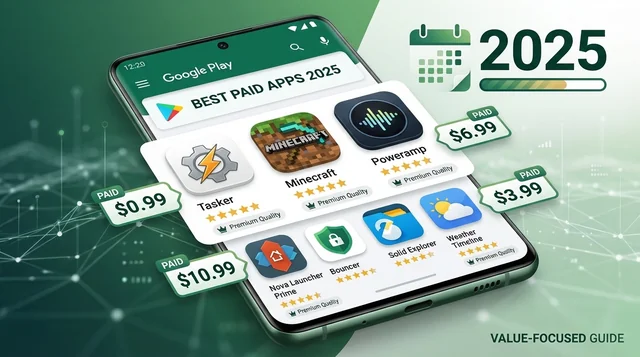
While 97% of Google Play Store apps are free, the remaining 3% of paid apps often offer premium features, ad-free experiences, and superior functionality that free alternatives simply can't match. This comprehensive guide covers the 25 best paid Android apps worth buying in 2025, with current pricing, detailed features, and honest comparisons to help you decide which apps are truly worth your money.
💰 Quick Verdict: Best Value Paid Apps 2025
- Best Overall Value: Tasker ($3.49) - Automation powerhouse
- Best for Entertainment: Minecraft ($6.99) - Endless gameplay, no IAP
- Best Productivity: Business Calendar 2 Pro ($13.99) - Professional calendar
- Best Music Player: Poweramp ($3.99) - Superior audio quality
- Best E-Reader: Moon+ Reader Pro ($10.99) - Every format supported
- Best File Manager: Solid Explorer ($2.99) - Dual-panel perfection
Why Pay for Apps in 2025?
Before diving into our recommendations, let's address the elephant in the room: with so many free apps available, why pay?
The Reality of Free Apps:
- 98% of Google Play revenue comes from free apps (subscriptions and in-app purchases)
- Free apps often bombard you with ads or aggressive IAP prompts
- Privacy concerns: free apps monetize your data
- Feature limitations force you toward subscriptions
The Value of Paid Apps:
- One-Time Purchase: Pay once, own forever (unlike subscriptions)
- No Ads: Clean, uninterrupted experience
- No IAP Pressure: Full features unlocked from day one
- Better Quality: Developers focused on product, not monetization tricks
- Google Play Points: Earn 1 point per $1 spent (1.4 points at Platinum level)
- Family Sharing: Share eligible apps with up to 5 family members
The 25 Best Paid Android Apps in 2025
PRODUCTIVITY & AUTOMATION
1. Tasker - The Ultimate Automation Powerhouse
Price: $3.49 USD
Developer: joaoapps
Category: Productivity/Automation
Requirements: Android 7.0+
Trial: 7-day full trial
What You Get:
- Monitors 130+ different states and events (location, time, app usage, Wi-Fi, SMS, calls)
- Executes 350+ different actions
- NEW 2025: Natural language AI Generator for automation creation
- NEW 2025: Receive Share feature - Tasker as share target for any app
- NEW 2025: 7 new Calendar Actions and Calendar Changed Event
- No root required for majority of functions
- Thousands of community-created profiles available
Why It's Worth $3.49:
Tasker is the most powerful automation app for Android, period. While it has a learning curve, it can automate virtually anything on your phone. Want your phone to automatically silence when you enter a meeting room? Send auto-replies when driving? Launch specific apps when connecting to your car's Bluetooth? Tasker does it all. The 2025 AI Generator update makes automation creation much easier for beginners.
vs Free Alternatives: MacroDroid (freemium) offers simpler automation but lacks Tasker's depth and flexibility.
---
2. Business Calendar 2 Pro - Professional Calendar Management
Price: $13.99 USD
Developer: Appgenix Software
Category: Productivity/Calendar
Requirements: Android 7.0+
What You Get:
- 7 professional calendar widgets (agenda, month, week, day, task, icon)
- 22 beautiful app themes including dark theme
- 14 unique widget themes
- Templates for new events with TomTom location auto-completion
- Repeating alarms and individual ringtones per calendar
- File/photo attachments, contact linking
- Subtasks, priorities for tasks
- Print schedule to PDF
- Weather integration
- Multi-selection for batch operations
Why It's Worth $13.99:
For business professionals, Business Calendar 2 Pro is the gold standard. It offers far more widgets, themes, and business features than Google Calendar. The one-time purchase is more economical than subscription calendar apps like Fantastical, and the PDF export feature alone saves time for meeting planning.
vs Free Alternatives: Google Calendar is excellent but lacks advanced task management, extensive customization, and professional features.
---
3. Solid Explorer File Manager - Dual-Panel Perfection
Price: $2.99 USD
Developer: NeatBytes
Category: File Management
Rating: 4.3 stars (138K reviews)
Trial: Free trial available
What You Get:
- Dual-panel layout for drag-and-drop file operations
- Cloud storage integration (Google Drive, OneDrive, Dropbox, Box)
- Network storage support (FTP, SFTP, SMB, WebDAV)
- Strong AES encryption for file protection
- Root explorer capabilities
- Material Design interface
- Archive support (ZIP, RAR, 7ZIP, TAR, GZIP)
- Media library with music/video player
Why It's Worth $2.99:
Consistently ranked #1 among Android file managers by XDA Developers community. The dual-panel interface makes file management incredibly efficient, and the encryption features provide security that free file managers don't offer. Cloud and network integration means you can manage files anywhere.
vs Free Alternatives: Files by Google is simple but lacks encryption, dual-panel view, and comprehensive cloud/network support.
---
GAMING - PREMIUM GAMES WORTH BUYING
4. Minecraft - Endless Creative Sandbox
Price: $6.99 USD
Developer: Mojang
Category: Sandbox/Creative Gaming
Rating: 4.3 stars (50,000,000+ downloads)
What You Get:
- Full Minecraft experience on mobile
- Regular updates with new biomes, blocks, mobs
- Multiplayer support with cross-platform play
- Creative and survival modes
- Realms subscription optional (not required)
- No ads, no forced in-app purchases
- Hundreds of hours of gameplay
Why It's Worth $6.99:
The mobile version offers the complete Minecraft experience at a fraction of the PC/console price. One purchase unlocks everything—no gacha mechanics, no energy systems, no pay-to-win. The game receives continuous free updates, making it one of the best value propositions in mobile gaming.
---
5. Stardew Valley - Console-Quality Farming RPG
Price: $4.99 USD (occasionally on sale from $7.99)
Developer: ConcernedApe
Category: Farming Simulation RPG
What You Get:
- Full PC game ported to mobile with touch controls
- Offline play support
- Hundreds of hours of gameplay
- Regular free content updates (Version 1.6 added major content in 2024)
- No ads or in-app purchases
- Farm building, relationship simulation, dungeon exploration, fishing, crafting
Why It's Worth $4.99:
Stardew Valley offers console-quality gaming at mobile prices. Created by a single developer, it's regularly updated with free content. The $4.99 price provides better value than dozens of free games combined, with no monetization tricks—just pure gameplay.
---
6. Geometry Dash - Rhythm-Based Platformer Perfection
Price: $2.99 USD
Developer: RobTop Games
Rating: 4.75 stars (850K reviews on Play Store), 93% positive on Steam (204K reviews)
Latest Update: November 11, 2024 (Version 2.2.143)
Downloads: 99,000 in last 30 days
What You Get:
- One-time payment, no in-game transactions or ads
- Level editor with unlimited user-created content
- Excellent soundtrack that drives gameplay
- Tight controls, challenging but fair platforming
- Platformer mode additions (2024 update)
- Massive community with millions of custom levels
Why It's Worth $2.99:
Simple but appealing art style, addictive one-more-try gameplay, and a thriving community creating endless content. The free version exists but removes ads and unlocks all features with the paid version. At $2.99, it's excellent value for the entertainment provided.
---
7. Terraria - 2D Minecraft with RPG Depth
Price: $4.99 USD
Category: Sandbox Adventure/Action
Why It's Worth $4.99: Massive content offering 2D Minecraft-like gameplay with RPG elements, boss battles, deep crafting, and exploration. One purchase provides hundreds of hours of gameplay.
---
8. Monument Valley 1 & 2 - Artistic Puzzle Masterpieces
Price: Monument Valley 1: $4.00, Monument Valley 2: $5.00
Developer: ustwo games
Category: Puzzle
NEW: Monument Valley 3 now available with water-themed levels
What You Get:
- Stunning geometric art style (award-winning design)
- Meditative puzzle gameplay with impossible architecture
- 2-3 hours per game (short but memorable)
- No ads, no IAP, no interruptions
Why It's Worth $4-5:
These aren't just games—they're interactive art experiences. The beautiful visuals, innovative puzzles, and atmospheric soundtrack create a unique experience worth the price. Think of it as paying for a premium movie ticket but for an interactive experience.
---
9. GRID Autosport - Console-Quality Racing Simulation
Price: $9.99 USD
Category: Racing Simulation
Requirements: High-end device recommended
What You Get:
- Full console game ported to mobile
- 100+ cars, 100+ routes
- Multiple racing disciplines (Touring, Endurance, Open Wheel, Tuner, Street)
- No ads, no in-app purchases
- Controller support
- Offline play
Why It's Worth $9.99:
This is the best racing simulation on mobile, offering console-quality graphics and gameplay. Unlike free racing games filled with energy systems and pay-to-win mechanics, GRID Autosport provides a pure racing experience.
---
10. Dead Cells - Roguelike Action Excellence
Price: $8.99 USD
Category: Action/Roguelike
Why It's Worth $8.99: Full PC/console game on mobile with controller support, offline play, and constant updates. No IAP, no ads—just challenging roguelike gameplay that's different every run.
---
MUSIC & AUDIO
11. Poweramp Music Player - Audiophile-Grade Playback
Price: $3.99 USD
Developer: Max MP
Rating: 4.2 stars (1.37 million reviews)
Latest Reviews (November 2025): "Outstanding music quality," "Best for sound definition"
Trial: 15-day free trial
What You Get:
- 10-band graphic equalizer with presets
- Custom processing engines bypassing Android audio limitations
- Gapless playback
- Superior crossfade capability
- Lyrics support with automatic fetching
- Multiple audio format support (MP3, FLAC, WAV, OGG, APE, WV, MPC, etc.)
- Advanced audio processing and effects
- Material Design UI with customizable skins
Why It's Worth $3.99:
The most technically sophisticated music player on Android. Users report using it for 11+ years because it delivers superior sound quality compared to free players. The custom audio processing bypasses Android's limitations, providing better sound output than Google Play Music or Samsung Music. At $3.99, it's the cheapest option compared to UAPP ($7.99) and Neutron ($9.99) for similar advanced features.
vs Free Alternatives: Google Play Music and Samsung Music are convenient but lack advanced equalizer, format support, and audio processing capabilities.
---
CUSTOMIZATION & PERSONALIZATION
12. KWGT Kustom Widget Maker Pro - Ultimate Widget Customization
Price: ~$3-5 USD (separate Pro Key purchase)
Developer: Kustom Industries
Last Update: November 4, 2025
What You Get:
- WYSIWYG (What You See Is What You Get) editor
- Complex programming language with functions and conditionals
- Tasker integration for dynamic widgets
- Import presets and external skins (Pro only)
- Ad-free experience (Pro)
- Recover presets feature (Pro)
- Thousands of community-created widget packs
Why It's Worth $3-5:
The most powerful widget creator on Android. If you want complete control over your home screen appearance, KWGT Pro is essential. The ability to import community presets alone justifies the price—access to thousands of professionally designed widgets.
---
13. Premium Icon Packs - Instant Home Screen Refresh
Price Range: $0.99 - $2.00 USD
Popular Options:
- LineX Icon Pack: $0.99 (6,000+ icons, line art with neon colors)
- Ombre Icon Pack: Premium (4,400+ icons, deep OLED-friendly colors)
- Minimal O: Premium (6,450+ icons, circular Google icon alternatives)
- NEW 2025: Pixel Ring, Honey Yellow, Supernova
Launcher Support: Nova, Apex, Lawnchair, Niagara, Microsoft, Smart, Poco
Works On: Samsung One UI, OxygenOS, ColorOS, Realme UI
Why It's Worth $0.99-$2:
The most affordable way to completely refresh your device's appearance. Icon packs typically include 3,000-6,000+ high-quality icons with regular updates. At under $2, it's cheaper than a coffee and transforms your phone's look instantly.
---
E-BOOKS & READING
14. Moon+ Reader Pro - The Ultimate E-Book Reader
Price: $10.99 USD
Developer: Moon+ Reader
Ranking: #1 Paid E-book Reader on Google Play
Downloads: 1,000,000+
Money Back: 30-day guarantee
Format Support: EPUB, PDF, DJVU, AZW3, MOBI, FB2, PRC, CHM, CBZ, CBR, UMD, DOCX, ODT, RTF, TXT, HTML, MHT/MHTML, MD, WEBP, RAR, ZIP, OPDS
Premium Features:
- Ad-free reading experience
- Text-to-speech with shake-to-speak
- PDF annotations (form filling, highlighting, handwriting)
- More themes, backgrounds, and fonts than free version
- Headset & Bluetooth controls
- Password protection with fingerprint unlock
- Widget shelf support
- 6 additional PDF themes
- Dual-page landscape mode
- Customer email support
Why It's Worth $10.99:
The most feature-rich e-reader app available. If you read a lot of e-books or PDFs, Moon+ Reader Pro is a one-time investment that pays off quickly. Superior PDF handling, extensive format support (17 formats!), and customization options make it the best choice for serious readers.
vs Free Alternatives: Google Play Books is convenient for Google ecosystem but lacks advanced features. Free Moon+ Reader includes ads and limited customization.
Alternatives:
- Lithium Pro: $1.99 (sync, more highlights, themes)
- PocketBook: $4.99 (ad-free, additional features)
---
VIDEO & MEDIA
15. MX Player Pro - Ad-Free Video Powerhouse
Price: ~$5.00 USD (370 INR)
Category: Video Player
What You Get:
- 8K/4K/Ultra HD playback support
- 70% boost in decoding via multi-core processor support
- Advanced gesture controls (volume, brightness, seeking)
- Robust subtitle support with customization
- Ad-free experience (vs free version with ads)
- Kids Lock feature
- Network streaming
- Night mode
- Built-in equalizer
Why It's Worth $5:
MX Player is the best video player for Android, and the Pro version removes all ads from the free version. If you watch local video files frequently, the $5 investment eliminates interruptions and supports the developer of one of Android's most popular apps.
---
UTILITIES & TOOLS
16. Sleep as Android Unlock - Smart Alarm & Sleep Tracking
Price: $84.99 USD (LIFETIME license, not subscription)
Developer: Urbandroid
Free Version: 14-day full trial, then every-other-day tracking
Family Library: Eligible for Google Family Library sharing
What You Get:
- Smart alarm with sleep cycle tracking
- Sleep analysis and detailed statistics
- Snore detection and recording
- Integration with wearables (Wear OS, Fitbit, etc.)
- Wake up verification (captcha, math problems, QR code scanning, shake)
- Gentle nature sound alarms
- Sleep deficit tracking
- Cloud backup
Why It's Worth $84.99 (Lifetime):
While the price seems high, this is a lifetime license—not a subscription. Compared to subscription sleep apps charging $5-10/month ($60-120/year), Sleep as Android pays for itself within 1-2 years. The Family Library sharing feature means you can share with 5 family members, making the per-person cost very reasonable. For serious sleep tracking and smart alarm features, it's the most comprehensive option available.
---
17. Solid Explorer File Manager
(Already covered above in Productivity section)
---
EDUCATION & REFERENCE
18. Star Walk 2 Pro - Interactive Astronomy Guide
Price: $4.49+ USD (with $4.49 all-in-one bundle IAP)
Developer: Vito Technology
Category: Education/Astronomy
Free Version: Star Walk 2 Plus (with removable ads via IAP)
Latest Update: October/November 2025 - comet tracking for Lemmon, SWAN, ATLAS
What You Get:
- Interactive real-time sky map
- AR mode (overlay constellations on camera view)
- Time Machine (view past and future sky)
- Astronomy Calendar (meteor showers, eclipses, conjunctions)
- News feed for astronomy and space news
- 3D constellation models with mythology stories
- Smoother navigation, cleaner interface (2025 update)
- Detailed information about stars, planets, satellites
Why It's Worth $4.49:
The most intuitive stargazing app for all skill levels, from beginners to amateur astronomers. The AR mode makes identifying constellations effortless, and the extensive database provides information about thousands of celestial objects. Perfect for backyard astronomy or learning about the night sky.
---
NAVIGATION
19. Sygic GPS Navigation - Premium Offline Maps
Price: $19.99/year (US), €13.99/3 months or €29.99/year (EUR)
Developer: Sygic
Users: 200+ million drivers worldwide
Trial: 7-day free trial
Free Version: Download maps, search addresses, create routes (visual only, no voice)
Premium+ Features:
- Voice guidance and turn-by-turn instructions
- Lane assistant for highway navigation
- Speed limit warnings with camera alerts
- Real-time traffic information
- Alternative route suggestions based on traffic
- Android Auto and CarPlay connectivity
- Offline maps (no data required)
- Head-up display (HUD) mode
Why It's Worth $19.99/year:
For travelers and road trippers, Sygic provides offline navigation that works without cell service. The annual price is reasonable compared to dedicated GPS devices ($100+), and the offline maps are invaluable in remote areas or international travel where data roaming is expensive.
vs Free Alternatives: Google Maps is excellent but requires constant data connection. Sygic works completely offline after downloading maps.
---
Complete Comparison Table: Best Paid Android Apps 2025
| App Name | Category | Price (USD) | Best For | Trial Available |
|---|---|---|---|---|
| Tasker | Automation | $3.49 | Power users | ✅ 7 days |
| Business Calendar 2 Pro | Productivity | $13.99 | Professionals | ❌ |
| Solid Explorer | File Manager | $2.99 | File management | ✅ Trial |
| Minecraft | Gaming | $6.99 | Creative gaming | ❌ |
| Stardew Valley | Gaming | $4.99 | Relaxing RPG | ❌ |
| Geometry Dash | Gaming | $2.99 | Rhythm platformer | ❌ Free version |
| Terraria | Gaming | $4.99 | Sandbox adventure | ❌ |
| Monument Valley 1 | Gaming | $4.00 | Artistic puzzles | ❌ |
| Monument Valley 2 | Gaming | $5.00 | Artistic puzzles | ❌ |
| GRID Autosport | Gaming | $9.99 | Racing sim | ❌ |
| Dead Cells | Gaming | $8.99 | Roguelike action | ❌ |
| Poweramp | Music | $3.99 | Audiophiles | ✅ 15 days |
| KWGT Pro | Customization | $3-5 | Home screen widgets | Free version |
| Icon Packs | Customization | $0.99-$2 | Visual refresh | ❌ |
| Moon+ Reader Pro | E-books | $10.99 | Avid readers | 30-day guarantee |
| MX Player Pro | Video | $5.00 | Video playback | Free version |
| Sleep as Android | Health | $84.99 (lifetime) | Sleep tracking | ✅ 14 days |
| Star Walk 2 Pro | Education | $4.49 | Astronomy | Free version |
| Sygic GPS | Navigation | $19.99/year | Offline navigation | ✅ 7 days |
---
Google Play Ecosystem: Maximizing Your Investment
Google Play Points (2025)
How It Works:
- Earn 1 point per $1 USD spent (Bronze level)
- Platinum members earn 1.4 points per dollar
- Points valid for 1 year
- Convert points to Play Store credit
- Weekly prizes at Silver level and above
- Use points to buy paid apps for "free"
Tiers: Bronze → Silver (250 points) → Gold (1,000 points) → Platinum (4,000 points)
Value Example: If you spend $100 on paid apps, you earn 100-140 points depending on tier. 100 points = $1 Play Store credit, so you get $1-1.40 back on every $100 spent.
---
Google Play Pass - Alternative to Buying Individual Apps
Price: $4.99/month or $29.99/year
Trial: 30-day free trial
Available in: 90+ countries
What You Get:
- Access to 1,000+ paid games and apps
- All apps ad-free
- All in-app purchases unlocked
- Family Library sharing (up to 5 members)
- Weekly offers in select games
- Gold level Play Points benefits
Notable Included Apps: Stardew Valley, Terraria, Monument Valley, and many more premium apps/games
Should You Get Play Pass?
- YES if: You want 3+ paid apps/games listed, have family to share with, prefer trying many apps vs owning few
- NO if: You only need 1-2 specific apps, prefer one-time purchases, don't use many apps regularly
Value Calculation: If you want Stardew Valley ($4.99) + Terraria ($4.99) + Monument Valley ($4) + several other apps, one month of Play Pass ($4.99) gives you access to all of them plus 1,000+ more. However, you lose access if you cancel, unlike one-time purchases.
---
Family Library Sharing
Share With: Up to 5 family members
Eligible Content: Apps/games purchased after July 2, 2016
Limitations: Cannot share in-app purchases or free apps
Apps With Family Sharing: Sleep as Android ($84.99 divided by 6 people = $14.16 per person), many other paid apps
How to Set Up: Google Play Store → Menu → Account → Family → Create family group → Invite members → Enable purchase sharing
---
Smart Buying Strategies for 2025
1. Use Free Trials Wisely
- Tasker: 7-day trial
- Poweramp: 15-day trial
- Sleep as Android: 14-day trial
- Sygic GPS: 7-day trial
- Test full features before buying
2. Wait for Sales
- Apps occasionally go on sale (especially during holidays)
- Use AppSales app to track price drops
- Stardew Valley regularly discounts from $7.99 to $4.99
3. Leverage Google Play Points
- Accumulate points from purchases
- Redeem for Play Store credit
- Use credit to offset future app purchases
4. Consider Play Pass for Multiple Apps
- If you want 3+ apps included in Play Pass, subscribe for 1 month ($4.99)
- Download all apps while subscribed
- Decide if you want to keep subscription or buy individually
5. Coordinate Family Purchases
- Set up Family Library before purchasing
- Coordinate who buys what to avoid duplicates
- Share expensive lifetime licenses (Sleep as Android $84.99 ÷ 6 = $14.16 each)
6. Check Refund Policy
- Google generally doesn't give refunds for most purchases
- Contact developer directly if issues arise
- Test apps immediately after purchase
- Some apps offer money-back guarantees (Moon+ Reader: 30 days)
---
Apps to Avoid in 2025
Nova Launcher Prime ($5) - Development Concerns
Issue: After company acquisition, development team was laid off and co-founder left. No stable updates since May 2024.
Status: Still functional but uncertain future
Recommendation: Consider Smart Launcher 6 (free with paid features) or Niagara Launcher ($5.99 lifetime) instead
GTA San Andreas ($6.99) - Compatibility Issues
Issue: Android 12+ compatibility problems reported in 2024-2025
Rating: Dropped to 3.0 stars due to technical issues
Recommendation: Check device compatibility before purchase; consider alternatives
Apps That Shifted to Subscription Models
- TouchRetouch: Now subscription-based. Alternative: Snapseed (completely free)
- Adobe Lightroom Mobile: Subscription only. Alternative: Snapseed or consider one-time purchase photo editors
- Video Editing Apps: KineMaster, PowerDirector now subscription-only. No good one-time purchase professional video editors remain on Android in 2025
---
Frequently Asked Questions (FAQ)
General Questions
Q: Are paid apps really worth it when there are so many free alternatives?
A: Yes, for specific use cases. Paid apps offer no ads, no IAP pressure, better features, and one-time payment vs ongoing subscriptions. Apps like Tasker ($3.49), Poweramp ($3.99), and Solid Explorer ($2.99) provide functionality that free apps can't match. However, free alternatives work well for casual users.
Q: Can I get refunds on paid apps?
A: Google generally doesn't give refunds for most purchases. Your best option is to contact the developer directly, as they can issue refunds at their discretion. Some apps offer money-back guarantees (Moon+ Reader has 30-day guarantee). Always test apps immediately after purchase.
Q: Can I share paid apps with family members?
A: Yes, through Google Family Library. You can share eligible apps with up to 5 family members. Apps purchased after July 2, 2016 are eligible. However, you cannot share in-app purchases or free apps. Set up Family Library before purchasing to maximize value.
Q: What is Google Play Pass and is it worth it?
A: Play Pass is a $4.99/month (or $29.99/year) subscription that gives you access to 1,000+ paid apps and games, all ad-free with in-app purchases unlocked. It's worth it if you want 3+ apps included in the service, have family to share with (up to 5 members), or prefer trying many apps vs owning few. Not worth it if you only need 1-2 specific apps or prefer permanent ownership.
Q: Do paid apps go on sale?
A: Yes, occasionally during holidays or special promotions. Stardew Valley regularly drops from $7.99 to $4.99. Use AppSales or similar apps to track price drops. Google Play Points can also offset costs.
---
Specific App Questions
Q: Is Tasker worth $3.49 for automation?
A: Absolutely, if you're a power user who wants deep customization. Tasker can automate virtually anything on your Android device with 130+ triggers and 350+ actions. The 2025 AI Generator update makes it easier for beginners. However, it has a learning curve. Try the 7-day trial first. Free alternative: MacroDroid (freemium) is simpler but less powerful.
Q: Should I buy Minecraft on mobile for $6.99?
A: Yes, if you enjoy sandbox/creative games. The mobile version offers the full Minecraft experience with regular updates, multiplayer support, and cross-platform play. No ads, no subscriptions (Realms is optional), just one purchase for endless gameplay. It's cheaper than PC/console versions and provides hundreds of hours of entertainment.
Q: Is Poweramp worth it when Google Play Music is free?
A: Yes, for audiophiles and serious music listeners. Poweramp offers a 10-band equalizer, custom audio processing that bypasses Android limitations, gapless playback, superior crossfade, and support for every audio format. Users report using it for 11+ years because of superior sound quality. At $3.99, it's the cheapest advanced music player (vs UAPP $7.99 or Neutron $9.99). Try the 15-day trial.
Q: Is Sleep as Android worth $84.99?
A: Yes, if you want lifetime sleep tracking vs subscription apps. This is a lifetime license—not a subscription. Subscription sleep apps charge $5-10/month ($60-120/year), so Sleep as Android pays for itself within 1-2 years. With Family Library sharing (up to 5 family members), the per-person cost is ~$14-17. It offers comprehensive sleep tracking, smart alarms, snore detection, and wearable integration. Try the 14-day trial first.
Q: Should I buy Nova Launcher Prime in 2025?
A: Not recommended due to development concerns. After company acquisition in 2024, the development team was laid off and co-founder left. No stable updates since May 2024. While it still functions, the uncertain future makes it risky. Consider alternatives: Smart Launcher 6 (free with paid features), Niagara Launcher ($5.99 lifetime), or Action Launcher (active development).
Q: Is Moon+ Reader Pro worth $10.99 for reading e-books?
A: Yes, for avid readers. It's the #1 paid e-reader on Google Play, supporting 17 file formats (EPUB, PDF, MOBI, AZW3, etc.), offering advanced PDF annotations, text-to-speech, extensive customization, and a 30-day money-back guarantee. If you read frequently, the one-time $10.99 investment provides lifetime value. Free alternative: Google Play Books is convenient but lacks advanced features.
---
Platform & Payment Questions
Q: How do Google Play Points work?
A: You earn 1 point per $1 USD spent at Bronze level (1.4 points at Platinum). Points can be converted to Play Store credit (100 points = $1) or used for rewards. Points are valid for 1 year. Platinum members get weekly prizes and better earning rates. It's free to join—just make purchases on Play Store.
Q: Can I use Play Points to buy apps for free?
A: Yes! Accumulate points from purchases, then redeem them for Play Store credit. 100 points = $1 credit. If you have 500 points, that's $5 credit you can use to buy apps. This effectively gives you 1-1.4% back on all purchases.
Q: What's the difference between one-time purchase and subscription apps?
A: One-time purchase: Pay once, own forever. No recurring charges. Example: Tasker $3.49, Minecraft $6.99. Subscription: Pay monthly/yearly for continued access. Lose access if you stop paying. Example: Google Play Pass $4.99/month. For apps you'll use long-term, one-time purchase provides better value. For trying many apps short-term, subscriptions can be cheaper.
Q: Are there regional price differences?
A: Yes. Google converts base prices to local currency with regional adjustments. Cheapest regions: Turkey, India, Argentina, Ukraine. EUR prices account for VAT (value-added tax). Developers can set tax-inclusive pricing (e.g., €9.99 stays €9.99 across EU). Using VPN to buy in cheaper regions may violate Google's terms of service.
---
Comparison Questions
Q: Paid apps vs Google Play Pass—which is better value?
A: Depends on usage:
- Choose Play Pass ($4.99/month) if: You want 3+ included apps, have family to share with (up to 5), prefer trying many apps, want ad-free versions of included apps
- Choose one-time purchases if: You need 1-2 specific apps, want permanent ownership, use apps long-term (1+ years), prefer not having ongoing subscriptions
Example: If you want Stardew Valley ($4.99) + Terraria ($4.99) + Monument Valley ($4) = $13.98 total. Play Pass costs $4.99/month but you lose access if you cancel. Buying individually costs more upfront but you own them forever.
Q: What's better: Poweramp ($3.99) or free music players?
A: Poweramp if: You're an audiophile who cares about sound quality, use FLAC/high-quality audio files, want advanced equalizer and audio processing. Free players if: You stream music from Spotify/YouTube Music, don't care about advanced audio features, prefer simple interface. Poweramp's audio quality is noticeably better for local file playback.
Q: Solid Explorer ($2.99) vs Files by Google (free)?
A: Solid Explorer if: You manage files frequently, need dual-panel view, use cloud storage (Drive/Dropbox), require encryption, access network storage (FTP/SMB). Files by Google if: You rarely manage files, only need basic features, don't use cloud/network storage. Solid Explorer is #1-ranked by XDA for a reason—it's far more powerful.
---
Final Verdict: Best Paid Android Apps Worth Buying in 2025
✅ Must-Buy Apps (Best Value)
Under $5 (Excellent Value):
- Tasker ($3.49) - Automation essential for power users
- Solid Explorer ($2.99) - Best file manager, period
- Poweramp ($3.99) - Superior music playback quality
- Geometry Dash ($2.99) - Addictive rhythm platformer
- Stardew Valley ($4.99) - Console-quality farming RPG
- Icon Packs ($0.99-$2) - Instant visual refresh
$5-$10 (Worth The Investment):
- Minecraft ($6.99) - Endless creative gameplay
- MX Player Pro ($5) - Ad-free video playback
- GRID Autosport ($9.99) - Console racing on mobile
- Dead Cells ($8.99) - Premium roguelike action
$10+ (Premium Quality):
- Moon+ Reader Pro ($10.99) - Ultimate e-reader, 17 formats
- Business Calendar 2 Pro ($13.99) - Professional calendar management
- Sleep as Android ($84.99 lifetime) - Comprehensive sleep tracking, family shareable
⚠️ Consider Alternatives
- Nova Launcher Prime: Development uncertain—try Smart Launcher 6 or Niagara instead
- GTA San Andreas: Android 12+ compatibility issues—check device first
- Video editing apps: All major editors now subscription-based—consider free alternatives or desktop software
- Adobe apps: Subscription-only—use Snapseed (free) for photos instead
---
Summary: Making Smart Paid App Purchases in 2025
The Android app ecosystem has shifted dramatically toward free apps with subscriptions and in-app purchases (98% of revenue). However, the remaining paid apps that offer one-time purchases often provide the best value for money—no ads, no IAP pressure, permanent ownership.
Key Takeaways:
- Best Value Apps: Tasker ($3.49), Solid Explorer ($2.99), Poweramp ($3.99), and Minecraft ($6.99) offer features free apps can't match at prices cheaper than a coffee
- Use Trials: Many apps offer trials (Tasker 7 days, Poweramp 15 days, Sleep as Android 14 days)—always test before buying
- Google Play Points: Earn 1-1.4 points per dollar spent, redeem for Play Store credit—free money on purchases you'll make anyway
- Family Sharing: Share eligible paid apps with up to 5 family members to split costs (Sleep as Android $84.99 ÷ 6 = $14.16 each)
- Play Pass Alternative: If you want 3+ apps included in Play Pass, $4.99/month subscription might be cheaper than individual purchases—but you lose access if you cancel
- Avoid Dead Apps: Check update history before buying (Nova Launcher hasn't updated since May 2024). Read recent 2024-2025 reviews
- One-Time vs Subscription: For long-term use (1+ years), one-time purchases provide better value. For short-term trials, subscriptions may be cheaper
The transformation from free to paid in mobile apps reflects quality—developers who charge upfront focus on product quality rather than aggressive monetization. While free apps work for casual users, paid apps often save time, frustration, and provide superior experiences worth every cent.
Last updated: November 2025