Nano Banana 2 Review: How This New AI Image Generator Performs Inside Dzine in 2026
AI images were a fun experiment. However, in 2026, they’re doing actual work. If you write, run ads, or design visuals for brands, “cool results” won’t cut it. You want images that are clean looking, fit your style and can be produced quickly, repeatedly.
And that’s why Nano Banana 2 is becoming so popular. It’s optimized for speed and control, so you can create an image, correct what needs altering or improve it in a few passes instead of zeroing out every time. If you use it inside Dzine, the whole thing becomes much easier as everything can be created, edited, enhanced and exported in one place. plus you can extend your workflow into an AI video generator pipeline when you need motion assets too.
This guide highlights what Nano Banana 2 is, its new features, compares with Nano Banana Pro and a step-by-step guide on how to use it in Dzine. You’ll also discover what it works best on, ads, thumbnails, product images and brand designs, and how to avoid the pitfalls that waste your time.
What is Nano Banana 2?
Nano Banana 2 is a text-prompt and reference image-based AI image generator specialized in creating high-quality images. In terms of real-world use, it’s designed for those who want usable output, not just interesting output, content creators publishing at speed, marketers generating multiple iterations of a campaign or designers exploring ideas quickly but without cutting corners too much on cohesiveness. The best way to deploy Nano Banana 2 is as an iteration engine: create a solid first run, tweak one or two variables (composition, text, style, lighting) and refine to a publishable result.
It works especially well if treating it like a production tool:
-
For Creators: Thumbnails, posts, cover art, and profile visuals
-
Marketers: Variants of advertising creative, ads for banners on the Internet, creatives for landing pages
-
Designers: Á moodboard, with directions and concept, like style exploration
Where It Fits In A Modern Visual Workflow
The majority of teams work in a basic three-step visual workflow: ideate, iterate, and finalize. Nano Banana 2 supports all three, but particularly excels at iteration.
-
Ideation: Spit out 10–20 directions (styles, scenes, compositions) fast.
-
Iteration: Select the top 2–3 and hone in (background, lighting, layout, type space, brand tone).
-
Post production: Polish, export, and optimize for platform (ads, websites, reels, thumbnails).
Inside Dzine AI image generator, those steps can take place in one location: generate pictures, fine-tune them with an editor-driven work space and end up within enhancement tools and effects. Then optionally move into the Dzine image to video generator flow if you want to animate your best images.
How is it different from image generators of the past
Older generators usually have reliability issues: outputs vary too much between attempts, textual rendering is inconsistent, and image-to-image edits can sometimes ignore the reference or mangle it. Nano Banana 2 emphasizes improved predictability via increased prompt fidelity, greater consistency and more controllable image to image. The real upgrade is not just “quality”, it’s the capability of reproducing a look and refining it without starting over each time.
Nano Banana 2: Key Features and Updates
Faster Generation For Rapid Iteration
Gets you to a result faster, so you generate more variations, test ideas faster and complete work sooner, great for campaigns and every day content.
Higher Image Fidelity (Detail, Light, Textures)
The outputs are cleaner, sharper, and with fewer visible artifacts, adds a lot of time in terms of products, portraits, and high-contrast designs.
Improved Text-In-Image Rendering (Titles, Labels, Posters)
Better text placement than many older tools, especially for short headlines and very simple layouts (thumbnails, banners, labels, posters).
Stronger Style And Composition Control
Improves layout guidelines (clean backgrounds, space for copy, balanced framing), which helps in brand continuity.
More Reliable Image-To-Image Editing
Better at preserving stables (identity/logo/product shape) when modifying what you ask for (background, lighting, props, scene mood).
Nano Banana Pro vs Nano Banana 2
Key differences
Nano Banana 2 is the speed-and-iteration option, and Nano Banana Pro is the polish-first option. Both have the potential to provide great image quality, but they prioritize different things. When volume and speed of refinement are needed, Nano Banana 2 stakes a claim as the best default. Pro can be a preferable option when you’re creating less “hero” assets that need to look professional.
Speed Vs Polish: Which Matters For Your Project
If you’re working on a project that requires dozens of images, campaign variants, daily social visuals, product scene variants, throughput and workflow reliability usually take precedence over slight polish improvements. Nano Banana 2 is hands down the practical winner, as you can run more candidates and iterate faster. If your project is high-stakes, critical landing page visuals, premium brand hero images, flagship campaign creatives, polish can matter more and Nano Banana Pro is worth prioritizing.
When to Choose Nano Banana 2?
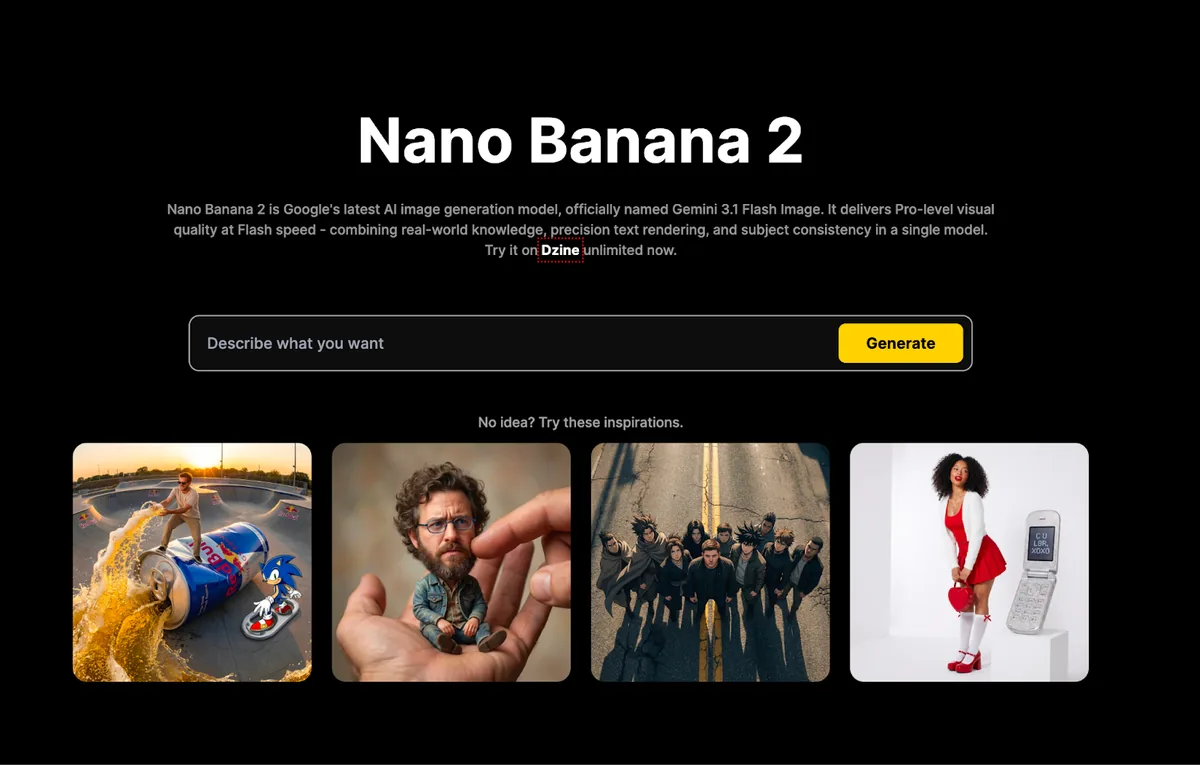
Go Nano Banana 2 If You Want:
-
Fast iteration for many assets
-
Same style direction throughout a batch
-
Realistic image-to-image editing for products or portraits
-
A testable and variable workflow
When to Use Nano Banana Pro?
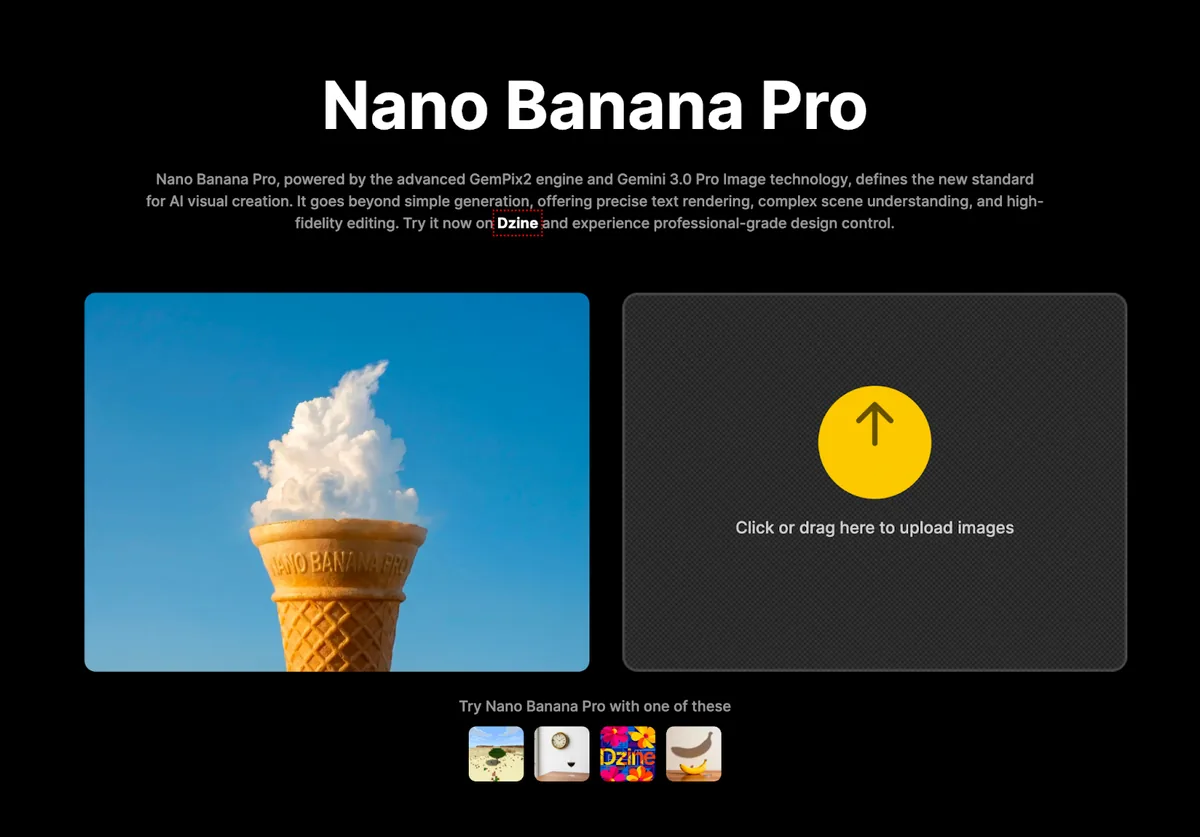
Choose Nano Banana Pro if you want:
-
Less product, more polish
-
Premium “hero” images in which small faults are intolerable
-
Increase time in the polishing of each asset
How Can We Use Nano Banana 2?
Text-To-Image Creation
Text-to-image is most useful when you’re starting from nothing. You tell it your subject, style, lighting and composition and you generate multiple concepts very quickly for campaigns, thumbnails, and seasonal imagery.
Image-To-Image Generation
Image-to-image If you want to control, upload a reference image and tell Nano Banana 2 to keep the main identity, while changing what elements like background/mood/styling are. Great for products that need consistent brand variations.
Editing Workflows (Background/Style/Object Tweaks)
Editing workflows concentrate on these smaller changes, such as changing out background, adjusting lighting or adding a seasonal theme without reconstructing the entire image.
Enhancements Workflows (Cleanup And Final Polish)
Enhancement is, in fact, the very last cleanup step to make outputs publish-ready and makes things look more clear and sharp for that professional touch.
Why choose Dzine AI?
Dzine AI is so helpful because it brings multiple creation tools into one workflow rather than making you hop from platform to platform. Also available is a much more populated selection of models (you can select from 25+ popular schemes like Seedance 2.0, Kling 3.0, Grok Imagine and Sora 2.0), making it easier to find the model suitable for whatever form image or video you’re aiming for, especially if you’re building content with a Dzine AI video generator approach, not only static visuals.
In addition to generation, Dzine has professional features supporting full content production. One that amazed us is Lip Sync, which enables you to create talking cartoons and avatars or an AI influencer–like characters, so it’s useful for creators and brands looking for AI video generators, animated, speaking content rather than just static images.
How to Use Nano Banana 2 on Dzine
Using the tool is simple, just follow the step by step process.
Step 1. Open ChatEditor in Dzine Dashboard
Hope over to the Dzine dashboard and click on ChatEditor from the Popular tools list.
Step 2. Select Nano Banana 2
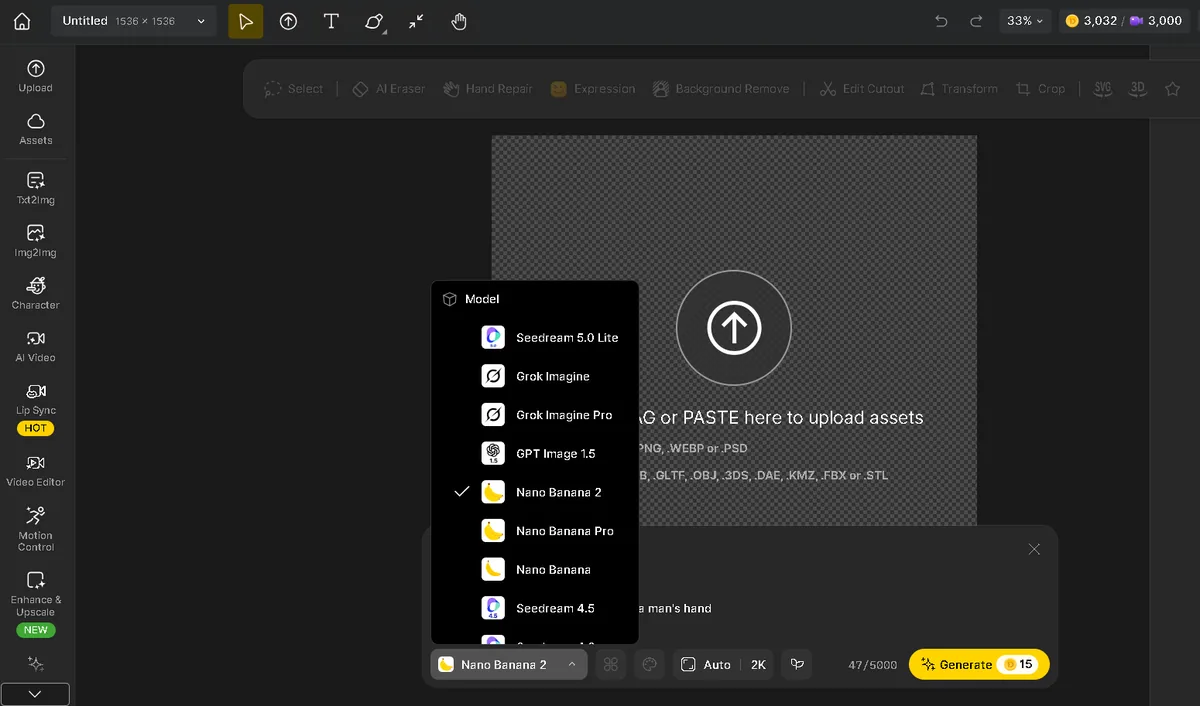
Pick Nano Banana 2 from all the other available tools.
Step 3. Adjust the Settings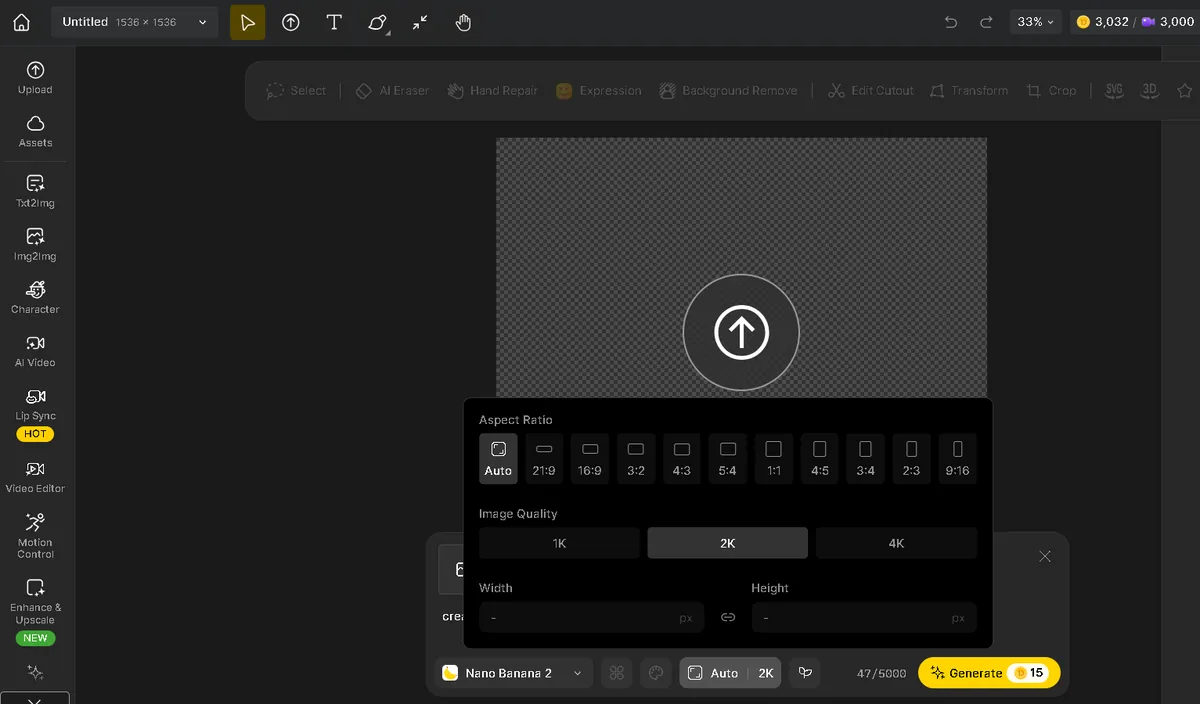
Adjust aspect ratio (for specific platform) and choose the image quality from 1k to 4k
Step 4. Insert Your Prompt Or Drag In Reference Images
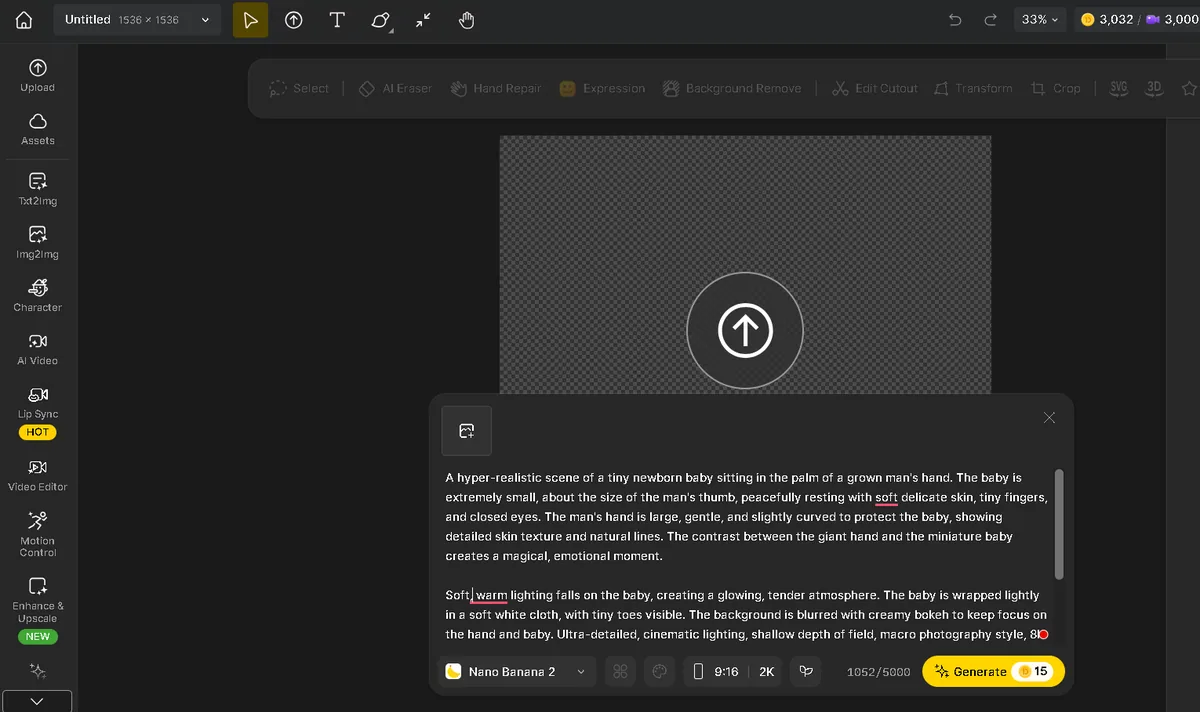
Input prompt for text to image, or upload an image to be modified (image to img) and write what should remain the same vs what should be changed or modified.
Step 4. Generate And Refine
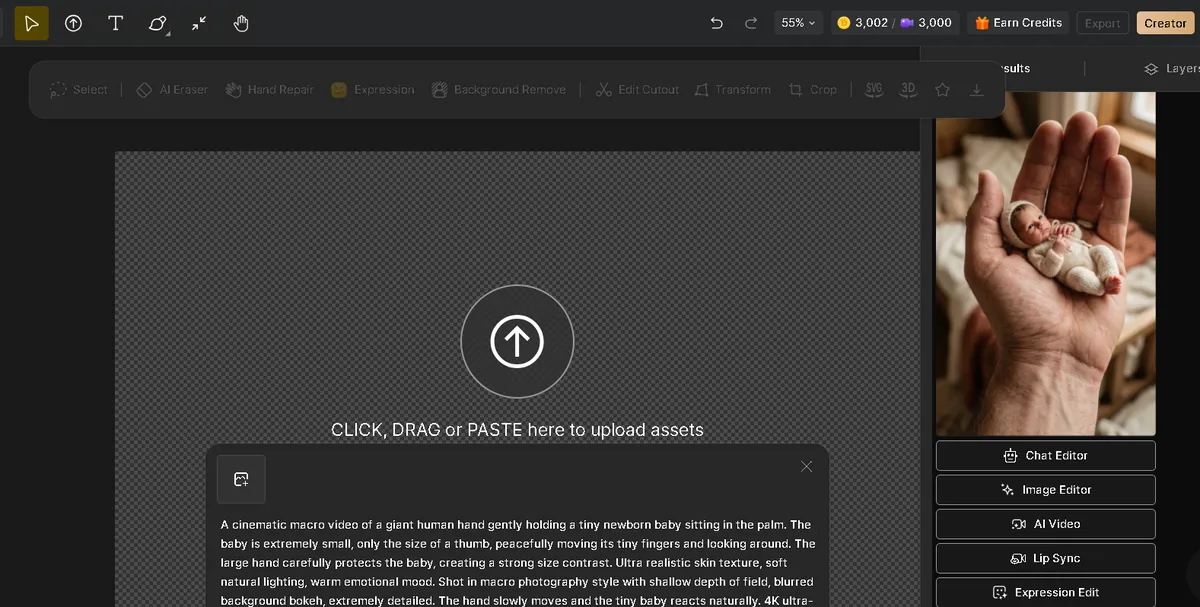
Generate a few options, pick the best, and refine with small prompt changes until it looks right. At this stage, you can use Dzine image to video generator, Lip sync, impression edit, and image enhancer
Step 5. Export And Finish
Polish if necessary, export to correct format, double-check readability, text in particular.
Real-World Use Cases
Creatives for Marketing
Marketing teams can use Nano Banana 2 to pump out tons of ad variants across different scenes, moods and layouts quickly, so creatives are tested more frequently while adhering to one campaign style.
Social Content (Posts, Thumbnails, Profile imagery)
For creators it streamlines quick and consistent content output. It can generate thumbnail / post designs with cleaner composition and text space for legible headlines to not lose distinct visual identity.
E-commerce Images (Product Backgrounds, Lifestyle Shots, Variants)
With image-to-image you fill your demand with just one product photo into many different backgrounds or lifestyle scenarios without any reshoots. This accelerates catalog creation and promotions, all the while maintaining product accuracy.
Exploration Of Branding And Design (Moodboards, Concepts)
The Nano Banana 2 allows designers to play with style and direction quickly, getting teams in alignment visually much earlier before the main design work begins.
Tips to Get Better Results (and Fewer Regenerations)
-
Putting clearer constraints: Specify composition (centered subject, clean background, headline space), lighting (soft studio, cinematic rim light) and palette (brand colors, minimal tones) to reduce randomness.
-
Change one variable at a time: Change an element, compare outputs, repeat, just don’t change everything simultaneously.
-
Text handling: Limit text length, dictate placement, design minimalistic; for any critical copy, include left over space and sequence most relevant content during finishing.
-
Keep campaign consistency: Adapt the same prompt structure and style rules, changing only campaign-specific details.
Common Issues and Quick Fixes
-
Off-brand or inconsistent results: Unify style cues and use the same prompt structure; lock palette, lighting, and framing.
-
Uniliterate/incorrect text: Shorten text, simplify background layout or specify the exact location in your design; as an alternative, generate without any text and insert it later.
-
Img2img changes too much/too little: Clearly state what must stay vs change; reduce intensity if drifting, increase intensity if changes are weak.
-
Faces/hands/details look wrong: Reduce scene complexity, use closer framing, and add complexity gradually after a clean base result.
-
Output looks cluttered/unclear: Remove extra objects, narrow the scene, and request minimal, clean framing.
FAQs
Who will get the most use from Nano Banana 2?
Creators, marketers and designers who require accessible outputs at a high frequency, particularly when timely and iterative beats perfect first-pass results.
When to use Nano Banana 2 vs Pro
Have Nano Banana 2 for fast volume / testing / iterate. Use Pro for low-frequency, high-consequence visuals where premium polish is the objective.
Image to Image or Text to Image: Which one is better?
New ideas, directions, and concepts are best with text-to-image. Image-to-image will be your best friend when you miss the control and consistency that comes from a reference.
How do I keep results consistent?
Use a repeatable prompt structure, keep palette and lighting stable and vary 1 only variable per iteration. You control the inputs, and then you build consistency.
What do you put in to get out the best?
Clear prompts and clean references. In image-to-image, this predictability increases in reliability when trained on high-quality reference images that are well-lit and relatively free of clutter.
Conclusion
Nano Banana 2 is a practical image maker, utilitarian for real workflows: quicker iterations, cleaner results, better composition control and less shaky image to image editing. Its biggest benefit is predictability, which simplifies fine-tuning results and reproducing a unified appearance.
If you are for creators and marketers producing regular visuals, Nano Banana 2 is in most cases the best default, since you can generate, test and iterate quickly. While the Nano Banana Pro can be a better choice for premium “hero” assets where polish matters, Nano Banana 2 is still ideal for sticking on ideas and variations.
Choose one target (a product hero image, a thumbnail concept, or an ad banner), create some variations in Dzine AI video generator and ChatEditor, polish up the best option with incremental tweaks and export the final asset.