MobileTrans Review: Data Transfer Tool for iPhone & Android
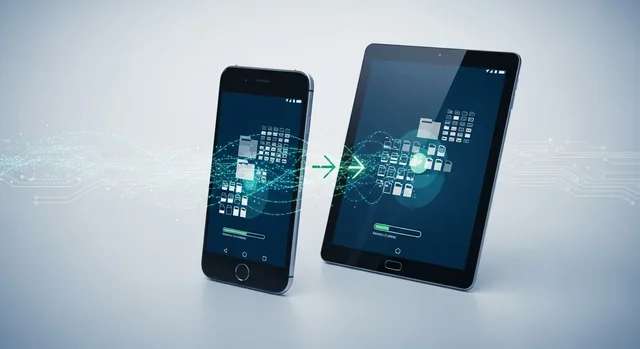
Transferring data between smartphones has become increasingly complex as our devices store more personal information than ever before. Whether you're switching from Android to iPhone, upgrading to a new device, or simply need to backup your data, finding the right transfer tool is crucial. MobileTrans has established itself as one of the leading solutions in 2025, promising seamless data migration across platforms with enhanced speed and security features.
In this comprehensive review, we'll examine MobileTrans' latest capabilities, compare it with top alternatives, and help you determine if it's the right choice for your data transfer needs in 2025.
What is MobileTrans?
MobileTrans is a desktop-based data transfer solution developed by Wondershare that specializes in moving data between smartphones, tablets, and computers. The software supports cross-platform transfers between iOS, Android, and even legacy systems, making it a versatile choice for users switching between different operating systems.
Related: How to Reduce Image Size on Mobile (Android & iPhone) – Best Free Tools to Compress Images Online.
Unlike cloud-based solutions that can take hours or days to sync large amounts of data, MobileTrans uses direct device-to-device connections to achieve transfer speeds up to 30MB/s – approximately 200 times faster than traditional Bluetooth transfers. This makes it particularly valuable for users with large photo libraries, extensive app data, or comprehensive message histories.
Key Features and Capabilities in 2025
18 Data Types Transfer Support
MobileTrans 2025 supports comprehensive data migration across 18 different data types, including:
- Contacts and Contact Groups: Complete contact information with custom fields and categories
- Messages and iMessages: SMS, MMS, and iMessage conversations with media attachments
- Photos and Videos: Camera roll, albums, and media collections with metadata
- Music and Audio Files: Songs, podcasts, voice recordings, and playlists
- Apps and App Data: Installed applications with associated user data (Android to Android)
- Call Logs: Complete call history with timestamps and duration
- Calendar Events: Appointments, reminders, and recurring events
- Documents: PDF files, office documents, and other file types
- Browser Data: Bookmarks, browsing history, and saved passwords
- System Settings: Wi-Fi passwords, display preferences, and accessibility settings
High-Speed Transfer Technology
The 2025 version features significantly improved transfer speeds, reaching up to 30MB/s through optimized USB connections and enhanced data compression algorithms. This represents a substantial improvement over wireless methods:
- MobileTrans: Up to 30MB/s via USB connection
- Wi-Fi Transfer: 2-8MB/s depending on network conditions
- Bluetooth: 0.15MB/s average transfer rate
- Cloud Sync: Variable, often limited by upload/download speeds
Cross-Platform Compatibility
MobileTrans excels in cross-platform transfers, supporting seamless migration between:
- iOS to Android (including latest iOS 17 and Android 14)
- Android to iOS with comprehensive data mapping
- Android to Android across different manufacturers
- iOS to iOS including encrypted backup transfers
- Legacy systems to modern platforms
WhatsApp and Social Media Transfer
One of MobileTrans' standout features is its ability to transfer WhatsApp data between platforms – something that's notoriously difficult to accomplish manually. The software can migrate:
- WhatsApp Messages: Complete chat histories with media files
- WhatsApp Business: Separate business account data
- Attachments: Photos, videos, documents, and voice messages
- Group Chats: Multi-participant conversations with all participants
- Other Messaging Apps: Limited support for Telegram, Line, and Viber
User Experience and Interface
MobileTrans 2025 features a redesigned interface that prioritizes simplicity and clarity. The main dashboard presents four primary functions: Phone Transfer, WhatsApp Transfer, Backup & Restore, and Data Eraser. Each module guides users through a step-by-step process with clear visual indicators and progress tracking.
The transfer process typically involves three simple steps: connect both devices to your computer, select the data types you want to transfer, and initiate the process. The software automatically detects connected devices and displays their information, making it easy to verify you're transferring data in the correct direction.
Real-time progress indicators show transfer speeds, estimated completion times, and any potential issues that arise during the process. The interface also provides detailed logs for troubleshooting purposes.
Security and Privacy Considerations
Data security is paramount when transferring sensitive personal information. MobileTrans addresses this through several security measures:
- Local Processing: All transfers occur locally between devices without cloud storage
- Encryption: Data is encrypted during transfer using AES-256 encryption
- No Data Retention: The software doesn't store or cache transferred data
- Secure Connections: USB connections provide more security than wireless alternatives
- Privacy Compliance: Meets GDPR and other international privacy standards
However, users should be aware that the software requires significant system permissions to access device data, and transfers should only be performed on trusted computers.
Pricing and Plans (2025)
MobileTrans offers several pricing tiers to accommodate different user needs:
| Plan | Price | Features | Best For |
|---|---|---|---|
| 1-Year License | $39.95 | All transfer features, 1 PC, email support | Individual users |
| Lifetime License | $69.95 | All features, lifetime updates, priority support | Frequent upgraders |
| Business License | $99.95 | Commercial use, 5 PCs, phone support | Small businesses |
| Free Trial | $0 | Limited transfers, watermarked | Testing purposes |
All paid plans include a 30-day money-back guarantee and free technical support. The company frequently offers promotional discounts, particularly during major shopping events.
Pros and Cons
Advantages
- Exceptional Speed: 200x faster than Bluetooth with 30MB/s transfer rates
- Comprehensive Data Support: 18 different data types including WhatsApp
- Cross-Platform Excellence: Seamless iOS to Android transfers
- User-Friendly Interface: Simple three-step process for most transfers
- Strong Security: Local processing with AES-256 encryption
- Regular Updates: Consistent compatibility with latest OS versions
- Reliable Support: Responsive customer service and extensive documentation
Disadvantages
- Requires Computer: Cannot perform direct device-to-device transfers
- Cost Factor: Premium pricing compared to free alternatives
- Platform Limitations: Some data types don't transfer between different platforms
- USB Dependency: Requires stable USB connections for both devices
- App Data Restrictions: Limited app data transfer from iOS due to system restrictions
- No Cloud Integration: Cannot directly import from cloud storage services
Top Alternatives to MobileTrans
MyPhoneExplorer (Free)
Price: Free
Best For: Basic Android management and transfers
Key Features: Contact sync, SMS backup, file management, calendar sync
Learn more in our article about Best Free Firewall Software for Windows (2025): Top 10 Picks.
MyPhoneExplorer is an excellent free alternative for users primarily working with Android devices. While it lacks the cross-platform capabilities of MobileTrans, it provides solid basic functionality for device management and data backup.
Dr.Fone
Price: $49.95/year
Best For: Comprehensive mobile toolkit
Key Features: Data recovery, phone transfer, system repair, unlock tools
Dr.Fone offers similar transfer capabilities to MobileTrans but includes additional tools for data recovery and device repair. It's particularly strong in data recovery scenarios but comes at a higher price point.
Syncios Data Transfer
Price: $29.95
Best For: Budget-conscious users
Key Features: Cross-platform transfer, backup/restore, media management
Syncios provides good value for money with solid transfer capabilities at a lower price point. However, it may lack some of the advanced features and speed optimizations found in MobileTrans.
iMobie AnyTrans
Price: $59.99/year
Best For: iOS-focused users
Key Features: iOS management, media transfer, backup solutions, app management
AnyTrans excels in iOS device management and offers robust transfer capabilities, particularly for Apple ecosystem users. It's more expensive but provides deeper iOS integration.
FonePaw DoTrans
Price: $35.95
Best For: Media-focused transfers
Key Features: Photo/video transfer, music management, contact sync
Learn more in our article about How Does Antivirus Software Work? Complete Guide to Modern Threat Detection (2025).
DoTrans specializes in media transfers and offers good performance for photo and video migration. It's more limited in scope but excels in its specialized areas.
ApowerManager
Price: $39.95/year
Best For: Device management and mirroring
Key Features: Screen mirroring, file management, data transfer, remote control
ApowerManager combines transfer capabilities with device management and screen mirroring features, making it a versatile choice for users who need multiple mobile management tools.
Performance Comparison
| Software | Transfer Speed | Cross-Platform | WhatsApp Support | Price | Overall Rating |
|---|---|---|---|---|---|
| MobileTrans | 30MB/s | Excellent | Yes | $39.95/year | 9/10 |
| Dr.Fone | 25MB/s | Excellent | Yes | $49.95/year | 8.5/10 |
| iMobie AnyTrans | 20MB/s | Good | Limited | $59.99/year | 8/10 |
| Syncios | 15MB/s | Good | No | $29.95 | 7.5/10 |
| MyPhoneExplorer | 10MB/s | Limited | No | Free | 7/10 |
Who Should Use MobileTrans?
MobileTrans is ideal for several user categories:
- Platform Switchers: Users moving between iOS and Android who need comprehensive data migration
- Frequent Upgraders: People who regularly upgrade devices and need reliable transfer solutions
- WhatsApp Heavy Users: Individuals with extensive WhatsApp histories who can't afford to lose conversations
- Business Users: Professionals who need secure, fast transfers for work devices
- Family Tech Support: Tech-savvy individuals who help family members with device transitions
The software may not be necessary for users who primarily use cloud services for data storage or those who perform infrequent device upgrades within the same ecosystem.
Tips for Optimal Use
To get the best results with MobileTrans:
- Use Quality Cables: Ensure both devices have reliable USB connections
- Disable Security Software: Temporarily disable antivirus during transfers to prevent interference
- Free Up Space: Ensure the target device has sufficient storage space
- Update Software: Keep MobileTrans and device software updated
- Backup First: Create backups before starting major transfers
- Close Other Apps: Minimize system load by closing unnecessary applications
Frequently Asked Questions
Can MobileTrans transfer data without a computer?
No, MobileTrans requires a Windows or Mac computer to facilitate transfers between devices. The software acts as an intermediary to manage the data transfer process.
For more details, check out our guide on Best iPhone Data Recovery Software for Mac 2025: Top 8 Tools.
Does MobileTrans work with the latest iOS 17 and Android 14?
Yes, MobileTrans 2025 supports the latest operating systems including iOS 17 and Android 14. The software receives regular updates to maintain compatibility with new OS versions.
Can I transfer WhatsApp data from Android to iPhone?
Yes, MobileTrans specializes in cross-platform WhatsApp transfers, including the notoriously difficult Android to iPhone migration. This includes chat histories, media files, and group conversations.
How fast is MobileTrans compared to other methods?
MobileTrans can achieve speeds up to 30MB/s, which is approximately 200 times faster than Bluetooth transfers and significantly faster than most cloud-based solutions.
Is my data safe during transfers?
Yes, MobileTrans uses AES-256 encryption and processes all data locally without cloud storage. However, only perform transfers on trusted computers and ensure both devices are secure.
What happens if the transfer is interrupted?
MobileTrans includes resume functionality for interrupted transfers. If a transfer fails, you can typically restart from where it left off rather than beginning again.
Can I select specific data types to transfer?
Yes, MobileTrans allows you to choose which of the 18 supported data types to transfer. You can customize transfers based on your specific needs and available storage space.
Does MobileTrans offer a free trial?
Yes, MobileTrans provides a free trial that allows limited transfers with watermarks. This lets you test compatibility and functionality before purchasing a license.
Can I transfer app data between different platforms?
App data transfer is limited, especially between different platforms. While Android to Android transfers can include some app data, iOS restrictions prevent most app data transfers due to security sandboxing.
What's the difference between MobileTrans and iTunes/Smart Switch?
MobileTrans offers cross-platform capabilities that iTunes and Smart Switch lack. While those tools work well within their respective ecosystems, MobileTrans excels at transferring data between iOS and Android devices.
Final Verdict
MobileTrans stands out as one of the most comprehensive and reliable data transfer solutions available in 2025. Its combination of high-speed transfers, extensive data type support, and robust cross-platform capabilities make it particularly valuable for users switching between iOS and Android devices.
The software's ability to handle WhatsApp transfers, maintain data integrity, and provide a user-friendly experience justifies its premium pricing for most users. While free alternatives like MyPhoneExplorer exist, they lack the comprehensive feature set and cross-platform excellence that MobileTrans provides.
For users who frequently upgrade devices, switch platforms, or need to maintain extensive message histories, MobileTrans represents a worthwhile investment. The time saved and peace of mind provided by reliable, fast transfers often outweigh the software cost, especially for business users or those with large amounts of data to migrate.
However, casual users who primarily rely on cloud services or rarely switch devices might find the cost difficult to justify. In such cases, exploring free alternatives or built-in platform tools might be more appropriate.
You might also be interested in Best Application Security Tools for SDLC (2025): Top SAST & DAST Solutions.
Overall, MobileTrans earns a strong recommendation for anyone seeking a professional-grade data transfer solution with proven reliability and comprehensive feature support.