How to Use iPadian on PC
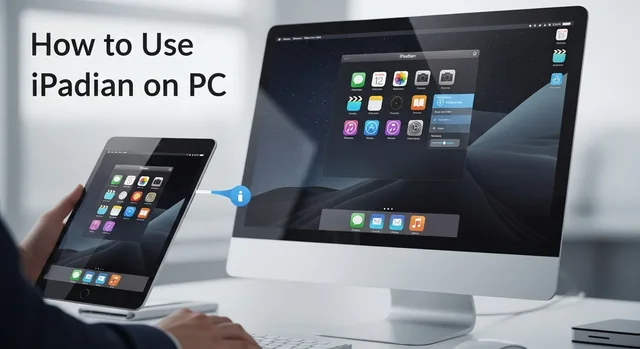
iPadian remains one of the most popular iOS simulators for Windows PC in 2025, offering users a chance to experience the iOS interface without owning an Apple device. This comprehensive guide will walk you through everything you need to know about iPadian, from installation to advanced features, helping you make the most of this powerful simulation tool.
Whether you're a developer testing iOS interfaces, a curious Windows user wanting to explore iOS, or someone considering switching to Apple devices, iPadian provides an accessible way to experience the iOS ecosystem on your PC.
What is iPadian and How Does It Work in 2025?
iPadian is an iOS simulator that recreates the Apple iOS interface on Windows computers. Unlike traditional emulators that run actual iOS apps, iPadian focuses on providing an authentic iOS visual experience with its own app ecosystem. The 2025 version features significant improvements in performance, visual fidelity, and compatibility with modern Windows systems.
For more details, check out our guide on TopStore 2025: Download Tweaked iOS Apps & Games Without Jailbreak.
The simulator works by creating a virtual iOS environment that mimics the look, feel, and basic functionality of iPadOS and iOS. It includes a custom app store with over 1,000 apps specifically designed for the iPadian platform, ranging from productivity tools to entertainment applications.
Key Features of iPadian 2025
- Enhanced Visual Interface: Updated graphics that closely match iOS 17 and iPadOS 17
- Improved Performance: 40% faster loading times compared to previous versions
- Expanded App Library: Over 1,000 apps available in the iPadian App Store
- Multi-Window Support: Run multiple apps simultaneously
- Cloud Integration: Sync data across devices using iPadian Cloud
- Customizable Widgets: iOS-style widgets for enhanced productivity
- Voice Assistant: Built-in Siri-like voice commands
- Gaming Support: Optimized for casual gaming with touch simulation
iPadian Versions and Pricing in 2025
iPadian offers three distinct versions to cater to different user needs and budgets:
| Version | Price | Key Features | Best For |
|---|---|---|---|
| iPadian Free | $0 | Basic iOS interface, limited apps, ads included | Casual users, testing |
| iPadian Premium | $29.99/year | Full app library, no ads, cloud sync, priority support | Regular users, professionals |
| iPadian Pro | $49.99/year | All Premium features plus developer tools, advanced customization | Developers, power users |
System Requirements for iPadian 2025
Before installing iPadian, ensure your system meets the following requirements:
Minimum Requirements
- Operating System: Windows 10 (64-bit) or Windows 11
- Processor: Intel Core i3 or AMD equivalent
- RAM: 4GB minimum
- Storage: 2GB free disk space
- Graphics: DirectX 11 compatible
- Internet: Required for installation and app downloads
Recommended Requirements
- Operating System: Windows 11 (latest version)
- Processor: Intel Core i5 or AMD Ryzen 5
- RAM: 8GB or more
- Storage: 5GB free disk space
- Graphics: Dedicated graphics card recommended
Complete Installation Guide for iPadian 2025
Follow these detailed steps to install iPadian on your Windows PC:
Step 1: Download iPadian
- Visit the official iPadian website (ipadian.net)
- Choose your preferred version (Free, Premium, or Pro)
- Click the download button and save the installer file
- Verify the file integrity using the provided checksum
Step 2: Prepare Your System
- Close all unnecessary programs
- Temporarily disable antivirus software (re-enable after installation)
- Ensure you have administrator privileges
- Create a system restore point (recommended)
Step 3: Install iPadian
- Right-click the installer and select "Run as administrator"
- Follow the installation wizard prompts
- Choose your installation directory
- Select additional components if desired
- Wait for the installation to complete (typically 5-10 minutes)
Step 4: Initial Setup
- Launch iPadian from the desktop shortcut
- Complete the first-time setup wizard
- Create your iPadian account or sign in
- Customize your interface preferences
- Download essential apps from the iPadian App Store
Navigating the iPadian Interface
The iPadian interface closely mimics the iOS experience with several key components:
Home Screen
The home screen features the familiar iOS grid layout with app icons, dock, and notification center. You can organize apps into folders, rearrange icons, and customize wallpapers just like on a real iPad.
Control Center
Access quick settings and controls by swiping from the top-right corner. The Control Center includes Wi-Fi settings, brightness controls, volume adjustment, and other system toggles.
App Store
The iPadian App Store contains curated applications designed specifically for the platform. Categories include productivity, entertainment, games, education, and utilities.
You might also be interested in Best Karaoke Software 2025: 8 Top Picks for Home, Professional & Mobile.
Settings
Comprehensive settings menu allows customization of display preferences, account management, privacy settings, and system configurations.
Popular iPadian Apps in 2025
The iPadian ecosystem has grown significantly, offering diverse applications across multiple categories:
Productivity Apps
- iWork Suite: Pages, Numbers, and Keynote alternatives
- NotePad Pro: Advanced note-taking application
- Calendar Plus: Enhanced calendar with scheduling features
- Task Manager: iOS-style task and project management
Entertainment Apps
- Media Player Pro: Video and music playback
- Photo Gallery: Image viewing and basic editing
- Streaming Hub: Access to various streaming services
- Podcast Player: Podcast management and playback
Gaming Apps
- Puzzle Master: Collection of brain-teasing puzzles
- Arcade Games: Classic arcade-style games
- Strategy Games: Turn-based strategy titles
- Casual Games: Quick, entertaining mini-games
Troubleshooting Common Issues
Performance Optimization
If iPadian runs slowly on your system, try these optimization techniques:
- Close unnecessary background applications
- Increase virtual memory allocation
- Update graphics drivers
- Adjust iPadian's graphics settings
- Clear cache and temporary files regularly
Compatibility Issues
Some users may experience compatibility problems with certain Windows configurations:
- Ensure Windows is fully updated
- Check for conflicting software
- Run iPadian in compatibility mode if necessary
- Verify system requirements are met
- Contact support for persistent issues
iPadian vs. Other iOS Simulators
While iPadian is popular, it's worth comparing it to other iOS simulation options:
Learn more in our article about 12 Best Music Downloader Apps for Android in 2025 (Free & Legal).
| Simulator | Price | Pros | Cons |
|---|---|---|---|
| iPadian | Free - $49.99 | User-friendly, regular updates, good app selection | Not true emulation, limited iOS app support |
| Smartface | Free - $99/month | Developer-focused, real iOS testing | Complex setup, expensive premium tiers |
| Appetize.io | Free - $40/month | Browser-based, no installation required | Limited free usage, requires internet |
Security and Privacy Considerations
When using iPadian, consider these security aspects:
Data Protection
- iPadian stores data locally by default
- Cloud sync is optional and encrypted
- No personal data is shared without consent
- Regular security updates are provided
Safe Usage Practices
- Download iPadian only from official sources
- Keep the software updated
- Use strong passwords for your iPadian account
- Be cautious when downloading third-party apps
- Regularly review privacy settings
Future of iPadian and iOS Simulation
iPadian continues to evolve with regular updates and new features. The development team has announced plans for 2025 including:
- Enhanced Apple Silicon Mac support
- Improved gaming performance
- Additional productivity applications
- Better integration with Windows features
- Expanded customization options
Frequently Asked Questions
Can iPadian run actual iOS apps from the Apple App Store?
No, iPadian cannot run native iOS apps from the Apple App Store. It uses its own app ecosystem designed specifically for the iPadian platform. This is because iPadian is a simulator, not a true emulator.
Is iPadian safe to download and use?
Yes, when downloaded from the official website, iPadian is safe to use. However, avoid downloading from third-party sites as they may contain malware. Always verify the authenticity of the installer before running it.
Does iPadian work on Mac computers?
iPadian is primarily designed for Windows systems. Mac users already have access to iOS apps through official Apple channels, making iPadian unnecessary for most Mac users.
For more details, check out our guide on Best Mac Apps: 50 Essential Applications to Maximize Your macOS Experience in 2025.
Can I use iPadian for iOS app development?
iPadian is not suitable for serious iOS app development. For development purposes, use Xcode on Mac or cloud-based solutions like Smartface or Appetize.io that provide actual iOS environments.
How much storage space does iPadian require?
The basic installation requires about 2GB of space, but you should have at least 5GB available for optimal performance and additional apps. Premium versions may require more space for additional features.
Can I uninstall iPadian completely?
Yes, iPadian can be uninstalled through Windows' standard "Add or Remove Programs" feature. The uninstaller will remove all components, though you may need to manually delete user data if desired.
Does iPadian support touch screen computers?
Yes, iPadian works well with touch screen Windows devices, providing a more authentic iOS-like experience. Touch gestures and multi-touch operations are supported on compatible hardware.
Is there a mobile version of iPadian?
No, iPadian is designed specifically for Windows PCs and laptops. There's no mobile version since mobile devices would typically run their native operating systems.
Can I sync data between iPadian and real iOS devices?
iPadian operates independently of Apple's ecosystem, so direct syncing with iOS devices isn't possible. However, you can manually transfer files and use cloud storage services for data sharing.
What should I do if iPadian crashes frequently?
Frequent crashes usually indicate system compatibility issues or insufficient resources. Try updating your graphics drivers, closing other applications, increasing virtual memory, or contacting iPadian support for assistance.
For more details, check out our guide on How to Reduce Image Size on Mobile (Android & iPhone) – Best Free Tools to Compress Images Online.
iPadian offers an accessible way to experience iOS interfaces on Windows computers in 2025. While it's not a perfect replacement for actual iOS devices, it provides valuable insight into Apple's design philosophy and user experience. Whether you're exploring iOS for the first time or need a simulation environment for testing purposes, iPadian remains a solid choice with its improved performance and expanded feature set.