How to Sync your calendar and contacts across devices
By SaveDelete
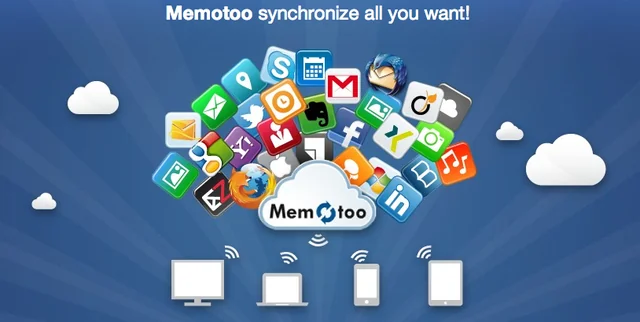
We explains how to synchronise your contacts and calendar information across computers, tablets and smartphones using Memotoo.
With a computer at home and in the office, a tablet in the hand and a smartphone in the pocket, many of us are increasingly using multiple devices to get things done. Keeping your contact and calendar information in sync across these devices can quickly become a chore, and you'll likely end up with contacts on your phone that you can’t access on your computer and calendar events on your tablet that aren't on your phone. It's all very frustrating.
A number of solutions are available, many of which involve signing up to an online service and utilising mobile apps or tweaking settings on your devices. Here we take a look at one such service, Memotoo. It's relatively easy to use, and a free version makes it possible to see whether Memotoo meets your needs without committing to a subscription.
Three versions exist: Memotoo Free, Premium and Business. The primary difference between Free and Premium is the number of items you can sync the Free account is limited to 100 bookmarks, 50 contacts, 50 calendar events and 50 tasks, whereas Premium is unlimited. The Business version adds multiple account management. If you like the Free version, the Premium package won't break the bank at less than a pound a month.
 To get started with Memotoo you'll need to sign up online for a free account, which can be upgraded to Premium at any time. You'll be allocated a contact manager; calendar and bookmarks, to which you simply add the services you want to sync, such as Facebook, Twitter, Gmail, AOL, LinkedIn, Windows Phone 8, Outlook, Thunderbird and so on. You provide your login credentials and Memotoo does the rest. Memotoo provides a mobile app for Android tablets and smartphones, or you can configure sync services with the iPad and iPhone.
Having done your prep work, Memotoo will continue to keep your computers, tablet and phone in sync, without requiring further input from you. Make a change on one device and it will appear on them all. Here, we show you how to get started with Memotoo.
To get started with Memotoo you'll need to sign up online for a free account, which can be upgraded to Premium at any time. You'll be allocated a contact manager; calendar and bookmarks, to which you simply add the services you want to sync, such as Facebook, Twitter, Gmail, AOL, LinkedIn, Windows Phone 8, Outlook, Thunderbird and so on. You provide your login credentials and Memotoo does the rest. Memotoo provides a mobile app for Android tablets and smartphones, or you can configure sync services with the iPad and iPhone.
Having done your prep work, Memotoo will continue to keep your computers, tablet and phone in sync, without requiring further input from you. Make a change on one device and it will appear on them all. Here, we show you how to get started with Memotoo.
To get started with Memotoo you'll need to sign up online for a free account, which can be upgraded to Premium at any time. You'll be allocated a contact manager; calendar and bookmarks, to which you simply add the services you want to sync, such as Facebook, Twitter, Gmail, AOL, LinkedIn, Windows Phone 8, Outlook, Thunderbird and so on. You provide your login credentials and Memotoo does the rest. Memotoo provides a mobile app for Android tablets and smartphones, or you can configure sync services with the iPad and iPhone.
Having done your prep work, Memotoo will continue to keep your computers, tablet and phone in sync, without requiring further input from you. Make a change on one device and it will appear on them all. Here, we show you how to get started with Memotoo.