Azure Migration Services 2025: Complete Guide to Cloud Migration with Pricing & Comparison
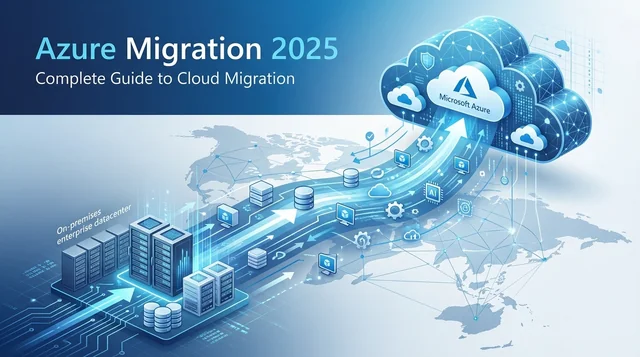
Azure Migration Services 2025: Complete Guide to Cloud Migration with Pricing & Comparison
Migrating to the cloud is no longer a question of "if" but "when" for businesses worldwide. With 78% of enterprises now running multi-cloud deployments and Azure holding 23% of the global cloud market share, Microsoft Azure Migration Services have become essential tools for organizations modernizing their IT infrastructure.
But navigating the complex landscape of Azure migration tools, understanding pricing models, and ensuring a smooth transition can be overwhelming. This comprehensive 2025 guide covers everything you need to know about Azure Migration Services—from the latest AI-powered features to detailed cost breakdowns and competitor comparisons.
What Are Azure Migration Services?
Azure Migration Services is Microsoft's comprehensive suite of tools designed to help organizations move their data, applications, and workloads from on-premises infrastructure or other cloud platforms to Microsoft Azure. The service provides end-to-end migration support, from initial discovery and assessment through execution and post-migration optimization.
Core Value Proposition: Azure Migration Services eliminates the complexity of cloud migration by providing a unified platform for assessing readiness, estimating costs, managing dependencies, and executing migrations with minimal downtime—all while maintaining security and compliance.
Key Components of Azure Migration Services
Azure Migrate Hub: The centralized platform for all migration activities, providing a unified interface for discovery, assessment, and migration management. New in 2025: Application-aware experiences that group all resources in an application for holistic assessment.
Azure Database Migration Service (DMS): Fully managed service for database migrations with minimal downtime capabilities. Supports SQL Server, MySQL, PostgreSQL, Oracle, and more with continuous replication features.
Azure Site Recovery: Disaster recovery and migration tool with automated failover capabilities. First 31 days are free for every protected instance, making it cost-effective for migration projects.
Azure Data Box: Physical data transfer devices (Data Box, Data Box Disk, Data Box Heavy) for offline large-scale data migration when network transfer isn't practical.
Azure App Service Migration Assistant: Simplified web application migration tool supporting ASP.NET, PHP, and containerized apps with bulk migration capabilities (up to 5 App Service plans per flow).
What's New in Azure Migration Services 2025?
Microsoft announced major updates to Azure Migration Services at Build 2025, transforming how organizations approach cloud migration with AI-powered automation and sustainability tracking.
1. AI-Powered Migration (Major 2025 Update)
Agentic AI Tools (Preview): The most significant update introduces AI-powered guided experiences that automate migration workflows through an intuitive chat-based interface. The AI provides:
- Automated workflow recommendations based on your environment
- Predictive issue detection before migration execution
- Real-time guidance throughout the migration journey
- Intelligent troubleshooting for common problems
GitHub Copilot Integration (Preview): A game-changer for modernization, connecting IT operations with developers through synchronized workflows. This enables collaborative migration planning where infrastructure teams and developers work seamlessly together on app modernization strategies.
AI-Powered Assessment Engine: Delivers more accurate cost and sizing recommendations by analyzing performance data with machine learning algorithms, resulting in better-optimized Azure resource allocation.
2. Application-Aware Assessment
Rather than assessing individual servers or databases in isolation, Azure Migrate now provides default application visibility across your entire portfolio. This means:
- Group all resources that comprise an application (web servers, app servers, databases, storage)
- Assess technical readiness of the complete application stack
- Generate business case insights (ROI/TCO) for entire applications
- Understand cross-application dependencies automatically
This holistic approach eliminates the piecemeal migration problems that plague many cloud projects.
3. Sustainability Features
Azure is the first major cloud provider to integrate carbon emissions tracking directly into migration assessments. The Business Case feature now shows:
- Estimated carbon savings when migrating to Azure
- AI optimization engine suggestions to reduce emissions while lowering costs
- Sustainability metrics alongside traditional financial metrics
- Environmental impact correlation with infrastructure decisions
This makes Azure Migration Services invaluable for organizations with ESG (Environmental, Social, Governance) commitments.
4. Enhanced Dependency Visualization
The 2025 update introduces multi-server dependency mapping that visualizes your entire datacenter topology in a single view. Key improvements include:
- Up to 1,000 servers per appliance with automatic dependency analysis
- Connection strength measurement to distinguish critical vs. ephemeral connections
- Process-level filtering for detailed analysis
- Time-range selection (1 hour to 30 days) for comprehensive dependency tracking
5. Hybrid Azure Virtual Desktop (November 2025)
Azure Virtual Desktop now supports on-premises Arc-Enabled Servers as AVD session hosts (limited preview), expanding beyond Azure Local to include:
- Hyper-V environments
- Nutanix AHV platforms
- VMware vSphere infrastructure
- Physical Windows Server 2025 hosts
This hybrid capability enables gradual VDI migration without forcing immediate full cloud commitment.
Azure Migration Services Pricing 2025: Complete Breakdown
Core Service Pricing
| Service | Pricing | Details |
|---|---|---|
| Azure Migrate Hub | FREE | Core migration service included with Azure subscription |
| AI Assistance | FREE | Currently free for early access (capacity constraints may apply) |
| Database Migration Service (Standard) | FREE | Offline migrations, 1/2/4-vCore options |
| Database Migration Service (Premium) | FREE for 6 months | 4-vCore Premium DMS, online migrations (183 days free) |
| Azure Site Recovery (First 31 days) | FREE | Every protected instance free for first month |
| Azure Site Recovery (After 31 days) | ~$16-25/month | $16 customer-owned site, $25 Azure-to-Azure per instance |
| Server Migration (First 180 days) | FREE | No licensing charges (storage/transfer costs still apply) |
| Server Migration (After 180 days) | $25/month | Per instance replicated |
Azure Data Box Pricing
| Device | Capacity | Rental Period | Pricing |
|---|---|---|---|
| Data Box Disk | 8 TB per SSD (up to 5 disks, 40 TB total) | 10 days | $125-$200 |
| Data Box | 120 TB | 10 days | $500-$1,000 |
| Data Box Heavy | 525 TB | 20 days | $2,500-$5,500 |
| Data Box Gateway | Virtual appliance | Monthly subscription | $125/month |
Important Note: Extra day fees apply beyond included rental periods. Export pricing includes bandwidth charges for moving data out of Azure.
Data Transfer Costs (Ingress/Egress)
Data Ingress (Uploading to Azure):
- 100% FREE - No charges for any data entering Azure
Data Egress (Data leaving Azure):
| Transfer Type | Cost per GB |
|---|---|
| First 100 GB/month (all regions) | FREE |
| Same Availability Zone | FREE |
| Between Availability Zones (same region) | FREE (changed from $0.01/GB) |
| Same Region | FREE |
| Intra-continental (e.g., within North America) | $0.02 |
| Inter-continental (e.g., North America to Europe) | $0.05 |
| Asia, Oceania, Middle East, Africa | $0.08 |
| South America | $0.16 |
Storage Costs During Migration
- Replica storage: Mirror of source storage at standard Azure storage rates
- Storage transactions: Charged during replication process
- Premium SSD: Incremental snapshots only
- Standard/Premium SSD v2: One full snapshot + incremental snapshots
Total Cost Example: Mid-Size Migration
Scenario: Migrating 50 VMs, 10 databases, 20 TB of data
Cost Breakdown:
- Azure Migrate Hub: $0 (FREE)
- Discovery & Assessment: $0 (FREE)
- First 31 days Site Recovery: $0 (FREE)
- Database Migration Service: $0 (FREE Standard tier)
- Data Transfer (20 TB ingress): $0 (FREE)
- Storage during replication (30 days): ~$500 (Standard SSD)
- After 31 days (20 days remaining): ~$1,000 (50 VMs × $25/month × 0.67 months)
Total Migration Cost: ~$1,500
Ongoing Azure hosting costs: Depends on chosen VM sizes and services (use Azure Pricing Calculator)
Azure Migration Tools & Services: Complete Overview
Server & VM Migration
Supported Platforms:
- VMware vSphere VMs (agentless and agent-based)
- Hyper-V VMs (all versions)
- Physical servers (bare-metal)
- AWS EC2 instances
- Google Cloud Platform VMs
- Other virtualization platforms (KVM, Xen)
Migration Capacity:
- Up to 300 VMs from single vCenter concurrently
- Up to 500 VMs with scale-out appliance
- Up to 35,000 physical servers per Azure Migrate project
- Up to 1,000 servers per appliance for dependency analysis
2025 Enhancements:
- Gen2 VMs to Trusted Launch virtual machines migration
- Windows OS upgrade during migration (public preview for VMware)
- Enterprise Linux migration (RHEL, SLES) with Azure Hybrid Benefit
- SSH authentication support for Linux servers
Database Migration
Supported Databases:
| Source Database | Azure Target | Migration Method |
|---|---|---|
| SQL Server | Azure SQL Database, SQL Managed Instance, SQL Server on Azure VMs | Online/offline, transactional replication, CDC |
| MySQL | Azure Database for MySQL Flexible Server | Data-in replication (minimal downtime) |
| PostgreSQL | Azure Database for PostgreSQL | Logical replication (minimal downtime) |
| Oracle | Azure SQL, Azure VMs, Oracle Database@Azure | Zero Downtime Migration, standard migration |
| NoSQL (Cosmos DB) | Azure Cosmos DB | Online copy jobs (preview, November 2025) |
Minimal Downtime Techniques:
- Real-time replication: Azure SQL Managed Instance link with distributed availability groups
- Log-based CDC: Striim continuous streaming with zero data loss
- Transactional replication: Background copying with synchronization
- Logical replication: PostgreSQL with virtual endpoints for instant cutover
Web Application Migration
Azure App Service Migration Assistant simplifies web app migration with:
- Support for ASP.NET applications from IIS 7.0+
- PHP web applications
- Containerized applications on Linux
- URL-based readiness assessment
- Bulk migration (up to 5 App Service plans per flow)
- At-scale agentless discovery of ASP.NET web apps in VMware environments
SAP Migration (Public Preview)
Azure now supports SAP systems discovery and assessment with:
- Import-based assessments for on-premises SAP inventory
- Sizing recommendations and cost estimates
- Reference architectures jointly designed by SAP and Microsoft
- DMO (Database Migration Option) for one-step upgrade + database migration to SAP HANA
- DXC Complete for RISE with SAP and GROW with SAP (single-contract end-to-end migrations)
Azure Migrate vs AWS vs Google Cloud: 2025 Comparison
Market Share & Multi-Cloud Reality
- AWS: 32% market share (leader)
- Azure: 23% market share (strong second)
- Google Cloud: 10% market share (growing)
- Multi-cloud adoption: 78% of enterprises use multiple clouds
Feature Comparison Matrix
| Feature | Azure Migrate | AWS Migration Hub | Google Cloud Migrate |
|---|---|---|---|
| Core Service Cost | FREE | FREE (tracking) | Pay-per-use |
| AI-Powered Assessment | ✅ Yes (2025) | Limited | Limited |
| Agentless Discovery | ✅ Yes | Varies | ✅ Yes |
| Dependency Mapping | Advanced (multi-server) | Yes | Basic |
| Application-Aware | ✅ Yes (2025) | Limited | No |
| Sustainability Tracking | ✅ Yes (carbon emissions) | Dashboard only | Carbon footprint |
| Hybrid Cloud Support | Excellent (Arc, Azure Local) | Good (Outposts) | Good (Anthos) |
| Database Migration | FREE Standard tier | Pay-per-use | Pay-per-use |
| Physical Servers | Up to 35,000 | Yes | Yes |
| Cross-Cloud Support | AWS, GCP migration | Azure, GCP (DataSync) | Yes |
| Windows Ecosystem | ⭐ Excellent | Good | Fair |
| Container Support | AKS, Arc | ⭐ Excellent (EKS, ECS) | ⭐ Excellent (GKE, Anthos) |
| GitHub Integration | ✅ Copilot (2025) | No | No |
| Best For | Microsoft ecosystems, hybrid cloud, enterprise governance | AWS-centric, broadest services, complex workloads | Analytics/AI, cost-sensitive, containerization |
Pricing Comparison: Compute (VMs)
All three providers offer competitive pricing with discount programs:
- Azure: Azure Hybrid Benefit (up to 85% savings with existing Windows/SQL licenses), Reserved Instances (up to 72% off), Spot Instances (up to 80% off)
- AWS: Reserved Instances and Savings Plans (up to 72% off), Spot Instances
- Google Cloud: Sustained-use discounts (automatic, up to 30%), Committed Use Discounts (up to 70%), Preemptible VMs
Azure's Unique Advantage: Azure Hybrid Benefit allows you to use existing on-premises Windows Server and SQL Server licenses in Azure, potentially saving up to 85% on VMs compared to pay-as-you-go pricing—a benefit not available on AWS or Google Cloud.
When to Choose Each Platform
| Your Situation | Best Choice | Why |
|---|---|---|
| Heavy Microsoft ecosystem (Windows, SQL, AD, Microsoft 365) | Azure | Seamless integration, Azure Hybrid Benefit savings, best Windows support |
| Hybrid cloud with gradual migration | Azure | Azure Arc and Azure Local provide industry-leading hybrid capabilities |
| Sustainability and ESG commitments | Azure | Only platform with carbon tracking built into migration assessments |
| Largest service selection, complex distributed apps | AWS | 32% market share, most mature tooling, extensive partner ecosystem |
| Data analytics, AI/ML workloads | Google Cloud | BigQuery excellence, strong AI/ML capabilities, competitive pricing |
| Cost-sensitive migrations | Google Cloud | Automatic sustained-use discounts, no commitment required |
| Containerization and Kubernetes focus | Google Cloud or AWS | GKE (Google) and EKS (AWS) are industry-leading container platforms |
Step-by-Step Azure Migration Process
Phase 1: Assessment (1-4 weeks)
1. Deploy Azure Migrate Appliance:
- Download and deploy lightweight appliance (OVA for VMware, VHD for Hyper-V)
- Configure agentless discovery
- No agent installation on target servers required
- Supports up to 10,000 servers per appliance
2. Discovery Phase:
- Wait minimum 1 day for performance data collection (recommended: 7-30 days for accurate sizing)
- Automatic dependency analysis runs on up to 1,000 servers
- Software inventory discovery (applications, services, roles)
- Performance metrics collection (CPU, memory, disk, network)
3. Run Assessment:
- Create assessment in Azure Migrate Hub
- AI-powered sizing recommendations
- Readiness categories: Ready, Conditionally Ready, Not Ready, Unknown
- TCO/ROI analysis through Business Case feature
- Carbon emissions savings estimation (new in 2025)
4. Application-Aware Grouping:
- Group all resources that comprise each application
- Understand cross-application dependencies
- Assess entire application stacks holistically
- Generate business case for complete applications
Phase 2: Planning (2-4 weeks)
1. Select Migration Strategy:
- Rehost (Lift-and-Shift): Move as-is to Azure VMs (fastest, minimal changes)
- Replatform: Minor optimizations (e.g., SQL Server to Azure SQL Managed Instance)
- Refactor/Rearchitect: Rebuild for cloud-native (PaaS services, containers)
- Rebuild: Complete redesign using Azure services
- Replace: Switch to SaaS alternatives
2. Wave Planning:
- Organize migrations in waves (typically 3-6 waves)
- Wave 1: Non-critical, low-risk workloads (learning migration)
- Wave 2-3: Production workloads with moderate complexity
- Wave 4+: Critical applications after gaining experience
- Schedule 2-4 weeks between waves for optimization
3. Resource Planning:
- Right-size Azure resources based on performance data (not just matching on-premises specs)
- Select appropriate Azure services (IaaS vs PaaS decision matrix)
- Design network architecture (VNets, subnets, NSGs, connectivity)
- Plan security controls (Azure Firewall, DDoS Protection, Microsoft Entra ID)
- Budget allocation and cost management setup
Phase 3: Proof of Concept (1-2 weeks)
Pilot Migration:
- Select one representative non-critical workload
- Execute full migration process
- Validate performance, functionality, security
- Test rollback procedures
- Refine migration procedures based on learnings
- Document lessons learned
Phase 4: Migration Execution (Per Wave)
Pre-Migration:
- Final dependency validation
- Backup all source systems
- Prepare Azure landing zone (subscriptions, resource groups, networks)
- Configure monitoring and logging
- Communication to stakeholders
Migration:
- Execute migration using agentless or agent-based method
- Monitor replication progress in Azure Migrate dashboard
- Maintain continuous synchronization with source
- Perform test migration (non-production validation in isolated network)
- Validate application functionality in test environment
Cutover:
- Schedule cutover window (typically after business hours)
- Final data synchronization
- Stop source systems
- DNS/network cutover (update DNS records, virtual endpoints, CNAMEs)
- Switch user traffic to Azure
- Intensive monitoring for first 48-72 hours
Phase 5: Post-Migration Optimization (Ongoing)
Immediate Actions (Week 1):
- Performance validation against baseline metrics
- Security configuration review
- Cost analysis (compare actual vs estimated)
- User feedback collection
- Issue remediation
30-Day Optimization:
- Right-size resources based on actual Azure usage (not on-premises patterns)
- Enable auto-scaling where appropriate
- Implement Azure Reserved Instances for steady-state workloads
- Security hardening (Azure Security Center recommendations)
- Backup and disaster recovery validation
Ongoing:
- Weekly Azure Advisor review
- Monthly cost optimization analysis
- Quarterly architecture review
- Continuous security and compliance monitoring
Best Practices for Successful Azure Migration
Assessment Best Practices
- Allow sufficient discovery time: Minimum 1 day, ideally 7-30 days for accurate performance-based sizing
- Use agentless discovery: Reduces impact on production systems and simplifies deployment
- Enable automatic dependency analysis: Critical for understanding application relationships
- Leverage AI-powered assessment: More accurate than manual calculations
- Consider application-aware grouping: Assess entire application stacks, not individual servers
Cost Optimization Best Practices
- Right-size from the start: Don't simply match on-premises VM specs; use performance-based recommendations
- Leverage Azure Hybrid Benefit: Can save up to 85% on Windows and SQL Server VMs
- Implement Reserved Instances: Up to 72% savings for predictable workloads with 1 or 3-year commitments
- Use Azure Spot Instances: Up to 80% savings for fault-tolerant workloads (dev/test, batch processing)
- Enable auto-scaling: Scale resources based on actual demand rather than peak capacity
- Set up cost alerts: Budget alerts prevent surprise overruns
- Regular cost reviews: Weekly Azure Cost Management reviews to catch inefficiencies early
Security Best Practices
- Implement defense-in-depth: Network security groups, Azure Firewall, DDoS Protection
- Enable encryption: At-rest (AES 256-bit) and in-transit (TLS 1.2+)
- Use Microsoft Entra ID: Centralized identity management with MFA
- Implement RBAC: Principle of least privilege for all access
- Enable audit logging: Azure Monitor and Log Analytics for all resources
- Regular security assessments: Microsoft Defender for Cloud recommendations
Migration Execution Best Practices
- Start with non-critical workloads: Learn and refine processes before migrating critical systems
- Migrate in waves: Controlled approach reduces risk and allows learning
- Always test migration first: Azure Migrate supports test migrations before final cutover
- Plan for minimal downtime: Use continuous replication and quick cutover techniques
- Have rollback procedures: Document and test rollback for every migration
- Monitor intensively during cutover: 24/7 monitoring for first 48-72 hours post-migration
Common Mistakes to Avoid
- ❌ Insufficient discovery time: Leads to inaccurate sizing and cost overruns
- ❌ Ignoring dependencies: Causes broken integrations and application failures
- ❌ Oversizing resources: Matching on-premises specs exactly results in 30-40% waste
- ❌ Skipping proof of concept: Increases risk of production failures
- ❌ No rollback plan: Leaves no option if migration fails
- ❌ Forgetting Azure Hybrid Benefit: Missing potential 85% cost savings
- ❌ Not monitoring costs: 57% of migrations exceed budgets without proper cost management
- ❌ Neglecting post-migration optimization: Missing performance and cost improvement opportunities
Frequently Asked Questions (FAQ)
General Questions
Q: How much does Azure Migrate cost?
A: Azure Migrate core service is FREE with your Azure subscription. You only pay for Azure resources consumed during and after migration (VMs, storage, network transfer). First 31 days of Azure Site Recovery is free, and Database Migration Service Standard tier is completely free.
Q: How long does an Azure migration take?
A: Timeline varies by scope. Small migrations (10-50 servers) typically take 4-8 weeks. Mid-size migrations (50-500 servers) take 2-4 months. Large enterprise migrations (1,000+ servers) take 6-18 months. Assessment phase alone requires minimum 1-4 weeks.
Q: Can I migrate from AWS or Google Cloud to Azure?
A: Yes. Azure Migrate supports cross-cloud migrations from AWS EC2 instances and Google Cloud Platform VMs. AWS DataSync Enhanced mode (launched May 2025) also enables cross-cloud transfers without agents.
Q: Do I need to shut down my on-premises systems during migration?
A: Not during the migration process. Azure Migrate uses continuous replication to keep Azure copies synchronized. Only a brief cutover window (typically 1-4 hours) requires downtime for final synchronization and DNS updates.
Q: What happens if the migration fails?
A: Azure Migrate supports test migrations before final cutover, allowing you to validate everything works. If issues occur during production cutover, you can roll back to on-premises systems. Always maintain backups and document rollback procedures.
Technical Questions
Q: What's the difference between agentless and agent-based migration?
A: Agentless uses Azure Migrate appliance to replicate VMs without installing software on each server (recommended). Agent-based requires Mobility service agent on each VM but supports more scenarios (physical servers, other clouds). Agentless is simpler and less invasive.
Q: How does Azure Migrate handle application dependencies?
A: Azure Migrate provides automatic dependency analysis (agentless) for up to 1,000 servers per appliance. It visualizes entire datacenter topology, shows connection strength, and identifies critical dependencies. Agent-based analysis offers deeper insights with Service Map integration.
Q: Can I migrate databases with zero downtime?
A: Yes, for most databases. Azure Database Migration Service supports online migrations with continuous replication for SQL Server, MySQL, and PostgreSQL. Technologies like transactional replication, logical replication, and CDC (Change Data Capture) minimize downtime to seconds or minutes.
Q: What operating systems are supported for migration?
A: Windows Server 2008 R2 and later, most Linux distributions (RHEL, CentOS, Ubuntu, Debian, SLES, Oracle Linux). Windows Server 2025 now supported as Azure Virtual Desktop session host. Gen2 VMs can be migrated to Trusted Launch VMs.
Q: How large can my migration be?
A: Azure Migrate supports up to 35,000 physical servers per project, 500 VMs per vCenter with scale-out appliance, and 1,000 servers per appliance for dependency analysis. Database sizes supported up to terabytes depending on service tier.
Pricing & Cost Questions
Q: What are the hidden costs in Azure migration?
A: Common hidden costs include: network egress fees (after first 100 GB/month free), storage transactions during replication, backup storage, temporary dual-environment costs, and post-migration monitoring/security tools. Always include 20-30% buffer in cost estimates.
Q: How can I reduce Azure migration costs?
A: Key strategies: (1) Use Azure Hybrid Benefit (up to 85% savings), (2) Right-size resources based on performance data, (3) Leverage free services (Azure Migrate Hub, first 31 days Site Recovery, Database Migration Service Standard), (4) Use Reserved Instances post-migration, (5) Implement auto-scaling to avoid overprovisioning.
Q: Does Azure charge for data transfer during migration?
A: Data ingress (uploading to Azure) is FREE. Data egress charges apply only for data leaving Azure. First 100 GB/month egress is free. During migration, replication data entering Azure has no transfer fees, but snapshot storage and transactions incur charges.
Q: What's included in the "free" Azure Migrate service?
A: Free components: Azure Migrate Hub portal, discovery and assessment tools, AI-powered assessment engine, dependency visualization, business case/TCO calculator, first 31 days of Site Recovery per instance, Database Migration Service Standard tier, and first 180 days of Server Migration (licensing only, storage/transfer costs still apply).
Security & Compliance Questions
Q: Is my data secure during Azure migration?
A: Yes. Data is encrypted in transit (TLS 1.2+) and at rest (AES 256-bit). Azure maintains 90+ compliance certifications including HIPAA, GDPR, SOC, ISO 27001, FedRAMP, and PCI DSS. You control access through Azure AD with MFA and RBAC.
Q: How does Azure handle compliance during migration (HIPAA, GDPR, PCI DSS)?
A: Azure provides compliance-ready infrastructure with 35+ industry-specific certifications. For HIPAA, Azure offers Business Associate Agreement (BAA). GDPR compliance supported through Azure Security and Compliance Blueprint. PCI DSS Level 1 certified. Compliance Manager helps track requirements.
Q: Can I keep some systems on-premises for compliance reasons?
A: Yes. Azure excels at hybrid cloud scenarios with Azure Arc (manage on-premises from Azure) and Azure Local (cloud-managed on-premises infrastructure). This allows gradual migration while maintaining sensitive data on-premises for regulatory compliance.
Planning & Strategy Questions
Q: Should I use rehost (lift-and-shift) or refactor for cloud-native?
A: Depends on goals and timeline. Rehost is fastest (weeks) with minimal changes, best for quick datacenter exits or immediate cloud benefits. Refactor takes longer (months) but maximizes cloud advantages (auto-scaling, serverless, managed services). Many organizations rehost first, then gradually refactor.
Q: How do I know if my applications are ready for Azure?
A: Run Azure Migrate assessment. It categorizes readiness as: Ready (migrate as-is), Conditionally Ready (minor changes needed), Not Ready (incompatible), or Unknown (more data needed). AI-powered assessment (2025) provides accurate readiness predictions and migration recommendations.
Q: What's the typical success rate for Azure migrations?
A: Industry data shows 70-80% of planned cloud migrations complete successfully. Main failure causes: inadequate planning (43%), skill gaps (27%), and budget overruns (57% exceed estimates). Using Azure Migration Services with proper planning significantly improves success rates.
Q: Do I need a partner or can I do it myself?
A: Depends on complexity and internal expertise. Small migrations (under 50 servers) with IT staff experienced in Azure can often self-migrate using Azure Migrate tools. Large enterprises, complex dependencies, or skill gaps benefit from Microsoft Solutions Partners. Azure Accelerate Program provides up to $175,000 incentives for partner engagements.
Post-Migration Questions
Q: How do I optimize costs after migration?
A: Key actions: (1) Review Azure Advisor recommendations weekly, (2) Right-size resources based on actual usage (not on-premises patterns), (3) Implement Reserved Instances for steady workloads, (4) Enable auto-scaling, (5) Use Azure Cost Management alerts, (6) Shut down non-production resources off-hours, (7) Move infrequently accessed data to cool/archive storage tiers.
Q: What ongoing maintenance is required in Azure?
A: Azure reduces maintenance significantly vs. on-premises. Managed services (PaaS) handle patching automatically. IaaS VMs require OS patching (can be automated with Azure Update Management). Regular tasks: security reviews, cost optimization, performance monitoring, backup validation, disaster recovery testing, compliance audits.
Q: How do I handle disaster recovery after migration?
A: Azure offers multiple DR options: (1) Azure Site Recovery for Azure-to-Azure VM replication across regions, (2) Azure Backup for VMs, databases, and files, (3) Geo-redundant storage (GRS) for data replication, (4) Application-level replication for critical systems. Important 2025 update: After March 31, 2025, customers are responsible for PaaS App Services DR.
2025-Specific Questions
Q: What are the new AI-powered migration features in 2025?
A: Major 2025 updates include: (1) Agentic AI tools with chat-based guidance, (2) GitHub Copilot integration for app modernization, (3) AI-powered assessment engine for accurate sizing, (4) Application-aware assessment grouping, (5) Predictive issue detection before migration, (6) Carbon emissions tracking and AI optimization for sustainability.
Q: What's changing with Azure migration in 2025?
A: Key 2025 changes: (1) TCO Calculator retiring August 2025 (use Azure Migrate Business Case instead), (2) Default outbound VM access retiring September 30, 2025 (migrate to explicit connectivity), (3) Azure Virtual Desktop hybrid support (November 2025 preview), (4) Managed identity requirement for AVD by November 15, 2025, (5) Customer responsibility for PaaS App Services DR after March 31, 2025.
Q: How does Azure's sustainability tracking work?
A: Azure Migrate Business Case now shows estimated carbon savings when migrating to Azure. The AI optimization engine analyzes your configuration and suggests changes to reduce emissions while lowering costs. This makes Azure the first major cloud provider with carbon tracking built directly into migration assessments—valuable for ESG reporting.
Real-World Success Stories
Financial Services: Enhanced Agility and Security
Challenge: A financial services institution needed to migrate from Geneva data center to improve agility, scalability, and reduce operational overhead while maintaining strict security and compliance.
Solution: Migrated to Azure using Azure Service Bus, Azure Kubernetes Service (AKS), and Azure DevOps CI/CD pipelines.
Results:
- Enhanced agility and scalability
- Significantly reduced operational overhead and costs
- Improved security posture with Azure's compliance certifications
- Faster deployment cycles with CI/CD automation
Thomson Reuters: 18,000 Database Migration
Challenge: Massive migration of 18,000 databases and 500+ TB of data without disrupting critical business services.
Solution: Partnered with Microsoft Cloud Accelerate Factory for expert guidance and phased migration approach.
Results:
- Successfully migrated entire infrastructure without service disruptions
- Modernized core infrastructure at scale
- Leveraged expert assistance for complex migration
NexJ Health: 35% Cost Reduction
Challenge: Healthcare technology company needed to reduce cloud costs while improving deployment speed and achieving 100% uptime.
Solution: Migrated to Azure Kubernetes Service with Landing Zones architecture and AI services integration.
Results:
- 35% cloud cost reduction
- 25% faster deployments
- 100% uptime achievement
- Enhanced scalability for healthcare applications
Proshred Security: 300+ User VDI Migration
Challenge: Document shredding company needed reliable infrastructure for 300+ users with improved security and productivity.
Solution: Migrated to Azure Virtual Desktop with Intune-managed devices.
Results:
- Enhanced infrastructure reliability
- Improved security for sensitive document handling
- Increased employee productivity with anywhere access
- Simplified device management with Intune
Medigold Health: 58% Clinician Retention Increase
Challenge: UK healthcare provider needed to improve clinician retention through automation and better data management.
Solution: Migrated to Azure OpenAI Service, Azure Cosmos DB, and Azure SQL Database.
Results:
- 58% rise in clinician retention
- Automated administrative processes freeing clinical time
- Improved patient data management and accessibility
- Enhanced decision-making with AI insights
Conclusion: Is Azure Migration Right for You?
Azure Migration Services Are Ideal If You:
- ✅ Have significant Microsoft ecosystem investments (Windows, SQL Server, Active Directory, Microsoft 365)
- ✅ Need hybrid cloud capabilities for gradual migration
- ✅ Want to leverage existing licenses with Azure Hybrid Benefit (up to 85% savings)
- ✅ Require enterprise governance and compliance certifications (90+)
- ✅ Value AI-powered migration with predictive issue detection
- ✅ Have sustainability/ESG commitments requiring carbon tracking
- ✅ Need application-aware migration planning for complex environments
- ✅ Prefer free core migration services over pay-per-use competitors
Consider Alternatives If You:
- ❌ Are heavily invested in AWS ecosystem with minimal Microsoft technologies
- ❌ Primarily run containerized workloads on Kubernetes (Google Cloud/AWS may be better)
- ❌ Need the absolute broadest service selection (AWS has largest portfolio)
- ❌ Have data analytics as primary use case (Google Cloud BigQuery excels)
Key Takeaways for 2025
What Makes Azure Migration Services Stand Out:
- AI-Powered Migration: Industry-leading AI integration with agentic tools and GitHub Copilot
- Free Core Service: Azure Migrate Hub, assessment, and Standard Database Migration Service are free
- Hybrid Cloud Leadership: Azure Arc and Azure Local provide best-in-class hybrid capabilities
- Sustainability First: Only major cloud with carbon tracking built into migration assessments
- Microsoft Ecosystem: Unmatched integration with Windows, SQL Server, Active Directory, Microsoft 365
- Application-Aware: Holistic application stack assessment reduces migration failures
- Azure Hybrid Benefit: Unique 85% savings opportunity for existing license holders
Critical 2025 Dates to Remember:
- August 2025: TCO Calculator deprecation (use Business Case)
- September 30, 2025: Default outbound VM access retirement
- November 15, 2025: AVD managed identity requirement
Getting Started:
- Sign up for free Azure account and Azure Migrate
- Deploy Azure Migrate appliance for discovery (no cost)
- Run assessment after collecting minimum 1 day of performance data
- Review AI-powered recommendations and business case
- Start with proof of concept migration of non-critical workload
- Execute phased wave migration based on learnings
Ready to Migrate to Azure?
Start your free Azure migration assessment today
✓ Free Azure Migrate Hub
✓ AI-powered sizing recommendations
✓ First 31 days of Site Recovery free
✓ Expert guidance from Microsoft
Last updated: November 2025. Pricing, features, and services subject to change. Always verify current details at azure.microsoft.com/migrate.