Google NotebookLM: Complete Guide to AI Research Tool with Latest 2025 Updates
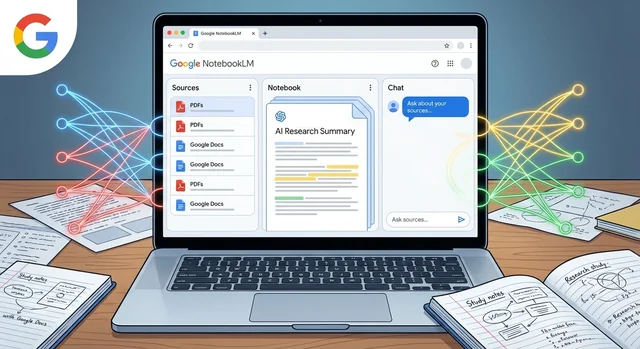
Google NotebookLM has emerged as one of the most powerful AI research tools in 2025, transforming how students, researchers, and professionals interact with information. Powered by Google's advanced Gemini 1.5 Pro model, NotebookLM takes a unique approach to AI assistance by grounding its responses in your uploaded sources, making it a reliable research companion that stands apart from general-purpose AI chatbots.
What is Google NotebookLM?
NotebookLM (previously known as Project Tailwind) is Google's AI-powered research assistant designed to analyze, summarize, and help you understand large collections of information. Unlike ChatGPT or Claude, which draw from broad internet knowledge, NotebookLM works exclusively with the documents, websites, and videos you provide, ensuring every response is grounded in your specific sources.
Google describes NotebookLM as "your personalized AI research assistant," and it delivers on that promise. Whether you're a student preparing for exams, a researcher conducting literature reviews, or a professional analyzing reports, NotebookLM transforms how you work with information.
Major Updates in November 2025
NotebookLM received significant updates in late 2025, solidifying its position as a leading AI research tool. Here's what's new:
Deep Research Tool
The most exciting addition is the "Deep Research" feature, launched in November 2025. This tool automates complex online research by acting like a dedicated researcher on your behalf. Here's how it works:
- You provide a research question or topic
- Deep Research creates a comprehensive research plan
- It browses hundreds of websites automatically
- Synthesizes findings into detailed reports
- Recommends relevant articles, papers, and websites
This feature is a game-changer for anyone conducting extensive research, saving hours of manual work while ensuring comprehensive coverage of your topic.
Enhanced Chat Capabilities
Chat in NotebookLM received substantial improvements in October 2025:
- 8x larger context window - Handle much larger documents and conversations
- 6x longer conversation memory - NotebookLM remembers context throughout extended research sessions
- 50% boost in response quality - More accurate, detailed, and helpful answers
- Goal-based steering - Set specific goals to customize how NotebookLM responds to your needs
- Custom personas - Configure NotebookLM to adopt specific voices, tones, or roles
Expanded File Type Support
NotebookLM now supports a wider range of source materials:
- Google Sheets for structured data analysis
- Google Drive URLs for seamless integration
- Images with text extraction capabilities
- PDFs directly from Google Drive
- .docx files (Microsoft Word documents)
- YouTube videos (analyze video content and transcripts)
- Web pages via URL
Video Overviews
One of the most innovative features is "Video Overviews," which transforms document summaries into visual slide-style videos. These videos combine:
- AI-generated narration
- Relevant images and diagrams
- Structured visual explanations
- Six different visual styles powered by Google's Nano Banana image generation model
This feature is perfect for creating presentations or visual study materials from your research.
Mobile App Enhancements
The NotebookLM mobile app now includes:
- Flashcards and quizzes based on your uploaded sources
- Smarter chat with improved context understanding
- One-tap content saving via the share button
- Support for web pages, PDFs, and YouTube videos on mobile
Audio Overview Improvements
NotebookLM's signature feature—AI-generated podcast-style audio overviews—now offers three formats:
- Brief - Single AI host providing a concise summary
- Critique - Two AI hosts offering constructive feedback and analysis
- Debate - Two AI hosts discussing different perspectives on the material
You can customize both the tone and response length of these audio overviews, making them perfect for learning while commuting or exercising.
How NotebookLM Works
Using NotebookLM is straightforward, even for beginners:
Step 1: Create a Notebook
Visit https://notebooklm.google/ and sign in with your Google account. Click "New Notebook" to get started.
Step 2: Add Sources
Upload documents (PDFs, Word files, text files), paste URLs, or connect YouTube videos. You can add up to 50 sources per notebook in the free tier.
Step 3: Ask Questions
Once your sources are uploaded, start asking questions. NotebookLM will analyze your materials and provide answers with citations pointing directly to the relevant sections of your documents.
Step 4: Generate Study Materials
Use the built-in tools to create flashcards, quizzes, summaries, or audio overviews based on your sources.
Step 5: Conduct Deep Research
Use the Deep Research tool to explore topics beyond your uploaded sources, letting NotebookLM scour the web for additional relevant information.
NotebookLM vs Other AI Tools: Comparison
| Feature | NotebookLM | ChatGPT | Claude |
|---|---|---|---|
| Source Grounding | ✅ Answers based only on your uploaded sources | ❌ Uses general internet knowledge | ❌ Uses general knowledge (unless using Projects) |
| Research Focus | ✅ Optimized for research and analysis | ⚠️ General-purpose chatbot | ⚠️ General-purpose with some research features |
| YouTube Integration | ✅ Analyze video content directly | ❌ No direct video analysis | ❌ No direct video analysis |
| Audio Overviews | ✅ Podcast-style summaries with AI hosts | ❌ Text-to-speech only | ❌ No audio features |
| Deep Research | ✅ Automated web research | ⚠️ Requires manual prompting | ⚠️ Limited research capabilities |
| Citation Quality | ✅ Direct links to source passages | ⚠️ General references | ✅ Good citation support |
| File Type Support | ✅ PDFs, Docs, Sheets, URLs, Videos | ✅ Various file types (Plus only) | ✅ Documents and images (Pro only) |
| Free Tier | ✅ 100 notebooks, 50 sources each | ✅ Limited GPT-3.5 | ✅ Limited usage |
| Premium Price | $19.99/month (Google One AI) | $20/month (Plus) | $20/month (Pro) |
| Best For | Research, study, analysis | Writing, coding, general tasks | Detailed explanations, writing |
Use Cases for Students
Exam Preparation
Students can upload textbooks, lecture notes, and study materials to NotebookLM, which then generates customized flashcards and practice quizzes. The Learning Guide feature poses open-ended questions that encourage deeper understanding rather than rote memorization.
Essay Writing
Upload your research papers, sources, and notes, then ask NotebookLM to help organize your thoughts, identify key themes, or suggest essay structures. Unlike general AI tools, every suggestion is grounded in your actual research materials.
Literature Reviews
For advanced students, NotebookLM can analyze multiple academic papers simultaneously, identifying trends, contradictions, or research gaps across your sources.
Study Summaries
Transform lengthy textbooks or lecture PDFs into concise, accurate summaries with citations. The audio overview feature lets you "listen" to your study materials during commutes.
Use Cases for Researchers
Literature Analysis
Upload 10-50 research papers on a topic, and NotebookLM can compare findings, identify methodological differences, or flag areas needing additional study.
Data Synthesis
With Google Sheets integration, researchers can upload structured data alongside research papers, asking NotebookLM to correlate findings with datasets.
Collaborative Research
Share notebooks with team members, allowing collaborative analysis of shared research materials. Everyone works from the same source base, ensuring consistency.
Grant Writing
Upload previous successful grants, funding guidelines, and research proposals. NotebookLM can help identify key themes, suggest structures, and ensure your proposal aligns with funder priorities.
Use Cases for Professionals
Report Analysis
Upload quarterly reports, market research, or industry whitepapers. NotebookLM can extract key insights, compare data across reports, or identify trends.
Meeting Preparation
Upload meeting agendas, background materials, and previous meeting notes. NotebookLM helps you prepare by summarizing key points and suggesting discussion topics.
Content Creation
For marketers and content creators, upload brand guidelines, previous content, and research materials. NotebookLM ensures your new content stays aligned with your brand while drawing from your research.
Pricing: Free vs Google One AI Premium
Free Tier Includes:
- 100 notebooks
- Up to 50 sources per notebook (500K words each)
- 50 chat queries per day
- 3 audio overview generations per day
- Basic features including flashcards, summaries, and citations
Google One AI Premium ($19.99/month) Adds:
- Unlimited notebooks
- Increased daily limits on chat and audio generation
- Priority access to new features
- Includes 2TB Google Drive storage
- Access across Google Workspace
For most students and casual users, the free tier is more than sufficient. Premium makes sense for researchers, professionals, or power users who need unlimited access.
Tips for Getting the Most from NotebookLM
1. Organize Sources by Topic
Create separate notebooks for different projects or subjects rather than mixing everything in one notebook. This improves response accuracy.
2. Use Specific Questions
Instead of "Tell me about this paper," ask "What methodology did the authors use to measure X?" Specific questions yield better answers.
3. Leverage Audio Overviews for Learning
The podcast-style summaries are excellent for reinforcing learning. Listen while exercising, commuting, or doing chores.
4. Combine with Deep Research
Start with your uploaded sources, then use Deep Research to expand your understanding with additional web sources.
5. Use Citation Links
When NotebookLM provides an answer, click the citation to verify the information in the original source. This builds confidence in the AI's responses.
6. Experiment with Chat Goals
Set specific goals for your chat sessions—like "explain like I'm a beginner" or "provide critical analysis"—to get responses tailored to your needs.
7. Create Study Playlists
Generate audio overviews for multiple topics, then listen to them in sequence for comprehensive review sessions.
Frequently Asked Questions
Is Google NotebookLM free?
Yes, NotebookLM offers a generous free tier with 100 notebooks, 50 sources per notebook, and daily limits on chat queries (50) and audio generations (3). This is sufficient for most students and casual users. For unlimited access, Google One AI Premium costs $19.99/month.
How is NotebookLM different from ChatGPT?
NotebookLM is designed specifically for research and analysis, working exclusively with your uploaded sources to provide grounded, citation-backed answers. ChatGPT is a general-purpose AI that draws from broad internet knowledge. NotebookLM excels at research tasks, while ChatGPT is better for creative writing, coding, and diverse general tasks.
Can I use NotebookLM for commercial purposes?
Yes, NotebookLM can be used for commercial purposes, including market research, report analysis, and content creation. The Google One AI Premium subscription includes commercial use rights.
What file types does NotebookLM support?
NotebookLM supports PDFs, text files, Markdown, Microsoft Word (.docx), Google Sheets, Google Drive URLs, images with text, YouTube videos, and web pages via URL. You can mix different file types within the same notebook.
How many sources can I add to a notebook?
The free tier allows 50 sources per notebook, with each source containing up to 500,000 words. Google One AI Premium increases these limits significantly. For most use cases, 50 sources per notebook is more than enough.
Does NotebookLM work offline?
No, NotebookLM requires an internet connection to function since it relies on Google's cloud-based Gemini AI model. However, once you generate summaries or audio overviews, you can access them offline if saved locally.
Can I share my notebooks with others?
Yes, you can share notebooks with collaborators who also have Google accounts. This makes NotebookLM excellent for team research projects or study groups.
Is my data private in NotebookLM?
According to Google, your content in NotebookLM is not used to train AI models. Your uploads, conversations, and generated content remain private to your account. However, always review Google's privacy policy for the most current information.
How accurate are NotebookLM's citations?
NotebookLM provides highly accurate citations, linking directly to specific passages in your source documents. You can click any citation to verify the information, making it more reliable than general AI tools that provide vague references.
Can NotebookLM analyze video content?
Yes, NotebookLM can analyze YouTube videos by processing both the video transcript and visual content when available. This makes it excellent for learning from educational videos or analyzing video-based research.
The Future of NotebookLM
Google continues to invest heavily in NotebookLM, with upcoming features including deeper Gemini integration, allowing users to import notebooks directly into the Gemini platform for a seamless experience across Google's AI tools.
The tool's focus on source grounding and research-specific features positions it uniquely in the crowded AI assistant market. As more students, researchers, and professionals discover its capabilities, NotebookLM is poised to become an essential tool for anyone who works with information.
Whether you're a student preparing for exams, a researcher conducting literature reviews, or a professional analyzing reports, NotebookLM offers a powerful, reliable, and intelligent way to make sense of large amounts of information. Best of all, its generous free tier makes these capabilities accessible to everyone.