Google Gemini Turns a Text Prompt into an Interactive XR World in Under a Minute
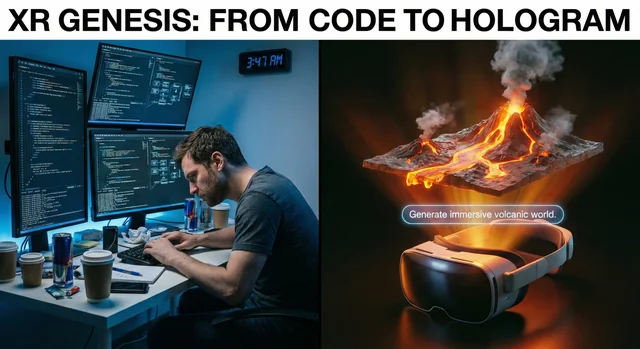
The Leap: From Prompt to XR World
Google's Android XR team has connected two things that had no business being connected: a casual text prompt and a fully interactive extended reality environment. Using Gemini Canvas and the new XR Blocks Gem, developers can now describe an experience in plain language — and walk through it in XR seconds later.
The benchmark that captures this shift: a senior XR engineer needed a full day to build a volcanic 3D world manually. Gemini + Canvas built the same experience in under one minute.
What Is the XR Blocks Gem?
The XR Blocks Gem is a pre-built Gemini configuration — a "Gem" — that gives Gemini advanced perception capabilities for realistic AR physics. You can use the pre-built version or create your own by downloading the XR Blocks ultra-prompt and uploading it to a new Gem in Gemini's web interface.
The Gem gives Gemini a persona: a "creative and resourceful WebXR developer with superb aesthetic taste and technical execution." It can interpret your visual scene, use image-generation tools to create polished 3D textures, and render interactive components using WebGL and Three.js — all from natural language instructions.
How It Works: Step by Step
To build your own XR experience, here's what you need:
- Hardware: A Samsung Galaxy XR headset
- Software: Gemini 3 Pro access and Chrome browser on the device
The workflow is surprisingly simple:
- Set up your XR Gem — use the pre-built XR Blocks Gem or build your own with the ultra-prompt
- Launch the experience — open Gemini in Chrome on your Galaxy XR, start a new chat with your Gem, and select Canvas
- Build and iterate — type what you want. "Create a volcanic environment." "Add a butterfly there." "Give that character a backstory." Each instruction updates your XR world in real time
When you're done, your creation becomes a shareable web link — anyone can open it and build on it further.
What Can You Build?
Google suggests starter prompts to get developers experimenting:
- "Make a pen that draws rainbows in 3D"
- "Make a bunch of bubbles that pop when I touch them"
- "Make an origami bird that flies around the room and lands on my hand"
For more ambitious projects, the team suggests building a smart planetarium with real NASA exoplanet data, cloning a retro arcade game in a cat-themed skin, or creating a tool that turns 3D doodles into lifelike sculptures.
You can also embed Gemini Live within the experience — letting you talk to Gemini directly without leaving the immersive session, continuing to build hands-free while inside your XR world.
The Proof of Concept That Started It All
The project began with a biology simulation. Gemini modeled interactions between blood cells, rendered them using WebGL and Three.js, and then the team converted that content to XR using WebXR APIs. A button appeared on screen: "Enter XR." Exploring car-sized blood cells at a sub-cellular scale convinced the team they were onto something real.
Authors Benjamin Hersh (Product Manager) and Ruofei Du (Interactive Perception & Graphics Lead) frame the core insight simply: Gemini is particularly adept at generating interactive 3D web graphics. The question they asked — What if you could experience Gemini's 3D web creations in extended reality? — turned into a developer platform.
The Bottom Line
The gap between "idea" and "immersive interactive experience" just collapsed. Gemini + Android XR is not just a demo pipeline — it's a new development paradigm where the creative prompt is the specification, and the runtime is XR. If you have a Galaxy XR headset and Gemini 3 Pro, there is nothing stopping you from building your first XR world today.