10 Best Gaming Monitors Under $200 in 2025 (1080p & 1440p)
By Editor
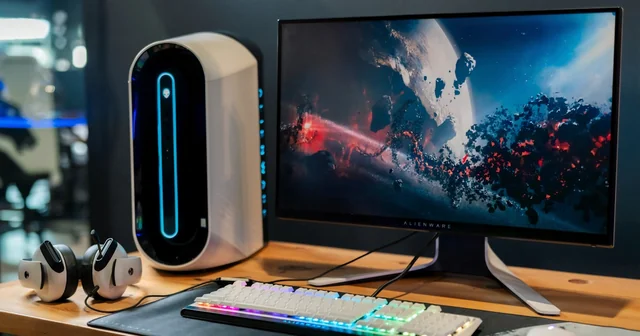
Looking for the best gaming monitor under $200 in 2025? The budget gaming monitor market has evolved dramatically, with 1440p 165Hz displays now available at prices that used to only get you basic 1080p panels.
Whether you're a competitive esports player who needs lightning-fast response times or a casual gamer seeking immersive visuals, there's a perfect monitor waiting for you under the $200 mark. Thanks to technological advancements, you no longer have to sacrifice quality for affordability.
In this comprehensive guide, we've tested and reviewed the best gaming monitors under $200 available in 2025, covering 1080p speedsters, 1440p value champions, and curved immersive displays.
10 Best Gaming Monitors Under $200 in 2025
1. KTC H27T22 – Best Overall Value
The KTC H27T22 delivers an exceptional 27-inch 1440p 165Hz gaming experience that rivals monitors costing twice as much. It's our top pick for gamers who want the best bang for their buck. Key Specifications:- 27-inch QHD (2560x1440) resolution
- 165Hz refresh rate
- Fast IPS panel with 1ms GTG response
- 95% DCI-P3 wide color gamut
- AMD FreeSync Premium & G-SYNC Compatible
- HDR10 support
2. LG 24GS65F-B – Best 1080p Gaming Monitor
The LG 24GS65F-B is RTINGS' top pick for the best gaming monitor under $200, offering excellent value with its combination of speed and color accuracy. Key Specifications:- 24-inch Full HD (1920x1080) resolution
- 180Hz refresh rate
- IPS panel with 1ms GtG response
- AMD FreeSync Premium
- HDR10 support
- 99% sRGB coverage
3. Gigabyte GS27QC – Best Curved 1440p
The Gigabyte GS27QC offers an immersive curved 1440p experience with a native 165Hz refresh rate that can be overclocked to 170Hz. Key Specifications:- 27-inch QHD (2560x1440) curved display
- 165Hz (170Hz OC) refresh rate
- VA panel with 1ms MPRT
- 1500R curvature
- AMD FreeSync Premium
- 3000:1 contrast ratio
4. AOC C24G1A – Best Budget Curved Monitor
The AOC C24G1A remains a fan favorite with its curved VA panel, 165Hz refresh rate, and excellent ergonomics at a sub-$160 price point. Key Specifications:- 24-inch Full HD (1920x1080) curved
- 165Hz refresh rate (via DisplayPort)
- VA panel with 1ms MPRT
- 1500R curvature
- AMD FreeSync Premium
- Height, tilt, swivel adjustment
5. ASUS VG248QG – Best for Esports
The ASUS VG248QG is built for competitive gaming with its blazing 0.5ms response time and 165Hz refresh rate. It's a proven esports performer. Key Specifications:- 24-inch Full HD (1920x1080)
- 165Hz refresh rate (overclockable)
- TN panel with 0.5ms response time
- NVIDIA G-SYNC Compatible
- ASUS Eye Care technology
- Ergonomic stand included
6. BenQ MOBIUZ EX240N – Best for Console Gaming
The BenQ MOBIUZ EX240N offers everything needed for fast-paced gameplay with HDRi technology and built-in speakers optimized for gaming. Key Specifications:- 24-inch Full HD (1920x1080)
- 165Hz refresh rate
- VA panel with 1ms MPRT
- HDRi technology
- treVolo speakers built-in
- AMD FreeSync Premium
7. Acer Nitro KG241Y – Best Ultra-Budget Pick
The Acer Nitro KG241Y delivers 165Hz gaming at an incredibly affordable price, often dropping below $120 during sales. Key Specifications:- 24-inch Full HD (1920x1080)
- 165Hz refresh rate
- VA panel with 1ms VRB
- AMD FreeSync Premium
- 2x HDMI, 1x VGA
- Tilt adjustment
8. MSI G274F – Best IPS Panel
The MSI G274F features a Rapid IPS panel that combines fast response times with excellent color accuracy and wide viewing angles. Key Specifications:- 27-inch Full HD (1920x1080)
- 180Hz refresh rate
- Rapid IPS with 1ms GTG
- AMD FreeSync Premium
- Night Vision mode
- Anti-Flicker technology
9. Sceptre E255B-FWD168 – Best Cheap 165Hz
The Sceptre E255B-FWD168 is one of the cheapest 165Hz gaming monitors available, perfect for gamers on a tight budget. Key Specifications:- 25-inch Full HD (1920x1080)
- 165Hz refresh rate
- IPS panel with 1ms response
- AMD FreeSync
- Built-in speakers
- Blue light filter
10. KTC H27E22S – Best 240Hz Under $200
The KTC H27E22S pushes boundaries with a 1440p 240Hz display at an unbelievable price point, though it uses a VA panel with different characteristics. Key Specifications:- 27-inch QHD (2560x1440)
- 240Hz refresh rate
- VA panel with 1ms MPRT
- 2500:1 contrast ratio
- AMD FreeSync Premium
- HDR10 support
Gaming Monitor Comparison Table
| Monitor | Size | Resolution | Refresh Rate | Panel | Response Time | Price |
|---|---|---|---|---|---|---|
| KTC H27T22 | 27" | 1440p | 165Hz | Fast IPS | 1ms GTG | ~$180 |
| LG 24GS65F-B | 24" | 1080p | 180Hz | IPS | 1ms GtG | ~$170 |
| Gigabyte GS27QC | 27" | 1440p | 165Hz | VA Curved | 1ms MPRT | ~$190 |
| AOC C24G1A | 24" | 1080p | 165Hz | VA Curved | 1ms MPRT | ~$150 |
| ASUS VG248QG | 24" | 1080p | 165Hz | TN | 0.5ms | ~$180 |
| BenQ EX240N | 24" | 1080p | 165Hz | VA | 1ms MPRT | ~$160 |
| Acer Nitro KG241Y | 24" | 1080p | 165Hz | VA | 1ms VRB | ~$120 |
| MSI G274F | 27" | 1080p | 180Hz | Rapid IPS | 1ms GTG | ~$170 |
| Sceptre E255B | 25" | 1080p | 165Hz | IPS | 1ms | ~$100 |
| KTC H27E22S | 27" | 1440p | 240Hz | VA | 1ms MPRT | ~$200 |
Buying Guide: What to Look For
Resolution: 1080p vs 1440p
1080p (Full HD) remains the sweet spot for competitive gaming under $200. It's easier to push high frame rates and monitors are more affordable. Choose 1080p if you play fast-paced FPS games or have a mid-range GPU. 1440p (QHD) has become accessible under $200 in 2025. The extra pixels provide noticeably sharper visuals, especially on 27-inch displays. Choose 1440p if you play RPGs, strategy games, or have a powerful GPU.Panel Types Explained
- IPS: Best color accuracy and viewing angles. Slightly slower response than TN. Ideal for most gamers.
- VA: Best contrast and deep blacks. Good for dark games and movies. Some models have slower response times.
- TN: Fastest response times but poor viewing angles and colors. Best for pure competitive gaming.
Refresh Rate
At this price point, 144Hz is the minimum you should accept. Most monitors now offer 165Hz or higher. The jump from 60Hz to 144Hz is dramatic; from 144Hz to 165Hz is subtle but noticeable.Adaptive Sync
Look for AMD FreeSync or NVIDIA G-SYNC Compatible support. This technology eliminates screen tearing and stuttering by syncing the monitor's refresh rate with your GPU's output.Frequently Asked Questions
Is 1440p worth it under $200?
Yes, in 2025 you can get excellent 1440p 165Hz monitors like the KTC H27T22 under $200. The sharper image is particularly noticeable on 27-inch displays. However, you'll need a decent GPU (RTX 3060/RX 6600 or better) to fully utilize 1440p at high refresh rates.What's the best refresh rate for gaming under $200?
Look for at least 144Hz, though most budget monitors now offer 165Hz. For competitive gaming, higher is better. The difference between 144Hz and 165Hz is minimal, but the jump from 60Hz to 144Hz is transformative.IPS or VA panel for gaming?
IPS is better for competitive gaming due to faster response times and better viewing angles. VA is better for immersive single-player games thanks to superior contrast ratios and deeper blacks. Both are excellent choices in 2025.Do I need G-SYNC for an NVIDIA GPU?
Not necessarily. Most FreeSync monitors are now "G-SYNC Compatible," meaning they work with NVIDIA GPUs without issues. True G-SYNC monitors with dedicated hardware cost more and aren't available under $200.Is 24-inch or 27-inch better for gaming?
For 1080p, 24-inch is ideal as the pixel density remains sharp. For 1440p, 27-inch is the sweet spot. Going 27-inch with 1080p can make pixels more visible, though sitting further back mitigates this.Can budget monitors be used for competitive esports?
Absolutely. Monitors like the ASUS VG248QG and LG 24GS65F-B are used by many competitive players. The key specs (144Hz+, 1ms response, low input lag) are all present in sub-$200 monitors.What cables do I need for 165Hz?
DisplayPort 1.2 or higher is recommended for 165Hz at 1080p or 1440p. HDMI 2.0 can also handle 165Hz at 1080p but may be limited at 1440p. Most gaming monitors include a DisplayPort cable.How important is HDR under $200?
HDR on budget monitors is typically "HDR10" or "HDR400," which is entry-level. It's a nice bonus but won't deliver the dramatic HDR experience of high-end displays. Don't pay extra specifically for HDR at this price point.Should I buy curved or flat?
Curved monitors (usually 1500R) add immersion, especially for single-player games. Flat monitors are preferred for competitive gaming and are better for productivity tasks. At 24-27 inches, the curve is subtle and mostly a preference.Will these monitors work with PS5/Xbox Series X?
Most 1080p 120Hz+ monitors will support 120fps gaming on next-gen consoles. For 1440p, check for HDMI 2.0/2.1 support. The BenQ MOBIUZ EX240N is specifically designed with console gaming in mind.Final Verdict
The best gaming monitor under $200 in 2025 depends on your priorities:- Best Overall: KTC H27T22 – Unbeatable 1440p 165Hz value
- Best for Esports: ASUS VG248QG – Lightning-fast 0.5ms response
- Best Budget: Acer Nitro KG241Y – 165Hz under $120
- Best Curved: AOC C24G1A – Full ergonomics, great contrast
- Best 1080p: LG 24GS65F-B – Premium IPS quality