Clicks Communicator: The BlackBerry-Style Android Phone Designed for Productivity
Bringing Back the Physical Keyboard
Many people feel a sense of nostalgia for the days of physical phone keyboards, like those on a classic BlackBerry, which made typing feel fast and accurate. The Power Keyboard, from the company Clicks, is a modern accessory designed to bring that satisfying tactile experience to today's smartphones. It cleverly attaches to your device, providing a slide-out keyboard without permanently adding bulk. This guide will explain what the Power Keyboard is, its key benefits, and how it works with different devices, all in a simple and clear way for a beginner.
This accessory is more than just a keyboard; it's a multi-functional tool designed for the modern, multi-device world.
2. The Core Concept: A Keyboard That Hides in Plain Sight
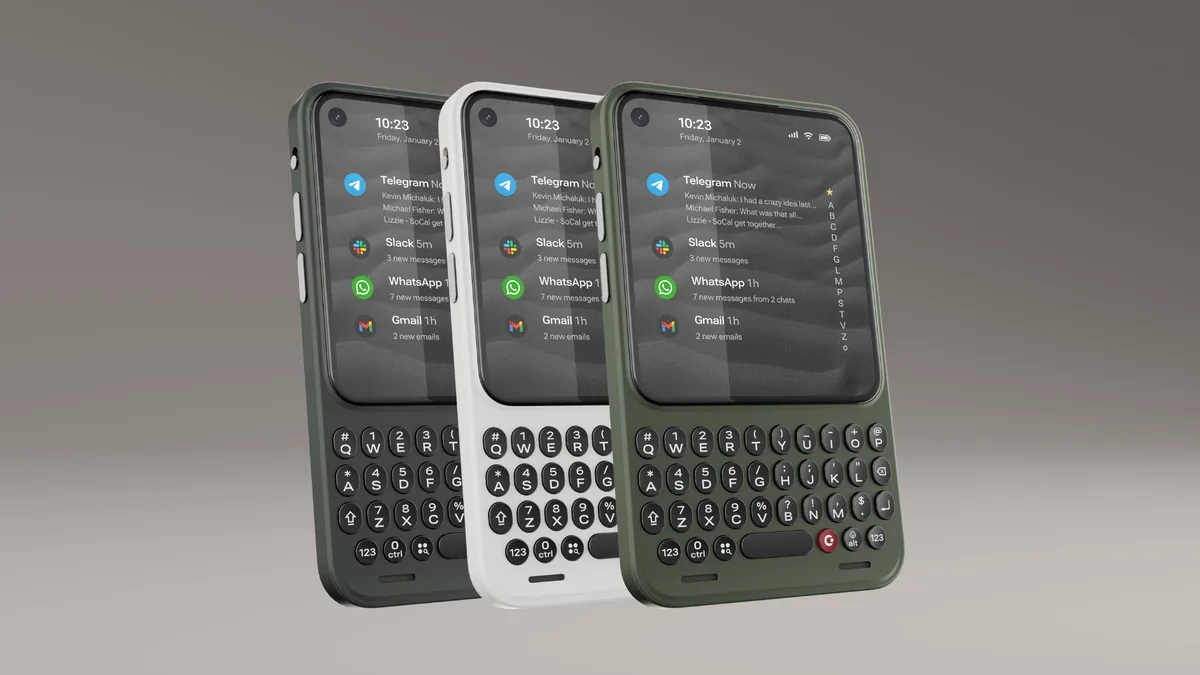
The main idea behind the Power Keyboard is to offer the benefits of a physical keyboard without the drawbacks. It is an accessory that magnetically snaps onto the back of your phone. When you need to type, a full keyboard slides out from underneath; when you're done, it slides back, completely hidden. This innovative design solves a major problem with older keyboard cases, which made phones permanently larger and more cumbersome.
2.1. How It Attaches: The Magic of Magnets
The Power Keyboard uses modern magnetic standards—MagSafe and Qi2—to attach securely to devices. This allows for both native compatibility and broad adaptability.
- Natively Supported: It works directly out of the box with an iPhone 12 or later, as well as the Google Pixel 10.
- Universal Compatibility: For phones without built-in magnets (MagSafe/Qi2), it can attach using a compatible magnetic case or by applying a simple adhesive magnet ring to your existing phone or case.
2.2. The Smart "Slider" Design
The slide-out mechanism is what makes the Power Keyboard so versatile. It allows the keyboard to remain compact and out of the way until it's needed. A key feature of this design is its multiple slider positions. This isn't a one-size-fits-all solution; the slider can be adjusted to accommodate different phone sizes, from standard models to larger "Pro Max" and "Ultra" devices.
2.3. Reclaiming Your Screen Space
Perhaps the single most important benefit of this design is that it frees up your entire screen. By moving typing off the touchscreen, the Power Keyboard allows your apps to run edge-to-edge, giving you an unobstructed view of your content. You no longer have to sacrifice half your screen to a digital keyboard when replying to an email or editing a document.
This clever design is enhanced by several features that make the keyboard a truly powerful and versatile tool.
3. Three Key Features and Their Benefits
The Power Keyboard isn't just a simple input device. It packs three significant features that extend its usefulness far beyond just typing on your phone.
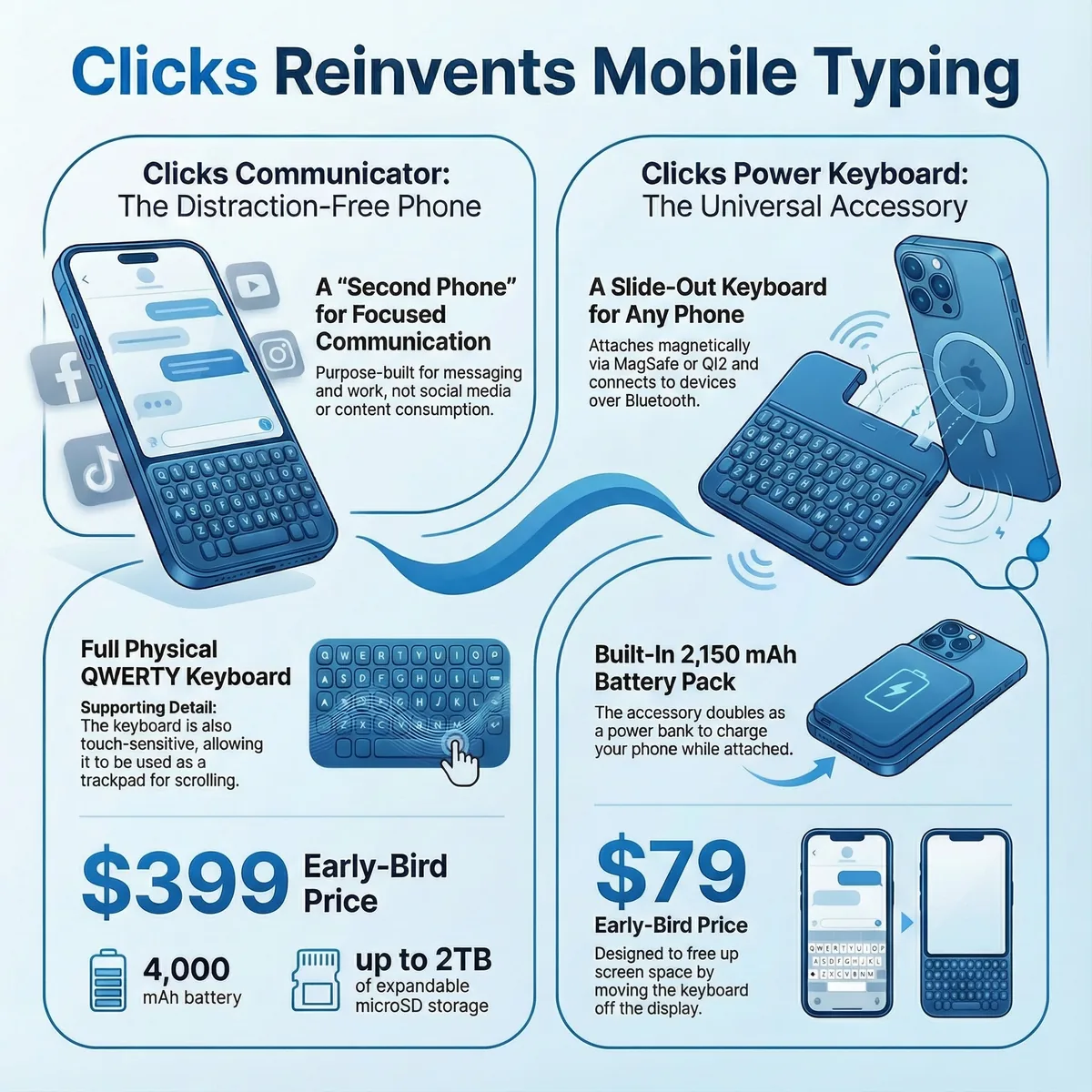
- Universal Connectivity (Bluetooth) The keyboard connects to devices using Bluetooth, not a physical port. This is a game-changer because it means the Power Keyboard can be detached and used as a standalone wireless keyboard for a huge range of other devices, including tablets, smart TVs, and even AR/VR headsets.
- Power On the Go (Built-in Battery) The accessory includes its own 2,150 mAh battery. This battery serves two key roles: first, it powers the keyboard's Bluetooth connection and backlighting. Second, it doubles as a magnetic battery pack that can be used to charge the phone it's attached to, giving you extra power when you need it most.
- Customized to Your Liking (The Clicks App) Clicks provides a dedicated mobile app for both iOS and Android. This app allows you to customize the keyboard's settings to match your preferences, giving you control over important details like key behavior and backlighting.
With this unique combination of portability, power, and connectivity, it's worth considering who would benefit most from this device.
4. Who Is the Power Keyboard For?
This accessory is designed to solve specific problems for different types of users. This table can help you decide if it's the right fit for your needs.
|
User Type |
Why the Power Keyboard is a Great Fit |
|
The Mobile Professional |
Because it attaches magnetically, the keyboard can be used in landscape mode—ideal for comfortably editing documents and spreadsheets, turning a phone into a mini-laptop. Plus, it supports the familiar keyboard shortcuts (like copy and paste) you already use on iOS and Android. |
|
The Nostalgic Texter |
Anyone who misses the tactile feedback of old BlackBerry-style keyboards will appreciate this accessory. It is designed to bring back "fast, confident typing" to modern smartphones, making texting and messaging more satisfying. |
|
The Multi-Device User |
For someone who regularly switches between their phone, tablet, and maybe even a smart TV, this is a perfect all-in-one solution. They can use it attached to their phone and then easily detach it to type on any other Bluetooth-enabled device. |
What to Keep in Mind
An expert educator provides a complete picture. While the Power Keyboard offers unique benefits, here are a few practical limitations to consider:
- Added Weight and Thickness: While the slider design avoids permanent bulk, the accessory will still add some weight (for context, Clicks' own smartphone weighs 170g) and thickness to your phone when attached.
- Charging Management: The accessory itself has a battery and will need to be charged separately. This means you'll have to manage the battery level of both your phone and the keyboard.
- Case Compatibility: While it works perfectly with magnetic cases, users with thick, non-magnetic protective cases (like an OtterBox) would need to remove them to use the accessory, which could be an inconvenience.
If you see yourself in one of the user profiles and are comfortable with these considerations, the final details on price and availability will be important.
5. The Bottom Line: Price & Availability
Here is the essential purchasing information for the Power Keyboard:
- Retail Price: The full retail price will be $109.
- Early-Bird Price: An introductory early-bird price of $79 is available for pre-orders.
- Shipping Date: The accessory is expected to launch in Spring 2026.
6. A Modern Twist on a Classic Idea
The Power Keyboard masterfully blends nostalgia with modern innovation. It successfully brings back the satisfying, tactile feel of a physical keyboard to today's touchscreen devices without the constant bulk of older accessories. By adding universal Bluetooth connectivity and a built-in battery pack, it transforms from a simple keyboard into a versatile, multi-purpose tool for anyone who wants to type more efficiently and stay powered up on the go.