Claude Code Remote Control: Continue Your Local Dev Session From Any Device
What Is Claude Code Remote Control?
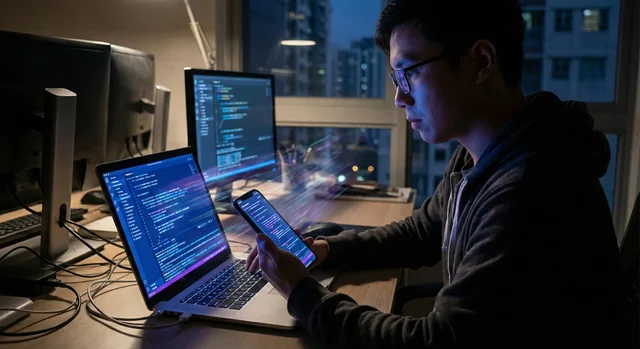
Anthropic has launched Remote Control for Claude Code — a feature that lets you start an AI coding session on your local machine and pick it up from any other device. Open a browser on your phone, tablet, or another computer and you're back in the same session, with full access to your local filesystem, MCP servers, tools, and project configuration.
The feature is currently available as a research preview for Pro and Max plan subscribers. It does not require any cloud migration of your code or environment — everything stays on your machine.
How It Works
Starting a Remote Control session is straightforward. Navigate to your project directory and run:
claude remote-controlThis keeps a process running in your terminal and displays a session URL. You can press the spacebar to show a QR code for quick phone access. From any other device, you can either open the URL directly, scan the QR code in the Claude app, or find the session by name in the claude.ai/code session list.
The remote session name is taken from your last message or your /rename value. Active sessions show a computer icon with a green status dot in the session list.
What Makes It Different From Claude Code on the Web
Both Remote Control and Claude Code on the web use the claude.ai/code interface, but they differ fundamentally in where the session runs:
- Remote Control: executes on your machine. Your local MCP servers, tools, and project configuration stay fully available.
- Claude Code on the web: executes on Anthropic-managed cloud infrastructure. Great for starting new tasks without local setup or working on repos you don't have cloned.
Remote Control is the right choice when you're already in the middle of local work and want to keep going from another device.
Security and Connection Model
Remote Control uses outbound HTTPS requests only — it never opens inbound ports on your machine. When you start a session, Claude Code registers with the Anthropic API and polls for work. Messages between your remote device and local session are routed through the Anthropic API over TLS, the same transport security used by all Claude Code sessions.
Credentials are short-lived, scoped to a single purpose, and expire independently — so your local environment is not exposed beyond what's needed for the session.
Key Flags and Configuration
The claude remote-control command supports two key flags:
--verbose: shows detailed connection and session logs--sandbox/--no-sandbox: enables or disables filesystem and network isolation. Off by default.
To enable Remote Control automatically for every Claude Code session, run /config inside Claude Code and set Enable Remote Control for all sessions to true.
Limitations to Know
- One remote session per instance: each Claude Code session supports one remote connection at a time.
- Terminal must stay open: Remote Control is a local process. Closing the terminal ends the session.
- Network timeout: if your machine can't reach the network for more than ~10 minutes, the session times out. Run
claude remote-controlagain to restart.
Bottom Line
Remote Control reflects Anthropic's philosophy that AI tools should fit into your workflow, not replace it. Your local environment, your tools, your machine — just now reachable from anywhere. For developers who frequently switch between devices or step away from their desk mid-task, this is a genuinely useful addition. It's still a research preview, but the foundation is solid.