BOI Net Banking 2025: Registration, Login, Features & Transaction Limits
What is BOI Net Banking?
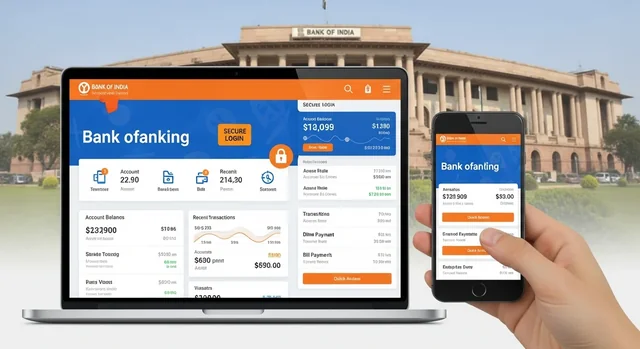
BOI Net Banking (Internet Banking) is an online banking service provided by Bank of India that enables customers to perform banking transactions from their computer or smartphone. Founded in 1906 and headquartered at Bandra Kurla Complex, Mumbai, Bank of India is one of India's premier public sector banks with over 5,100 branches nationwide. With BOI Net Banking, you can:- Check account balance and transaction history
- Transfer funds via NEFT, RTGS, IMPS, and UPI
- Pay bills and recharge mobile/DTH
- Apply for loans and fixed deposits
- Download account statements
- Manage debit cards and ATM PINs
What's New: Omni Neo Platform (2025)
Important Update: From May 7, 2025, BOI has transitioned from the older Starconnect system to the new Omni Neo platform. This is a major upgrade that brings:- Unified Interface - Retail, corporate, and global services combined
- QR Code Login - Login using BOI Mobile App by scanning QR code
- Enhanced Security - Two-factor authentication with StarToken app
- Consolidated Beneficiaries - No need to add beneficiaries separately for each payment type
- Investment Tools - Apply for Sovereign Gold Bonds, manage NACH mandates
- Service Requests - Modify ATM PIN, track requests, raise queries online
New Login URL: https://uaibconnect.bankofindia.bank.in/omnineo
How to Register for BOI Net Banking (2025)
You can register for BOI Net Banking online without visiting a branch. Here's the step-by-step process:Prerequisites
- Active BOI savings/current account
- Mobile number registered with the bank
- BOI Debit/ATM card with PIN
- Valid email address
Online Registration Steps
- Visit BOI Website - Go to bankofindia.co.in and click on "Internet Banking" → "Retail" → "New User"
- Enter Account Details - Provide your account number and registered mobile number (format: 91XXXXXXXXXX without +)
- OTP Verification - Enter the OTP received on your registered mobile
- Debit Card Verification - Enter your ATM/Debit card number, expiry date, and PIN
- Accept Terms - Read and accept the terms and conditions
- Create Credentials - Set your User ID and Password (must include letters, numbers, and special characters)
- Confirmation - Note down your Customer ID and Reference Number
- Activation - Your account will be activated within 24 hours
How to Login to BOI Net Banking
Method 1: Traditional Login
- Visit BOI Omni Neo Portal
- Enter your User ID and Password
- Complete OTP verification
- Access your dashboard
Method 2: QR Code Login (New Feature)
- Go to the BOI Internet Banking login page
- Click "Login QR" - a QR code will appear
- Open BOI Mobile Omni Neo App
- Go to Profile → "Login QR"
- Scan the QR code and you're logged in!
BOI Net Banking Transaction Limits (2025)
| Transfer Type | Daily Limit | Per Transaction | Charges (Net Banking) |
|---|---|---|---|
| Quick Transfer | ₹25,000 | ₹25,000 | Free |
| IMPS | ₹2,00,000 | ₹2,00,000 | Free |
| NEFT | ₹5,00,000 | ₹2,00,000 | Free |
| RTGS | No limit | Min ₹2,00,000 | ₹25-55 |
| UPI | ₹1,00,000 | ₹1,00,000 | Free |
Note: New users may have lower default limits (₹50,000/day). You can request limit enhancement through Service Requests in net banking.
Key Features of BOI Net Banking
Account Management
- View balance and mini statements
- Download detailed account statements (up to 6 months)
- Track cheque status
- Locate ATMs and branches
Fund Transfers
- Within BOI accounts (instant, free)
- To other bank accounts (NEFT/RTGS/IMPS)
- UPI payments
- International transfers
- Schedule future-dated transfers
Bill Payments & Recharges
- Utility bills (electricity, water, gas)
- Mobile and DTH recharges
- Insurance premium payments
- Credit card bill payments
Investment Services
- Fixed deposit booking
- Recurring deposit management
- Sovereign Gold Bond applications
- Mutual fund investments
- Tax payment (Income Tax, GST)
Card Services
- Block/unblock debit cards
- Generate/change ATM PIN
- Set transaction limits
- View card statements
BOI Net Banking vs Other Banks (2025 Comparison)
| Feature | BOI | SBI | HDFC | ICICI |
|---|---|---|---|---|
| Min Balance (Metro) | ₹1,000 | ₹0 | ₹10,000 | ₹10,000 |
| NEFT Charges (Online) | Free | Free | Free | Free |
| IMPS Daily Limit | ₹2 lakh | ₹2 lakh | ₹5 lakh | ₹5 lakh |
| Mobile App Rating | 3.8★ | 4.3★ | 4.5★ | 4.6★ |
| QR Login | Yes | Yes | Yes | Yes |
| Virtual Debit Card | Yes | Yes | Yes | Yes |
| Two-Factor Auth | OTP + StarToken | OTP + YONO | OTP + Secure Pass | OTP + iMobile |
| Branches | 5,100+ | 22,400+ | 8,000+ | 6,000+ |
BOI Mobile Banking App
The BOI Mobile Omni Neo app complements net banking with these features:- View all accounts including loans and deposits
- Fund transfers via IMPS/NEFT/RTGS/UPI
- UPI number payments
- "My Spends" - view last 6 months spending
- Quick card blocking
- Mutual fund purchases with OTP
- Statements via email with branch name and IFSC
- QR code login for net banking
Download: Google Play Store | App Store
Security Tips for BOI Net Banking
- Never share credentials - BOI will never ask for your password, OTP, or PIN via email/phone
- Use strong passwords - Combine letters, numbers, and special characters
- Change passwords regularly - Update every 30-90 days
- Avoid public computers - Don't access net banking from cyber cafes
- Use virtual keyboard - When on shared devices
- Check URL carefully - Ensure you're on the official BOI website
- Enable StarToken - Additional security layer for transactions
- Keep antivirus updated - Protect against malware and phishing
How to Reset BOI Net Banking Password
- Visit BOI Internet Banking login page
- Click "Forgot Password"
- Enter your User ID
- Provide ATM/Debit Card details (number, expiry, PIN)
- Complete OTP verification
- Create a new password
Important Notice: Service Changes
IMT Discontinuation: Instant Money Transfer (IMT) services through Internet Banking and ATMs will be discontinued effective July 30, 2025. Use IMPS, NEFT, or UPI as alternatives.
Frequently Asked Questions
How do I register for BOI Net Banking without visiting a branch?
You can self-register online through the BOI website. You'll need your account number, registered mobile number, and debit card details. Visit bankofindia.co.in → Internet Banking → Retail → New User and follow the registration steps.
What is the daily transaction limit for BOI Net Banking?
Default limits are: Quick Transfer ₹25,000, IMPS ₹2 lakh, NEFT ₹5 lakh per day. RTGS has no upper limit but requires minimum ₹2 lakh per transaction. You can request higher limits through Service Requests in your net banking dashboard.
Is BOI Net Banking free?
Yes, BOI Net Banking registration and most services are free. Online NEFT and IMPS transfers have no charges. RTGS transfers have nominal fees (₹25-55) depending on the amount.
How do I login using QR code?
On the BOI Net Banking login page, click "Login QR." A QR code will appear. Open BOI Mobile Omni Neo app, go to Profile → Login QR, and scan the code. You'll be logged in instantly without entering credentials.
What should I do if I forget my password?
Click "Forgot Password" on the login page, enter your User ID and debit card details, verify with OTP, and create a new password. If issues persist, visit your home branch with ID proof.
Is BOI Net Banking safe?
Yes, BOI uses multiple security layers including 128-bit SSL encryption, two-factor authentication (OTP + StarToken), auto session timeout, and virtual keyboard. Always access through official website and never share credentials.
Can I access BOI Net Banking on mobile?
Yes, you can access BOI Net Banking through your mobile browser or use the dedicated BOI Mobile Omni Neo app available on Google Play Store and App Store for a better mobile experience.
What is the difference between Starconnect and Omni Neo?
Omni Neo is BOI's new internet banking platform launched in May 2025, replacing the older Starconnect system. Omni Neo offers a unified interface, QR login, enhanced security, and better user experience. All users should now use the Omni Neo portal.