Best SNES Emulator - One Must Look Out For
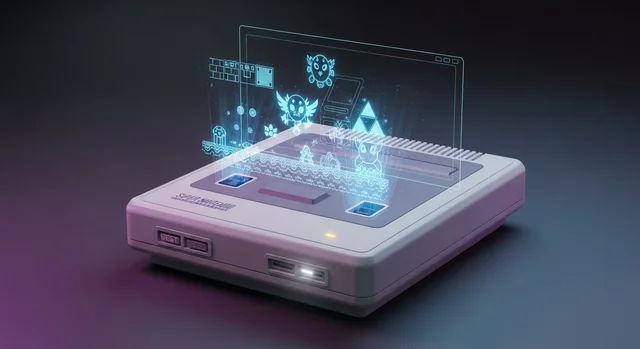
The Super Nintendo Entertainment System (SNES) remains one of the most beloved gaming consoles of all time, featuring legendary titles like Super Mario World, The Legend of Zelda: A Link to the Past, and Chrono Trigger. While original hardware has become increasingly rare and expensive, modern SNES emulators have evolved to provide near-perfect reproduction of the classic gaming experience on today's devices.
In 2025, SNES emulation has reached remarkable maturity, with multiple excellent options available across all platforms. Whether you're gaming on Windows, Mac, Android, or iOS, there's a perfect emulator waiting to transport you back to the golden age of 16-bit gaming.
Why Choose SNES Emulators in 2025?
Modern SNES emulators offer significant advantages over original hardware, including save states, enhanced graphics filters, customizable controls, and the ability to play ROM hacks. Most importantly, they provide access to the entire SNES library without the need for expensive cartridges or aging hardware that may fail over time.
Learn more in our article about Nintendo Switch 2: Complete System Guide (Specs, Games, Features & More).
Today's emulators achieve compatibility rates exceeding 99%, meaning virtually every SNES game will run flawlessly. Advanced features like rewind functionality, fast-forward options, and achievement systems enhance the retro gaming experience beyond what was possible on original hardware.
Best SNES Emulators for Windows (2025)
Snes9x - The Gold Standard
Snes9x continues to dominate as the most popular SNES emulator in 2025, boasting an impressive 99.5% compatibility rate. Its latest version offers excellent performance on modern Windows systems while maintaining the lightweight footprint that made it famous.
Key features include:
- Outstanding game compatibility across the entire SNES library
- Multiple save state slots with preview thumbnails
- Advanced audio processing with custom sound filters
- Support for HD graphics scaling and shader effects
- Netplay functionality for online multiplayer
- Customizable hotkeys and controller support
Higan/BSNES - Maximum Accuracy
For purists seeking the most authentic SNES experience, Higan (now known as BSNES) remains the accuracy champion. This emulator focuses on cycle-perfect emulation, reproducing even the most obscure hardware behaviors of the original console.
BSNES excels at:
- Pixel-perfect accuracy for competitive gaming and speedrunning
- Proper handling of special chips like SuperFX and SA-1
- Authentic audio reproduction with minimal latency
- Support for MSU-1 enhanced ROM hacks with CD-quality audio
BizHawk - The Speedrunner's Choice
BizHawk has become the preferred emulator for speedrunners and competitive players in 2025. Its robust tools and frame-perfect accuracy make it ideal for serious gaming sessions and world record attempts.
Speedrunner-focused features:
- Frame-by-frame advancement for precise inputs
- Built-in input recording and playback
- Lua scripting support for advanced analysis
- Memory watch tools for tracking game states
- Multiple core options for different accuracy levels
Best SNES Emulators for Mac (2025)
OpenEmu - The Mac Champion
OpenEmu stands as the undisputed best SNES emulator for Mac users in 2025. Its beautiful, native macOS interface seamlessly integrates with the Apple ecosystem while delivering exceptional emulation quality.
OpenEmu advantages:
- Gorgeous library management with automatic artwork downloads
- Native macOS design with full Retina display support
- Integrated controller support including PlayStation and Xbox controllers
- Automatic save state management and game organization
- Regular updates optimized for latest macOS versions
RetroArch for Mac
RetroArch provides a powerful alternative for Mac users who prefer extensive customization options. Its Snes9x core delivers excellent compatibility while offering advanced features like achievements and online play.
Best SNES Emulators for Android (2025)
Snes9x EX+ - Premium Android Experience
Snes9x EX+ leads the Android SNES emulation scene with its optimized mobile interface and excellent performance across all Android devices. The emulator handles both budget phones and flagship devices with equal competence.
See also: Best WiFi 7 Routers for Gaming and Streaming in 2025.
Android-specific features:
- Intuitive touch controls with customizable button layouts
- Bluetooth controller support for console-style gaming
- Cloud save synchronization across devices
- Cheat code database with easy activation
- Fast-forward and rewind functionality
John NESS - The Free Alternative
John NESS offers a completely free SNES emulation experience on Android without sacrificing quality. While it lacks some premium features, it delivers solid performance for casual gaming sessions.
Best SNES Emulators for iOS (2025)
RetroArch - iOS Champion
Following its official App Store release, RetroArch has become the best option for iOS SNES emulation. The app provides legitimate access to SNES gaming without requiring jailbreaking or sideloading.
iOS benefits:
- Official App Store availability with regular updates
- MFi controller support for premium gaming experiences
- iCloud save synchronization between devices
- AirPlay support for big-screen gaming
- Optimized performance for all iOS device generations
Multi-Platform Powerhouse: RetroArch
RetroArch deserves special recognition as the ultimate cross-platform emulation solution. Available on Windows, Mac, Linux, Android, iOS, and numerous gaming consoles, RetroArch provides a consistent experience across all devices.
RetroArch's 2025 advantages:
Related: Top 7 Best PlayStation Emulator (PS emulator for Android).
- Unified interface across all supported platforms
- Achievement system with RetroAchievements integration
- Netplay support for online multiplayer gaming
- Advanced shader support for enhanced graphics
- Regular core updates ensuring optimal compatibility
- Extensive customization options for power users
Latest Updates: Mesen Multi-System (2025)
Mesen received a major update in July 2025, expanding beyond its NES origins to become a comprehensive multi-system emulator. While primarily known for NES emulation, its SNES core now offers competitive performance and unique debugging features.
Mesen's new SNES features include:
- Advanced debugging tools for ROM hackers and developers
- High-quality audio processing with customizable filters
- Support for various SNES enhancement chips
- Frame-perfect input recording for speedrunning
SNES Emulator Comparison Table
| Emulator | Windows | Mac | Android | iOS | Accuracy | Best For |
|---|---|---|---|---|---|---|
| Snes9x | ✓ | ✓ | ✓ | ✗ | 99.5% | General gaming |
| Higan/BSNES | ✓ | ✓ | ✗ | ✗ | 99.9% | Accuracy purists |
| RetroArch | ✓ | ✓ | ✓ | ✓ | 99.5% | Cross-platform |
| OpenEmu | ✗ | ✓ | ✗ | ✗ | 99.3% | Mac users |
| BizHawk | ✓ | ✗ | ✗ | ✗ | 99.8% | Speedrunning |
| Snes9x EX+ | ✗ | ✗ | ✓ | ✗ | 99.4% | Android gaming |
| Mesen | ✓ | ✓ | ✗ | ✗ | 99.2% | Development/Debugging |
Setting Up Your SNES Emulator
Getting started with SNES emulation in 2025 is straightforward. Most emulators follow these basic setup steps:
- Download and install your chosen emulator from official sources
- Configure video settings for your display resolution and preferred scaling
- Set up audio with appropriate buffer settings to minimize latency
- Map controller inputs or customize on-screen controls for mobile devices
- Load your ROM files and begin gaming
For optimal performance, ensure your system meets the emulator's requirements and keep both the emulator and your device's drivers updated.
Legal Considerations for SNES Emulation
While emulators themselves are legal, ROM files exist in a legal gray area. The safest approach involves using ROM files from games you physically own or exploring the growing library of homebrew and public domain SNES games available legally online.
Many emulators now support MSU-1 enhanced games and homebrew titles that showcase the SNES hardware's capabilities while remaining completely legal to download and play.
Advanced Features in Modern SNES Emulators
2025's SNES emulators offer features that far exceed original hardware capabilities:
For more details, check out our guide on 10 Best Free WordPress Video Player Plugins in 2025.
Graphics Enhancements
- HD scaling up to 4K resolution with various filtering options
- Shader effects for CRT simulation and visual enhancement
- Widescreen patches for select games
- Custom color palettes for personalized visual experiences
Audio Improvements
- Enhanced audio processing with reduced latency
- Custom sound filters for improved audio quality
- MSU-1 support for CD-quality audio in compatible ROM hacks
Quality of Life Features
- Save states with multiple slots and preview images
- Rewind functionality for undoing mistakes
- Fast-forward for skipping tedious sections
- Achievement systems adding modern gaming elements to classic titles
Frequently Asked Questions
Which SNES emulator has the best compatibility in 2025?
Snes9x leads with 99.5% compatibility, making it the best choice for playing the widest variety of SNES games without issues. Higan/BSNES offers slightly higher accuracy at 99.9% but requires more system resources.
Can I play SNES games on my smartphone?
Yes, both Android and iOS offer excellent SNES emulation options. Snes9x EX+ is the top choice for Android, while RetroArch provides the best iOS experience through the official App Store.
Do I need a powerful computer for SNES emulation?
No, SNES emulation is very lightweight by modern standards. Even budget computers and smartphones from the last five years can run SNES games perfectly. Only accuracy-focused emulators like Higan may require more processing power.
Are SNES emulators legal to use?
Yes, emulators themselves are completely legal. However, ROM files may have copyright restrictions. Using ROMs from games you own physically is generally considered acceptable, while downloading copyrighted ROMs you don't own may violate copyright laws.
Which emulator is best for speedrunning SNES games?
BizHawk is the preferred choice for speedrunners due to its frame-perfect accuracy, input recording capabilities, and extensive debugging tools. Many speedrunning communities specifically require BizHawk for official record submissions.
Can I use my original SNES controllers with emulators?
Yes, with appropriate USB adapters, you can use original SNES controllers with PC emulators. Many adapters are available that convert SNES controller ports to USB, preserving the authentic feel of the original hardware.
What's the difference between accuracy and compatibility in emulators?
Compatibility refers to how many games run without obvious problems, while accuracy measures how closely the emulator reproduces original hardware behavior. High accuracy emulators like Higan handle edge cases and timing-sensitive games better, while high compatibility emulators like Snes9x focus on running the maximum number of games smoothly.
Can I play ROM hacks and homebrew games on SNES emulators?
Absolutely! Modern SNES emulators excel at running ROM hacks and homebrew games. Many support advanced features like MSU-1 for enhanced audio in ROM hacks, and some homebrew games specifically target emulator capabilities beyond original hardware limitations.
Which SNES emulator works best on Mac?
OpenEmu is specifically designed for Mac and offers the best native macOS experience with beautiful library management and seamless integration. RetroArch is also excellent for Mac users who prefer more customization options and cross-platform consistency.
How do I improve performance if my SNES emulator is running slowly?
Try reducing video resolution, disabling advanced graphics filters, adjusting audio buffer settings, and ensuring no other resource-intensive programs are running. Switching to a lighter emulator like Snes9x instead of accuracy-focused options can also improve performance on older hardware.
You might also be interested in Top 10 Best-Selling Video Games of All Time (2025 Updated).
SNES emulation in 2025 offers an incredible way to experience classic gaming with modern conveniences. Whether you're a casual player seeking nostalgia or a serious gamer pursuing speedrun records, there's a perfect emulator waiting to deliver the authentic 16-bit experience you're looking for. Choose based on your platform, accuracy needs, and desired features to start your journey back to the golden age of gaming.