Best Laptop for College Students: The Ultimate Guide for 2025
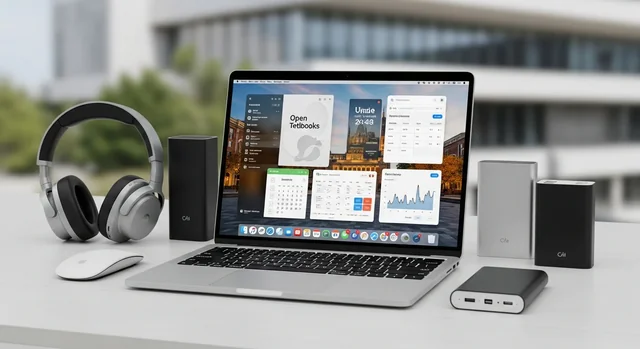
Choosing the perfect laptop for college in 2025 can make or break your academic experience. With cutting-edge processors, AI-enhanced features, and battery life that finally keeps up with your packed schedule, this year's laptop lineup offers more power and efficiency than ever before.
The stakes are higher than ever - your laptop needs to handle everything from AI-powered research tools and virtual reality coursework to intensive video editing and gaming sessions. Plus, with hybrid learning still prevalent and remote collaboration essential, having the right tech isn't just convenient - it's critical for academic success.
This comprehensive guide breaks down the top laptop picks for 2025, featuring the latest models with AI capabilities, extended battery life, and student-friendly pricing. We'll help you navigate the specs that matter, find the best deals, and choose a laptop that'll power you through graduation and beyond.
Related: Best Budget Laptops for Video Editing in 2025: Top Picks Under $1,200.
Top College Laptops for 2025: Our Expert Picks
MacBook Air M4 2025 - Best Overall
Apple's latest MacBook Air with the M4 chip sets the gold standard for college laptops in 2025. The standout feature is its incredible 18-hour battery life, meaning you can attend a full day of classes, study sessions, and entertainment without hunting for outlets.
Key Specifications:
- Apple M4 chip with 8-core CPU and 10-core GPU
- 16GB unified memory (recommended configuration)
- 512GB SSD storage
- 13.6-inch Liquid Retina display
- 18-hour battery life
- 2.7 pounds
- Starting at $1,399 (16GB model: $1,599)
The M4 chip delivers exceptional performance for demanding tasks like video editing, 3D rendering, and running multiple applications simultaneously. The fanless design keeps it completely silent during lectures, while the premium build quality ensures it'll survive the rigors of campus life.
Acer Swift 16 AI - Best Display Technology
The Acer Swift 16 AI brings professional-grade OLED technology to the college market, delivering stunning visuals for creative work and entertainment. Despite the large 16-inch screen, it weighs just 3 pounds - a remarkable achievement in engineering.
Key Specifications:
- Intel Core Ultra 7 processor with AI acceleration
- 16GB LPDDR5X RAM
- 1TB PCIe Gen 4 SSD
- 16-inch OLED display (3840x2400)
- 12-hour battery life
- 3.0 pounds
- Starting at $1,299
The OLED display offers perfect blacks and vibrant colors, making it ideal for graphic design, photography, and media consumption. The AI-enhanced processor optimizes performance and battery life based on your usage patterns.
HP OmniBook 5 14 - Best Value Performance
HP's OmniBook 5 14 strikes an excellent balance between performance and affordability, making it perfect for students who need solid specs without premium pricing.
Key Specifications:
- AMD Ryzen 7 8840HS processor
- 16GB DDR5 RAM
- 512GB NVMe SSD
- 14-inch FHD display
- 13-hour battery life
- 3.2 pounds
- Starting at $899
The Ryzen processor provides excellent performance for multitasking and productivity work, while the 16GB of RAM ensures smooth operation even with multiple browser tabs and applications running.
Microsoft Surface Laptop 7th Edition - Best for Windows Integration
Microsoft's latest Surface Laptop leverages the new Snapdragon X Elite processor for exceptional battery life and seamless Windows 11 integration.
Key Specifications:
- Snapdragon X Elite processor
- 16GB LPDDR5X RAM
- 512GB SSD
- 13.8-inch PixelSense touchscreen
- 20-hour battery life
- 2.96 pounds
- Starting at $1,299
The touchscreen display and premium build quality make it excellent for note-taking and presentations, while the ARM-based processor delivers impressive battery life and cool, quiet operation.
Acer Aspire Go 15 - Best Budget Option
For students on tight budgets, the Acer Aspire Go 15 proves you don't need to spend a fortune to get a capable college laptop.
Learn more in our article about Best Video Games of 2025: Top Titles You May Have Missed.
Key Specifications:
- Intel Core i5-1335U processor
- 8GB DDR4 RAM (upgradeable to 16GB)
- 512GB NVMe SSD
- 15.6-inch FHD display
- 9-hour battery life
- 3.8 pounds
- Starting at $449
While not the most powerful option, it handles basic productivity tasks, web browsing, and streaming without issues. The upgradeable RAM means you can boost performance later as your needs grow.
Surface Pro 2025 - Most Portable
The Surface Pro 2025 redefines portability with its 2-in-1 design, perfect for students who prioritize mobility and versatility.
Key Specifications:
- Intel Core Ultra 5 processor
- 16GB LPDDR5 RAM
- 256GB SSD
- 13-inch PixelSense touchscreen
- 11-hour battery life
- 1.9 pounds (tablet only)
- Starting at $1,199 (keyboard sold separately)
The detachable keyboard and tablet mode make it incredibly versatile for different learning styles and environments. The included Surface Pen support is excellent for digital note-taking and creative work.
2025 College Laptop Comparison Table
| Model | Processor | RAM | Storage | Display | Battery Life | Weight | Price |
|---|---|---|---|---|---|---|---|
| MacBook Air M4 | Apple M4 | 16GB | 512GB SSD | 13.6" Retina | 18 hours | 2.7 lbs | $1,599 |
| Acer Swift 16 AI | Intel Ultra 7 | 16GB | 1TB SSD | 16" OLED 4K | 12 hours | 3.0 lbs | $1,299 |
| HP OmniBook 5 14 | AMD Ryzen 7 | 16GB | 512GB SSD | 14" FHD | 13 hours | 3.2 lbs | $899 |
| Surface Laptop 7th | Snapdragon X Elite | 16GB | 512GB SSD | 13.8" Touch | 20 hours | 2.96 lbs | $1,299 |
| Acer Aspire Go 15 | Intel Core i5 | 8GB | 512GB SSD | 15.6" FHD | 9 hours | 3.8 lbs | $449 |
| Surface Pro 2025 | Intel Ultra 5 | 16GB | 256GB SSD | 13" Touch | 11 hours | 1.9 lbs | $1,199 |
Essential Laptop Features for College Students in 2025
Memory Requirements: Why 16GB RAM is the New Standard
In 2025, we strongly recommend 16GB of RAM for most college students. Modern applications, especially web browsers with multiple tabs, video conferencing software, and productivity suites, consume significantly more memory than in previous years. AI-powered tools and cloud-based applications also benefit from additional RAM.
While 8GB might suffice for basic tasks, 16GB provides the headroom needed for:
- Running multiple applications simultaneously
- Smooth video conferencing with screen sharing
- Better performance with creative software
- Future-proofing your investment
- Faster multitasking between research, writing, and entertainment
Battery Life: All-Day Performance
Campus life demands laptops that can last from morning lectures to late-night study sessions. Look for models offering at least 12 hours of real-world battery life. The MacBook Air M4 and Surface Laptop 7th Edition lead the pack with 18-20 hour capabilities.
For more details, check out our guide on Best Video Editing Laptops in 2025: Ultimate Guide to M4 Max, RTX 5090 & More.
Display Quality and Size
Screen quality significantly impacts your daily experience. Consider these factors:
- Size: 13-14 inches for maximum portability, 15-16 inches for better productivity
- Resolution: Full HD (1920x1080) minimum, 4K for creative work
- Panel Type: IPS for good viewing angles, OLED for premium color accuracy
- Brightness: At least 300 nits for outdoor visibility
Processing Power for Different Majors
Liberal Arts, Business, Communications: Intel Core i5 or AMD Ryzen 5 processors handle word processing, research, presentations, and basic multimedia tasks efficiently.
STEM, Engineering, Computer Science: Intel Core i7/i9 or AMD Ryzen 7/9 processors provide the computational power needed for programming, data analysis, CAD software, and scientific simulations.
Creative Fields: Apple M4 or high-end Intel/AMD processors with dedicated graphics deliver the performance required for video editing, 3D modeling, and graphic design.
Money-Saving Tips: Student Discounts and Deals
Education Pricing Programs
Most major manufacturers offer substantial student discounts in 2025:
- Apple: $100-200 off MacBooks, plus free AirPods during back-to-school promotions
- Microsoft: Up to 15% off Surface devices through the Education Store
- HP: Student discounts up to 20% on select models
- Dell: Education pricing with additional seasonal promotions
- Lenovo: Student discounts ranging from 5-15% depending on model
Best Times to Buy
Strategic timing can save hundreds of dollars:
- Back-to-School Season (July-September): Biggest discounts and bundle deals
- Black Friday/Cyber Monday: Significant price reductions on previous-gen models
- End of Academic Year (May-June): Retailers clear inventory for new models
- New Model Launch Periods: Previous generation models see price drops
Additional Savings Strategies
- Check if your college bookstore offers exclusive deals
- Consider certified refurbished models for premium brands
- Look for bundle deals including software, accessories, or extended warranties
- Use student credit cards with cashback rewards for tech purchases
- Compare prices across multiple retailers before purchasing
Operating System Considerations
macOS: Best for Creative Work and Ecosystem Integration
macOS excels in creative applications, offers excellent build quality, and integrates seamlessly with other Apple devices. The learning curve is minimal, and security is robust. However, software compatibility can be limited for certain specialized programs.
You might also be interested in Best Handheld Gaming PCs in 2025: Complete Buyer's Guide.
Windows: Maximum Flexibility and Software Compatibility
Windows 11 provides the broadest software compatibility, extensive customization options, and works with virtually all educational software. It's the preferred choice for gaming, engineering applications, and business software.
Chrome OS: Budget-Friendly and Cloud-Focused
While not featured in our main recommendations, Chromebooks remain viable for students with basic needs. They offer excellent battery life, instant boot times, and strong security, but limited offline capabilities and software options.
Future-Proofing Your Investment
A college laptop should last 4-5 years minimum. Consider these future-proofing factors:
- Upgradeability: Choose models with accessible RAM and storage slots when possible
- Port Selection: Ensure adequate USB-C, USB-A, and other necessary connections
- Build Quality: Invest in durable construction that withstands daily transport
- Warranty Options: Consider extended warranties for expensive models
- Software Support: Choose platforms with long-term update commitments
Accessories to Consider
Complete your setup with these essential accessories:
- Protective Case: Padded laptop sleeve or hard case for transport
- External Mouse: Improves productivity for extended work sessions
- USB-C Hub: Expands connectivity options for modern thin laptops
- External Monitor: Enhances productivity for dorm room study sessions
- Laptop Stand: Improves ergonomics and cooling
- Backup Drive: Essential for protecting important coursework
Frequently Asked Questions
Do I really need 16GB of RAM for college?
While 8GB can handle basic tasks, 16GB is increasingly recommended for 2025. Modern web browsers, video conferencing apps, and productivity software consume more memory than ever. The extra RAM provides better multitasking performance and future-proofs your investment. If budget is tight, prioritize 16GB over other premium features.
Should I choose a MacBook or Windows laptop for college?
The choice depends on your major and personal preferences. MacBooks excel for creative fields, offer excellent battery life, and integrate well with other Apple devices. Windows laptops provide broader software compatibility, more variety in price points, and better gaming performance. Consider what software your major requires and which ecosystem you're already invested in.
Is it worth buying a laptop with AI features in 2025?
AI-enhanced laptops offer practical benefits like improved battery optimization, better video call quality, and enhanced security features. However, don't pay a significant premium solely for AI marketing. Focus on core performance specifications first, then consider AI features as a bonus.
How important is battery life for a college laptop?
Battery life is crucial for college students. Aim for at least 12 hours of real-world usage to get through a full day of classes without carrying a charger. Models like the MacBook Air M4 (18 hours) and Surface Laptop 7th Edition (20 hours) offer exceptional all-day performance.
Can I game on these college laptops?
Light gaming is possible on most of our recommended laptops, but serious gaming requires dedicated graphics cards. The MacBook Air M4 and Acer Swift 16 AI can handle casual games well. For intensive gaming, consider adding a budget gaming laptop or external GPU setup to your wish list.
When is the best time to buy a college laptop?
The back-to-school season (July-September) offers the best combination of discounts, bundle deals, and student promotions. Black Friday can provide good deals but may have limited inventory. Avoid buying right before new model launches unless you're getting significant discounts on current models.
Should I buy a 2-in-1 laptop or traditional clamshell?
2-in-1 laptops like the Surface Pro 2025 offer versatility for note-taking and presentations but may compromise on keyboard quality and lap usability. Traditional laptops generally provide better performance, keyboard experience, and value. Choose 2-in-1 if you specifically need tablet functionality for your studies.
How much storage do I need for college?
512GB is the sweet spot for most students, providing ample space for applications, documents, and media files while remaining affordable. Cloud storage services can supplement local storage for less frequently accessed files. Avoid 256GB unless you're committed to cloud-based workflows.
Are refurbished laptops worth considering for college?
Certified refurbished laptops from manufacturers can offer excellent value, especially for premium brands like Apple and Microsoft. They typically include warranties and have been thoroughly tested. Avoid third-party refurbished units unless you're comfortable with potential risks and limited warranty coverage.
See also: The Ultimate Guide to Choosing the Best Computer for Video Editing in 2025.
What should I do if my laptop breaks during college?
Purchase from manufacturers or retailers offering good warranty support and local service options. Consider extended warranty plans for expensive laptops. Always maintain backups of important coursework using cloud services or external drives. Many colleges offer temporary laptop lending programs for students whose devices need repair.