25 Best Apple Watch Apps for 2025: watchOS 11 Compatible
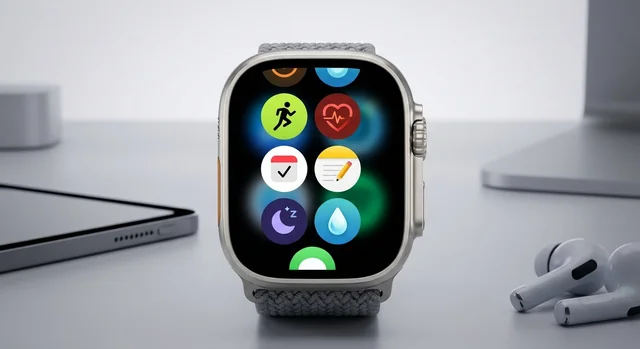
The Apple Watch has evolved into an indispensable tool for fitness tracking, productivity, communication, and daily convenience. With watchOS 11 released in September 2024 and compatibility with Apple Watch Series 10, Ultra 2, and SE (2nd gen), the app ecosystem has never been more powerful. Whether you're a serious athlete, busy professional, or casual user, this comprehensive guide covers the 25 best Apple Watch apps for 2025.
🎯 Quick Picks (2025)
- Best Fitness App: Apple Fitness+ ($9.99/month) - Seamless integration with 5,000+ workouts
- Best Running App: Nike Run Club (Free) - Voice coaching and training plans
- Best Recovery Tracking: Athlytic ($29.99/year) - Whoop alternative without monthly fees
- Best Productivity App: Things 3 ($9.99) - One-time purchase, no subscription
- Best Weather App: CARROT Weather ($3.99-$9.99/year) - 25+ complications and personality
What's New in watchOS 11 (September 2024)
Apple's watchOS 11 update brings significant improvements that enhance third-party apps:
Health & Fitness Upgrades
- Vitals App: Monitors key health metrics during sleep (heart rate, respiratory rate, wrist temperature, sleep duration, blood oxygen). Provides daily reports and alerts when metrics are out of normal range.
- Training Load: Compares your workout duration and intensity over the past 7 days versus the previous 28 days. Helps prevent overtraining and optimize performance.
- Training Load Widget: Displays training metrics directly on your watch face for quick reference.
Smart Stack & Widget Improvements
- Interactive widgets from Photos, Distance, Shazam, and third-party apps
- Live Activities now available within Smart Stack
- Context-aware suggestions based on time, location, and daily routines
- Special Events widget for concerts and sporting events
Other Notable Features
- Translate app with 20 languages and simple interface
- Enhanced pregnancy tracking
- Double Tap gesture improvements (Series 9, Ultra 2, SE 3)
- New wrist flick gesture in watchOS 26 (brand new in 2025)
Apple Watch Models Compatibility (2025)
Apple Watch Series 10 (Discontinued Sept 2025, replaced by Series 11): Thinnest design ever at 9.7mm, 9% larger display, fast charging (80% in 30 minutes), sleep apnea detection, starting at $399
Apple Watch Ultra 2 ($799): 49mm titanium case, up to 3,000 nits brightness, 36-hour battery (72 hours in Low Power Mode), dual-frequency GPS, depth gauge (40m), adventure-focused features
Apple Watch SE (2nd Gen) ($249-$299): Budget option with S8 chip, core features, missing blood oxygen sensor, ECG, and Always-On Display
Best Apple Watch Apps by Category
Fitness & Health Apps
1. Apple Fitness+ - Best Overall Fitness Platform
Price: $9.99/month or $79.99/year (included in Apple One Premier at $37.95/month)
Apple Fitness+ offers 5,000+ live and on-demand workouts across 12 categories including HIIT, yoga, strength training, cycling, rowing, dance, and meditation. The seamless integration with Apple Watch displays your real-time heart rate, calories, and rings directly on your iPhone, iPad, or Apple TV screen during workouts.
Key Features:
- 5,000+ professional-led workouts from 5 to 45 minutes
- Real-time metrics overlay synchronized with music
- Full integration with watchOS 11 Training Load and Vitals app
- Custom Plans feature for personalized schedules
- Audio Workouts for running, walking, and treadmill
- Meditation and mindful cooldowns
watchOS 11 Optimization: Fully integrated with Training Load metrics and Vitals monitoring
Complications: Yes - shows upcoming workouts
Best For: Apple ecosystem users wanting comprehensive fitness platform
2. Nike Run Club - Best Free Running App
Price: Free
Nike Run Club is the gold standard for free running apps. Professional voice coaching from Nike athletes guides you through every run, while personalized training plans help you reach goals from 5K to marathon distance. The Apple Watch app works standalone with GPS models, so you can leave your iPhone at home.
Key Features:
- Voice coaching from professional Nike athletes
- Personalized training plans for all levels
- Guided runs with music integration
- Real-time pace, distance, heart rate, and split data
- Achievement tracking and milestone celebrations
- Community challenges and leaderboards
watchOS 11 Optimization: Training Load integration
Complications: Yes - displays run stats
Standalone: Yes with GPS models
User Rating: 4.8/5 stars
Best For: Runners of all levels seeking free coaching and motivation
3. Athlytic - Best Recovery Tracking App
Price: $29.99/year
Athlytic is the best Whoop alternative for Apple Watch users. It provides HRV-based recovery tracking, readiness scores, sleep analysis, and 24/7 health monitoring without a monthly subscription. The app analyzes your heart rate variability, resting heart rate, blood oxygen, respiratory rate, and wrist temperature to calculate daily readiness.
Key Features:
- HRV recovery tracking and readiness scores
- Comprehensive sleep analysis with stages
- Training load and strain tracking
- 24/7 health monitoring (HRV, resting HR, blood oxygen, respiratory rate, wrist temperature)
- Health journal for tracking symptoms and habits
- Trends and insights over time
watchOS 11 Optimization: Integrates with Vitals app data
Complications: Yes - shows recovery and readiness scores
Best For: Serious athletes wanting Whoop-like insights for $30/year instead of $240/year
4. AutoSleep - Best Sleep Tracking App
Price: $7.99 one-time purchase
AutoSleep is the most popular third-party sleep app for Apple Watch, and for good reason. Unlike Apple's native sleep tracking that requires manual Sleep Focus mode, AutoSleep automatically tracks your sleep including naps with no manual input required. It provides detailed sleep quality analysis, integrates with Apple Sleep Stages, and tracks blood oxygen, respiration rate, and environmental noise.
Key Features:
- Automatic sleep tracking (no manual activation needed)
- Sleep quality analysis with sleep rings
- Heart rate, deep sleep, and REM tracking
- Apple Sleep Stages integration
- Blood oxygen and respiration rate monitoring
- Environmental noise detection
- Readiness scores and bedtime recommendations
- Temperature tracking and consistency analysis
watchOS 11 Optimization: Enhanced Vitals app integration
Complications: Yes - displays sleep quality
Standalone: Yes
User Rating: 4.6/5 stars (Top #3 Health & Fitness app in 100+ countries)
Best For: Comprehensive automatic sleep tracking without subscriptions
5. Strava - Best Community Fitness App
Price: Free (basic), Strava Premium pricing varies
Strava combines detailed activity tracking with powerful social features. Track running, cycling, swimming, and dozens of other sports while connecting with millions of athletes worldwide. The app's segment leaderboards let you compete on specific routes, and premium features provide deeper performance analytics.
Key Features:
- Multi-sport tracking (running, cycling, swimming, hiking, and 40+ activities)
- GPS route tracking with elevation profiles
- Heart rate monitoring and zone analysis
- Segment leaderboards for competitive routes
- Community features and activity feed
- Performance analytics and training insights (Premium)
watchOS 11 Optimization: Full Training Load integration
Complications: Yes - displays activity stats
Standalone: Yes with GPS models
User Rating: 4.6/5 stars
Recognition: Apple App Store Award Finalist 2025
Best For: Athletes wanting community features and segment competition
6. Gentler Streak - Best Recovery-Focused Fitness App
Price: Free (basic), Premium $7.99-$9.99/month or $27.49/year
Gentler Streak takes a refreshingly sustainable approach to fitness by emphasizing recovery and preventing overtraining. The app monitors your activity intensity in real-time and recommends rest days when needed. It's perfect for users who want to stay active without burning out.
Key Features:
- Real-time heart rate and activity intensity monitoring
- Personalized "activity path" recommendations
- Recovery monitoring and rest day suggestions
- Prevents overtraining with intelligent alerts
- Holistic approach to sustainable fitness
watchOS 11 Optimization: Full Training Load and Vitals integration
User Rating: 4.7/5 stars
Recognition: Apple Watch App of the Year 2022
Best For: Users focusing on sustainable, balanced fitness
7. WorkOutDoors - Best Outdoor Sports App
Price: One-time purchase (check App Store)
WorkOutDoors is an incredibly powerful app for runners, cyclists, and hikers who need advanced data and navigation. It features super-smooth vector maps that display directly on your watch, with over 800 customizable data fields. You can import routes, navigate with turn-by-turn directions, and configure multiple workout screens with exactly the information you need.
Key Features:
- Smooth vector maps with offline capability
- 800+ customizable data fields
- Route import and turn-by-turn navigation
- Multiple workout screens with customization
- High heart rate, low speed, and zone alerts
- Detailed graphs and advanced analytics
watchOS 11 Optimization: Optimized for new fitness metrics
Standalone: Yes with GPS models
User Rating: 4.8/5 stars
Best For: Outdoor athletes needing comprehensive data and navigation
Productivity Apps
8. Things 3 - Best Task Management App
Price: $9.99 (iPhone/Apple Watch), $19.99 (iPad), $49.99 (Mac) - one-time purchases
Things 3 is widely considered the best task management app for Apple devices, and it's a one-time purchase with no subscription. The beautiful, intuitive interface makes managing to-do lists, projects, and goals effortless. Apple Watch integration lets you check off tasks, view your daily list, and add items via voice dictation right from your wrist.
Key Features:
- Beautiful, intuitive interface
- Project management and goal tracking
- Calendar integration and reminders
- Tags and checklists within tasks
- Schedule dates and deadlines
- Widgets for quick access
- Apple Family Sharing support
- iCloud sync across all devices
watchOS 11 Optimization: Full integration with Smart Stack
Complications: Yes - displays daily tasks and quick add
User Rating: 4.8/5 stars
Best For: Apple ecosystem users wanting one-time purchase without subscription
Note: No collaboration features, Apple-only
9. Fantastical - Best Calendar App
Price: $4.99/month
Fantastical transforms Apple's native calendar with powerful features like natural language event creation, weather display, and beautiful design. On Apple Watch, it shows your next appointments with time frames, making it easy to see your schedule at a glance from complications.
Key Features:
- Natural language event creation ("Lunch with Sarah tomorrow at 1pm")
- Apple Calendar and Reminders integration
- Weather display for event locations
- Meetings list with join buttons
- Task lists and reminders
- Multiple calendar views
watchOS 11 Optimization: Smart Stack integration
Complications: Yes - shows next/current appointment with time frame
User Rating: 4.6/5 stars
Best For: Power users wanting advanced calendar features
10. Streaks - Best Habit Tracking App
Price: $4.99 one-time purchase
Streaks helps you build good habits and break bad ones by tracking up to 24 daily tasks. The Apple Watch app excels with complications showing your current streak progress, motivating you to maintain consistency. Automatic Health app integration means activities like walking 10,000 steps can complete themselves.
Key Features:
- Track up to 24 daily habits
- Streak maintenance and motivation
- Automatic Health app integration
- iCloud sync across devices
- 78 color themes and 600+ task icons
- Home screen and watch face widgets
- Sharing and accountability features
watchOS 11 Optimization: Excellent Apple Watch integration
Complications: Yes - shows streak progress
Standalone: Yes
User Rating: 4.8/5 (iOS), 4.7/5 (macOS)
Best For: Habit tracking and daily task consistency
11. Todoist - Best Cross-Platform To-Do App
Price: Free (basic), Premium £3.99/month or £35.99/year
Todoist is the best choice if you need task management across Apple, Android, Windows, and web platforms. The Apple Watch app lets you create tasks, check off items, and view your daily list. Premium features include AI assistant, calendar layout, and custom reminders.
Key Features:
- Cross-platform sync (Apple, Android, Windows, web)
- Task creation and management
- Project organization with sections
- AI assistant for task suggestions (Premium)
- Calendar layout view (Premium)
- Custom reminders and recurring tasks (Premium)
watchOS 11 Optimization: Widget support
Complications: Yes
User Rating: 4.5/5 stars
Best For: Cross-platform task management
Communication Apps
12. WhatsApp - Finally on Apple Watch
Price: Free
After a decade-long wait, WhatsApp finally arrived on Apple Watch in November 2025. You can now view and send messages, make voice calls, react with emojis, and view images and stickers directly from your wrist. All communications maintain end-to-end encryption.
Key Features:
- Full messaging from wrist
- Call notifications and answering
- Voice messages and emoji reactions
- View images and stickers
- End-to-end encryption maintained
watchOS 11 Optimization: Fully optimized
Complications: Yes - shows unread messages
Compatibility: Apple Watch Series 4 or later running watchOS 10+
User Rating: 4.6/5 stars
Launch: November 2025
Best For: WhatsApp users wanting wrist-based messaging
Music & Podcasts
13. Spotify - Best Music Streaming App
Price: Free (basic), Premium $11.99/month
Spotify Premium subscribers can download music directly to Apple Watch for offline listening during runs and workouts without an iPhone. The watch app provides full playback controls, playlist access, and auto-curated playlists based on your listening habits.
Key Features:
- Offline downloads (Premium only)
- Playlist access and discovery
- Auto-curated workout playlists
- Full playback controls
- Track skipping and favorites
watchOS 11 Optimization: Fully compatible
Complications: Yes - now playing display
Standalone: Yes with Premium and cellular/WiFi
User Rating: 4.5/5 stars
Best For: Spotify subscribers wanting offline listening during workouts
14. Overcast - Best Podcast App
Price: Free (with ads), Premium $10/year
Overcast is the best podcast app for Apple Watch, featuring Smart Speed (shortens silences without distortion) and Voice Boost (normalizes volume across different podcasts). A 2024 redesign brought a cleaner interface and faster, more reliable performance on Apple Watch.
Key Features:
- Smart Speed (shortens silences intelligently)
- Voice Boost (normalizes volume)
- 2024 redesign with cleaner UI
- CarPlay and Siri support
- Episode management and playlists
- Faster, more reliable watchOS performance
watchOS 11 Optimization: Recently rewritten for better performance
Complications: Yes - shows currently playing
User Rating: 4.7/5 stars
Best For: iOS podcast listeners wanting intelligent audio processing
Navigation Apps
15. AllTrails - Best Hiking App
Price: Free (basic), Premium $35.99/year
AllTrails is the #1 hiking app with 300,000+ trails worldwide. The Apple Watch app provides real-time turn-by-turn navigation, elevation profiles, and wrong-turn alerts (Premium). Offline maps ensure you can navigate even without cell service. The Life Line feature sends emergency alerts if you don't return on time.
Key Features:
- 300,000+ trails worldwide with reviews and photos
- Real-time GPS navigation
- Elevation profiles and difficulty ratings
- Offline maps (Premium)
- Wrong-turn alerts (Premium)
- Life Line emergency alerts
- Heart rate, distance, and elevation tracking
watchOS 11 Optimization: Fully optimized
Complications: Yes
Standalone: Yes with GPS models
User Rating: 4.8/5 stars
Recognition: Top-rated hiking app 2025
Best For: Hikers of all levels, outdoor enthusiasts
16. Komoot - Best Cycling Navigation App
Price: Free (regions), World Pack $29.99 one-time purchase
Komoot excels at turn-by-turn navigation for cycling and hiking. The intuitive route planner factors in terrain, elevation, surface type, and difficulty. Voice navigation keeps you on track, and routes can be saved for offline navigation on Apple Watch after planning on iPhone.
Key Features:
- Turn-by-turn navigation with audio and visual cues
- Intelligent route planning (terrain, elevation, surface, difficulty)
- Voice navigation
- Offline navigation capability
- Community-contributed route tips
watchOS 11 Optimization: Optimized
Standalone: Yes after saving routes on iPhone
User Rating: 4.6/5 stars
Best For: Cyclists and hikers wanting detailed route planning
Note: One-time purchase (not subscription) for World Pack
17. Citymapper - Best Urban Transit App
Price: Free
Citymapper is essential for navigating public transit in major cities. The Apple Watch app provides haptic feedback notifications telling you when to get off the bus or train. Real-time departure information includes delays and disruptions, and step-by-step walking directions guide you between transit stops.
Key Features:
- Turn-by-turn transit directions
- Haptic feedback for bus/train stop alerts
- Real-time departures with delays/disruptions
- Offline maps
- Step-by-step walking directions
- Multi-modal trip planning
watchOS 11 Optimization: Requires watchOS 10.0+
Complications: Yes
Cities: NYC, London, LA, Chicago, and 60+ more
User Rating: 4.5/5 stars
Best For: Urban transit navigation
Lifestyle Apps
18. CARROT Weather - Best Weather App
Price: Free (7-day trial), Premium Club $0.49/month or $3.99/year, Premium Ultra $1.49/month or $9.99/year
CARROT Weather delivers hyper-local forecasts with a humorous, snarky personality that makes checking weather actually fun. The 2025 watchOS 11 redesign is the app's first-ever Apple Watch interface overhaul, with customizable data points and a new toolbar for quick access to radar maps and locations.
Key Features:
- Hyper-local forecasts with personality
- 25+ complications available (can fill every slot on watch face)
- Customizable data points (wind, humidity, cloud cover, custom combinations)
- Half-hourly background updates (Premium)
- Live Activities on Apple Watch Smart Stack (Premium)
- Multiple weather data sources (Apple Weather, AccuWeather, Tomorrow.io, OpenWeather)
- Radar maps and air quality
- 2025 watchOS 11 redesign with tap-to-see-details
watchOS 11 Optimization: First-ever redesign with Smart Stack Live Activities
Complications: 25+ complications for every data point imaginable
User Rating: 4.7/5 stars
Best For: Weather enthusiasts wanting customization and personality
2025 Update: Added CarPlay support and automatic Live Activities
19. Waterllama - Best Hydration Tracking App
Price: Free (basic), Premium via subscription or one-time purchase
Waterllama makes hydration tracking simple and fun with cute llama characters. Smart reminders prompt you to drink water throughout the day, and complications show your daily water consumption at a glance. The 2025 update added 500+ Hydration Tips with illustrations.
Key Features:
- Water intake tracking with smart reminders
- Streaks and goal tracking
- Smart goal calculator based on your weight and activity
- 40+ beverages (Premium)
- 100+ cute characters (Premium)
- 9 challenges (Premium)
- Edit history and custom beverages (Premium)
- Lock screen widgets
- Apple Health sync
watchOS 11 Optimization: Optimized with complications
Complications: Yes - shows daily water consumption
Standalone: Yes
User Rating: 4.8/5 stars
Recognition: 2022 App Store Award winner
Best For: Hydration tracking with motivation
20. Apple Home - Best Smart Home Control
Price: Free (native)
Apple's native Home app gives you complete control over HomeKit-enabled accessories from your wrist. Turn lights on/off, lock doors, adjust thermostats, view security cameras, control smart TVs, and activate scenes with a tap or Siri voice command. The watchOS 11 update enhanced integration with iOS 18 Control Center.
Key Features:
- Control HomeKit accessories (lights, locks, smart TVs, thermostats, shades, plugs)
- Send Intercom messages to HomePods
- View HomeKit Secure Video camera streams
- Activate scenes (Good Morning, Movie Time, etc.)
- Siri voice control
watchOS 11 Optimization: Enhanced iOS 18 Control Center integration
Complications: Yes - quick access to scenes
Best For: Apple smart home users wanting wrist control
Utilities & Other Apps
21. Watchsmith - Best Complication Customization
Price: Check App Store
Watchsmith takes Apple Watch complications to the next level with extensive customization and scheduling. You can create dynamic complications that display different information at different times of day. For example, show weather in the morning, calendar appointments during work hours, and fitness stats in the evening.
Key Features:
- Customizable complications (date, weather, astronomy, battery, etc.)
- Complication scheduling (different info at different times)
- Dynamic updates based on time of day
- Extensive personalization options
watchOS 11 Optimization: Optimized
Complications: Extensive customization options
Best For: Users wanting dynamic, time-based complications
22. BatteryPhone - Monitor iPhone Battery
Price: $1.99 one-time fee
BatteryPhone adds a simple but incredibly useful complication: your iPhone's battery level displayed on your Apple Watch face. You can customize it to show both phone and watch battery side-by-side. Perfect for knowing when your phone needs charging without pulling it out of your pocket or bag.
Key Features:
- View iPhone battery on Apple Watch face
- Customizable to show both phone and watch battery
- Complication support for all watch faces
- Simple, lightweight, reliable
Complications: Yes - main feature
Best For: Monitoring iPhone battery from wrist
23. Apple Shortcuts - Best Automation
Price: Free (native)
Apple's Shortcuts app brings powerful automation to your wrist. Create custom shortcuts that execute complex tasks with a single tap from a complication. Examples include sending preset messages, controlling smart home scenes, logging activities, starting specific workouts, or triggering app actions.
Key Features:
- Execute automation shortcuts directly from watch
- Complication support for one-tap shortcuts
- Complex task execution (multiple steps)
- Integration with third-party apps
- Siri voice activation
watchOS 11 Optimization: Enhanced
Complications: Yes - launch specific shortcuts
Best For: Automation and quick actions
24. Drafts - Best Quick Note Capture
Price: Free (basic), Pro $19.99/year
Drafts is essential for quick note capture because Apple Watch doesn't have a native Notes app. Capture thoughts via voice dictation, Scribble, or keyboard, and everything syncs via iCloud to iPhone, iPad, and Mac. The app supports text automation and fast capture from complications.
Key Features:
- Quick note capture via voice/Scribble/keyboard
- iCloud sync across all devices
- Text automation and workflows
- Fast capture from complications
- Apple Family Sharing support
watchOS 11 Optimization: Voice dictation (requires extra tap on microphone due to watchOS 8+ changes)
Complications: Yes
Standalone: Yes
User Rating: 4.7/5 stars
Best For: Quick note capture on the go
25. Apple Translate - New in watchOS 11
Price: Free (native)
Brand new in watchOS 11, Apple's Translate app brings 20 languages to your wrist with a simple interface. Perfect for travelers who need quick translations for phrases, menu items, or conversations. The app works offline for supported languages.
Key Features:
- 20 languages supported
- Simple, clean interface
- Voice input and text display
- Offline support for many languages
- New to watchOS 11 (September 2024)
watchOS 11 Feature: Brand new native app
Best For: Travelers needing quick translations
Complete App Comparison Table
| App Name | Category | Price | Standalone | Best For |
|---|---|---|---|---|
| Apple Fitness+ | Fitness | $9.99/mo | Partial | Overall fitness platform |
| Nike Run Club | Fitness | Free | Yes | Free running coaching |
| Athlytic | Fitness | $29.99/yr | Partial | Recovery tracking |
| AutoSleep | Health | $7.99 | Yes | Automatic sleep tracking |
| Strava | Fitness | Free/Premium | Yes | Community fitness |
| Gentler Streak | Fitness | $27.49/yr | Yes | Sustainable fitness |
| WorkOutDoors | Fitness | One-time | Yes | Outdoor sports data |
| Things 3 | Productivity | $9.99 | Limited | Task management |
| Fantastical | Productivity | $4.99/mo | Limited | Power calendar |
| Streaks | Productivity | $4.99 | Yes | Habit tracking |
| Todoist | Productivity | Free/£35.99/yr | Limited | Cross-platform tasks |
| Communication | Free | No | Wrist messaging | |
| Spotify | Music | $11.99/mo | Yes (Premium) | Offline music |
| Overcast | Podcasts | $10/yr | Limited | Smart podcasts |
| AllTrails | Navigation | $35.99/yr | Yes | Hiking navigation |
| Komoot | Navigation | $29.99 | Yes | Cycling navigation |
| Citymapper | Navigation | Free | Limited | Urban transit |
| CARROT Weather | Lifestyle | $3.99-$9.99/yr | Limited | Weather with personality |
| Waterllama | Lifestyle | Free/Premium | Yes | Hydration tracking |
| Apple Home | Lifestyle | Free | Limited | Smart home control |
| Watchsmith | Utilities | Varies | Yes | Custom complications |
| BatteryPhone | Utilities | $1.99 | N/A | iPhone battery display |
| Shortcuts | Utilities | Free | Limited | Automation |
| Drafts | Productivity | $19.99/yr | Yes | Quick notes |
| Apple Translate | Utilities | Free | Yes | Language translation |
Recommendations by User Type
For Serious Athletes
Essential Apps:
- Athlytic ($29.99/year) - Whoop alternative for HRV and recovery tracking
- Strava (Free/Premium) - Community features and segment competition
- WorkOutDoors (One-time) - Advanced outdoor sports tracking
- Gentler Streak ($27.49/year) - Recovery-focused training
- AutoSleep ($7.99) - Automatic sleep tracking including naps
Total Cost: ~$95 first year, then $57/year ongoing (all one-time purchases or annual)
For Casual Fitness Users
Essential Apps:
- Apple Fitness+ ($9.99/month or included in Apple One)
- Nike Run Club (Free)
- Streaks ($4.99) - Habit tracking
- Waterllama (Free) - Hydration
Total Cost: $5-15/month depending on Apple One subscription
For Productivity Power Users
Essential Apps:
- Things 3 ($9.99) - Best task manager, one-time purchase
- Fantastical ($4.99/month) - Power calendar features
- Drafts ($19.99/year) - Quick note capture
- Streaks ($4.99) - Habit tracking
Total Cost: ~$35 first year, then $80/year ongoing
For Outdoor Adventurers (Best with Ultra 2)
Essential Apps:
- AllTrails Premium ($35.99/year) - Hiking with offline maps
- Komoot World Pack ($29.99 one-time) - Cycling/hiking navigation
- WorkOutDoors (One-time) - Advanced outdoor tracking
- CARROT Weather Premium ($3.99-$9.99/year) - Hyperlocal forecasts
Total Cost: ~$70-80 first year, then ~$40-46/year ongoing
For Budget-Conscious Users (Best with SE 2)
Free Apps Focus:
- Nike Run Club (Free)
- WhatsApp (Free)
- Citymapper (Free)
- Apple native apps (Shortcuts, Home, Translate)
Affordable One-Time Purchases:
- Streaks ($4.99)
- AutoSleep ($7.99)
- Things 3 ($9.99)
Total Cost: $0-23 total, zero ongoing costs
For Apple Ecosystem Users
Best Value: Apple One Premier ($37.95/month for family of up to 6)
Includes:
- Apple Fitness+
- Apple Music
- Apple TV+
- Apple Arcade
- Apple News+
- iCloud+ (2TB storage)
Add: Things 3 ($9.99) for task management without subscription
Frequently Asked Questions (FAQ)
Do Apple Watch apps drain battery quickly?
Battery drain depends on the app and how you use it. GPS-based fitness apps (Nike Run Club, Strava, AllTrails) consume more battery during active tracking. Disabling Always-On Display saves up to 30% battery - the single most effective optimization. Background app refresh and workout tracking also impact battery. Apple Watch Series 10/11 lasts ~24 hours, Ultra 2 lasts ~36 hours (72 hours in Low Power Mode), and SE lasts ~18 hours with typical use.
Can Apple Watch apps work without iPhone nearby?
Yes, many apps work standalone with GPS or GPS+Cellular models. Apps with full standalone capability include Nike Run Club, Strava, AutoSleep, Gentler Streak, WorkOutDoors, AllTrails, Komoot (after route download), Streaks, Drafts, Apple Music (with downloads), and Spotify Premium (with downloads). Communication apps like WhatsApp require connected iPhone. Most productivity apps need iPhone for full functionality but can display data on watch.
What is Double Tap gesture and which apps support it?
Double Tap lets you tap your index finger and thumb together twice to control your Apple Watch without touching the screen. It works on Apple Watch Series 9, Ultra 2, and SE 3 (2025) with watchOS 10.1+. You can open/scroll Smart Stack, answer/end calls, view/reply to messages, pause/resume timers, stop/resume stopwatch, snooze alarms, and play/pause music/podcasts. Currently, third-party apps don't have API access, though developers can customize notification behavior.
Are subscription apps worth it or should I stick to one-time purchases?
It depends on your needs. One-time purchases (Things 3 $9.99, Streaks $4.99, AutoSleep $7.99, Komoot $29.99) offer great value long-term with no ongoing costs. However, subscription apps often provide better ongoing support, regular updates, and cross-platform sync. Apple Fitness+ ($9.99/month) delivers professional workouts that justify the cost. Athlytic ($29.99/year) costs less than Whoop's monthly fees ($239.88/year). For budgets, focus on free apps (Nike Run Club, WhatsApp) and selective one-time purchases.
What's the difference between watchOS 11 native apps and third-party apps?
Native Apple apps (Fitness, Music, Messages, Home, Shortcuts, Translate) integrate seamlessly with Apple ecosystem, receive regular updates with watchOS, are free (or included with Apple subscriptions), and prioritize privacy. Third-party apps fill gaps native apps don't address - AutoSleep provides automatic sleep tracking including naps (native Sleep requires manual mode), Athlytic provides Whoop-like recovery metrics, CARROT Weather offers 25+ complications (native Weather is limited), and Things 3/Fantastical provide advanced task/calendar features beyond native Reminders/Calendar.
How do I maximize Apple Watch battery life with apps?
Five key strategies: (1) Disable Always-On Display (Settings → Display & Brightness → Always On) - saves 30% battery. (2) Limit Background App Refresh (Settings → General → Background App Refresh) - disable for non-essential apps. (3) Use Low Power Mode during workouts (saves ~20% but disables Always-On, background heart rate, blood oxygen). (4) Force quit apps after use by pressing side button and swiping apps up. (5) Keep watchOS updated and disable animations (Accessibility → Reduce Motion). Combined, these can extend battery by 40-60%.
Can I use Spotify offline on Apple Watch without iPhone?
Yes, but only with Spotify Premium ($11.99/month) and cellular or WiFi connection. Download playlists/albums to Apple Watch in the Spotify app, then listen during workouts without iPhone nearby. Spotify's free tier only offers playback controls - you cannot download music for offline listening. Apple Music subscribers get the same offline capability and it's included in Apple One bundles.
Which apps have the best complications for watch faces?
CARROT Weather wins with 25+ complications covering every weather data point imaginable - you can fill every slot on an Infograph watch face. Watchsmith offers dynamic, time-scheduled complications. Other excellent complication apps: Streaks (habit progress), Things 3 (task counts), Fantastical (next appointment), Athlytic (recovery scores), AutoSleep (sleep quality), Waterllama (hydration), BatteryPhone (iPhone battery), and Shortcuts (launch automations). Most watch faces support 3-5 complications; Infograph supports up to 8.
Is Apple Fitness+ worth $10/month or should I use free apps?
Apple Fitness+ is worth it if you value professional-led workouts and seamless Apple Watch integration. With 5,000+ workouts across 12 categories, new content weekly, and Training Load integration, it's comprehensive. However, free alternatives exist: Nike Run Club and Nike Training Club offer excellent free workouts, YouTube has free fitness content, and individual apps like Streaks + AutoSleep cost less long-term. Best value: Apple One Premier ($37.95/month) bundles Fitness+ with Music, TV+, Arcade, News+, and 2TB iCloud for families of 6.
Can I track strength training and weightlifting on Apple Watch?
Yes. The native Workout app tracks "Strength Training" workouts with heart rate, calories, and duration. For rep/set/weight tracking, use SmartGym ($9.99/month or $59.99/year) with AI-powered routines, or Fitbod (subscription) with Apple Watch support. WorkOutDoors also supports strength training. Apple Fitness+ offers dozens of strength workouts with professional trainers. Most apps sync data to Apple Health for comprehensive tracking.
What happened to Mint's Apple Watch app? Are there good alternatives?
Mint shut down in early 2024. Best budget app alternatives for Apple Watch: YNAB (You Need A Budget) with zero-based budgeting and Apple Watch support, Banktivity (Apple-exclusive with deep ecosystem integration), Copilot (Apple-only budgeting for iPhone/iPad/Mac), and Monarch Money (popular Mint replacement with limited watch support). Most finance apps have limited Apple Watch functionality - you'll primarily use iPhone for detailed budget management.
How do I remove apps from Apple Watch to save storage?
Two methods: (1) On iPhone: Open Watch app → scroll to app → toggle off "Show App on Apple Watch." (2) On Apple Watch: Press and hold app icon → tap X button to delete. To reinstall, go to App Store on Apple Watch or toggle back on in iPhone Watch app. Delete unused apps to free storage for music downloads, podcast episodes, and photos. Check storage: Settings → General → Usage on Apple Watch.
Can I use WhatsApp on Apple Watch now?
Yes! WhatsApp finally launched Apple Watch support in November 2025 after a decade-long wait. You can view and send messages, make voice calls, react with emojis, and view images/stickers directly from your wrist with end-to-end encryption maintained. Requires Apple Watch Series 4 or later running watchOS 10+ and connected iPhone with WhatsApp installed. This was one of the most requested features in Apple Watch history.
What are the best Apple Watch apps for hiking and outdoor adventures?
AllTrails Premium ($35.99/year) leads with 300,000+ trails, offline maps, wrong-turn alerts, and Life Line emergency features. Komoot ($29.99 World Pack one-time) excels at route planning with terrain/elevation/surface analysis. WorkOutDoors (one-time purchase) provides 800+ customizable data fields and smooth vector maps. For Apple Watch Ultra 2 owners, the native Compass app includes Backtrack (retrace your steps), Wayfinder face, and up to 3,000 nits brightness for outdoor visibility. Combine AllTrails for discovery with WorkOutDoors for tracking.
Do I need Apple Watch SE, Series 10, or Ultra 2 for these apps?
All apps work on SE, Series 10/11, and Ultra 2 running watchOS 10/11. Key differences: SE lacks Always-On Display (harder to glance at data during workouts), blood oxygen sensor, ECG, and fast charging. Series 10/11 adds larger display, faster charging, and premium sensors. Ultra 2 adds dual-frequency GPS (better accuracy in cities/canyons), 36-72 hour battery, Action Button for quick app launch, and adventure features (depth gauge, siren, MIL-STD tested). For serious outdoor athletes, Ultra 2 is worth it. For casual fitness/productivity, SE works fine.
Final Verdict: Building Your Perfect Apple Watch App Collection
The Apple Watch app ecosystem in 2025 is more powerful than ever, with watchOS 11 bringing significant health features (Vitals app, Training Load), enhanced widgets, and long-awaited apps like WhatsApp. Whether you're a serious athlete, busy professional, or casual user, there's an app collection tailored to your needs.
🏆 Must-Have Apps for Everyone
- AutoSleep ($7.99) - Automatic sleep tracking beats native Sleep app
- Streaks ($4.99) - Build habits with motivation
- Things 3 ($9.99) - Task management without subscription
- Nike Run Club (Free) - Best free fitness app
- CARROT Weather ($3.99-$9.99/year) - Weather with 25+ complications
Total Investment: $27-33 one-time + ~$4-10/year ongoing = Lifetime value
Key Takeaways for 2025:
- watchOS 11's Vitals app and Training Load metrics enhance fitness apps significantly
- WhatsApp's arrival (November 2025) fills major communication gap
- One-time purchases (Things 3, Streaks, AutoSleep, Komoot) combat subscription fatigue
- Apple One Premier ($37.95/month) offers best value for families using Fitness+, Music, and iCloud
- Third-party apps still fill critical gaps native apps miss (automatic sleep tracking, advanced recovery metrics, custom complications)
- Double Tap gesture expanding but no third-party API yet
- Athlytic ($29.99/year) delivers Whoop-like insights for $30 vs. $240/year
Focus on apps that solve specific problems for you. Serious athletes benefit from Athlytic + Strava + WorkOutDoors. Productivity users thrive with Things 3 + Fantastical + Drafts. Budget-conscious users can build excellent collections with Nike Run Club + WhatsApp + native apps + selective one-time purchases under $25 total.
The Apple Watch has evolved from a simple notification device to an indispensable health, fitness, and productivity tool. With the right apps, it truly becomes "the ultimate fitness tracker" and personal assistant on your wrist. Choose apps that align with your goals, leverage watchOS 11 features, and enjoy the powerful ecosystem Apple has built.