Best And Free Softwares for Troubleshooting in Windows
Best And Free Softwares for Troubleshooting in Windows
Process Explorer : Process Explorer make it useful for tracking down DLL-version problems or handle leaks, and provide insight into the way Windows and applications work.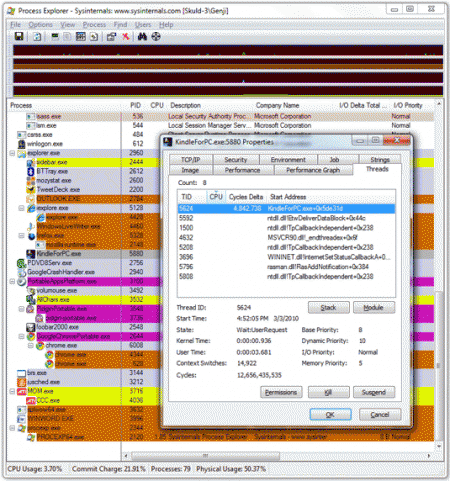
Download Process Explorer
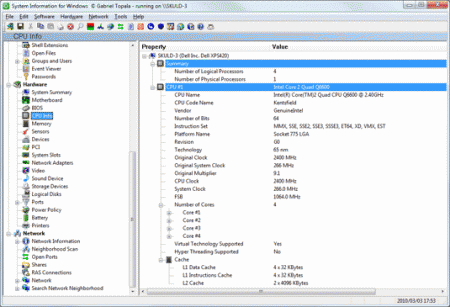
SIW : SIW is an advanced System Information for Windows tool that gathers detailed information about your system properties and settings and displays it in an extremely comprehensible manner.
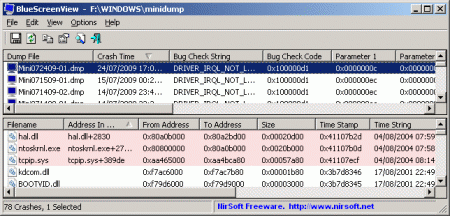
BlueScreenView : Blue Screen of Death, or BSOD for short. BlueScreenView scans your system for these files and produces a report from them, which you can read within BlueScreenView itself or save to HTML for separate analysis. Each line in the report describes the BSOD's crash code, the time and date of its occurrence, any parameters that might have been passed with the crash (useful for debugging), and a slew of other minor details. The results are searchable, so you can hunt for a particular crash code, driver, or DLL that you think might be present.
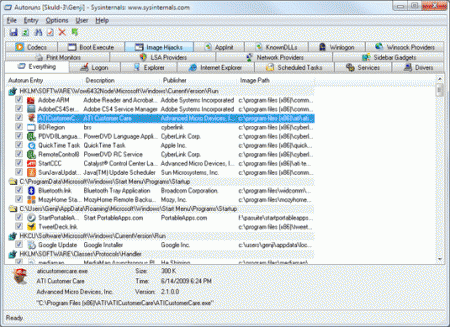
Autoruns : This utility, which has the most comprehensive knowledge of auto-starting locations of any startup monitor, shows you what programs are configured to run during system bootup or login, and shows you the entries in the order Windows processes them. These programs include ones in your startup folder, Run, RunOnce, and other Registry keys. You can configure Autoruns to show other locations, including Explorer shell extensions, toolbars, browser helper objects, Winlogon notifications, auto-start services, and much more. Autoruns goes way beyond the MSConfig utility bundled with Windows Me and XP.
Download Autorun
If you have used any of these and any other tool which makes your Windows away from Troubles, please share it with us. I will be happy to add your tried and tested version.