Android March Pixel Drop Adds Desktop Mode for Pixel Phones
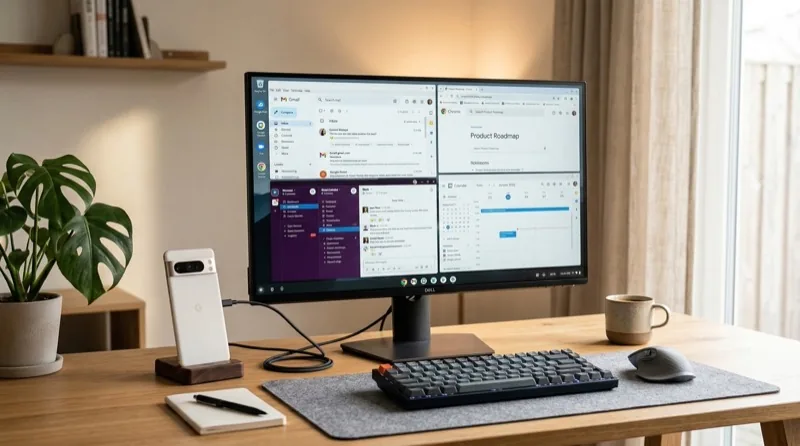
Google's March 2026 Pixel Drop update is here, and it includes a feature Android users have been requesting for years: desktop mode. When you connect your Pixel phone to an external monitor via USB-C, you now get a full desktop-like interface with resizable windows, a taskbar, and mouse and keyboard support.
What Is Android Desktop Mode?
Desktop mode turns your Pixel phone into a makeshift PC. Connect it to a monitor via USB-C cable, pair a Bluetooth keyboard and mouse, and you get a multi-window desktop experience. Apps run in resizable windows, there is a taskbar at the bottom for switching between them, and the phone screen acts as a trackpad if you do not have a mouse handy.
This is not a completely new concept — Samsung DeX has offered something similar for years. But this is the first time Google has baked desktop mode directly into stock Android for Pixel devices, which means it could eventually roll out to all Android phones as a standard feature.
Which Devices Get It?
The March Pixel Drop brings desktop mode to the Pixel 9 series and Pixel Fold. You need to be running Android 16 QPR1, which is part of this update. Older Pixel devices are not supported for now.
Other March Pixel Drop Features
Desktop mode is the headline feature, but the March update includes several other additions:
Satellite SOS for Pixel 9: Emergency satellite connectivity for when you are out of cellular range. This was previously exclusive to iPhones and a few Samsung models.
Gemini integration improvements: Gemini can now take more actions on your behalf, including controlling smart home devices and providing contextual suggestions based on what is on your screen.
Camera upgrades: New Night Sight improvements for the Pixel 9 Pro, plus better video stabilization across the lineup.
Battery improvements: Adaptive battery tweaks that Google claims extend daily battery life by up to 45 minutes on average.
How Does It Compare to Samsung DeX?
Samsung DeX has been around since 2017 and is significantly more mature. It supports a wider range of apps in desktop mode, has better window management, and works with wireless display connections — not just USB-C. Google's desktop mode is more basic in comparison, but it is version 1.0. The fact that Google is building this into stock Android rather than leaving it as a Samsung exclusive is the real story here.
The Bottom Line
Android desktop mode on Pixel phones is a solid first step, but let us be realistic — most people are not going to replace their laptop with a phone plugged into a monitor anytime soon. The app ecosystem is not optimized for desktop use, and the experience will be rough around the edges. That said, for quick tasks like checking email, browsing the web, or editing a document, it could be genuinely useful — especially when traveling. The bigger implication is that this becomes a standard Android feature, pushing all manufacturers to support it. That is when it gets interesting.