Best Laptops 2026: The Ultimate Buying Guide
The laptop market in 2026 is in the middle of a revolution. Intel's Panther Lake processors are delivering 25+ hour battery life on Windows machines, Apple's M4 family continues to dominate performance-per-watt, OLED displays are showing up in sub-$700 laptops, and AI features are baked into every new machine with dedicated NPUs. Whether you're a student, creative professional, gamer, or business user, there's never been a better time to buy a laptop.
We've researched the top laptops available right now and ranked them based on real-world performance, display quality, battery life, build quality, and value. From the $679 HP OmniBook that lasts two full workdays to the $4,500 gaming monster with an RTX 5090, this guide covers every category and budget.
Last updated: March 2026. Includes Dell XPS 14 (2026) with Intel Panther Lake, ThinkPad X1 Carbon Gen 14, and ASUS ROG Zephyrus G16 (2026) with RTX 5090.
Table of Contents
- Our Top Picks at a Glance
- Best Overall: MacBook Air M4
- Best Windows Laptop: Dell XPS 14
- Best Performance: MacBook Pro 16-inch
- Best Budget: HP OmniBook 5 14
- Best Gaming: ASUS ROG Zephyrus G16
- Best 2-in-1: Lenovo Yoga 9i Aura Edition
- Best Business: ThinkPad X1 Carbon Gen 14
- Best Convertible: HP Spectre x360 14
- Best Ultrabook: ASUS Zenbook 14 OLED
- Best Under $700: Lenovo IdeaPad Slim 5
- MacBook Air M4 vs. Dell XPS 14
- ROG Zephyrus G16 vs. Razer Blade 16
- How We Chose These Laptops
- Buying Guide: What to Look For in 2026
- Frequently Asked Questions
Our Top Picks at a Glance
| Laptop | Best For | Price | Processor | Battery Life | Weight |
|---|---|---|---|---|---|
| MacBook Air M4 13" | Best Overall | $999 | Apple M4 | ~15 hours | 2.7 lbs |
| Dell XPS 14 (2026) | Best Windows | $1,350+ | Intel Panther Lake | ~17-25 hours | 3.0 lbs |
| MacBook Pro 16" M4 Pro | Best Performance | $2,499 | Apple M4 Pro/Max | ~17-26 hours | 4.7 lbs |
| HP OmniBook 5 14 | Best Budget | $679 | Snapdragon X | ~25-28 hours | 3.1 lbs |
| ASUS ROG Zephyrus G16 | Best Gaming | $2,499+ | Intel Core Ultra 9 + RTX 5090 | ~6-8 hours | 4.3 lbs |
| Lenovo Yoga 9i Aura | Best 2-in-1 | $1,499 | Intel Core Ultra 7 258V | ~13 hours | 3.0 lbs |
| ThinkPad X1 Carbon Gen 14 | Best Business | $1,999 | Intel Panther Lake X7 | ~12+ hours | 2.19 lbs |
| HP Spectre x360 14 | Best Convertible | $1,449 | Intel Core Ultra 7 | ~14 hours | 3.2 lbs |
| ASUS Zenbook 14 OLED | Best Ultrabook | $999 | Intel Core Ultra 7 255H | ~12 hours | 2.8 lbs |
| Lenovo IdeaPad Slim 5 | Best Under $700 | $649 | AMD Ryzen 7 350 | ~10 hours | 3.5 lbs |
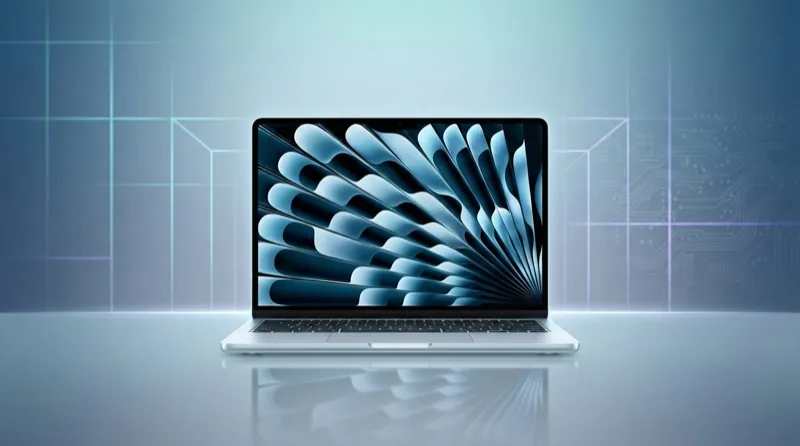
Best Overall: Apple MacBook Air M4 (13-inch, 2025)
Price: $999 | Buy on Amazon
The MacBook Air M4 is the best laptop for most people in 2026 — and virtually every major publication agrees. Tom's Guide, TechRadar, Engadget, and Laptop Mag all rank it as their #1 overall pick, and it's easy to see why.
Apple finally addressed the biggest complaint about the previous generation: the base model now comes with 16GB of RAM (up from 8GB on the M3), making it a genuine daily driver out of the box. The M4 chip delivers a massive performance boost over the M3 while maintaining the same fanless, silent design and all-day battery life (~15 hours in real-world use).
The 13.6-inch Liquid Retina display is gorgeous with P3 wide color and 500 nits brightness. The 12MP Center Stage webcam keeps you centered during video calls, and Apple Intelligence brings genuinely useful AI features like text summarization, image generation, and smart Siri. At $999, the MacBook Air M4 offers better performance-per-dollar than laptops costing twice as much.
Key Specs:
- Display: 13.6-inch Liquid Retina, 2560 x 1664, 500 nits, P3 wide color
- Processor: Apple M4 (10-core CPU, 8-core GPU)
- RAM: 16GB, 24GB, or 32GB unified memory
- Storage: 256GB, 512GB, 1TB, or 2TB SSD
- Battery: ~15 hours real-world (Apple rates 18 hours)
- Weight: 2.7 lbs (1.24 kg)
- Ports: 2x Thunderbolt 4, MagSafe, 3.5mm headphone jack
Pros: Best performance-per-watt, completely silent (fanless), 16GB RAM standard, incredible battery life, lightweight, Apple Intelligence
Cons: Only 2 USB-C ports, base model has 256GB storage, no touchscreen, limited to macOS, soldered RAM/storage
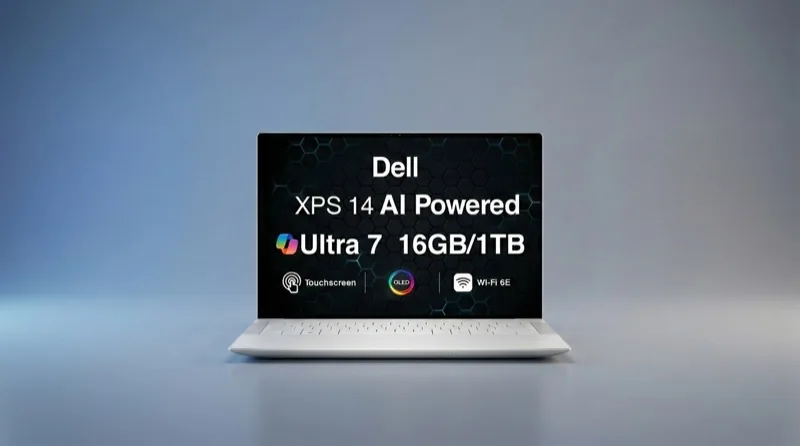
Best Windows Laptop: Dell XPS 14 (2026)
Price: From $1,350 | Buy on Amazon
The Dell XPS 14 (2026) is a complete redemption story. After the controversial 2024 redesign that ditched traditional function keys and removed trackpad borders, Dell listened to the backlash and brought everything back — while adding Intel's brand-new Panther Lake processors and an optional Tandem OLED display (the same technology used in the iPad Pro).
The result is potentially the best Windows laptop ever made. The Tandem OLED display option delivers iPad-quality visuals with perfect blacks, stunning HDR, and exceptional color accuracy. Battery life has improved dramatically thanks to Panther Lake's efficiency — independent tests show up to 25 hours on the Core Ultra 7 355 configuration, finally closing the gap with MacBooks.
Three Thunderbolt 4 ports with DisplayPort 2.1 and the new 8MP 4K HDR webcam round out a premium package. The starting price of $1,350 for the IPS model is competitive, though the Tandem OLED configuration pushes past $2,200.
Key Specs:
- Display: 14-inch — IPS 1920x1200 or Tandem OLED 2880x1800 touchscreen
- Processor: Intel Core Ultra Series 3 "Panther Lake" (Core Ultra 5/7/X7/X9)
- RAM: 16GB or 32GB LPDDR5x
- Storage: 512GB, 1TB, or 2TB PCIe Gen 5 SSD
- Battery: Up to 25 hours (Core Ultra 7), ~17 hours (Core Ultra X7)
- Weight: 3.0 lbs (1.36 kg)
- Ports: 3x Thunderbolt 4 (DP 2.1), 3.5mm headphone jack
Pros: Record-breaking Windows battery life, gorgeous Tandem OLED option, Panther Lake performance, fixed design issues from 2024, excellent 4K webcam, lightweight
Cons: OLED config is expensive ($2,200+), no SD card slot, soldered RAM, no USB-A port
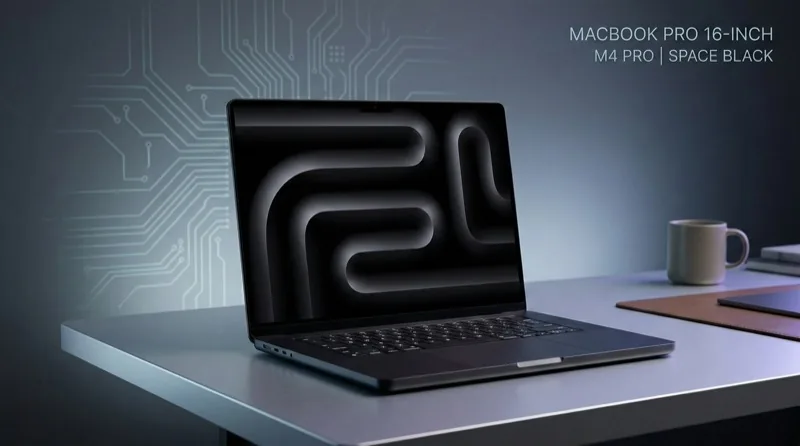
Best Performance: Apple MacBook Pro 16-inch (M4 Pro, 2024)
Price: From $2,499 | Buy on Amazon
If you need the most powerful laptop available — for video editing, 3D rendering, software development, or music production — the MacBook Pro 16-inch with M4 Pro is the machine to beat. RTINGS ranks it as the best laptop they've tested overall, and independent benchmarks consistently show it outperforming every Windows laptop in sustained creative workloads.
The M4 Pro chip (14-core CPU, 20-core GPU) handles 4K and 8K video editing without breaking a sweat, while the M4 Max option ($3,499+) adds up to 128GB of unified memory for truly professional workloads. The 16.2-inch Liquid Retina XDR display (mini-LED, 1600 nits peak HDR, 120Hz ProMotion) is the best laptop display money can buy. Battery life of 17-26 hours on a pro-class machine is unprecedented.
New to this generation: Thunderbolt 5 ports (120 Gb/s — double the bandwidth of Thunderbolt 4), making it future-proof for external displays, storage arrays, and eGPUs. The optional nano-texture display coating ($150) reduces glare without the matte screen penalty.
Key Specs:
- Display: 16.2-inch Liquid Retina XDR, 3456 x 2234, mini-LED, 120Hz, 1600 nits HDR
- Processor: Apple M4 Pro (14-core CPU, 20-core GPU) or M4 Max (up to 40-core GPU)
- RAM: 24GB-128GB unified memory
- Storage: 512GB-8TB SSD
- Battery: 17-26 hours
- Weight: 4.7 lbs (2.14 kg)
- Ports: 3x Thunderbolt 5, HDMI 2.1, SD card slot, MagSafe, 3.5mm
Pros: Unmatched sustained performance, best laptop display available, Thunderbolt 5, incredible battery for a pro machine, full port selection, studio-quality speakers
Cons: Expensive (Max configs exceed $7,000), heavy at 4.7 lbs, no touchscreen, overkill for basic tasks
Best Budget Laptop: HP OmniBook 5 14
Price: $679 | Buy on Amazon
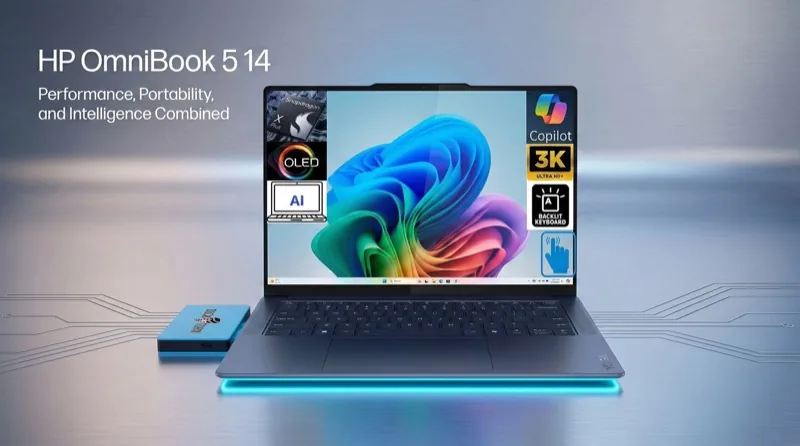
The HP OmniBook 5 14 rewrites what's possible at the budget price point. For $679, you get an OLED display, a Qualcomm Snapdragon X processor, 16GB of RAM, and battery life that's measured in days, not hours — independent tests clocked it at 25-28 hours, and HP claims up to 34 hours under optimal conditions. That's potentially two full workdays on a single charge.
Windows Central named it the "Best Value Laptop of the Year" and PCWorld called it the "Best Budget Windows Laptop" — and both are right. The OLED panel delivers perfect blacks and vibrant colors that you typically only see on laptops twice this price. The Snapdragon X chip handles productivity tasks, web browsing, and media consumption with ease while sipping battery.
The catch? It's an ARM-based laptop, which means some legacy Windows apps may have compatibility issues (though this is improving rapidly). It's also not suited for gaming or demanding creative work. But for students, office workers, and anyone who values portability and battery life above all else, the OmniBook 5 14 is unbeatable.
Key Specs:
- Display: 14-inch OLED, 1920 x 1200, 60Hz
- Processor: Qualcomm Snapdragon X / X Plus
- RAM: 16GB or 32GB LPDDR5x
- Storage: 256GB, 512GB, or 1TB SSD
- Battery: 25-28 hours (tested), up to 34 hours (HP claim)
- Weight: 3.1 lbs (1.4 kg)
Pros: Record-breaking battery life, OLED display at $679, lightweight and portable, 16GB RAM standard, Copilot+ AI features
Cons: ARM-based (some app compatibility issues), 60Hz display, not for gaming/creative work, limited processor power
Buy HP OmniBook 5 14 on Amazon
Best Gaming Laptop: ASUS ROG Zephyrus G16 (2026)
Price: From $2,499 | Buy on Amazon
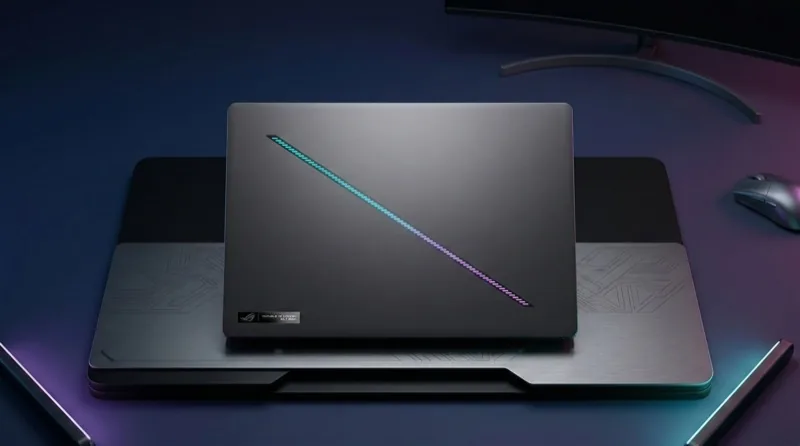
The ASUS ROG Zephyrus G16 (2026) proves that a gaming laptop doesn't have to be a thick, heavy brick. At just 0.59 inches (15mm) thin and 4.3 lbs, it's remarkably slim for a machine packing an NVIDIA RTX 5090 laptop GPU with 160W TGP and Intel's Core Ultra 9 386H (Panther Lake).
The 16-inch 240Hz OLED display is the star of the show — 2560x1600 resolution, 1100 nits peak brightness, 0.2ms response time, and VESA DisplayHDR 1000 True Black certification. Games look absolutely stunning on this panel, and the 240Hz refresh rate ensures buttery-smooth gameplay even in fast-paced competitive titles.
ASUS's tri-fan cooling system keeps thermals in check despite the slim chassis, though it can get loud under full load. The RTX 5090 delivers desktop-class gaming performance, handling 4K gaming and ray tracing with ease. For gamers who want the absolute best without a desktop-sized machine, the Zephyrus G16 is the answer.
Key Specs:
- Display: 16-inch OLED, 2560 x 1600, 240Hz, 1100 nits, 0.2ms
- Processor: Intel Core Ultra 9 386H (Panther Lake)
- GPU: NVIDIA GeForce RTX 5090 Laptop (160W TGP)
- RAM: Up to 64GB LPDDR5x
- Storage: M.2 PCIe Gen 4 SSD (user-replaceable)
- Battery: 90Wh, ~6-8 hours general use
- Weight: 4.3 lbs (1.95 kg)
Pros: Ultra-slim for a gaming laptop, stunning 240Hz OLED, RTX 5090 desktop-class performance, excellent color accuracy, tri-fan cooling, user-replaceable SSD
Cons: Expensive, soldered RAM, loud fans under load, limited gaming battery life, heavy for a thin laptop
Buy ROG Zephyrus G16 on Amazon
Best 2-in-1: Lenovo Yoga 9i Aura Edition
Price: $1,499-$1,749 | Buy on Amazon
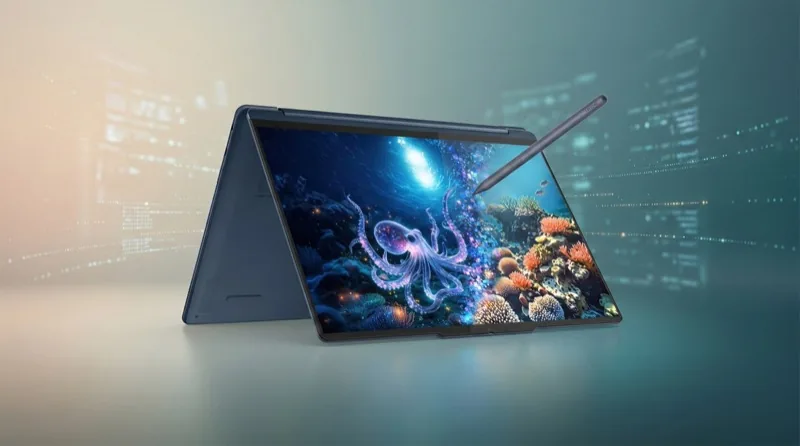
The Lenovo Yoga 9i Aura Edition is PCWorld's pick for the best overall laptop and Tom's Hardware's top 2-in-1 — and it earns both titles. The 360-degree hinge transforms it from a traditional laptop to a tablet, tent, or presentation mode, while the 14-inch 2880x1800 OLED touchscreen with 120Hz adaptive refresh delivers stunning visuals in every orientation.
Powered by Intel's Core Ultra 7 258V (Lunar Lake), the Yoga 9i delivers solid all-day battery life (~13 hours) despite the power-hungry OLED panel. The Aura Edition smart features include intelligent display modes, attention-aware screen dimming, and optimized performance profiles. Quad speakers deliver audio quality that punches well above its class.
At $1,499 (frequently on sale), it's more affordable than the HP Spectre x360 while offering a larger display and better audio. Stylus support (pen sold separately) makes it great for digital note-taking and sketching.
Key Specs:
- Display: 14-inch OLED, 2880 x 1800, 120Hz adaptive, touchscreen
- Processor: Intel Core Ultra 7 258V (Lunar Lake)
- RAM: 32GB LPDDR5x
- Storage: 1TB SSD
- Battery: ~13 hours (Laptop Mag test)
- Weight: 3.0 lbs (1.36 kg)
Pros: Gorgeous 120Hz OLED, versatile 360-degree hinge, solid battery life, great audio, premium build, competitive pricing
Cons: Lunar Lake limits heavy workload performance, pen sold separately, only 1 configuration available, heavier than non-convertible ultrabooks
Best Business Laptop: Lenovo ThinkPad X1 Carbon Gen 14 (2026)
Price: From $1,999 | Buy on Amazon
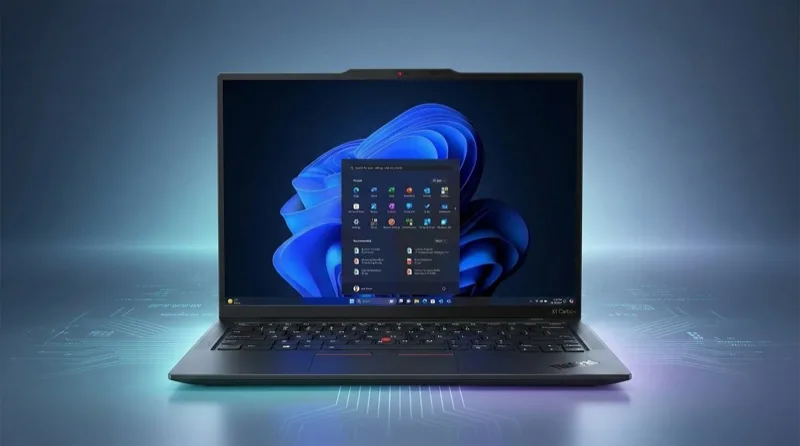
The ThinkPad X1 Carbon has been the gold standard for business laptops for over a decade, and the Gen 14 (2026) takes it to another level. At just 996 grams (2.19 lbs), it's the lightest in its class — sub-1 kg for a 14-inch business laptop with full-size ports, military-grade durability, and Intel's latest Panther Lake processor.
The most exciting innovation is the new "Space Frame" modular design, which makes the keyboard and USB-C ports user-replaceable — a repairability revolution for a category known for soldered-everything designs. TechRadar calls it "the most powerful sub-1kg laptop ever," and NotebookCheck praises the repairability breakthrough.
For IT departments and road warriors, the ThinkPad X1 Carbon offers enterprise-grade security (vPro, fingerprint, IR camera), MIL-STD-810H durability testing, and the legendary ThinkPad keyboard. The 10MP 110-degree wide webcam is among the best in any laptop. The ThinkPad line also has the lowest failure rate in the industry — 8.3% over 3 years with a 6.2-year average lifespan.
Key Specs:
- Display: 14-inch — IPS 1920x1200 or 2.8K OLED touchscreen
- Processor: Intel Core Ultra X7 Series 3 "Panther Lake" (50 TOPS NPU)
- RAM: Up to 64GB LPDDR5x
- Storage: Up to 2TB PCIe Gen 5 SSD
- Battery: ~12+ hours
- Weight: 996g (2.19 lbs)
- Ports: HDMI 2.1, USB-A, 3x Thunderbolt 4, 3.5mm
Pros: Sub-1 kg weight, modular repairability, Panther Lake performance, full port selection (HDMI, USB-A, Thunderbolt), 10MP webcam, MIL-STD durability, enterprise security
Cons: Expensive, 58Wh battery is smaller than some competitors, OLED adds significant cost
Buy ThinkPad X1 Carbon on Amazon
Best Convertible: HP Spectre x360 14
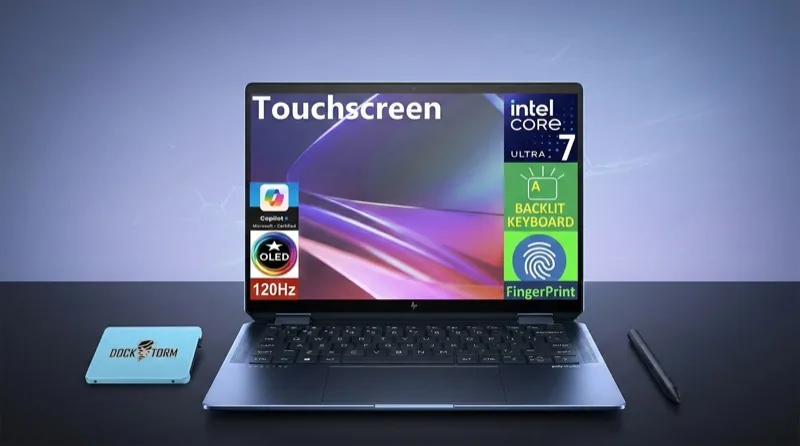
Price: From $1,449 | Buy on Amazon
The HP Spectre x360 14 is the premium convertible for users who want a 2-in-1 that looks as good as it performs. The gem-cut design with dual-chamfered edges remains one of the most striking laptop designs available, and the 2.8K OLED touchscreen delivers exceptional visual quality for both work and entertainment.
While the Yoga 9i wins on value, the Spectre x360 counters with longer battery life (~14+ hours vs the Yoga's ~13 hours) and a more compact, premium build. The included active pen makes it a natural choice for digital artists and note-takers. HP's AI-powered features include intelligent noise cancellation for video calls and auto-color tuning for the display.
Key Specs:
- Display: 14-inch OLED, 2880 x 1800, touchscreen, 120Hz
- Processor: Intel Core Ultra 7 155H
- RAM: 16GB or 32GB LPDDR5x
- Storage: Up to 2TB SSD
- Battery: ~14+ hours
- Weight: 3.2 lbs
Pros: Stunning gem-cut design, excellent battery life, included active pen, beautiful OLED display, strong webcam, premium build quality
Cons: Pricier than Yoga 9i, heavier than MacBook Air, limited configuration options on Amazon
Best Ultrabook: ASUS Zenbook 14 OLED
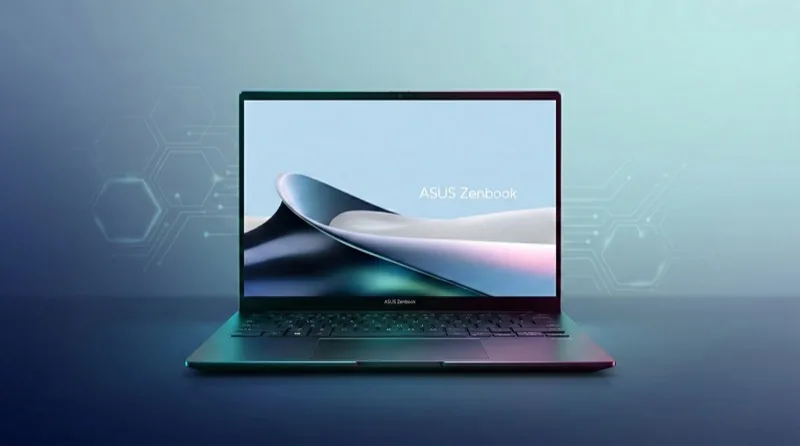
Price: From $999 | Buy on Amazon
The ASUS Zenbook 14 OLED hits the sweet spot between the budget HP OmniBook and the premium Dell XPS. At $999 with an OLED display, Intel Core Ultra 7 255H, 16GB RAM, and Thunderbolt 4, it offers flagship-level features at a mid-range price.
Available in Intel, AMD, and Snapdragon variants, the Zenbook 14 OLED gives you processor flexibility that no other laptop in this list offers. The Intel model with Arc 140T integrated graphics handles casual gaming and creative tasks well, while the higher-end configurations with 3K 120Hz OLED push into premium territory. Build quality is excellent with an aluminum chassis that feels more expensive than it is.
Key Specs:
- Display: 14-inch OLED, 1920x1200 touchscreen (or 3K 120Hz on higher configs)
- Processor: Intel Core Ultra 7 255H / AMD Ryzen AI 7 / Snapdragon X Plus
- RAM: 16GB or 32GB LPDDR5
- Storage: 512GB or 1TB SSD
- Battery: ~12 hours
- Weight: 2.8 lbs
Pros: OLED at $999, multiple processor options, Thunderbolt 4, lightweight, good build quality, touchscreen
Cons: Base model is 60Hz, not as premium-feeling as Dell XPS or MacBook Air, limited ports on base model
Buy ASUS Zenbook 14 OLED on Amazon
Best Under $700: Lenovo IdeaPad Slim 5
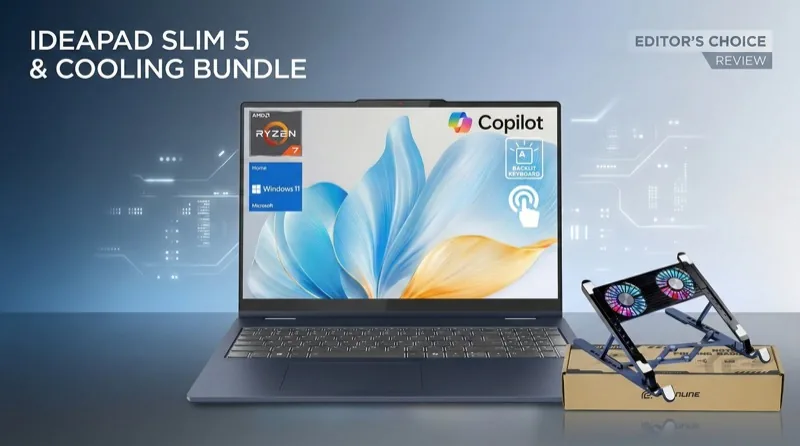
Price: From $649 | Buy on Amazon
The Lenovo IdeaPad Slim 5 is the best traditional (x86) budget laptop you can buy. Unlike the ARM-based HP OmniBook, the IdeaPad runs a standard AMD Ryzen 7 350 processor, so you get full compatibility with every Windows application — no ARM compatibility concerns.
For under $700, you get a 16-inch FHD+ touchscreen, 16GB RAM, 1TB SSD, a backlit keyboard, and Wi-Fi 7. The Ryzen 7 350 handles productivity, media consumption, and even light gaming with integrated Radeon graphics. It's not as portable as the OmniBook (3.5 lbs vs 3.1 lbs) and doesn't have the OLED display, but it offers broader software compatibility and more processor power for demanding tasks.
Key Specs:
- Display: 16-inch FHD+ (1920x1200), IPS, touchscreen
- Processor: AMD Ryzen 7 350 (up to 5GHz)
- RAM: 16GB LPDDR5
- Storage: 1TB SSD
- Battery: ~10 hours
- Weight: 3.5 lbs
Pros: Full x86 compatibility, large 16-inch touchscreen, 1TB SSD at this price, Wi-Fi 7, solid productivity performance
Cons: IPS not OLED, heavier than competitors, shorter battery life, plastic-feeling build
MacBook Air M4 vs. Dell XPS 14 (2026)
| Feature | MacBook Air M4 13" | Dell XPS 14 (2026) |
|---|---|---|
| Price | $999 | $1,350+ (OLED: $2,200+) |
| Display | 13.6" Liquid Retina, 500 nits | 14" IPS or Tandem OLED, up to 1000 nits |
| Processor | Apple M4 | Intel Panther Lake |
| RAM | 16-32GB | 16-32GB |
| Battery | ~15 hours | ~17-25 hours |
| Weight | 2.7 lbs | 3.0 lbs |
| Ports | 2x TB4, MagSafe | 3x TB4, 3.5mm |
| Touchscreen | No | OLED model only |
| Fan Noise | Silent (fanless) | Quiet under load |
| OS | macOS | Windows 11 |
Bottom Line: The MacBook Air M4 wins on price ($999 vs $1,350+), weight, and silence (fanless design). The Dell XPS 14 wins on battery life (up to 25 hours), display options (Tandem OLED is stunning), and port count (3 vs 2 Thunderbolt). Choose Mac if you value simplicity, weight, and the Apple ecosystem. Choose Dell if you need Windows, longer battery life, or the best display technology available.
ASUS ROG Zephyrus G16 vs. Razer Blade 16
| Feature | ASUS ROG Zephyrus G16 | Razer Blade 16 |
|---|---|---|
| Price | From $2,499 | From $4,499 |
| CPU | Intel Core Ultra 9 386H (Panther Lake) | AMD Ryzen AI 9 HX 370 |
| GPU | RTX 5090 (160W TGP) | RTX 5090 |
| Display | 16" OLED, 240Hz, 1100 nits | 16" QHD+ OLED, 240Hz |
| RAM | Up to 64GB (soldered) | 32-64GB (soldered) |
| SSD | User-replaceable | Up to 4TB |
| Weight | 4.3 lbs | ~5.3 lbs |
| Thickness | 0.59" (15mm) | 0.68" (17.3mm) |
| Build Quality | Excellent | Best-in-class CNC aluminum |
Bottom Line: The Zephyrus G16 offers nearly identical gaming performance at almost half the price ($2,499 vs $4,499), in a thinner and lighter package. The Razer Blade 16 justifies its premium with superior build quality (CNC aluminum unibody), a more premium aesthetic, and the Razer brand cachet. For most gamers, the Zephyrus G16 is the smarter buy. The Razer Blade is for those who want the absolute best build quality regardless of price.
How We Chose These Laptops
We evaluated dozens of laptops based on the following criteria:
- Performance: Real-world benchmarks in productivity, creative work, and gaming, with emphasis on sustained performance under load
- Display Quality: Resolution, color accuracy, brightness, OLED vs IPS, refresh rate, and HDR capability
- Battery Life: Independent battery tests (not manufacturer claims), measuring web browsing, video playback, and mixed workloads
- Build Quality: Materials, durability testing, hinge quality, keyboard and trackpad feel, speaker quality
- Value: Performance and features relative to price, including what you get at the base configuration
- Portability: Weight, thickness, and how comfortable it is to carry daily
- Port Selection: Thunderbolt 4/5, USB-A, HDMI, SD card, and headphone jack availability
- Software Support: OS update longevity, bloatware, and manufacturer software quality
Buying Guide: What to Look For in 2026
Processor: Intel Panther Lake vs. Apple M4 vs. Snapdragon X
2026 is a three-way processor war. Intel's Panther Lake (Core Ultra Series 3) delivers up to 50% better performance over Lunar Lake and record-breaking battery life on Windows. Apple's M4 family continues to lead in performance-per-watt and creative workloads. Qualcomm's Snapdragon X offers the longest battery life but with some app compatibility trade-offs. For most Windows users, Panther Lake is the safest choice. Budget-conscious users should consider Snapdragon X for its exceptional battery life.
OLED vs. IPS Display
OLED displays have dropped to the sub-$700 price point (HP OmniBook 5 14), making them accessible to everyone. OLED offers perfect blacks, infinite contrast, and vibrant colors. The trade-offs — potential burn-in and higher power consumption — are worth it for most users. If you're budget-constrained below $600, IPS is still fine, but above $700, insist on OLED.
How Much RAM Do You Need?
In 2026, 16GB is the absolute minimum. Windows 11 with Copilot+ features and Chrome with 20+ tabs will easily consume 12GB. Aim for 32GB if you do any creative work, run virtual machines, or plan to keep the laptop for 4+ years. Note that most modern laptops solder RAM — it's not upgradeable after purchase, so buy more than you think you need.
AI PCs and Copilot+ Features
Every new Windows laptop in 2026 ships with a dedicated NPU (Neural Processing Unit) rated at 40+ TOPS. This enables on-device AI features like Recall (searchable screenshot history), Live Captions, real-time translation, and AI image generation — all without cloud processing. These features are becoming genuinely useful, but shouldn't be the primary reason to buy a laptop yet.
Battery Life: The New Benchmark
Battery life has improved dramatically in 2026. Panther Lake Windows laptops are hitting 20-25+ hours, Snapdragon X machines reach 25-34 hours, and MacBooks remain at 15-18 hours. The old "MacBooks have better battery life than Windows" narrative is officially dead. If battery life is your priority, look at Snapdragon X-powered machines first.
Frequently Asked Questions
What is the best laptop in 2026?
The Apple MacBook Air M4 (13-inch) is the best laptop for most people, offering exceptional performance, battery life, and build quality at $999. For Windows users, the Dell XPS 14 (2026) with Panther Lake is the top pick, offering up to 25 hours of battery life and an optional Tandem OLED display.
Is the MacBook Air M4 worth the upgrade from M3?
Yes, especially if you have the 8GB M3 model. The M4 doubles the base RAM to 16GB and delivers 25-30% better CPU performance. If you already have a 16GB M3 MacBook Air and don't need the extra performance, you can skip this generation.
What is Intel Panther Lake and why does it matter?
Panther Lake is Intel's newest processor architecture (Core Ultra Series 3), built on the Intel 18A process. It delivers up to 50% better performance and 25+ hour battery life on Windows laptops — the first time Windows machines have matched or exceeded MacBook battery life. It's available in the Dell XPS 14 (2026) and ThinkPad X1 Carbon Gen 14.
Are Snapdragon X laptops worth buying?
For productivity and web browsing, absolutely — they offer the best battery life available (25-34 hours). However, some Windows applications still have compatibility issues on ARM processors. If you primarily use web apps, Office, and modern Windows Store apps, Snapdragon X is excellent. If you rely on legacy software, specialized tools, or gaming, stick with Intel or AMD.
How much should I spend on a laptop in 2026?
For basic productivity and web browsing: $600-800 (HP OmniBook 5 14, Lenovo IdeaPad Slim 5). For a premium all-rounder: $999-1,500 (MacBook Air M4, ASUS Zenbook 14 OLED). For creative professionals: $2,000-3,500 (MacBook Pro 16, Dell XPS 14 OLED). For gaming: $1,500-2,500 (ASUS ROG Zephyrus G16). Spending over $3,000 is only justified for specialized professional or gaming use.
Do I need an OLED display?
Once you see an OLED laptop display, it's hard to go back to IPS. The perfect blacks, vibrant colors, and infinite contrast make everything look better — from Netflix to spreadsheets. With OLED now available at $679 (HP OmniBook 5 14), there's no reason to settle for IPS unless you're on an extreme budget. The burn-in concern is largely overblown for laptop use.
What's the best laptop for programming?
The MacBook Air M4 ($999) is the top choice for most developers — excellent terminal performance, great keyboard, silent operation, and long battery life. For Windows developers, the ThinkPad X1 Carbon Gen 14 ($1,999) offers the best keyboard, lightest weight (2.19 lbs), and enterprise-grade durability. Budget pick: ASUS Zenbook 14 OLED ($999).
Gaming laptop or gaming desktop?
The RTX 5090 laptop GPU closes the gap with desktop GPUs significantly, but desktops still offer better price-to-performance and upgradability. Choose a gaming laptop if portability matters — the ASUS ROG Zephyrus G16 proves you can get near-desktop performance at 4.3 lbs. Choose a desktop if you want the absolute best performance per dollar and plan to upgrade over time.