How to Create Alexa Routines (2026 Guide)
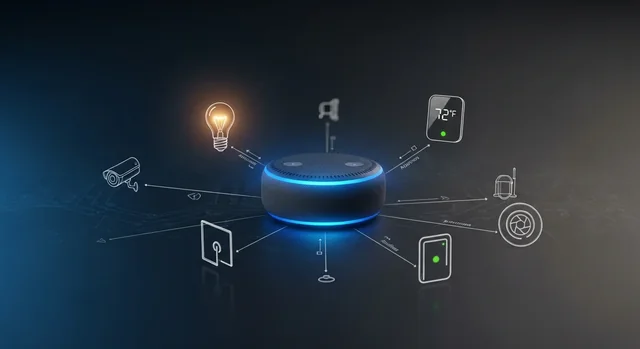
Amazon's Alexa has evolved dramatically in 2025, transforming from a simple voice assistant into an intelligent automation powerhouse. With the introduction of Alexa+ AI features and enhanced smart home integration, creating sophisticated routines has never been more intuitive or powerful. Whether you're looking to streamline your morning routine, enhance home security, or create the perfect ambiance for any occasion, mastering Alexa routines is your gateway to a truly smart home experience.
The latest Alexa+ update brings revolutionary capabilities including natural language routine creation, predictive automation suggestions, and seamless Matter standard integration that works with virtually any smart device. Gone are the days of complex setup procedures – you can now create routines simply by describing what you want in plain English.
What Are Alexa Routines in 2025?
Alexa Routines are automated sequences of actions that your Echo devices and connected smart home products can execute based on specific triggers. Think of them as digital recipes that combine multiple smart home functions into a single, seamless experience. With 2025's Alexa+ AI enhancement, these routines have become incredibly sophisticated, capable of learning your preferences and adapting to your lifestyle patterns.
See also: 4 Best VPN for Streaming.
The new Alexa+ system can now handle complex conditional logic, multi-device coordination, and even predictive actions based on your daily patterns. For example, your "Good Morning" routine might automatically adjust based on your calendar, weather conditions, and even your sleep quality data from compatible wearables.
Getting Started: Prerequisites for Advanced Alexa Routines
Before diving into routine creation, ensure you have the following setup:
- Updated Alexa App: Version 2.2.556789 or later (released December 2024)
- Alexa+ Subscription: $4.99/month for advanced AI features and unlimited routines
- Compatible Echo Device: 4th generation or newer for full Alexa+ functionality
- Matter-Compatible Hub: For seamless integration with non-Amazon devices
- Stable Wi-Fi Connection: Minimum 25 Mbps for optimal performance
Step-by-Step Guide to Creating Alexa Routines
Method 1: Voice-Activated Routine Creation (New in 2025)
The most exciting feature of Alexa+ is the ability to create routines using natural language. Here's how:
- Initiate Creation: Say "Alexa, create a new routine" to any Echo device
- Describe Your Routine: Explain what you want in plain English. For example: "When I say 'movie time,' dim the lights to 20%, close the blinds, turn on the TV, and set the temperature to 68 degrees"
- Confirm Actions: Alexa will repeat back the actions and ask for confirmation
- Test and Refine: Run the routine immediately to ensure it works as expected
- Save and Name: Give your routine a memorable name for future reference
Method 2: Traditional App-Based Creation
For users who prefer manual control or need complex conditional logic:
- Open the Alexa App: Navigate to the "More" tab and select "Routines"
- Create New Routine: Tap the "+" icon in the top-right corner
- Set Routine Name: Choose a descriptive name that's easy to remember
- Configure Triggers: Select from voice commands, schedules, device states, or smart home sensors
- Add Actions: Choose from over 200 available actions across different categories
- Set Conditions: Use the new conditional logic feature to add "if/then" statements
- Test Routine: Use the built-in simulator to test before activation
- Enable and Save: Activate your routine for immediate use
Advanced Trigger Options in 2025
Alexa+ has significantly expanded trigger capabilities, offering unprecedented flexibility:
Multi-Phrase Voice Triggers
You can now set multiple voice commands for the same routine. For example, "Alexa, bedtime," "Alexa, going to sleep," and "Alexa, lights out" can all trigger your nighttime routine.
Predictive Triggers
Alexa+ AI can suggest routine triggers based on your behavior patterns. If you consistently turn off lights at 10 PM, Alexa might suggest creating an automatic routine.
Environmental Triggers
- Weather conditions (rain, temperature changes, air quality)
- Ambient light levels
- Motion detection from compatible cameras
- Sound recognition (doorbell, smoke alarm, breaking glass)
- Geofencing based on smartphone location
Matter Standard Integration: Universal Smart Home Control
One of 2025's biggest improvements is full Matter standard support, allowing Alexa routines to control devices from any manufacturer. This means your Google Nest thermostat, Philips Hue lights, and Samsung SmartThings sensors can all work together seamlessly in a single routine.
Setting Up Matter Devices
- Ensure your Echo device supports Matter (4th gen and newer)
- Open the Alexa app and navigate to "Devices"
- Select "Add Device" and choose "Matter"
- Scan the Matter QR code on your device
- Follow the pairing instructions
- Test connectivity before adding to routines
Popular Routine Templates and Examples
Enhanced Morning Routine
Trigger: "Alexa, good morning" or automatic at sunrise
See also: Amazon: First fully Autonomous Mobile Warehouse Robot.
Actions:
- Gradually increase bedroom lights to 80% over 5 minutes
- Adjust thermostat based on weather forecast
- Open smart blinds
- Start coffee maker
- Play personalized news briefing
- Display calendar events on Echo Show
- Send good morning text to family members
Security-Enhanced Away Routine
Trigger: Geofencing when all family members leave
Actions:
- Arm security system
- Turn off all non-essential devices
- Set lights to vacation mode (random on/off)
- Adjust thermostat for energy savings
- Lock all smart locks
- Close garage door
- Enable security cameras
Comparison: Alexa+ vs Standard Alexa Features
| Feature | Standard Alexa | Alexa+ ($4.99/month) |
|---|---|---|
| Maximum Routines | 50 | Unlimited |
| Voice Creation | ❌ | ✅ |
| Conditional Logic | Basic | Advanced (nested conditions) |
| Predictive Suggestions | ❌ | ✅ |
| Multi-Phrase Triggers | Single phrase only | Up to 10 phrases |
| Matter Integration | Limited | Full support |
| Routine Sharing | ❌ | ✅ |
| Advanced Scheduling | Basic time/date | Sunrise/sunset, seasonal adjustments |
Best Practices for Alexa Routine Optimization
Performance Tips
- Limit Actions Per Routine: Keep routines under 15 actions for optimal performance
- Use Delays Strategically: Add 2-3 second delays between device commands to prevent conflicts
- Group Similar Devices: Create device groups for simultaneous control
- Test Regularly: Monthly routine audits ensure continued functionality
- Update Device Firmware: Keep all connected devices updated for compatibility
Security Considerations
- Voice Recognition: Enable voice profiles to prevent unauthorized routine activation
- Guest Access: Create separate routines for guests with limited home access
- Backup Plans: Always have manual overrides for critical systems
- Privacy Settings: Review and adjust data sharing preferences regularly
Troubleshooting Common Issues
Routine Not Triggering
- Check internet connectivity on all devices
- Verify trigger conditions are met
- Ensure voice command pronunciation is clear
- Review device compatibility and updates
Partial Routine Execution
- Add delays between conflicting actions
- Check device power and connectivity status
- Verify skill permissions and authorizations
- Test individual actions separately
Common Mistakes to Avoid
Over-Complication
Many users create overly complex routines that are prone to failure. Start simple and gradually add complexity as you become more comfortable with the system.
Ignoring Device Limitations
Not all smart devices respond at the same speed. Research device response times and adjust routine timing accordingly.
Poor Trigger Selection
Choosing triggers that occur too frequently or rarely can make routines ineffective. Monitor usage patterns and adjust triggers based on actual needs.
Learn more in our article about Why Amazon Bought Bee: The Future of AI Wearables.
Neglecting Maintenance
Routines require periodic review and updates. Set monthly reminders to check routine performance and make necessary adjustments.
Security Oversights
Avoid creating routines that could compromise home security, such as automatically unlocking doors based solely on voice commands without additional verification.
Future-Proofing Your Alexa Routines
As smart home technology continues to evolve, consider these strategies to keep your routines current:
- Choose Matter-Compatible Devices: Ensure new purchases support the Matter standard
- Regular Skill Updates: Keep Alexa skills updated for new features and compatibility
- Backup Routine Configurations: Document your routines for easy recreation if needed
- Stay Informed: Follow Amazon's developer updates for new routine capabilities
Frequently Asked Questions
Can I create routines without an Alexa+ subscription?
Yes, you can create basic routines with standard Alexa, but you'll be limited to 50 routines total and won't have access to advanced features like voice creation, conditional logic, or predictive suggestions.
How many actions can I include in a single routine?
While there's no hard limit, Amazon recommends keeping routines under 15 actions for optimal performance. Alexa+ users can create more complex routines, but performance may vary with very long sequences.
Can routines work when my internet is down?
Most Alexa routines require internet connectivity to function. However, some local device controls may work if you have a compatible hub with offline capabilities.
Related: A Beginners Guide to VPN – A Complete VPN Guide for 2023.
How do I share routines with family members?
Alexa+ subscribers can share routines through the app's sharing feature. Standard users need to recreate routines manually on each account or use Amazon Household sharing.
Can I use routines to control non-Amazon smart devices?
Yes, especially with 2025's Matter standard integration. Most major smart home brands are now compatible with Alexa routines, including Google Nest, Philips Hue, Samsung SmartThings, and many others.
What happens if a routine action fails?
Alexa will continue executing remaining actions in the routine. Failed actions are logged in the app's activity history, and Alexa+ can send notifications about failures.
Can I create location-based routines?
Yes, using your smartphone's location services, you can create geofenced routines that trigger when you arrive or leave specific locations.
How do I prevent routines from activating accidentally?
Enable voice recognition profiles, use unique trigger phrases, and consider adding confirmation steps for routines that control critical systems like security or door locks.
Can routines learn from my behavior patterns?
Alexa+ includes predictive AI that can suggest routine optimizations based on your usage patterns, but it doesn't automatically modify existing routines without your permission.
What's the difference between routines and Alexa skills?
Skills are third-party applications that add functionality to Alexa, while routines are sequences of actions that can include skill activation. Routines can use multiple skills and device controls in a single command.
Conclusion
Mastering Alexa routines in 2025 opens up incredible possibilities for home automation and daily life optimization. With Alexa+ AI features, voice-activated creation, and Matter standard integration, creating sophisticated smart home experiences has never been more accessible. The key to success lies in starting simple, understanding your specific needs, and gradually building more complex automations as you become comfortable with the system.
Whether you're looking to streamline your morning routine, enhance home security, or create the perfect ambiance for any occasion, the tools are now available to create truly intelligent automation that adapts to your lifestyle. Remember to regularly review and update your routines, stay informed about new features, and always prioritize security in your smart home setup.
Related: Netflix's Tudum event: How to watch it on weekend.
The future of home automation is here, and with the right approach to Alexa routines, you can create a living space that anticipates your needs and responds intelligently to your daily patterns. Start with one simple routine today, and gradually build the smart home of your dreams.